Smart Gui - Algorithm Training Material_rev1.pdf - 第38页
Copyright © ViT rox All Rights Reserved . 6. Paste Fail As ● 3 choices for error message to prompt out during fail. 7. Pass Criteria ● T o set number of box require to pass. ● This setting always refer to the box mode se…
Copyright © ViTrox All Rights Reserved.
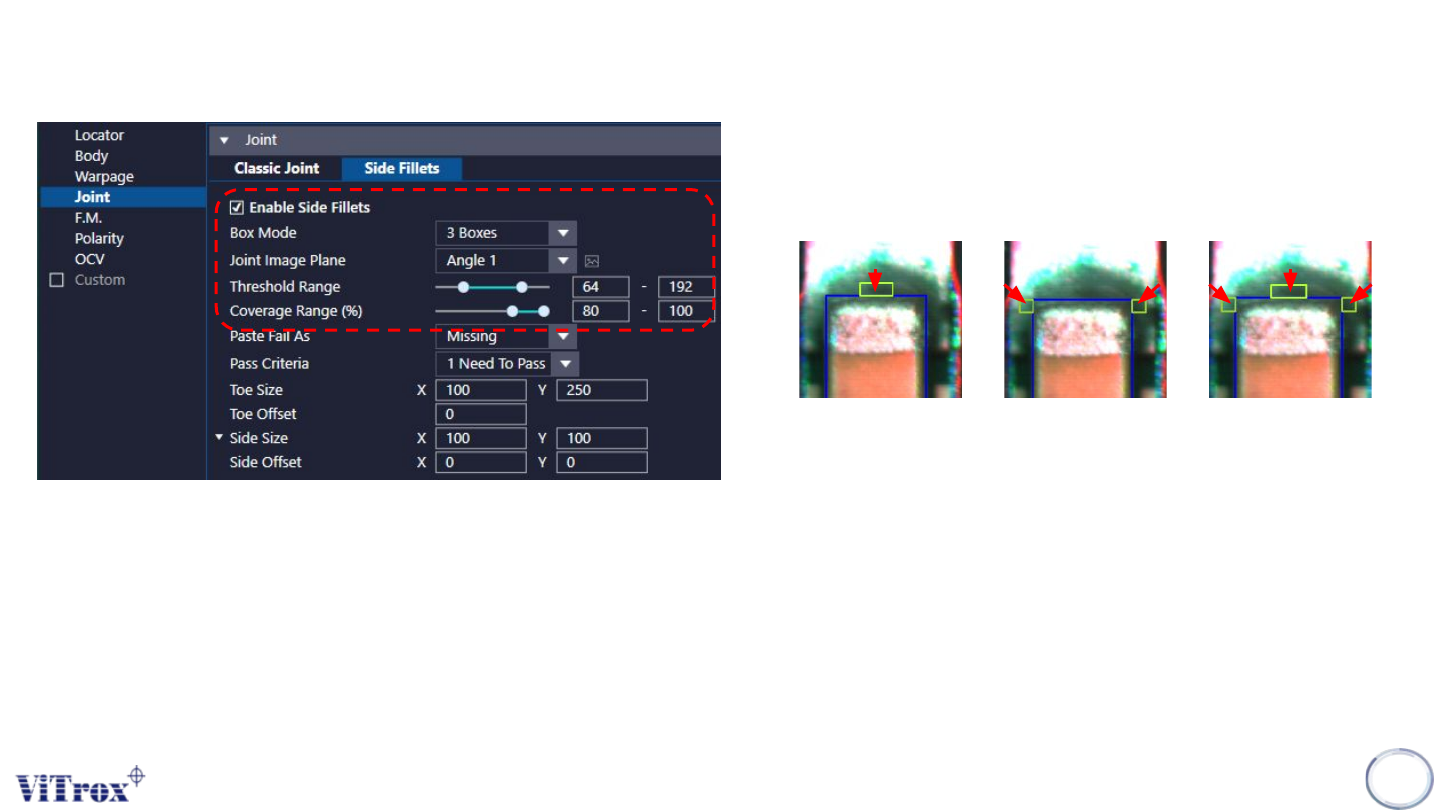
1. Enable Side Fillet
● Tick to enable side fillet inspection.
● By 2D only. (Grayscale)
2. Box Mode
3. Joint Image Plane
● Select the one that having best contrast among the Joint Area
and background.
4. Threshold Range
● To set the range (Min & Max) of threshold to pass the Side Fillet
algorithm.
● For eg, Threshold Range to 70 - 190, the measured greyscale
that fall between 70 to 190 will consider as pass.
37
CR Type Algorithm - Joint (Side Fillets Inspection)
1 Box 2 Boxes 3 Boxes
5. Coverage Range (%)
● Coverage range is used to set the range (Min & Max)
of coverage to pass the Side Fillet algorithm.
● For eg, when coverage range is set to 80 - 100, the
measured coverage that fall between 80 to 100 will
consider as pass.
Copyright © ViTrox All Rights Reserved.
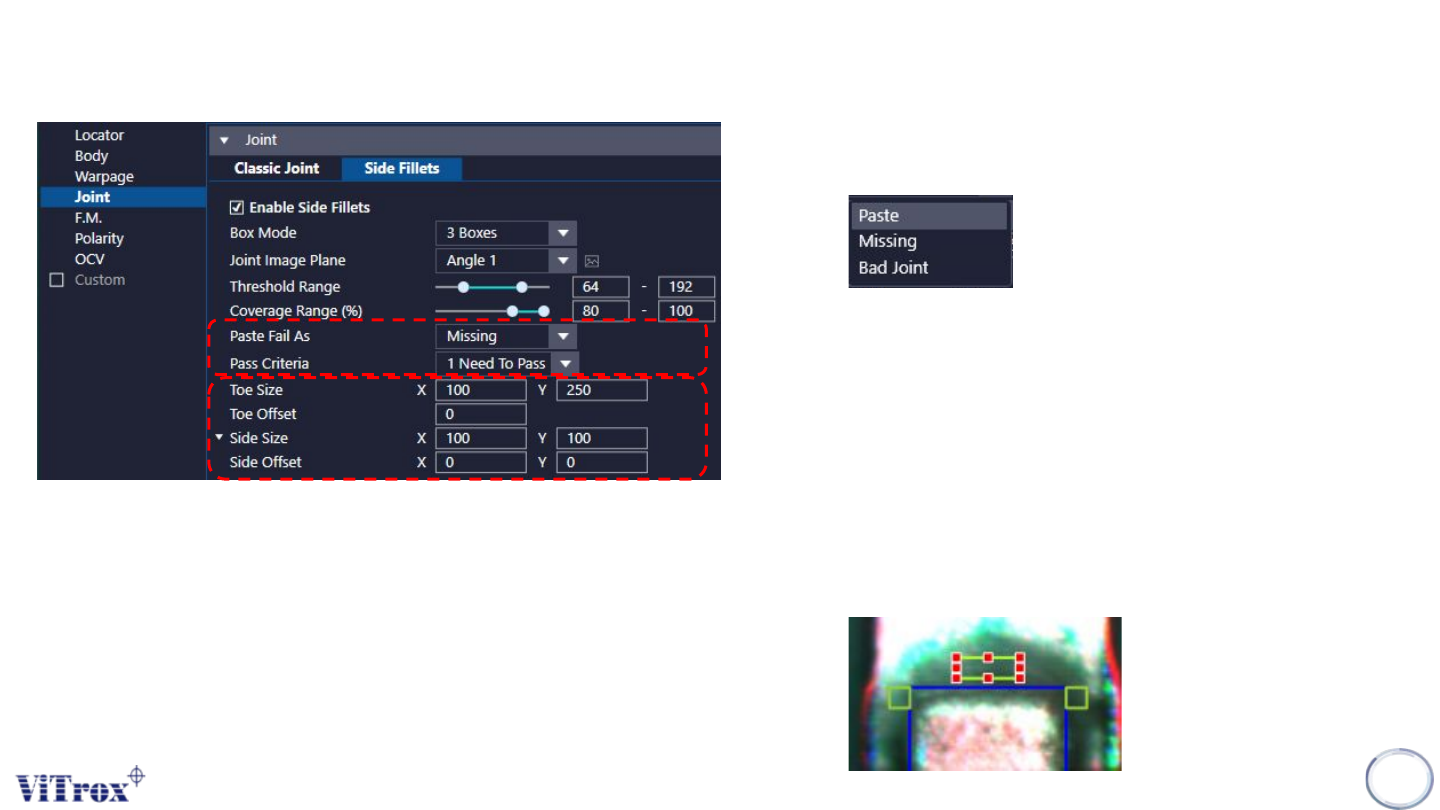
6. Paste Fail As
● 3 choices for error message to prompt out during fail.
7. Pass Criteria
● To set number of box require to pass.
● This setting always refer to the box mode set.
● 1 Box: At least one box Need to Pass.
● 2 Boxes: At least 2 boxes Need to Pass
● 3 Boxes: All Need to Pass
38
CR Type Algorithm - Joint (Side Fillets Inspection)
8. Toe size / Toe Offset / Side Size / side Offset
● To adjust the sizes & offset for the Side Fillet Boxes
● Can drag the boxes to change the size and offset.

Copyright © ViTrox All Rights Reserved.
39
Foreign Material Inspection