Smart Gui - Algorithm Training Material_rev1.pdf - 第283页
Copyright © ViT rox All Rights Reserved . 283 1. W arpage Compensation Mode ● Compensate the 3D height if there is an obvious board warpage happen. ● The difference for this 3 modes is the region to select the reference …

Copyright © ViTrox All Rights Reserved.
282
Warpage Compensation Algorithm
(Help on 3D Construction)
Copyright © ViTrox All Rights Reserved.
283
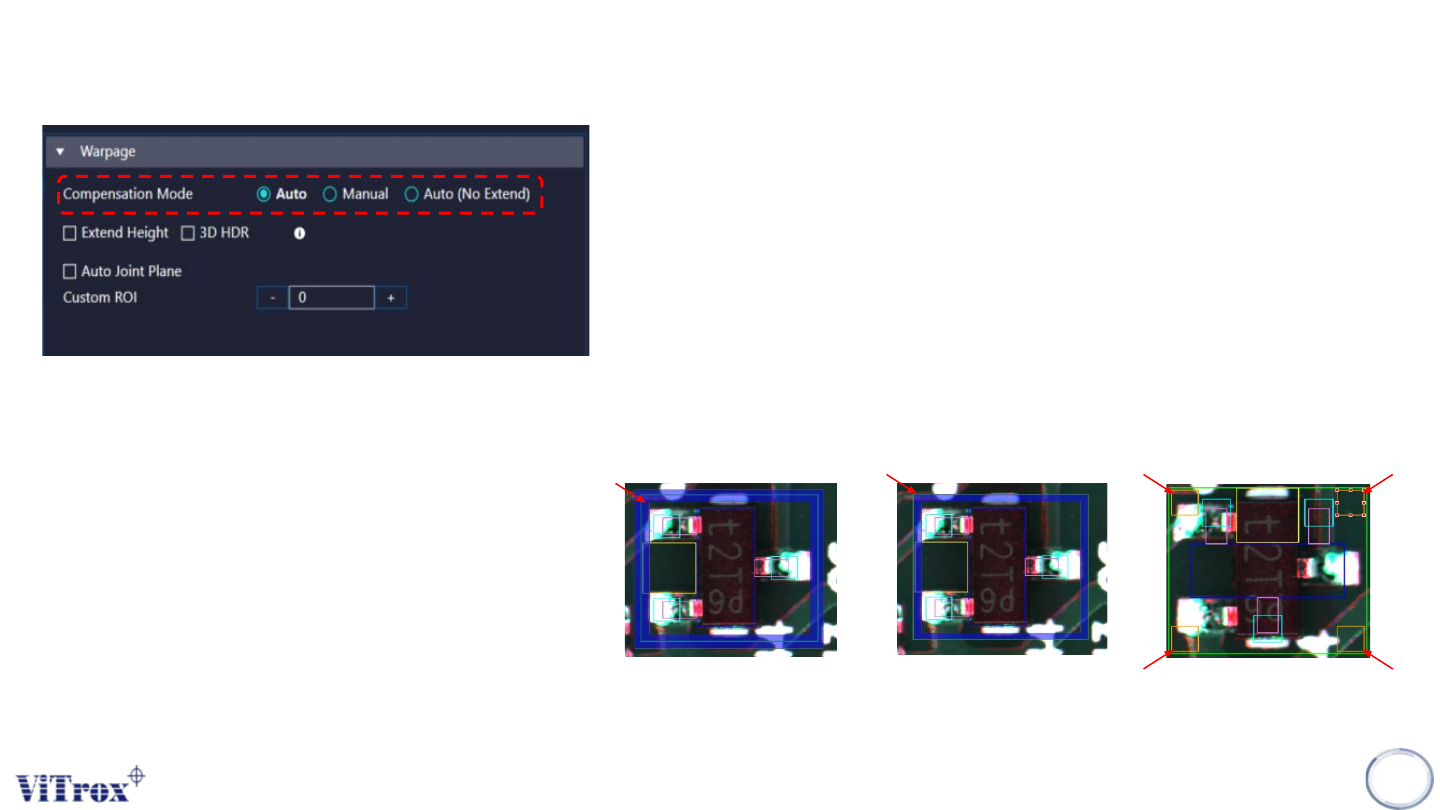
1. Warpage Compensation Mode
● Compensate the 3D height if there is an obvious board warpage
happen.
● The difference for this 3 modes is the region to select the
reference board heights. Refer to pictures below for the
region
● Multiple points are automatically selected from the region as
reference board height. Standard deviation of heights is
calculated to filter outlier points with abnormal height. This
procedure ensures accuracy of auto warpage compensation
even there are components fall inside blue region.
Auto Auto
(No Extend)
Manual
Warpage
Copyright © ViTrox All Rights Reserved.
284
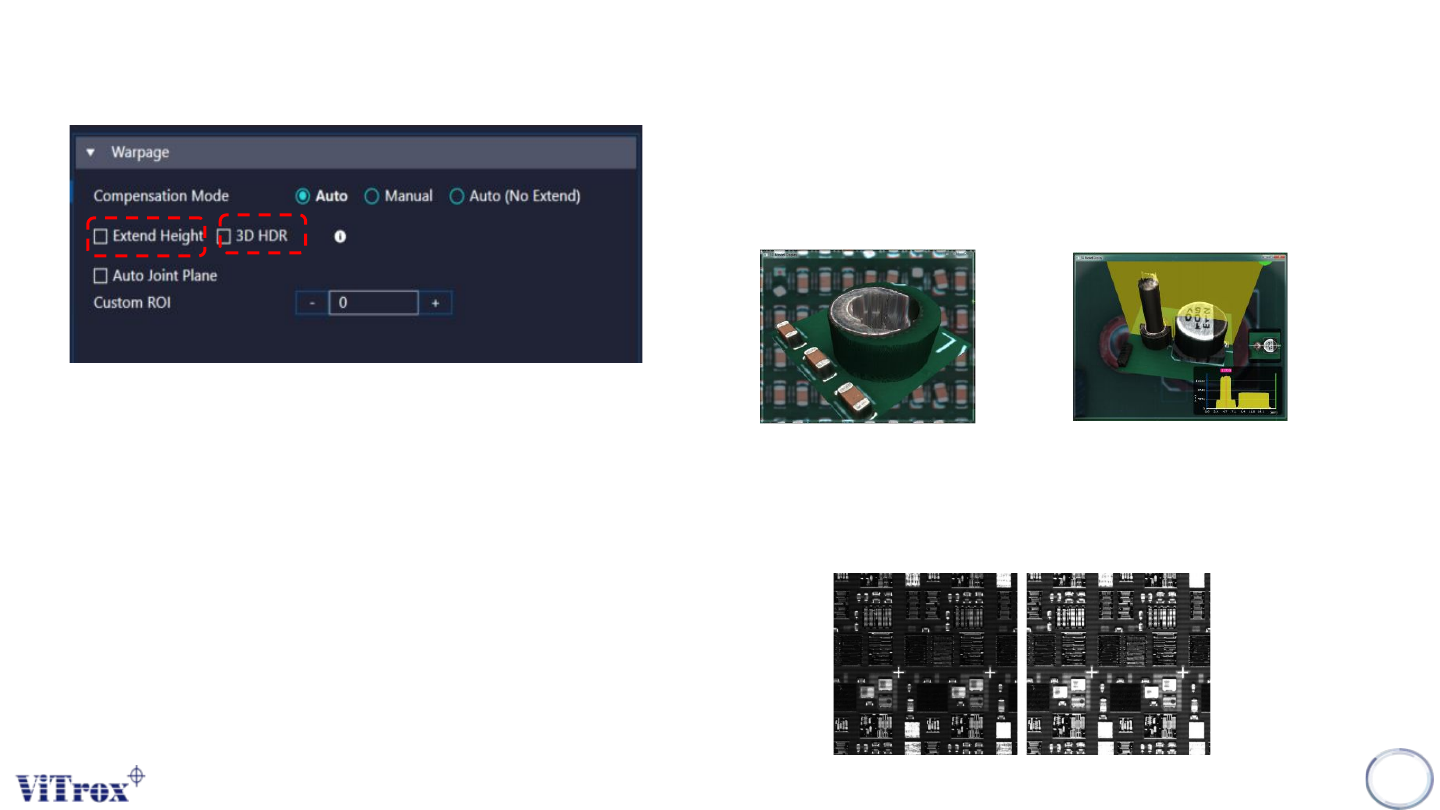
1. Extend Height
● Used to improve the 3D model construction for tall component.
For the component that higher 10mm height, it hardly form a flat
surface at top of component.
Without Extend Height With Extend Height
2. 3D HDR (High Dynamic Range)
● Increase the brightness (refer to pictures below)
● For Shiny and Dark component
Without HDR With HDR
Warpage