Smart Gui - Algorithm Training Material_rev1.pdf - 第51页
Copyright © ViT rox All Rights Reserved . B-type Algorithm - Locator (Location) 51 h. Binarize Image ● T ick this to enable binarize image. i. Binarize Limit ● Grey scale below Binarize Limit turn 255. ● Grey scale above…
Copyright © ViTrox All Rights Reserved.
B-type Algorithm - Locator (Location)
50
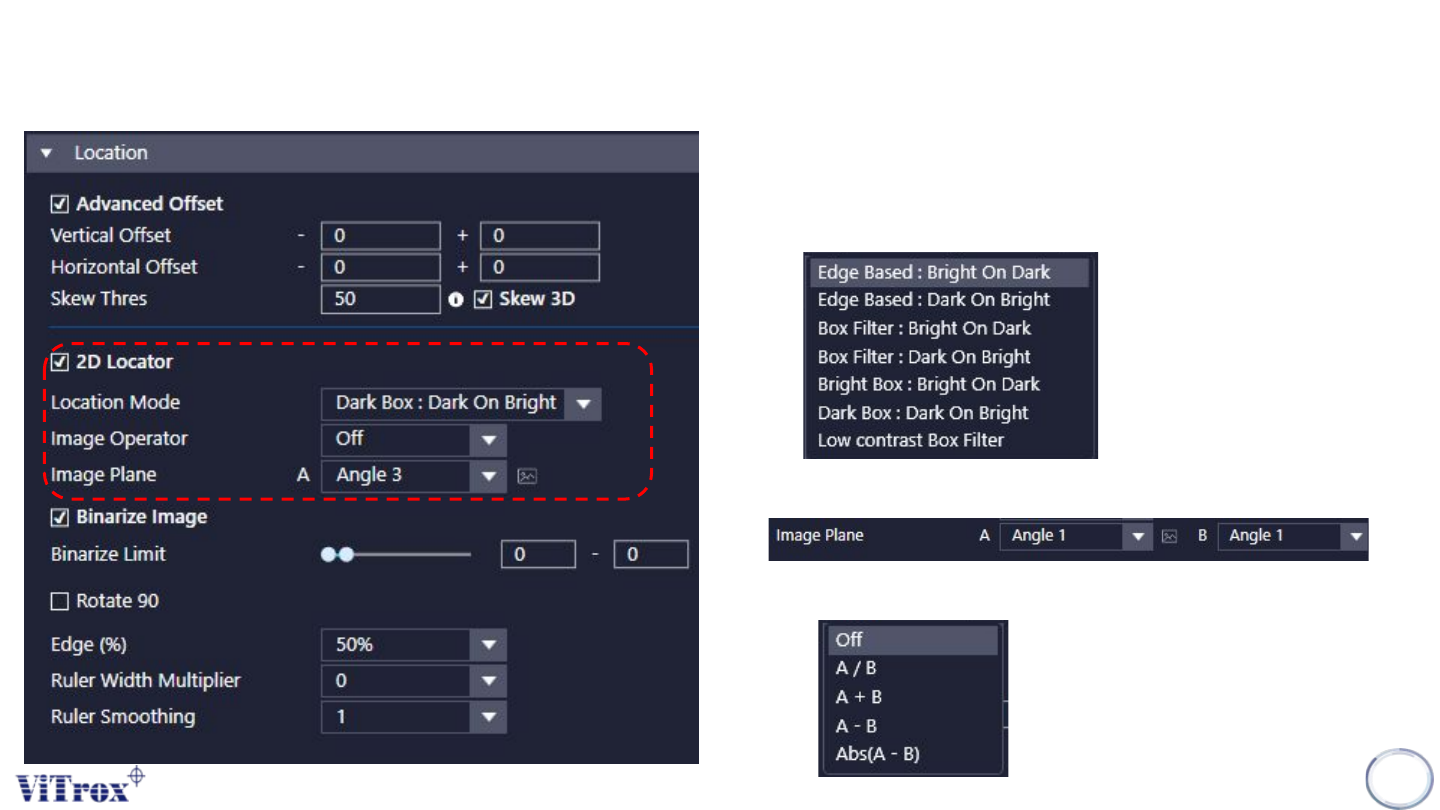
e. 2D Locator
● Tick this to enable 2D to locate component.
f. Location mode.
● Several locate mode that used to locate the component.
g. Image Operator
● Select this to process 2 image plane to 1 Image plane.
● There are 4 mode as below.
Copyright © ViTrox All Rights Reserved.
B-type Algorithm - Locator (Location)
51
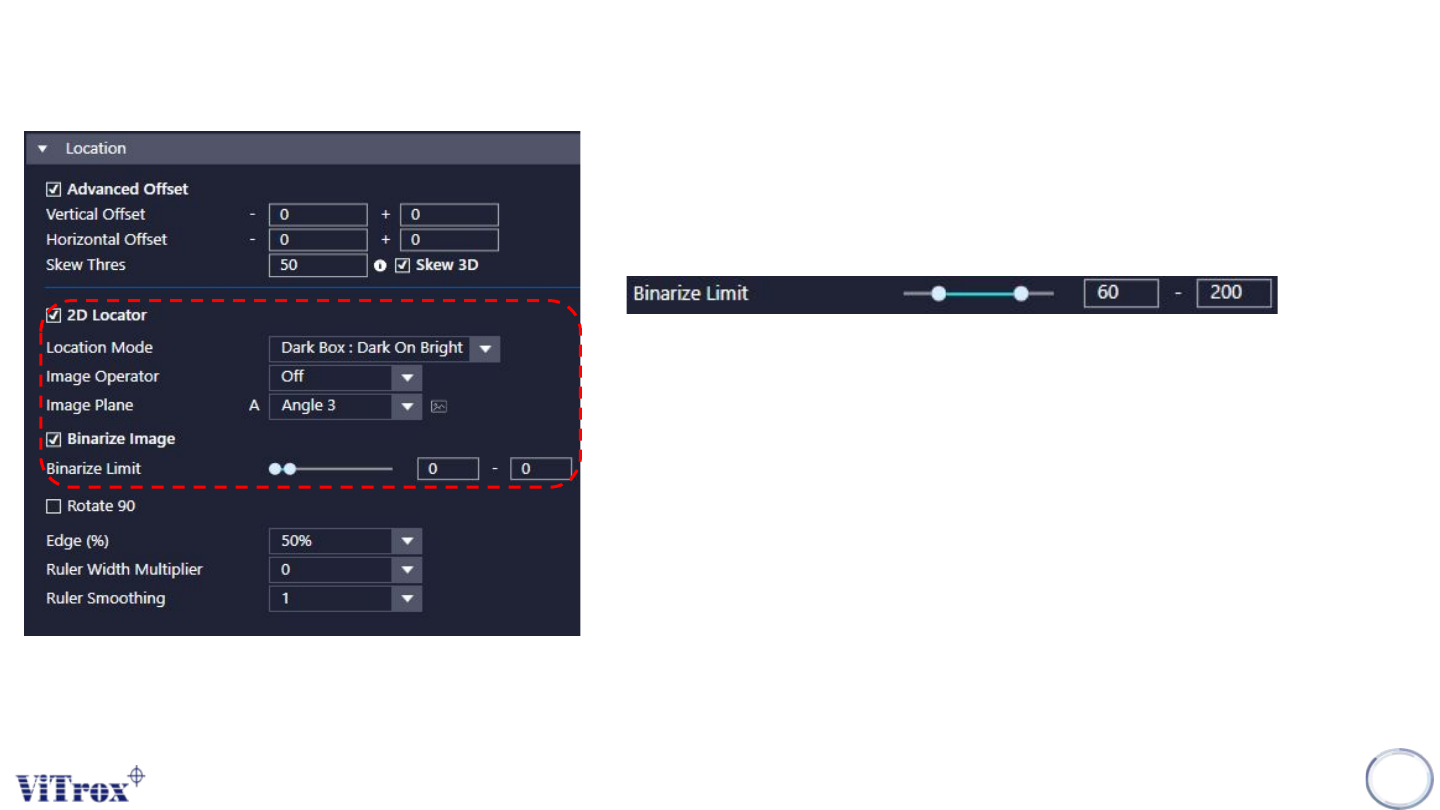
h. Binarize Image
● Tick this to enable binarize image.
i. Binarize Limit
● Grey scale below Binarize Limit turn 255.
● Grey scale above Binarize Limit turn 0.
j. Edge (%)
●
k. Ruler width Multiplier
● To adjust the size for the ruler
l. Ruler Smoothing
● To filter out the noises at the edge
● Enable this when the edges are not clear.
Copyright © ViTrox All Rights Reserved.
B-type Algorithm - Locator (Location)
52
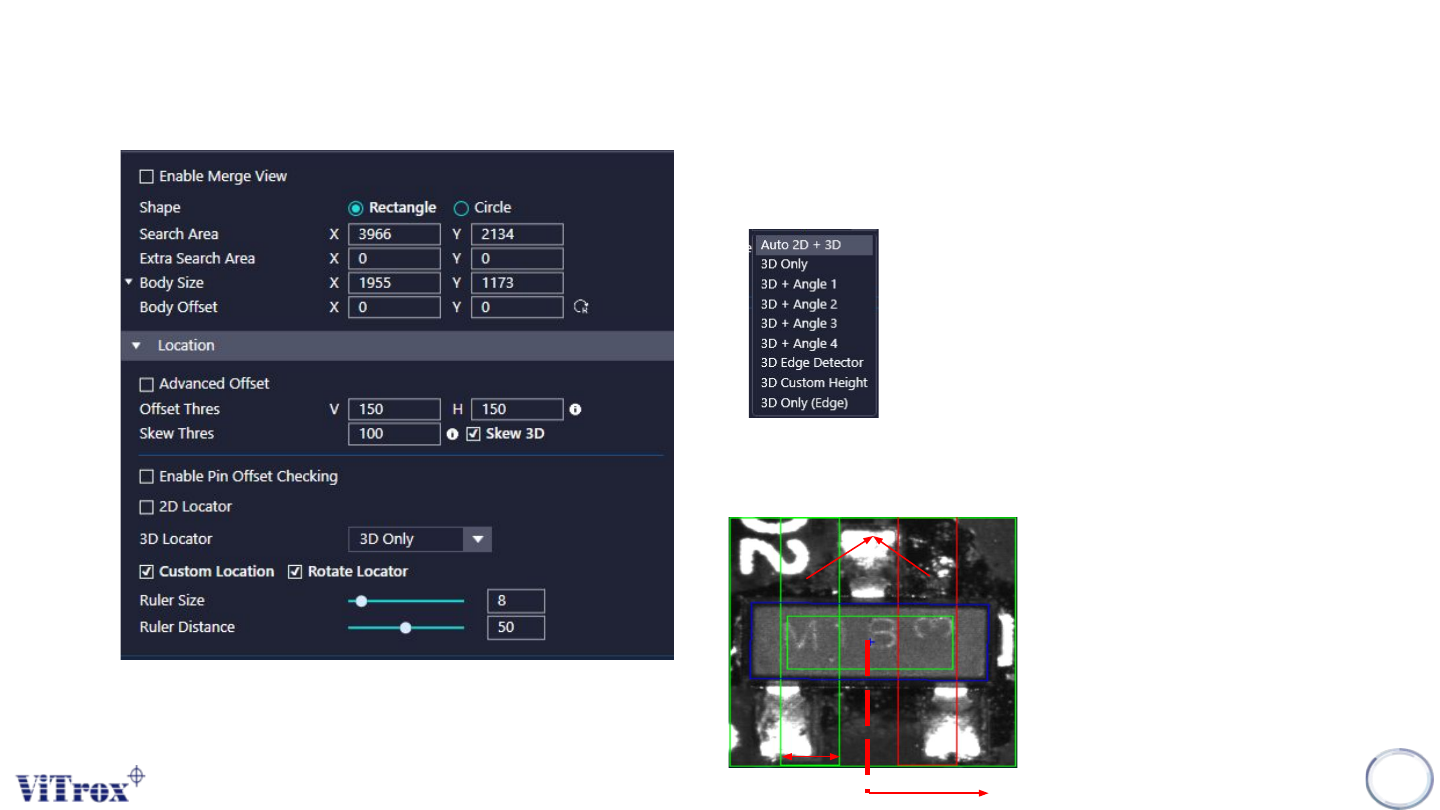
a. 3D Locator
● Able to select 3D only or 3D & 2D to locate.
● There are a few of choices as follow:
b. Custom Location.
● Able to adjust ruler size and ruler distance
Ruler
Ruler Size
Ruler Distance