00198661-02_UM_SX12-V3_EN.pdf - 第118页
3 Technical data and assemblies I nstruction manual SIPLACE SX1/S X2 Edition V2 and V3 3.6 Overviews of the modules From software version SC.713.1 E diti on 12/2020 118 3.6.4 Overview of SIPL ACE SX1 V2 assemblies 3 3 Fi…
Instruction manual SIPLACE SX1/SX2 Edition V2 and V3 3 Technical data and assemblies
From software version SC.713.1 Edition 12/2020 3.6 Overviews of the modules
117
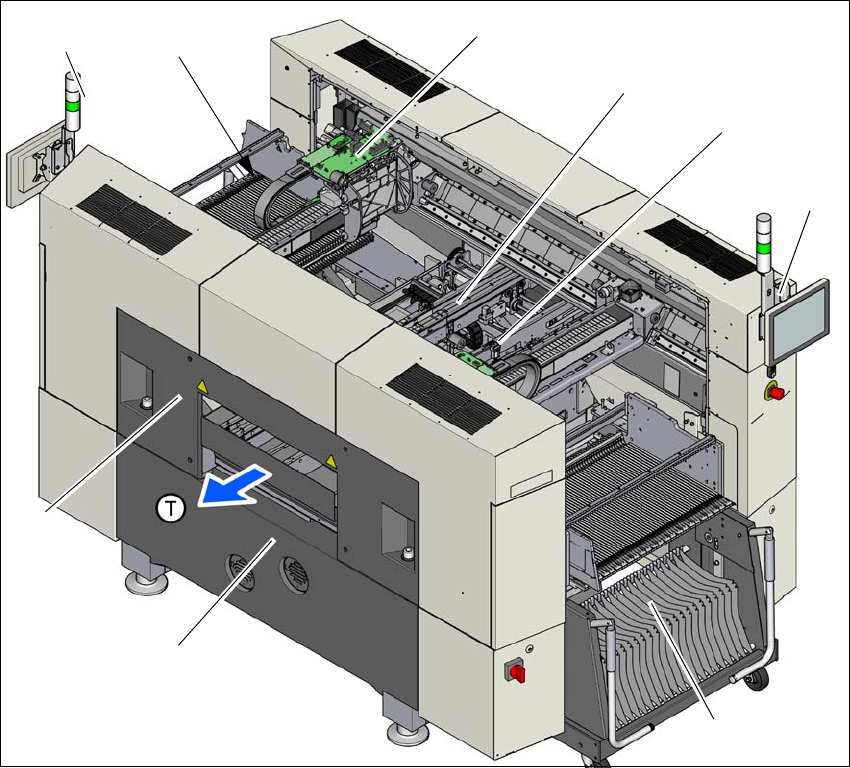
3.6.3 Overview of SIPLACE SX2 V2 assemblies
3
3
Fig. 3.6 - 3 SIPLACE SX2 V2-placement machine - overview of assemblies
(1) Basic module
(2) Robot module
(3) Gantry 2 with placement head
(4) PCB conveyor (single or dual conveyor)
(5) Gantry 1 with placement head
(6) Monitor with keyboard (2x)
(7) Component trolley at location 1
(8) Location 2 with COT insert, tape cutter, empty tape duct
(T) Direction of PCB transport
(1)
(2)
(3)
(4)
(5)
(6)
(7)
(6)
(8)
3 Technical data and assemblies Instruction manual SIPLACE SX1/SX2 Edition V2 and V3
3.6 Overviews of the modules From software version SC.713.1 Edition 12/2020
118
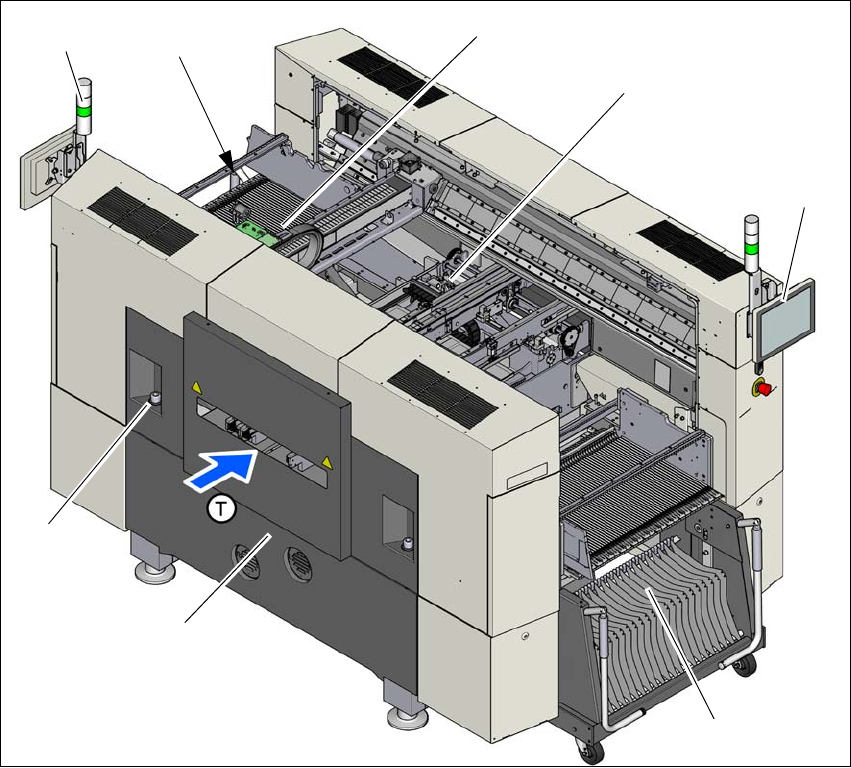
3.6.4 Overview of SIPLACE SX1 V2 assemblies
3
3
Fig. 3.6 - 4 SIPLACE SX2 V2-placement machine - overview of assemblies
(1) Basic module
(2) Robot module
(3) Gantry 1 with placement head
(4) PCB conveyor (single or dual conveyor)
(5) Monitor with keyboard (2x)
(6) Location 2 with component trolley
(7) Location 1 with COT insert, tape cutter, empty tape duct
(T) Direction of PCB transport
(1)
(2)
(3)
(4)
(5)
(6)
(5)
(7)

Instruction manual SIPLACE SX1/SX2 Edition V2 and V3 3 Technical data and assemblies
From software version SC.713.1 Edition 12/2020 3.7 Placement head
119
3.7 Placement head
3.7.1 SIPLACE SpeedStar C&P20 P2 on the SIPLACE SX1/SX2 V3
The SIPLACE SX1/SX2 V3 uses the SIPLACE SpeedStar C&P20 P2 for top placement perfor-
mance.
3
CAUTION
Always take hold of the handle to push the placement head
The placement head may only be moved by pushing manually against the handle provid-
ed.