00198661-02_UM_SX12-V3_EN.pdf - 第283页
Instruction manual SIPLACE SX1/SX2 Edition V2 and V3 5 Tasks at the placement machine From software version SC.713.1 Edition 12/2020 5.15 Docking the c omponent trolley in or out 283 5.15 Docking the component trolley in…
5 Tasks at the placement machine Instruction manual SIPLACE SX1/SX2 Edition V2 and V3
5.14 Refilling components From software version SC.713.1 Edition 12/2020
282
5.14 Refilling components
The online help contains information on refilling components with and without barcodes.
With tape feeder modules, make sure that you always splice on a new tape early enough so
that the feeder modules do not run out of components.
However, do not splice the tapes too early because if you wind the tape onto the new reel
after splicing the end of the old tape, the reel with the new tape may be overfilled. The tape
could then slip off the reel and become tangled. Under certain circumstances, this could
cause pick-up errors and prolonged down times.
Instruction manual SIPLACE SX1/SX2 Edition V2 and V3 5 Tasks at the placement machine
From software version SC.713.1 Edition 12/2020 5.15 Docking the component trolley in or out
283
5.15 Docking the component trolley in or out
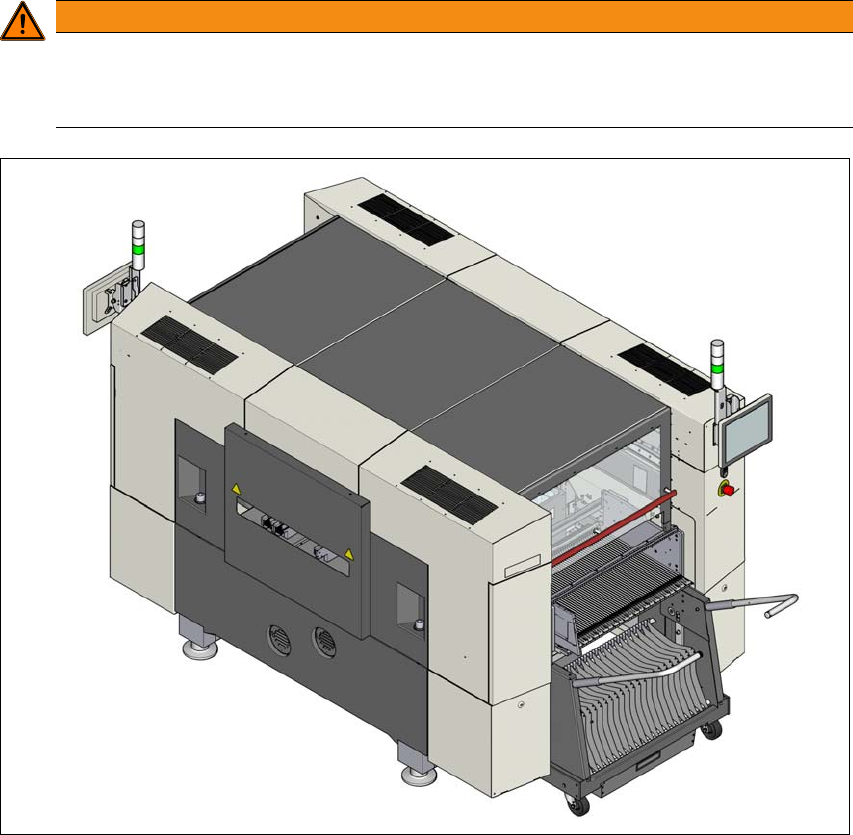
5.15.1 Safety instructions for docking component trolleys in and out
5
5
Fig. 5.15 - 1 Safety instructions for docking the component trolley in or out
In addition, the component trolley can only be docked in if the protective
covers are closed.
WARNING
DANGER OF CRUSHING!
Risk of crushing when docking and undocking the component trolley.
Always dock/undock the component trolley alone.
5 Tasks at the placement machine Instruction manual SIPLACE SX1/SX2 Edition V2 and V3
5.15 Docking the component trolley in or out From software version SC.713.1 Edition 12/2020
284
5.15.2 Docking out the component trolley
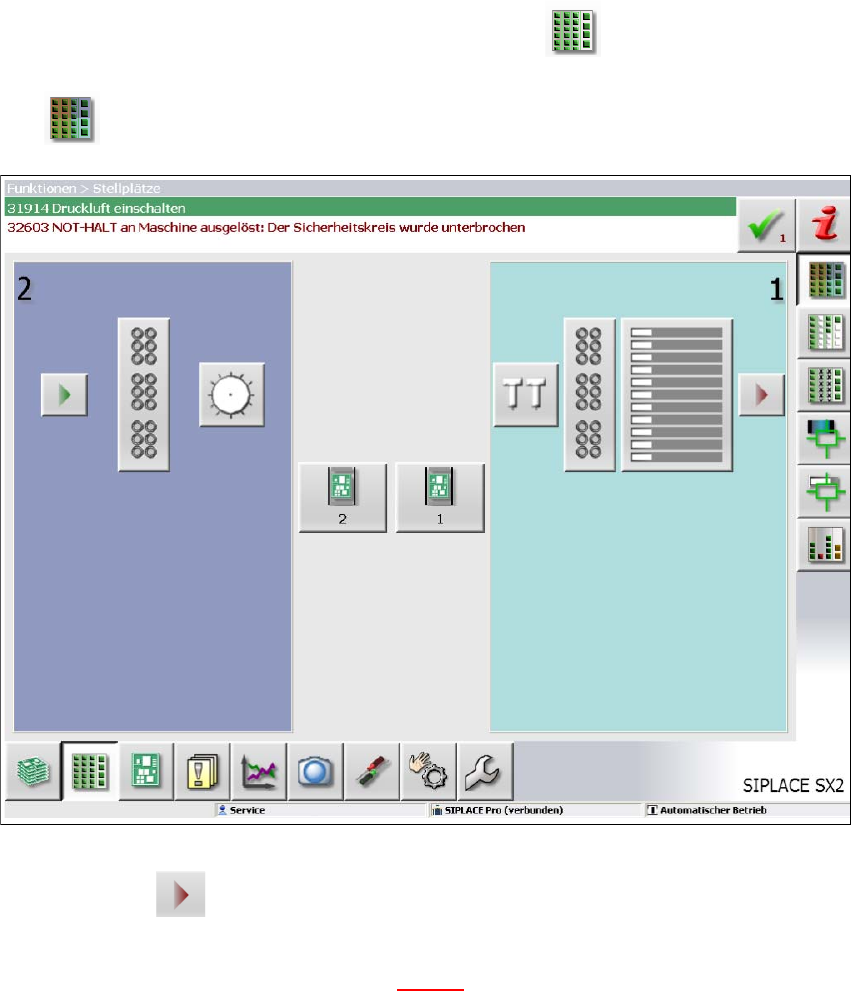
Go to the main view of the station software and select the Feeder module... icon and
then the
Locations icon.
5
Fig. 5.15 - 2 SC GUI - locations
5
Click on the icon to release the respective location and wait until the locking device
opens. For further information, refer to the station software Online Help.
Swivel the two handles up (item 1 in fig. 5.15 - 3).