00198661-02_UM_SX12-V3_EN.pdf - 第19页
Instruction manual SIPLACE SX1/SX2 Edition V2 and V3 1 Introduct ion From software version SC.713.1 Edition 12/2020 1.2 Overview 19 1.2 Overview 1.2.1 SIPLACE SX1/SX2 V3 The SIPLACE SX1/SX2 V3 features a multi-touch moni…
1 Introduction Instruction manual SIPLACE SX1/SX2 Edition V2 and V3
1.1 Important notes on the instruction manual From software version SC.713.1 Edition 12/2020
18
CPP Collect&Place head, SIPLACE MultiStar
DCA Direct chip attach
DC Dual conveyor
EDIF Energy and data interface
ESD Electrostatically-sensitive group of components
EMC Electromagnetic compatibility
ESD Electrostatic sensitive device
SC Single conveyor
FC Flip chip
WT Waffle pack tray
WTC Waffle pack tray carrier
GCU Gantry control unit
GND Ground
HCU Head control unit
I-Placement Independent placement
JTF JEDEC Tray Feeder
LBO Long Board Option
PCB Printed circuit board
MCS Machine capability study
MTC Matrix tray changer
P&P Pick&Place
P&P1 Pick&Place module 1
P&P2 Pick&Place module 2
NC Nozzle changer
SMD Surface mounted device
TBO Thick Board Option
SC Station computer
TH Twin Pick&Place head, SIPLACE TwinStar
VHF TH SIPLACE Very High Force TwinStar
VS Vision system
WPC Waffle pack changer
WBO Wide board option (21")
Instruction manual SIPLACE SX1/SX2 Edition V2 and V3 1 Introduction
From software version SC.713.1 Edition 12/2020 1.2 Overview
19
1.2 Overview
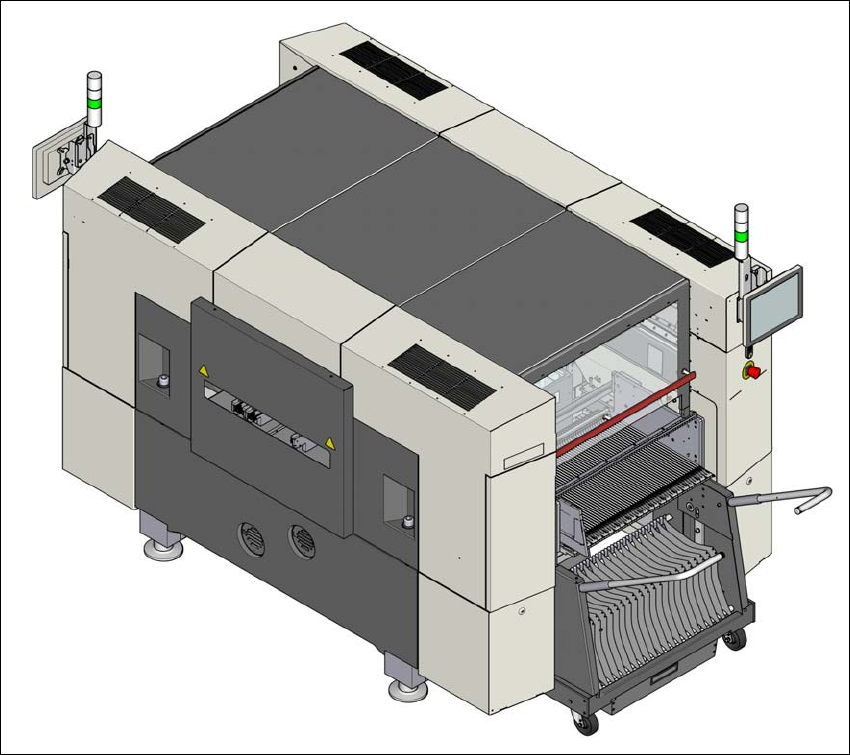
1.2.1 SIPLACE SX1/SX2 V3
The SIPLACE SX1/SX2 V3 features a multi-touch monitor without keyboard as a default. Instead
of the standard multi-touch monitor, you can configure a 15" LCD monitor with keyboard at each
of the SIPLACE SX1/SX2 V3 operating panels.
1
Fig. 1.2 - 1 SIPLACE SX1/SX2 V3 placement machine
1 Introduction Instruction manual SIPLACE SX1/SX2 Edition V2 and V3
1.2 Overview From software version SC.713.1 Edition 12/2020
20
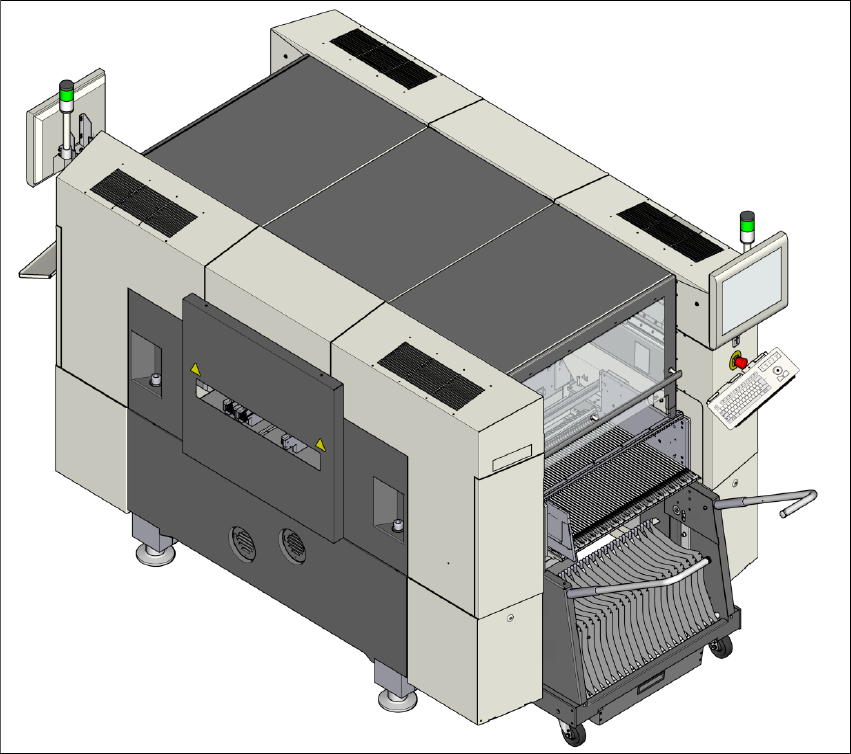
1.2.2 SIPLACE SX1/SX2 V2
The SIPLACE SX1/SX2 V2 features a multi-touch monitor with keyboard as a default.
1
Fig. 1.2 - 2 SIPLACE SX1/SX2 V2 placement machine