00198661-02_UM_SX12-V3_EN.pdf - 第337页
Instruction manual SIPLACE SX1/SX2 Edition V2 and V3 6 Station e xtensi ons From software version SC.713.1 Edition 12/2020 6.16 With LCD monitor and keyboard 337 6.16 With LCD monitor and keyboard The SIPLACE SX1/SX2 V2 …
6 Station extensions Instruction manual SIPLACE SX1/SX2 Edition V2 and V3
6.15 Smart Pin Support From software version SC.713.1 Edition 12/2020
336
6
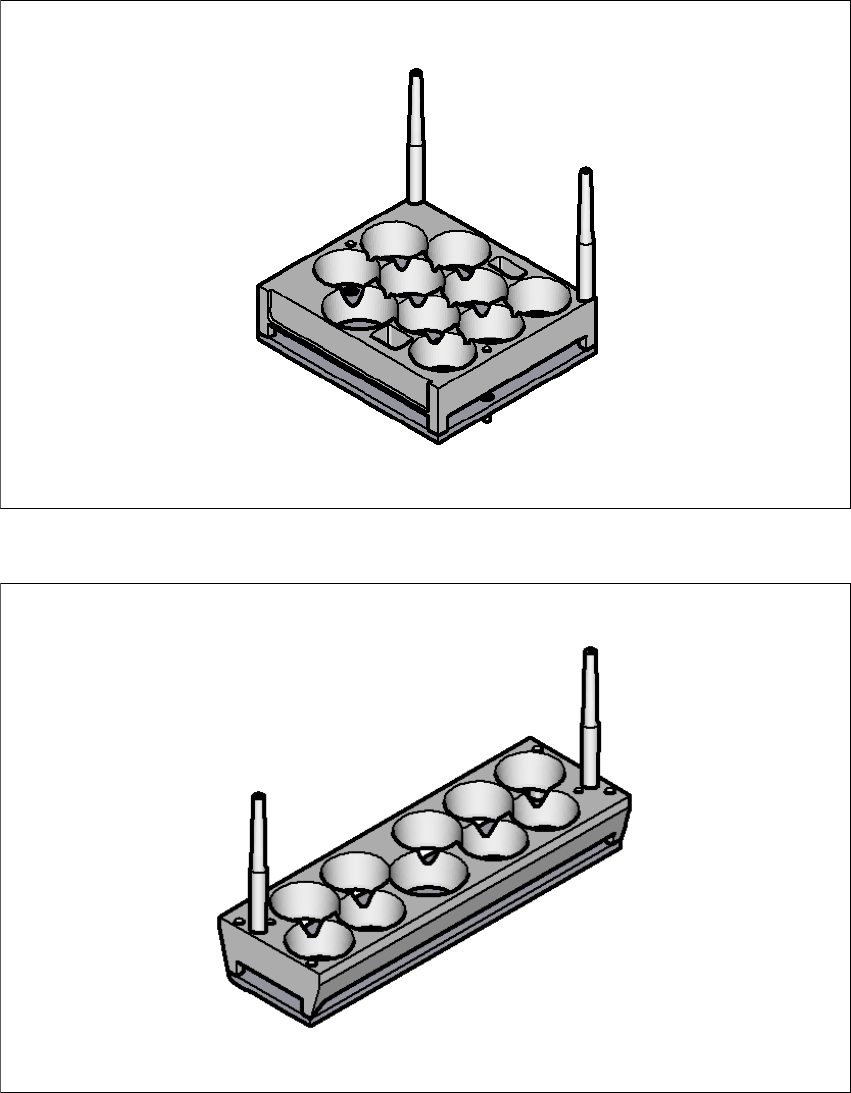
Fig. 6.15 - 3 Smart Pin Support - magazine type Q10
6
Fig. 6.15 - 4 Smart Pin Support - magazine type L10
Instruction manual SIPLACE SX1/SX2 Edition V2 and V3 6 Station extensions
From software version SC.713.1 Edition 12/2020 6.16 With LCD monitor and keyboard
337
6.16 With LCD monitor and keyboard
The SIPLACE SX1/SX2 V2 features a multi-touch monitor with keyboard as a default.
Instead of the standard multi-touch monitor, you can configure a 15" LCD monitor with keyboard
at each of the SIPLACE SX1/SX2 V3 operating panels.
6
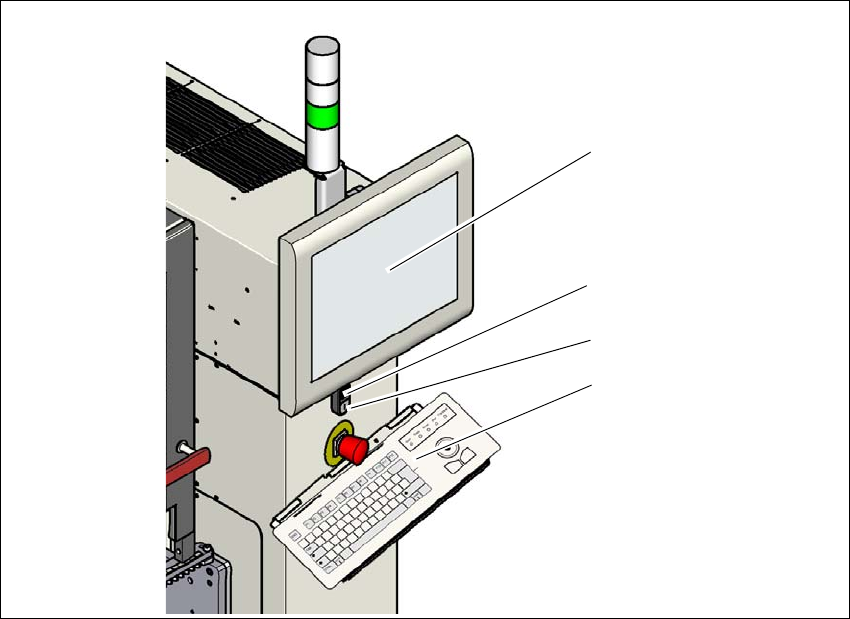
Fig. 6.16 - 1 With LCD monitor and keyboard
(1) LCD touchscreen
(2) Start button (white) on the placement machine
(3) Stop button (black) on the placement machine
(4) Keyboard
(1)
(4)
(2)
(3)
6 Station extensions Instruction manual SIPLACE SX1/SX2 Edition V2 and V3
6.16 With LCD monitor and keyboard From software version SC.713.1 Edition 12/2020
338