00198661-02_UM_SX12-V3_EN.pdf - 第81页
Instruction manual SIPLACE SX1/SX2 Edition V2 and V3 2 Operation al safety From software version SC.713.1 Edition 12/2020 2.6 Safety features 81 2 Fig. 2.6 - 5 Position of switches and buttons - View of the PCB input sid…
2 Operational safety Instruction manual SIPLACE SX1/SX2 Edition V2 and V3
2.6 Safety features From software version SC.713.1 Edition 12/2020
80
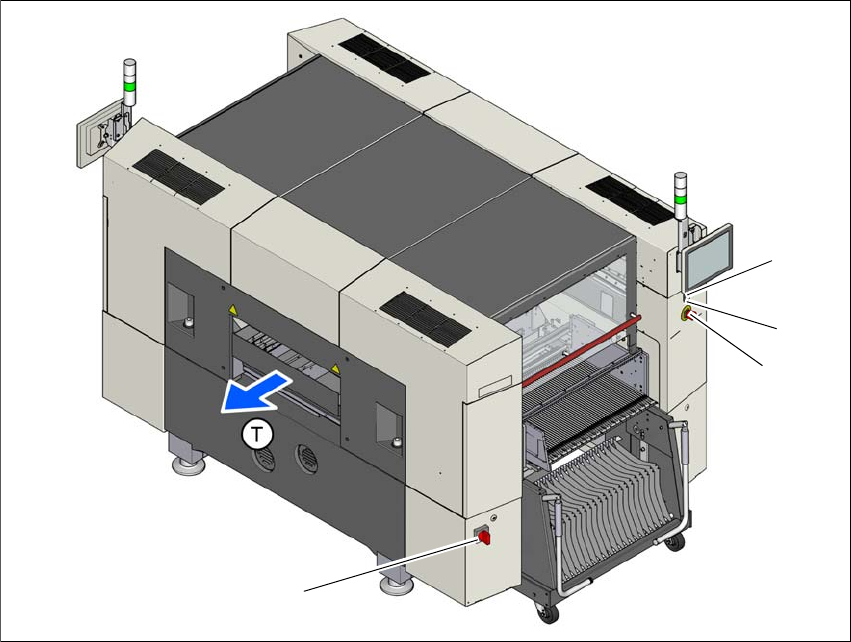
2.6.3 Switches and buttons on the placement machine
2.6.3.1 Position of switches and buttons on the placement machine
2
Fig. 2.6 - 4 Position of switches and buttons - View of the PCB output side
(1) Main switch
(2) Start button (white)
(3) Stop button (black)
(4) EMERGENCY STOP button
(T) PCB transport direction
(2)
(1)
(3)
(4)
Instruction manual SIPLACE SX1/SX2 Edition V2 and V3 2 Operational safety
From software version SC.713.1 Edition 12/2020 2.6 Safety features
81
2
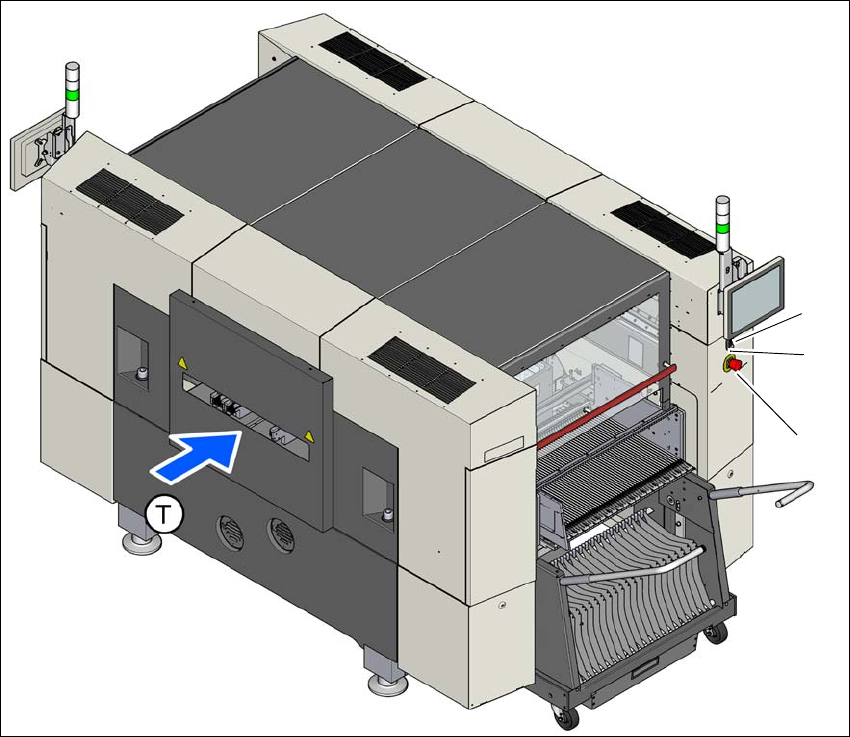
Fig. 2.6 - 5 Position of switches and buttons - View of the PCB input side
(1) EMERGENCY STOP button
(2) Start button (white)
(3) Stop button (black)
(T) PCB transport direction
(2)
(1)
(3)
2 Operational safety Instruction manual SIPLACE SX1/SX2 Edition V2 and V3
2.6 Safety features From software version SC.713.1 Edition 12/2020
82
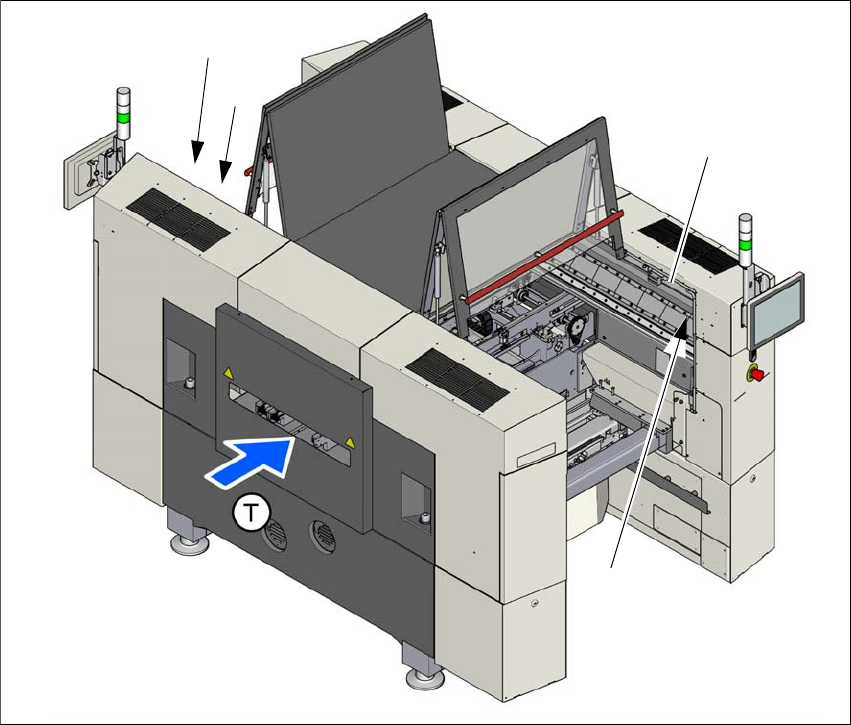
2.6.3.2 Position of protective switches on the placement machine
2
Fig. 2.6 - 6 Position of protective switches on the placement machine
(1) Protective cover switch, location 1
(2) Protective cover switch, location 2
(3) Protective switch for bumper detection
(T) PCB transport direction
(2)
(1)
(3)
(3)