2OM-1104-001.pdf - 第120页
3. "Device Data" Submenu • Window Layout When the [DEVICE DA T A] button is pressed in the "SYSTEM" submenu bar , the following window appears. Fig. 3D1 1 "DEVICE DA T A" Window ( Submenu) •…
0106-001 Chapter 1 4 15-2 AFU01EDTP
2.5 “Date/Time” Tab
*4 [SET] Button
When pressed, the current date and time are updated to the speci-
fied date and time.
Setting Method
Touch the desired text box and select the [
] or the [ ] button to
change the value. After that, press the [SET] button.
Be sure to press the [SET] button after selecting the time
difference between the local time and GMT.
3. "Device Data" Submenu
• Window Layout
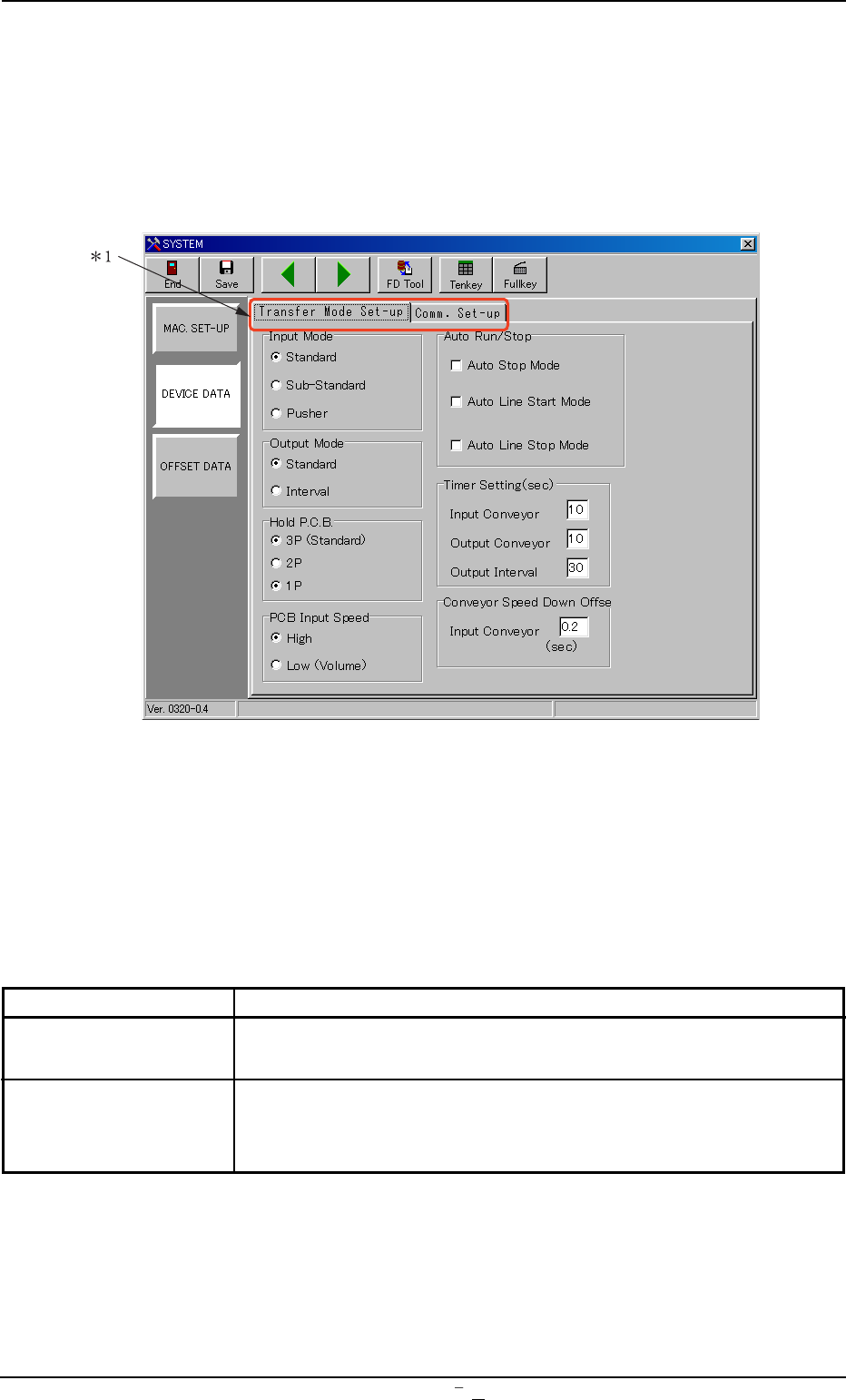
When the [DEVICE DATA] button is pressed in the "SYSTEM" submenu
bar, the following window appears.
Fig. 3D11 "DEVICE DATA" Window (Submenu)
• Window Composition
*1 Tabs
The “DEVICE DATA” window (submenu) is provided with two tabs.
Every time a tab is pressed, the corresponding tab sheet appears.
Tabs Description
Transfer Mode Set-up The corresponding tab sheet enables the operator to set
various data mainly for the in-line production.
Comm. Set-up The corresponding tab sheet enables the operator to set the
communication protocol between the machine and the network
terminal.
0106-003 Chapter 1 4 16 AFU01EDTP
3.
"
Device Data
"
Submenu
3.1 “Transfer Mode Set-up” Tab
0106-001 Chapter 1 4 16-1 AFU01EDTP
3.1 “Transfer Mode Set-up” Tab
• Sheet Layout
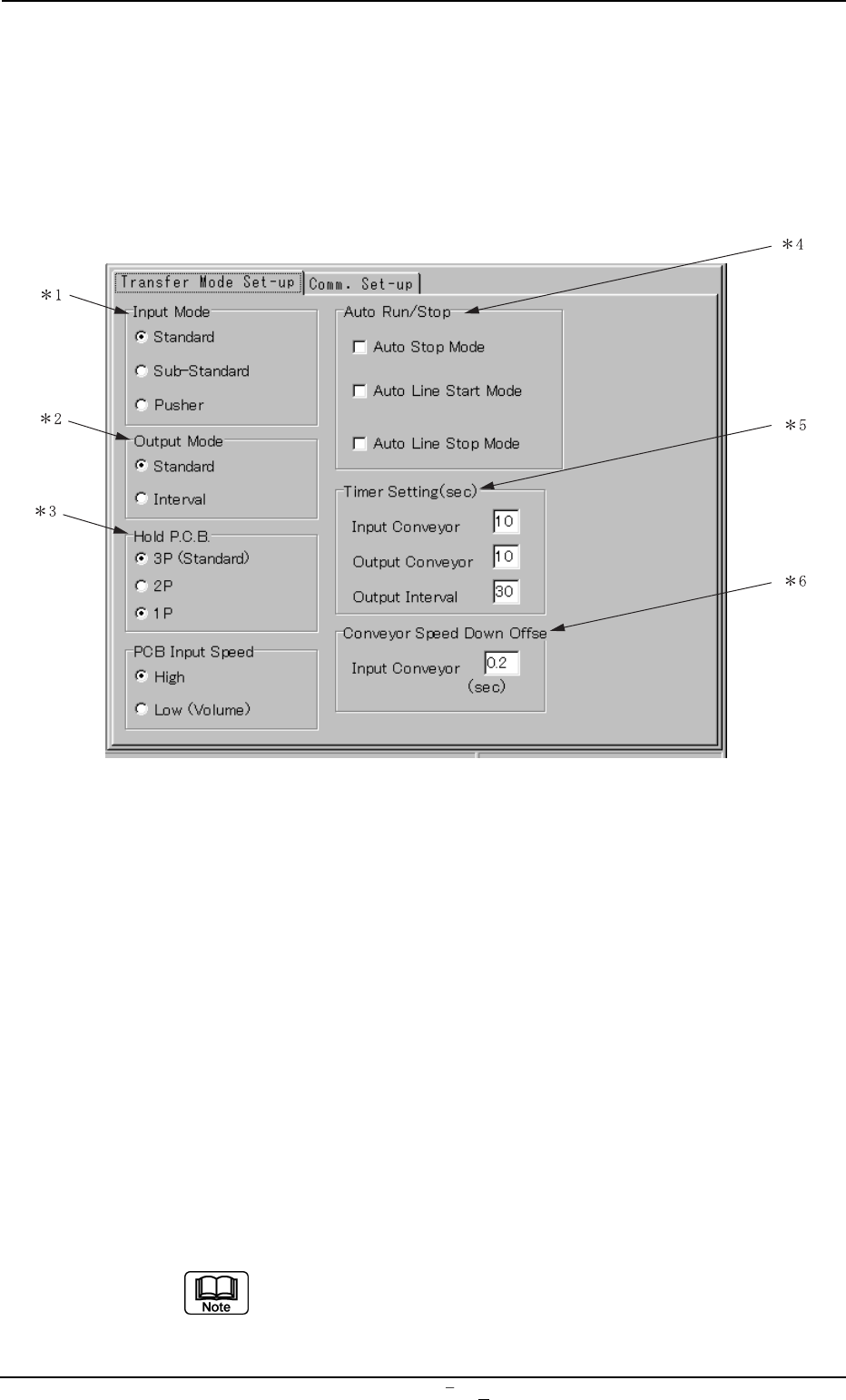
When the [DEVICE DATA] button on the submenu bar of the
“SYSTEM” window is pressed, the following window opens.
Fig. 3D11-1 “DEVICE DATA” Window (Submenu)
• Window Composition
*1 Input Mode
Select one of the option buttons to determine the way how to re-
ceive P.C.B.’s from the input machine.
Standard : The machine receives the P.C.B.’s discharged
from the input machine.
The L conveyor is activated when a P.C.B. trans-
fer signal is received from the input machine.
Sub-Standard : The main machine receives P.C.B.’s discharged
from the conveyor of our machine TSM-4.
Pusher : The main machine receives P.C.B.’s discharged
forcibly by the pusher from the input machine.
Turn on the desired option button. A dot appears inside
the circle, indicating that the desired item is selected.