2OM-1104-001.pdf - 第48页
(4) Select the desired program name from the list box in the "Open" window or enter the name of the program to be opened in the text box, using the virtual keyboard and press the [OK] button. The following &quo…
(2) Press "File" on the menu bar. The pull-down menu opens. Select
"New Prgm." or "Open..." from the pull-down menu.
New Prgm. : Select this to newly create a pattern program.
Open... : Select this to edit (correct or modify) a saved pat-
tern program.
(3) Depending on a selected menu, the following windows, etc., will
open.
• When "New Prgm." menu is selected, a "Pattern Program" edit
window opens, displaying the default values.
See Fig. 3B76.
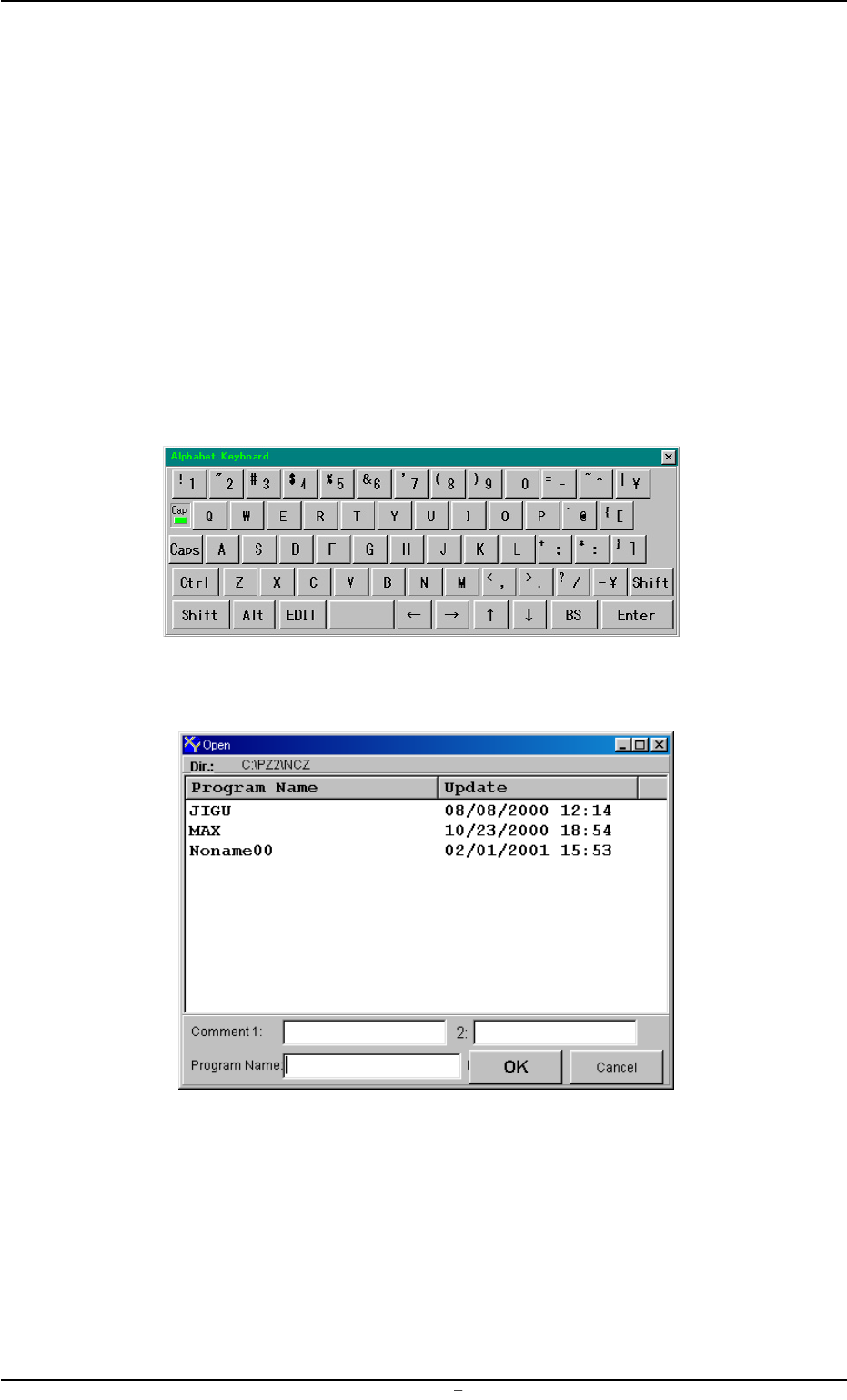
• When "Open..." menu is selected, a "Virtual Keyboard" (Fig. 3B74)
and "Open" window (Fig. 3B75) open.
Fig. 3B74 Virtual Keyboard
Fig. 3B75 "Open" Window
2.1 Navigations in “Pattern Program” Edit Window
0106-002 Chapter 1 2 24 AFU01EDTP
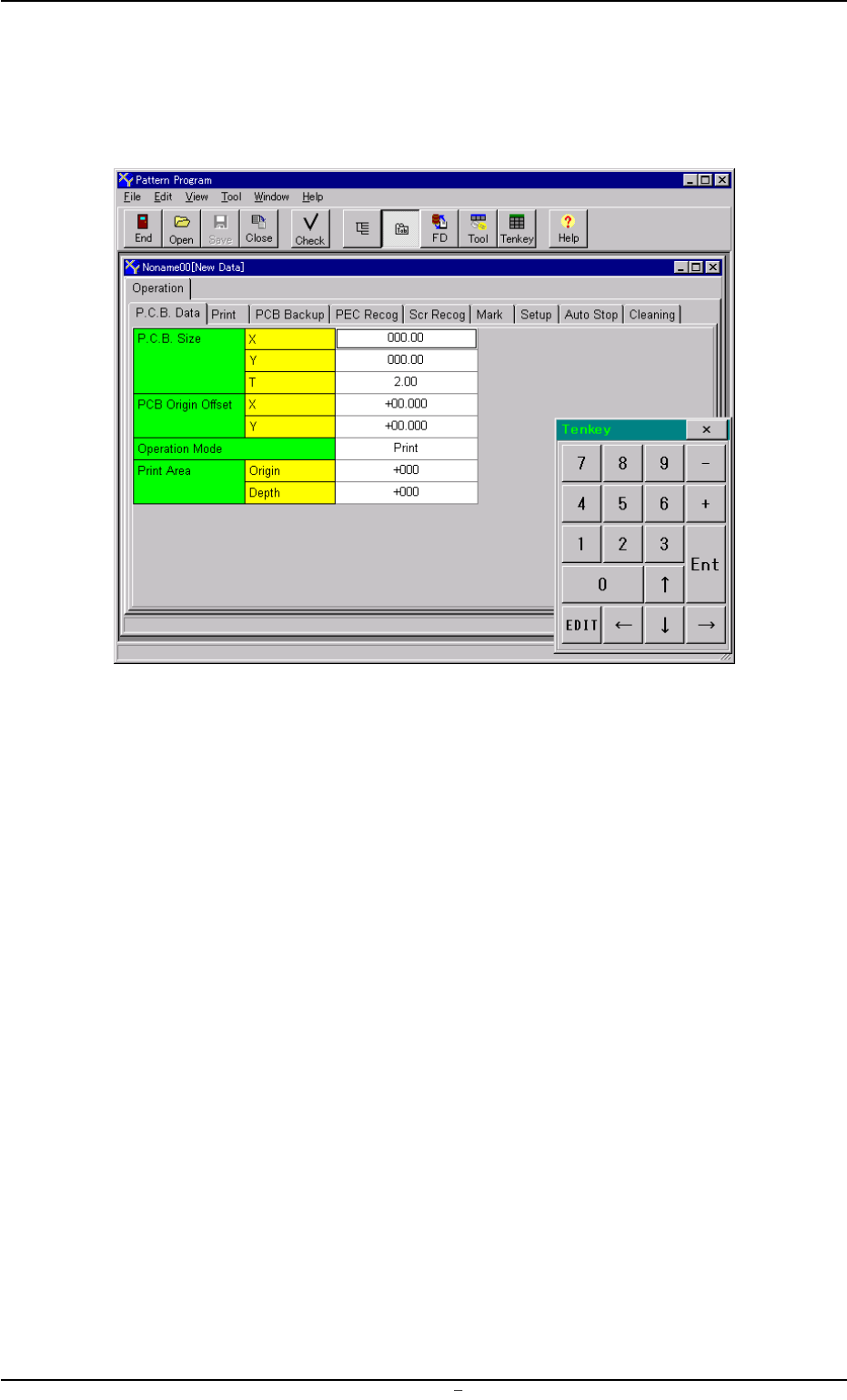
(4) Select the desired program name from the list box in the "Open"
window or enter the name of the program to be opened in the text
box, using the virtual keyboard and press the [OK] button. The
following "Pattern Program" edit window opens.
Fig. 3B76 "Pattern Program" Edit Window
0106-002 Chapter 1 2 25 AFU01EDTP
2.1 Navigations in “Pattern Program” Edit Window
2.1.2 Menu Bar and Toolbar
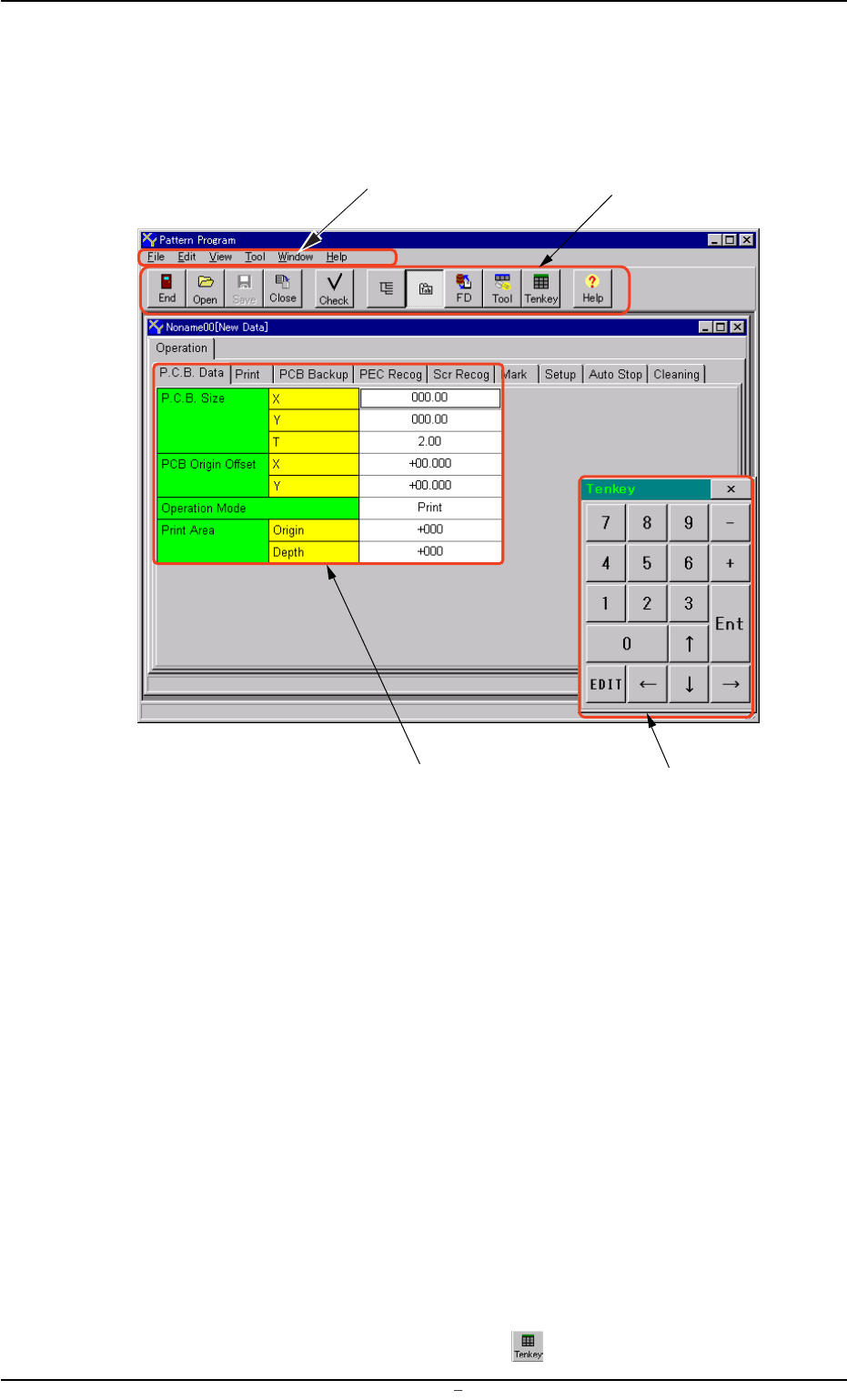
This session describes how to use the menu and tool bars of the "Pat-
tern Program" edit window.
Fig. 3B77 "Pattern Program" Edit Window
• Menu Bar
The menu bar displays the names of all available operation menus.
• Toolbar
A collection of icons that typically make the more common tools for
an application easily accessible.
• "Pattern Program" Edit Window
This window enables the operator to edit the pattern program.
The size and position of the window can be changed freely.
• "Tenkey" Window
This window can be used to enter numerical values.
The position of the window can be changed freely.
To make the tenkey window disappear, press the [x] located at the
top-right corner of the window.
To make the window appear, press the
icon on the toolbar.
Menu Bar
Toolbar
"Pattern Program" Edit Sheet
Tenkey Window
0106-003 Chapter 1 2 26 AFU01EDTP
2.1 Navigations in “Pattern Program” Edit Window