2OM-1104-001.pdf - 第125页
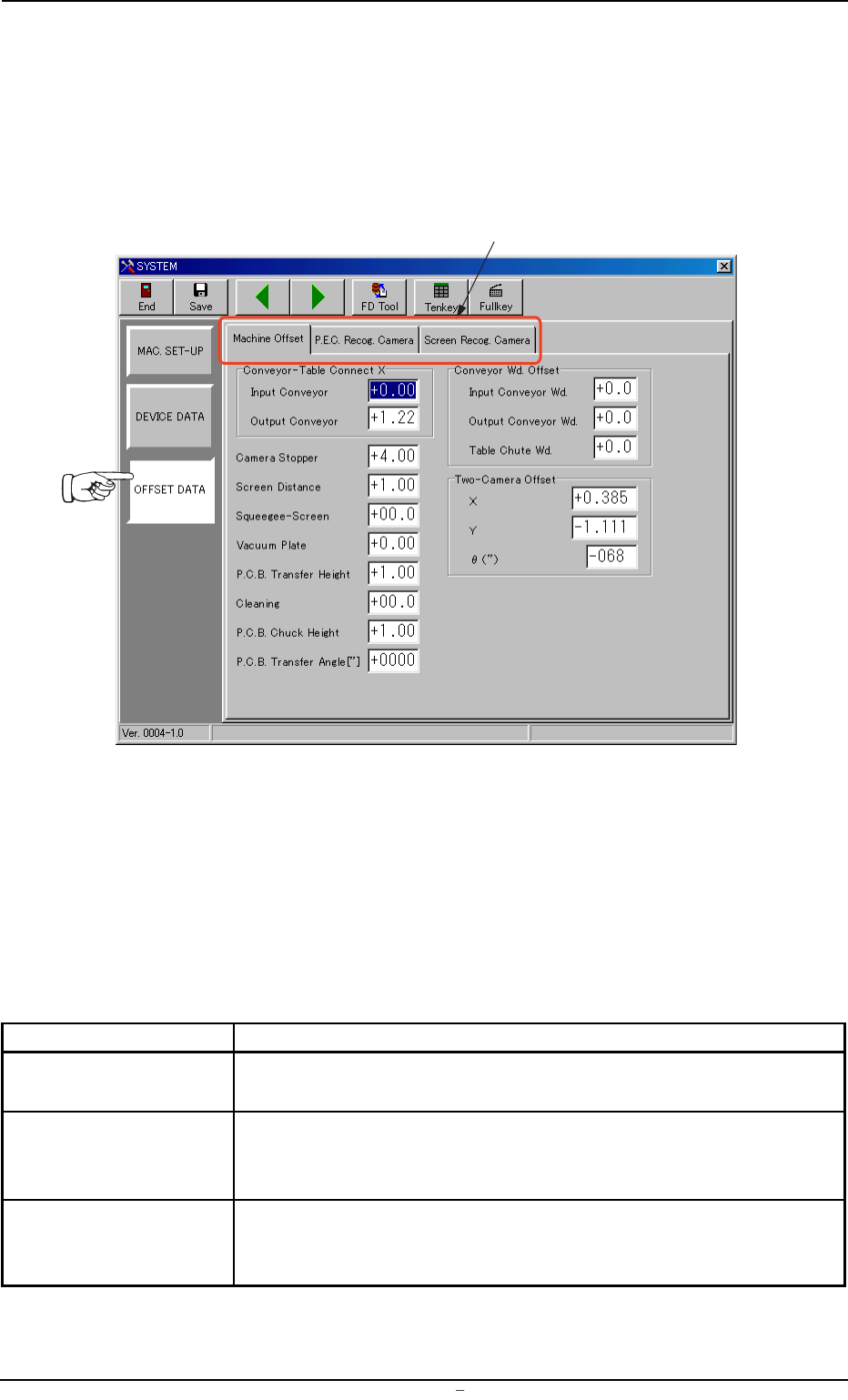
4. "Offset Data" Submenu • Window Layout When the [OFFSET DA T A] button is pressed in the "SYSTEM" submenu bar , the following window appears. Fig. 3D12 "Offset Data" Window (Submenu) • Win…

0106-001 Chapter 1 4 18-1 AFU01EDTP
Output Interval : When "Interval" is selected as "Output Mode"
(described in *2), enter the operating time of
the conveyor in the text box.
Make the"Tenkey" window appear and enter the time in
the text bo
*6 Conveyor Speed Down Offset
Enter the speed at which the L and R conveyors should transfer a
P.C.B. in the text box.
Make the "Tenkey" window appear and enter the speed in
the text box.
3.1 “Transfer Mode Set-up” Tab
4. "Offset Data" Submenu
• Window Layout
When the [OFFSET DATA] button is pressed in the "SYSTEM" submenu
bar, the following window appears.
Fig. 3D12 "Offset Data" Window (Submenu)
• Window Composition
*1 Tabs
The "Offset Data" window (submenu) is provided with three tab
sheets.
Every time a tab is pressed, the corresponding tab sheet appears.
Table 3D3
Tabs Description
Machine Offset This tab sheet enables the operator to set offset values for each
section of the machine.
P.E.C. Recog. Camera This tab sheet enables the operator to set offset values and magni-
fications of the P.E.C. recognition camera and gain & level (contrast
and brightness difference) of the fiducial mark.
Screen Recog. Camera This tab sheet enables the operator to set offset values and magni-
fications of the screen recognition camera and gain & level (contrast
and brightness difference) of the fiducial mark.
*1
0004-001 Chapter 1 4 19 AFU01EDTP
4.
"
Offset Data
"
Submenu
4.1 "Machine Offset" Tab
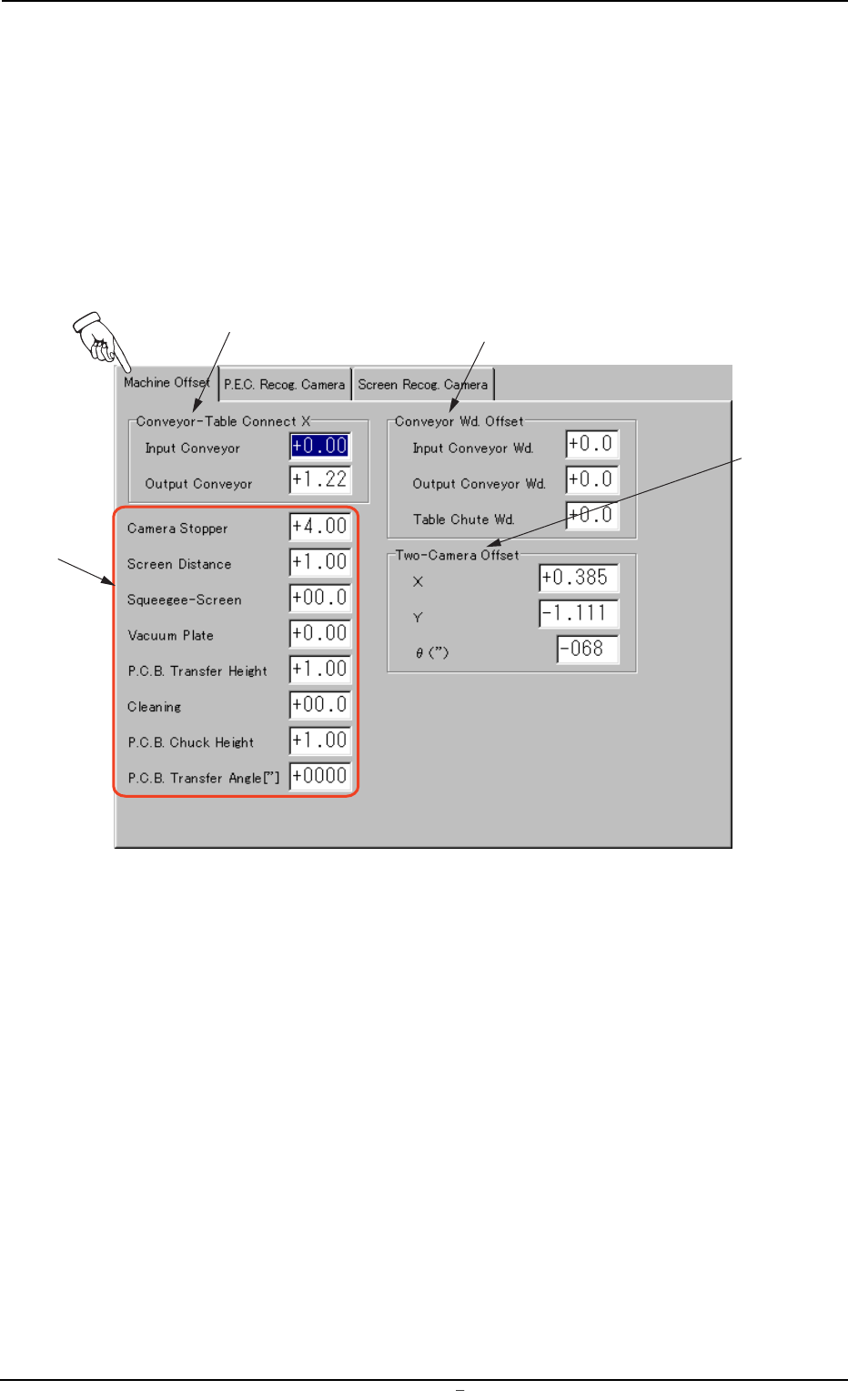
This tab sheet enables the operator to set offset values for each section
of the machine.
• Sheet Layout
When "Machine Offset" tab is pressed at the "OFFSET DATA" window
(submenu), the following tab sheet appears.
Fig. 3D13 "Machine Offset" Tab Sheet
• Sheet Layout
*1 Conveyor-Table Connect X (Horizontal)
Enter clearances (dimensions) in the X direction of the terminal
areas between the L/R conveyors and the table chute. The en-
tered values are used to change the specified ones.
*3
*1
*2
*4
0106-003 Chapter 1 4 20 AFU01EDTP
4.1
"
Machine Offset
"
Tab