2OM-1104-001.pdf - 第160页
2. T roubleshooting after Error Display Assuming "ID/ITEM/CONTENT" in the "ERROR" window as an index, retrieve the related page of the instruction manual. Refer to "2.1 T ypical Description"…

1.2 No Display on Touch Screen
Table 4B3
Symptom Nothing appears on the touch screen.
Cause (Cause 1) The monitor protection function is working.
(Cause 2) Power is not supplied from the source.
Remedy (Remedy 1) Touch the touch screen to resume the screen you left and con-
tinue working.
(Remedy 2) Refer to "1.1 Power Operation Impossible" for details.
1.2 No Display on Touch Screen
0009-001 Chapter 2 2 4 AFU01ETRP
2. Troubleshooting after Error Display
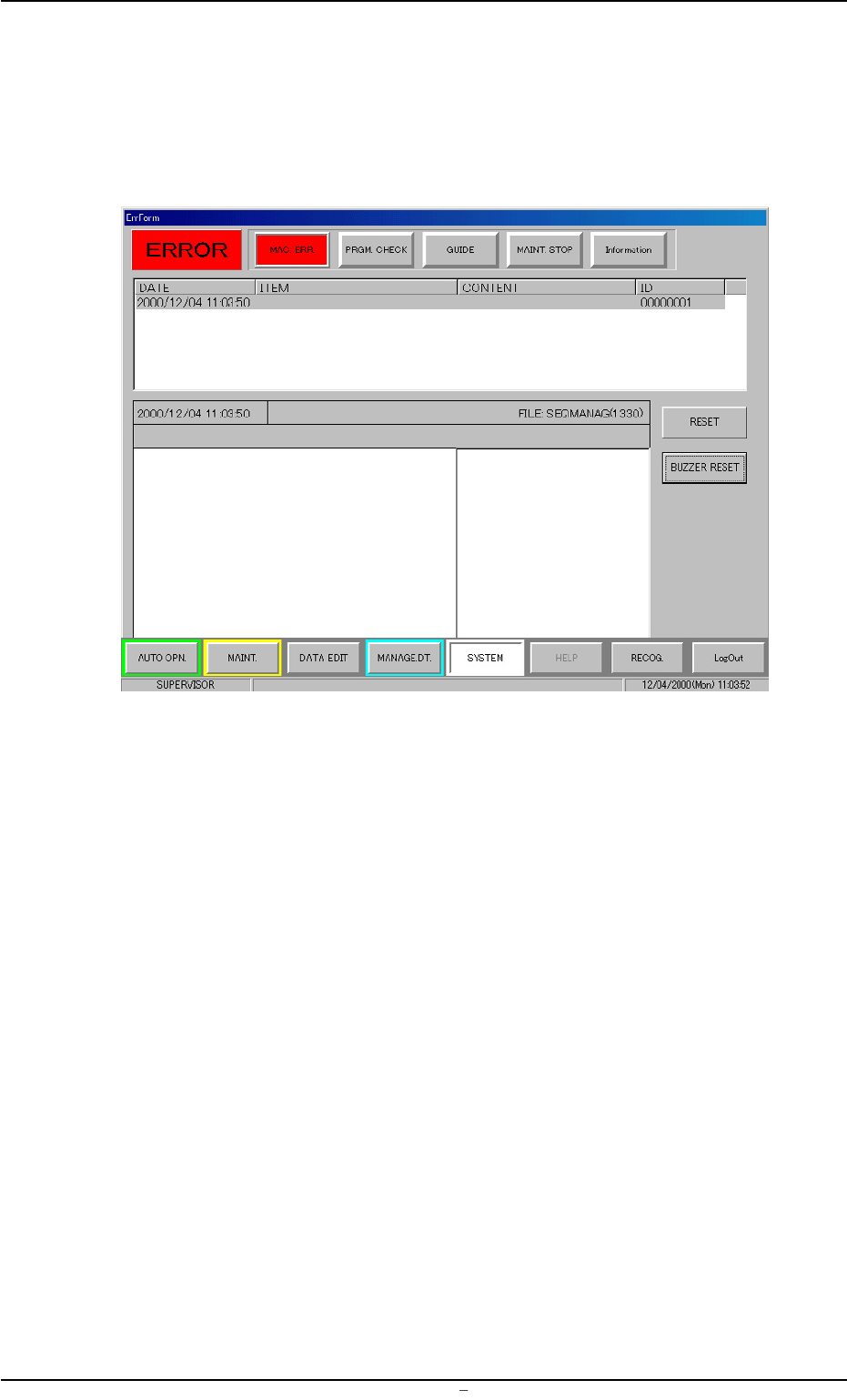
Assuming "ID/ITEM/CONTENT" in the "ERROR" window as an index,
retrieve the related page of the instruction manual.
Refer to "2.1 Typical Description" for the detailed description.
Fig. 4B3 Example of "ERROR" Window
2. Troubleshooting after Error Display
0009-001 Chapter 2 2 5 AFU01ETRP
2.1 Typical Description
Table 4B4
Error ID Item Description
110401 L Conveyor Width Overrun The plus (+) overrun was detected.
(BPH77) E/NR (+)
E/NR: Light Emitted and Not Received
110402 L Conveyor Width Overrun The minus (-) overrun was detected.
(BPH77) E/NR (-)
(Cause 1) An optical beam of the sensor is shielded.
(Cause 2) Dirt adheres to the sensor and the optical beam is shielded.
(Cause 3) The sensor is defective.
(Remedy 1) Turn off the power supply and move the conveyor width with the manual
knob for easier operation. Re-attach the light shield plate or the sensor
securely (remove the looseness).
(Remedy 2) Wipe off dirt on the sensor and zero the L conveyor again.
(Remedy 3) Replace the sensor with a new one.
120101 R Conveyor Width Origin The excitation monitor signal was not de-
tected.
(Cause 1)
(Remedy 1)
(Continued to the next page)
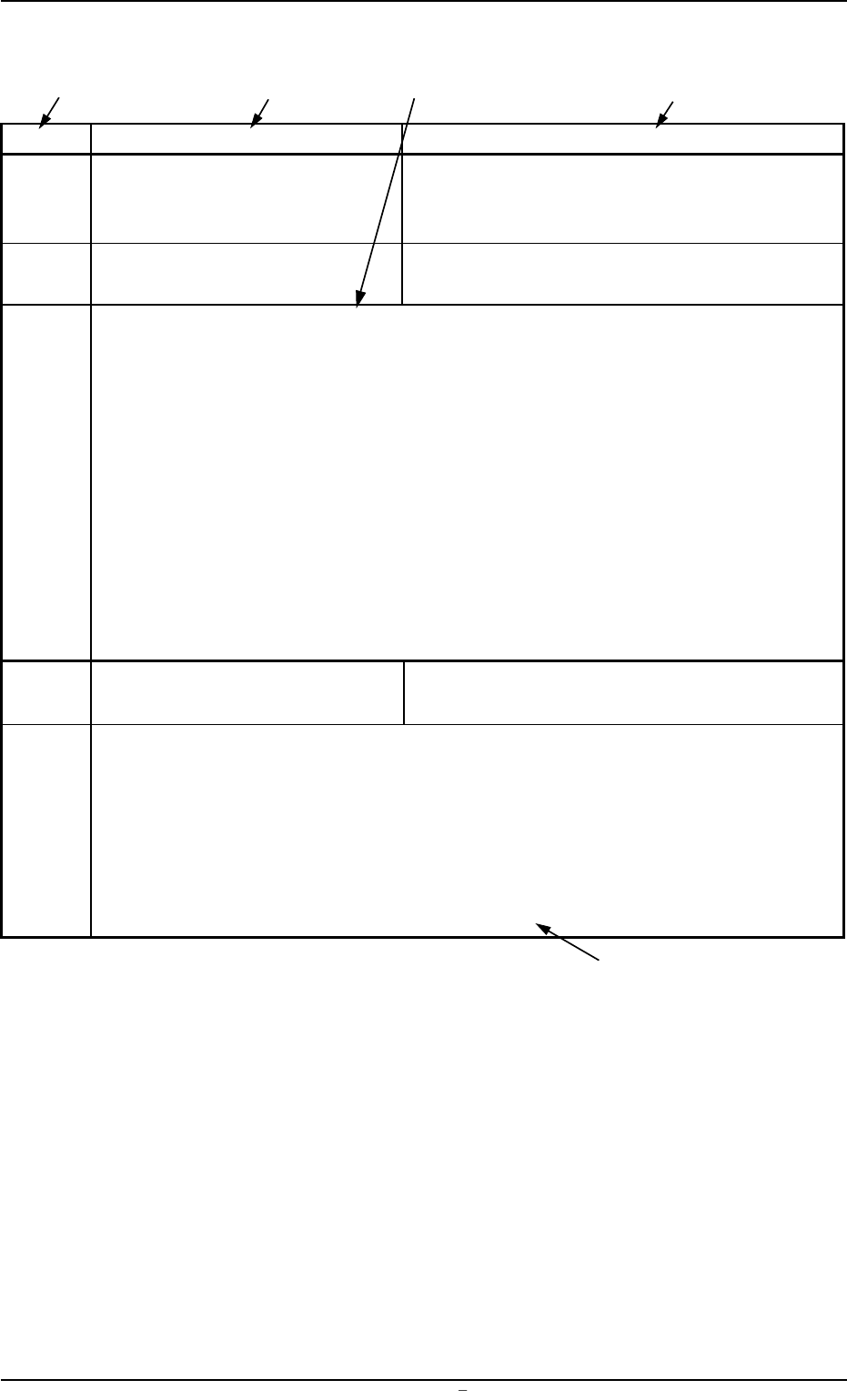
*1 The error IDs (IDs displayed in the "ERROR" window) are described
in the numerical order.
*2 Described are the classification (ITEM) and explanation (CONTENT)
in the "ERROR" window.
*3 Described are the causes and remedial procedures of the errors in
"*2 (Classification and Explanation)".
The causes and remedies are correlated as follows.
(Cause 1)
ÆÆ
ÆÆ
Æ (Remedy 1)
(Cause 2)
ÆÆ
ÆÆ
Æ (Remedy 2)
(Cause 3)
ÆÆ
ÆÆ
Æ (Remedy 3)
*4 This indicates that the related contents are described subsequently
on the next page.
2.1 Typical Description
0009-001 Chapter 2 2 6 AFU01ETRP
*2
*3
*1
*2
*4