2OM-1104-001.pdf - 第76页
Section 3 Menus for Management Data 0004-001 Chpter 1 3 1 AFU01EDTP This section describes the functions and operations in each window (window which opens after a menu button is pressed at the "MANAGE. DA T A" …
0004-001 Chapter 1 2 50 AFU01EDTP

Section 3
Menus for Management Data
0004-001 Chpter 1 3 1 AFU01EDTP
This section describes the functions and operations in
each window (window which opens after a menu button
is pressed at the "MANAGE. DATA" window).
1.1 Composition of Menus for Management Data
0106-003 Chapter 1 3 2 AFU01EDTP
*1
*4
*2
*3
1. Scope of Menus for Management Data
1.1 Composition of Menus for Management Data
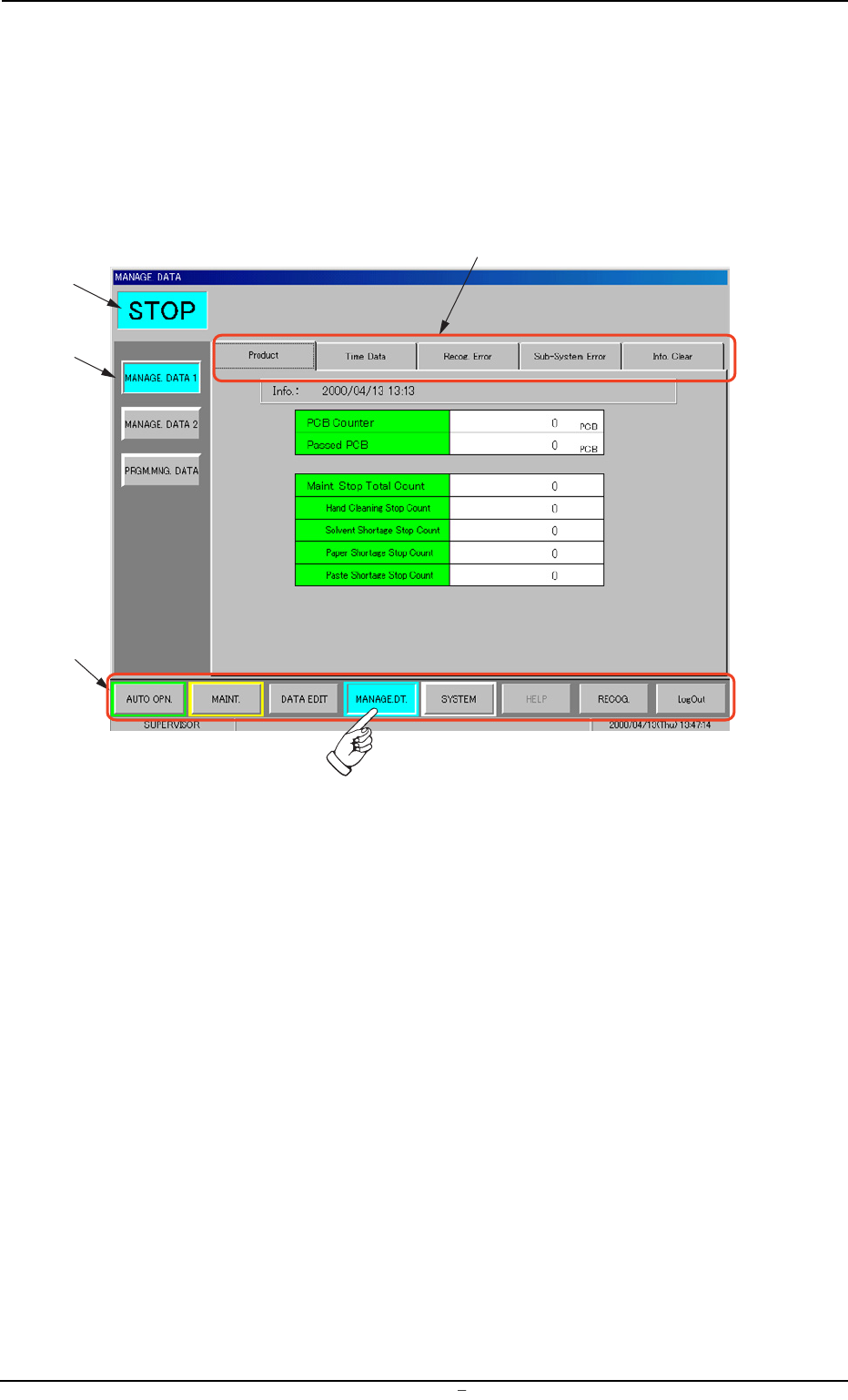
When the [MANAGE. DT.] button on the main menu bar is pressed, the
“MANAGE. DATA” window opens. The window is provided with the
submenu bar related to the management data.
Fig. 3C1 Menus for Management Data
• Window Composition
*1 Main Menu Bar
This bar is provided commonly for all operation windows. The but-
tons on the bar are used to select the main menus.
*2 Submenu Bar
This bar is treated as part of the "MANAGE. DATA" window and
has the buttons to select the submenus.
When a button is selected, the corresponding submenu sheet
opens.
*3 Current Mode
The current mode of the machine is displayed.
*4 Tabs
Each submenu sheet has an extension called "tab".
When a tab is pressed, the corresponding tab sheet appears.