2OM-1104-001.pdf - 第49页
2.1.2 Menu Bar and T oolbar This session describes how to use the menu and tool bars of the "Pat- tern Program" edit window . Fig. 3B77 "Pattern Program" Edit Window • Menu Bar The menu bar displays t…
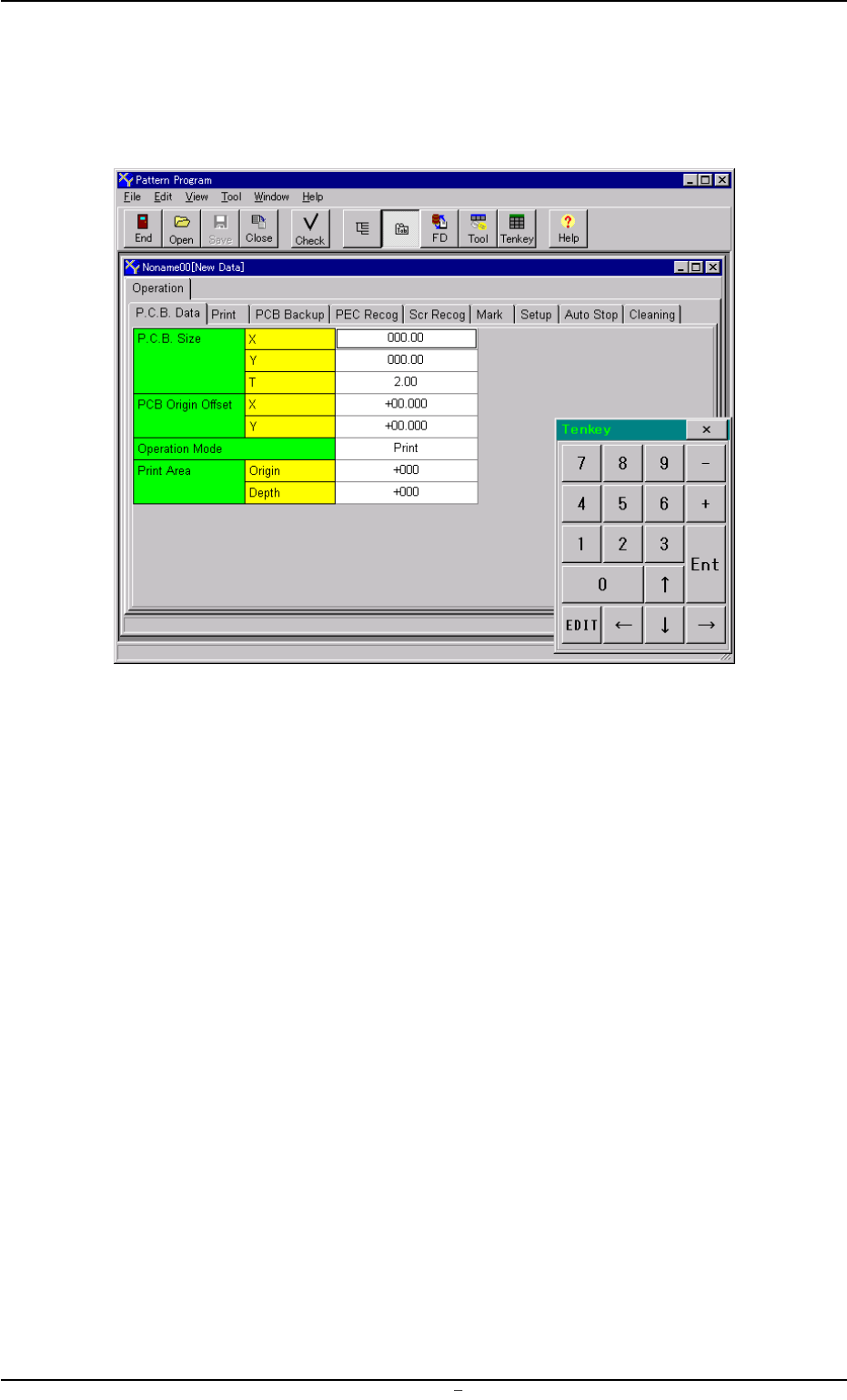
(4) Select the desired program name from the list box in the "Open"
window or enter the name of the program to be opened in the text
box, using the virtual keyboard and press the [OK] button. The
following "Pattern Program" edit window opens.
Fig. 3B76 "Pattern Program" Edit Window
0106-002 Chapter 1 2 25 AFU01EDTP
2.1 Navigations in “Pattern Program” Edit Window
2.1.2 Menu Bar and Toolbar
This session describes how to use the menu and tool bars of the "Pat-
tern Program" edit window.
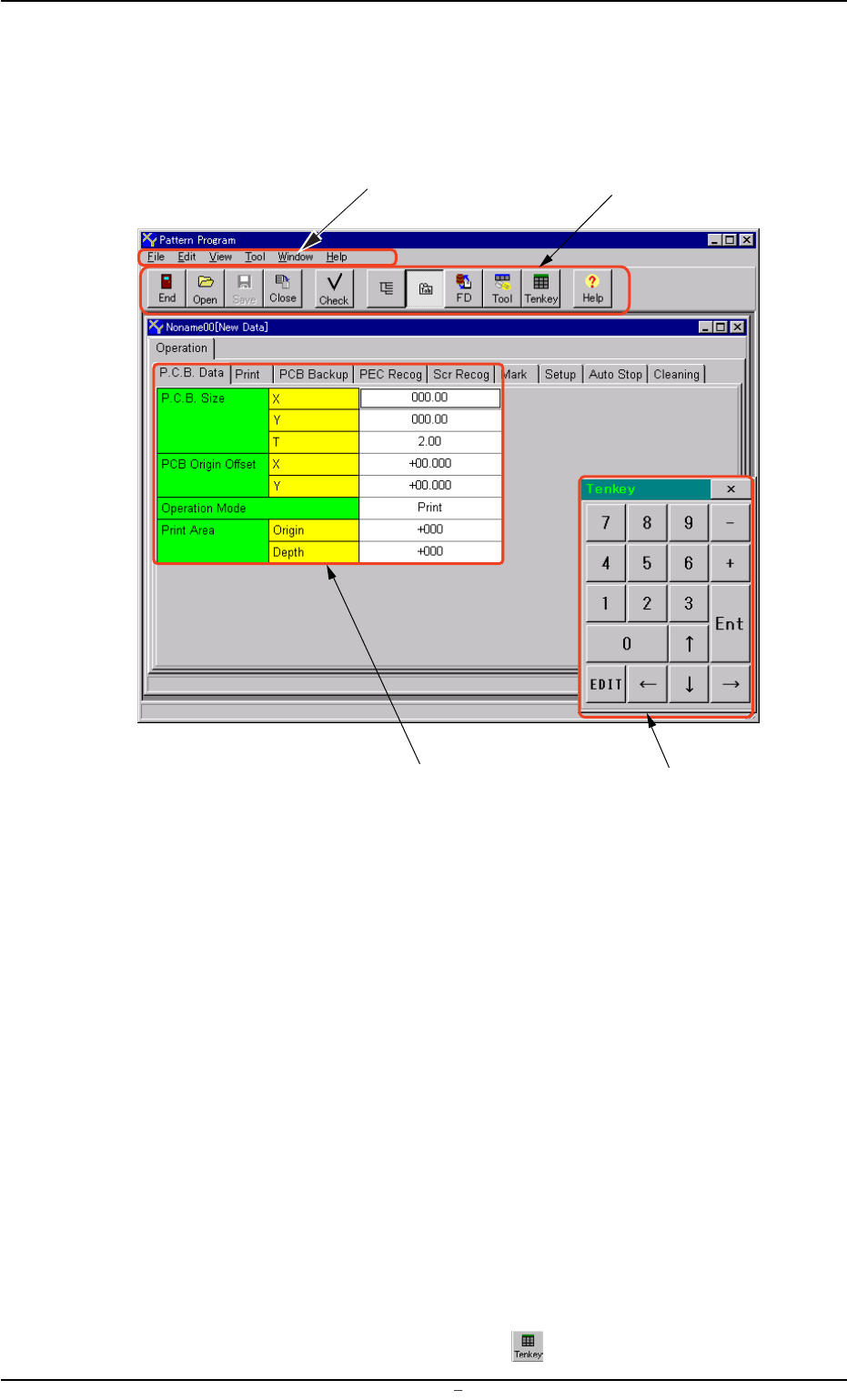
Fig. 3B77 "Pattern Program" Edit Window
• Menu Bar
The menu bar displays the names of all available operation menus.
• Toolbar
A collection of icons that typically make the more common tools for
an application easily accessible.
• "Pattern Program" Edit Window
This window enables the operator to edit the pattern program.
The size and position of the window can be changed freely.
• "Tenkey" Window
This window can be used to enter numerical values.
The position of the window can be changed freely.
To make the tenkey window disappear, press the [x] located at the
top-right corner of the window.
To make the window appear, press the
icon on the toolbar.
Menu Bar
Toolbar
"Pattern Program" Edit Sheet
Tenkey Window
0106-003 Chapter 1 2 26 AFU01EDTP
2.1 Navigations in “Pattern Program” Edit Window
(1) Functions of Menu Bar and Tollbar
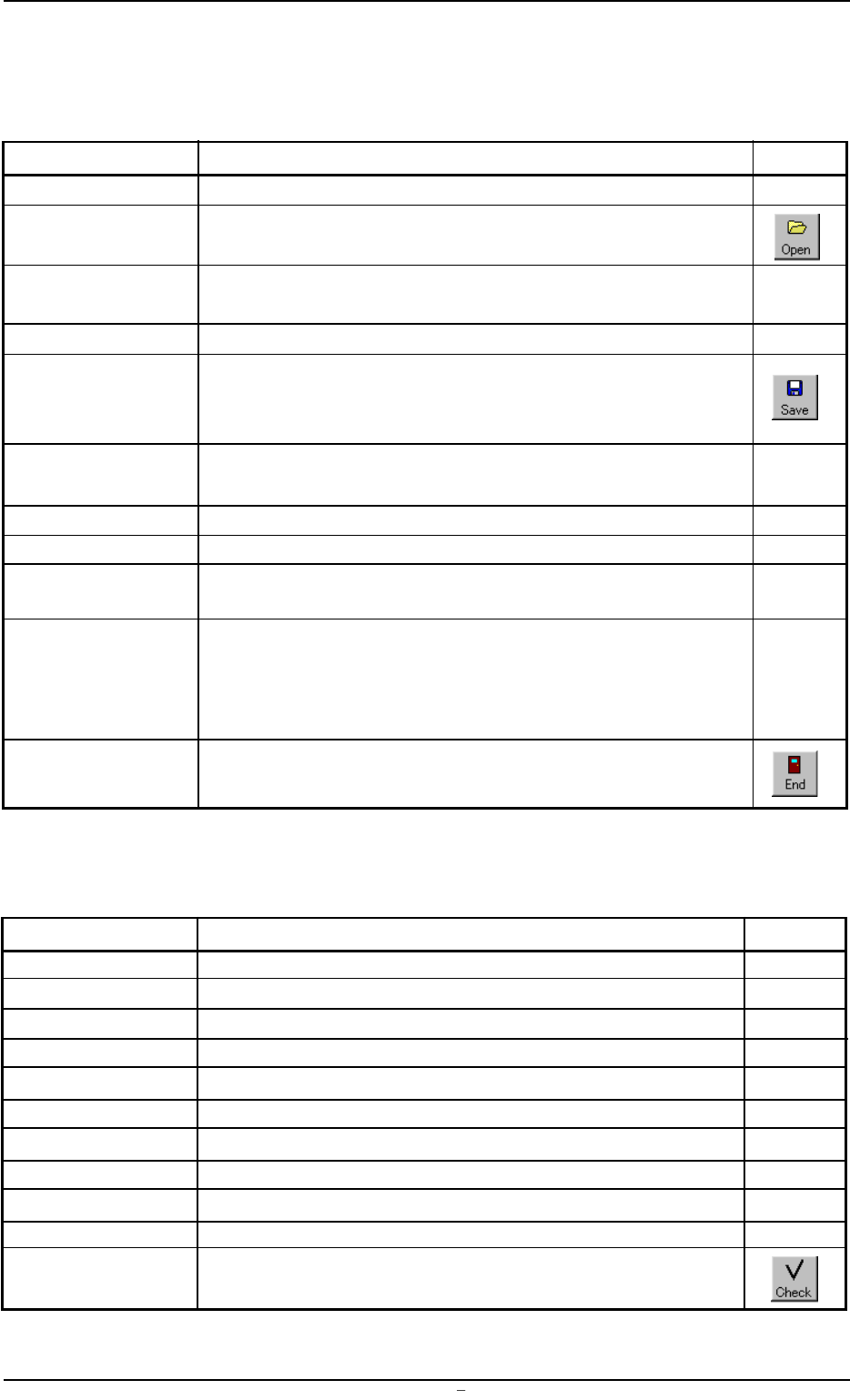
"File" Menu
Table 3B4
Command Menus Functions Icons
New Prgm. This makes it possible to newly create a pattern program.
Open... This displays a saved "Pattern Program" on the edit window.
Close This closes an active "Pattern Program" window.
All Close This closes all "Pattern Program" windows.
Save This saves an active "Pattern Program" window with the
same program name as the existing one. That is, the ex-
isting program is replaced with a new one.
Save As... This saves an active "Pattern Program" window with a new
name.
Printer Setup... Not Available
Print Preview Not Available
Print This prints out the contents of the pattern program displayed
on the edit window.
Recently Used The list of the registered pattern program names is displayd
File list at the bottom of the menu just above the Exit command.
When one of the names is pressed, the corresponding
"Pattern Program" edit window opens.
Exit This closes the current "Pattern Program" edit window and
allows the operator to exit from the pattern program editing.
"Edit" Menu
Table 3B5
Command Menus Functions Icons
Undo Not Available
Repeat Not Available
Cut This cuts the selection of data.
Copy This copies the selection of data.
Paste This pastes the selection of data.
Clear Not Available
All Select This selects all items in the specific area.
Find... This searches a string of characters.
Replace Not Available
Go To... Not Available
Check... This checks the contents of the active "Pattern Program"
window.
0106-002 Chapter 1 2 27 AFU01EDTP
2.1 Navigations in “Pattern Program” Edit Window