2OM-1104-001.pdf - 第280页
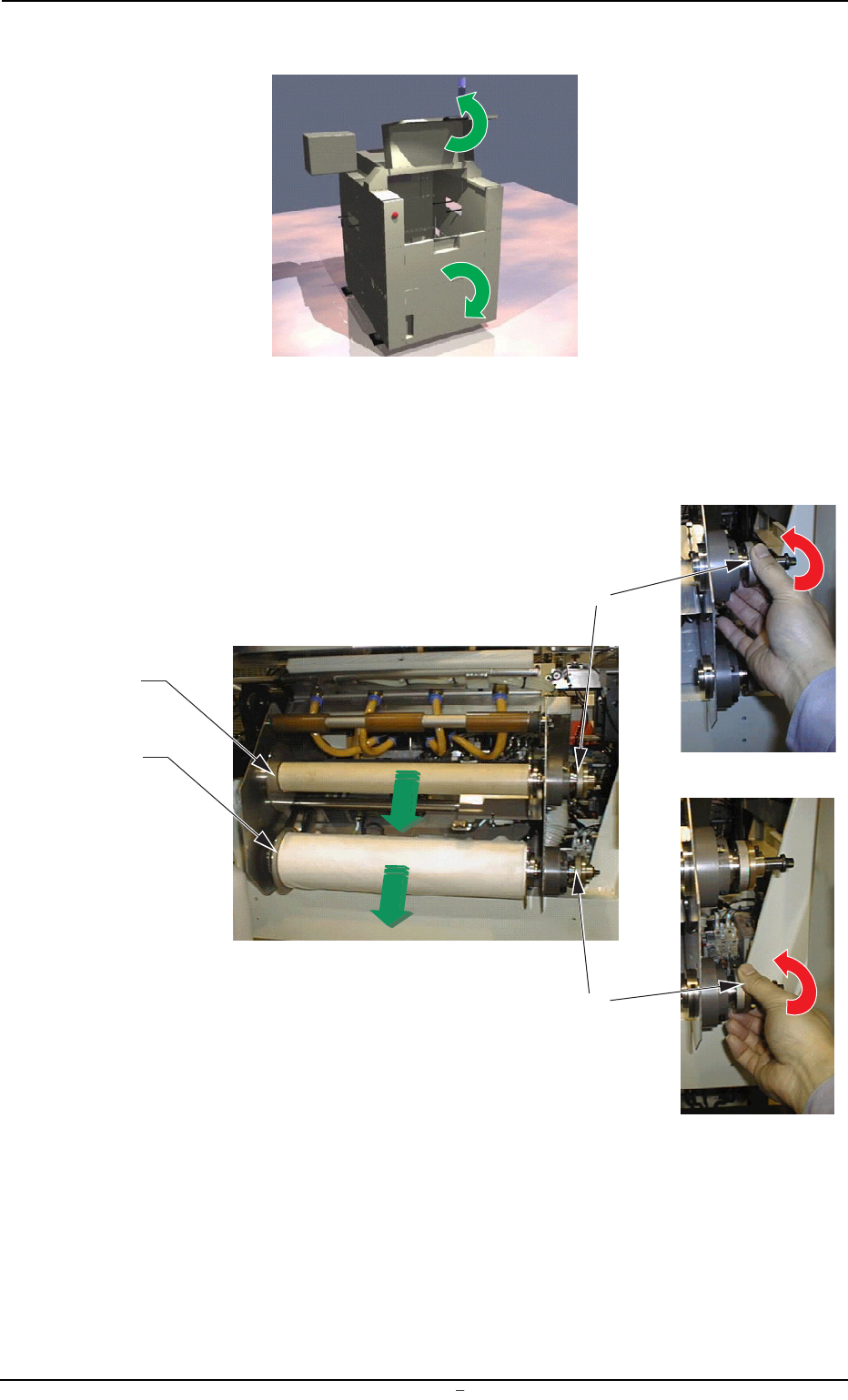
(6) Open the two safety doors on the rear side of the machine. Fig. 5A43 (7) T urn the knobs of both take-up and supply rollers clockwise and pull out each roller forward to detach from the cleaning unit. Fig. 5A44 12. R…
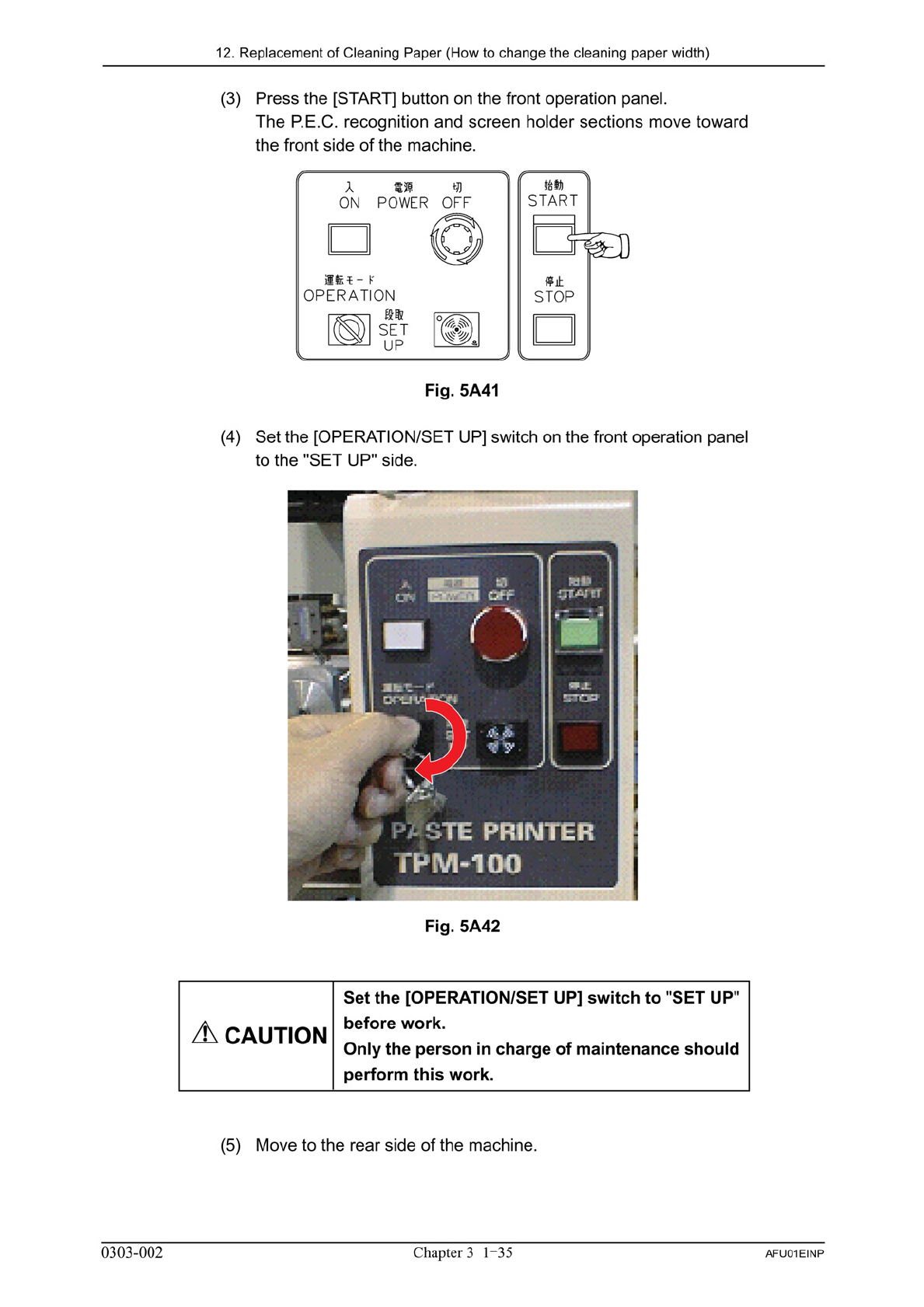
(6) Open the two safety doors on the rear side of the machine.
Fig. 5A43
(7) Turn the knobs of both take-up and supply rollers clockwise and
pull out each roller forward to detach from the cleaning unit.
Fig. 5A44
12. Replacement of Cleaning Paper (How to change the cleaning paper width)
0009-002 Chapter 3 1 36 AFU01EINP
Supply Roller
Take-Up Roller
Knob
Knob
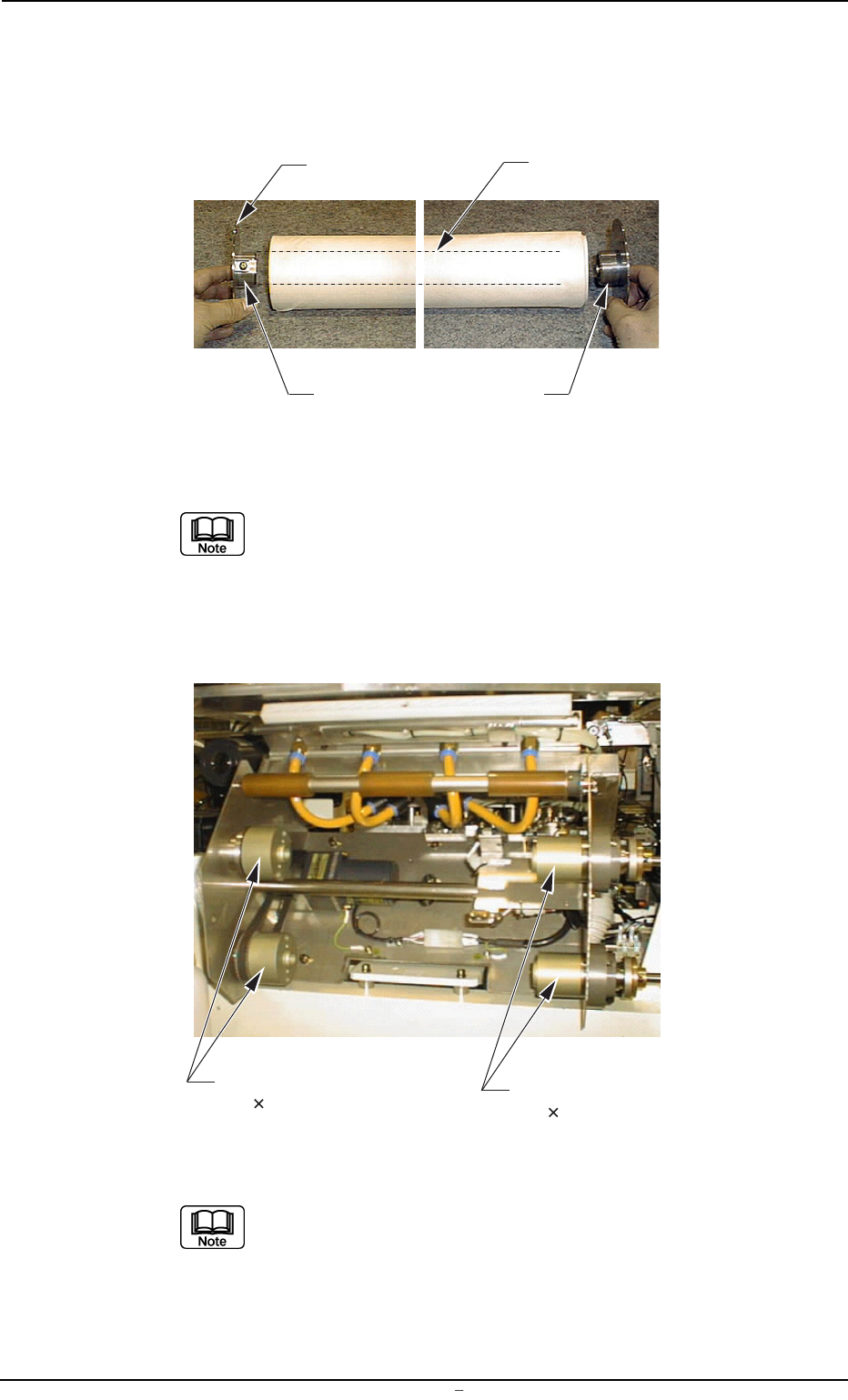
(8) Attach the adapters to both ends of the new supply roller shaft.
Press-fit the left adapter to the roller shaft so that the end of the
shaft is held in close contact with the ring of the left adapter.
Fig. 5A45
Select the correct adapters for both ends of the shaft.
The left adapter is provided with a screw but the right one
is not.
(9) Adjust the spacers in accordance with the width of the paper to be
used.
Fig. 5A46
(a) To change the paper width (350 mm) to "280 mm",
attach the right and left spacers.
(b) To change the paper width (280 mm) to "350 mm",
detach the right and left spacers.
12. Replacement of Cleaning Paper (How to change the cleaning paper width)
0009-002 Chapter 3 1 37 AFU01EINP
Roller Shaft
Ring
Left Adapter
Right Adapter
Left Spacers
M4 30 2 pcs.
Right Spacers
M4 45 2 pcs.