2OM-1104-001.pdf - 第80页
T able 3C1 T abs Description Product This indicates the data that represents the actual production rate of the machine. Time Data This indicates the data that represents the cumulative periods of running time for each op…
2. "MANAGE. DATA 1" Submenu
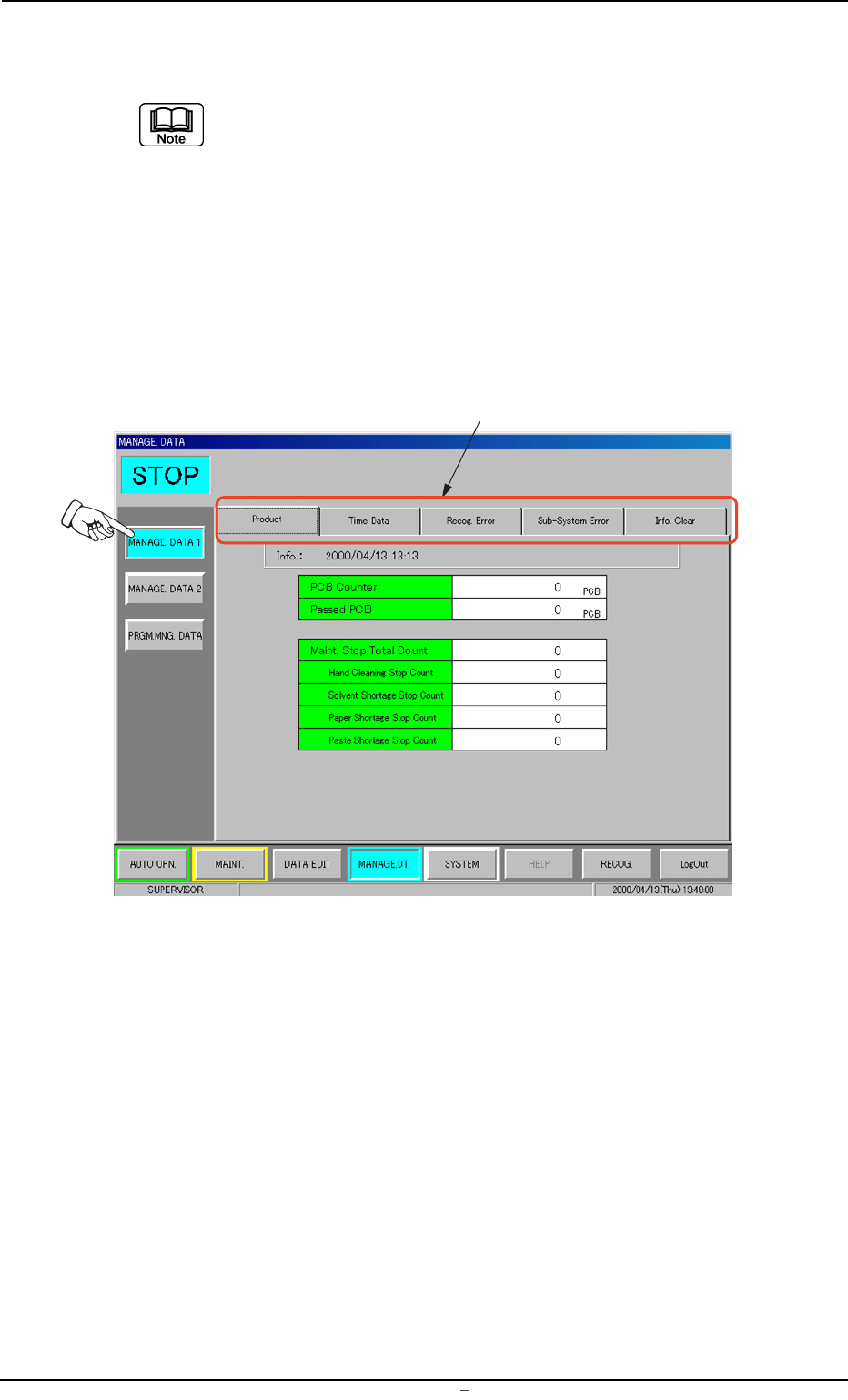
The "MANAGE. DATA 1" and "MANGE. DATA 2" windows (submenu)
are composed of the same tab sheets.
Each data must be used discriminatingly so as to calculate the manage-
ment data (classified into monthly and daily cumulative data) during dif-
ferent periods of time (time specified separately).
• Window Layout
When the [MANAGE. DATA 1] button is pressed in the "MANAGE.
DATA" submenu bar, the following window appears.
Fig. 3C3 "MANAGE. DATA 1" Window (Submenu)
• Window Composition
*1 Tabs
The "MANAGE. DATA 1" window (submenu) has 5 tab sheets.
When a tab is pressed, the corresponding tab sheet appears.
0004-001 Chapter 1 3 4 AFU01EDTP
2.
"
MANAGE. DATA 1
"
Submenu
*1
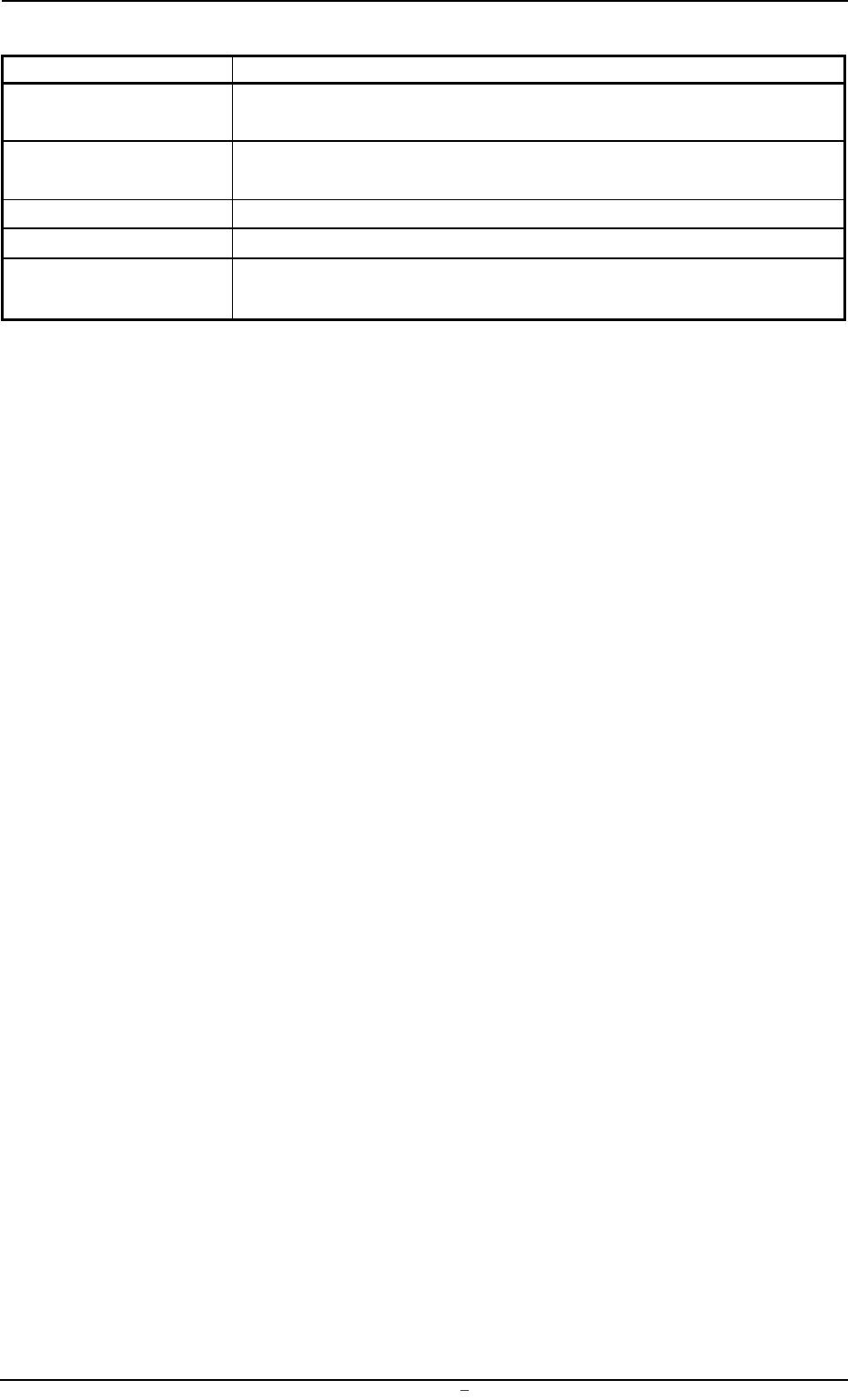
Table 3C1
Tabs Description
Product This indicates the data that represents the actual production rate of
the machine.
Time Data This indicates the data that represents the cumulative periods of
running time for each operation mode.
Recog. Error This indicates the data related to the recognition errors.
Sub-System Error This indicates the error data on each individual units.
Info. Clear This tab sheet is provided with two buttons and each button is used
to clear the management data stored in memory.
0004-001 Chapter 1 3 5 AFU01EDTP
2.
"
MANAGE. DATA 1
"
Submenu
2.1 "Product" Tab
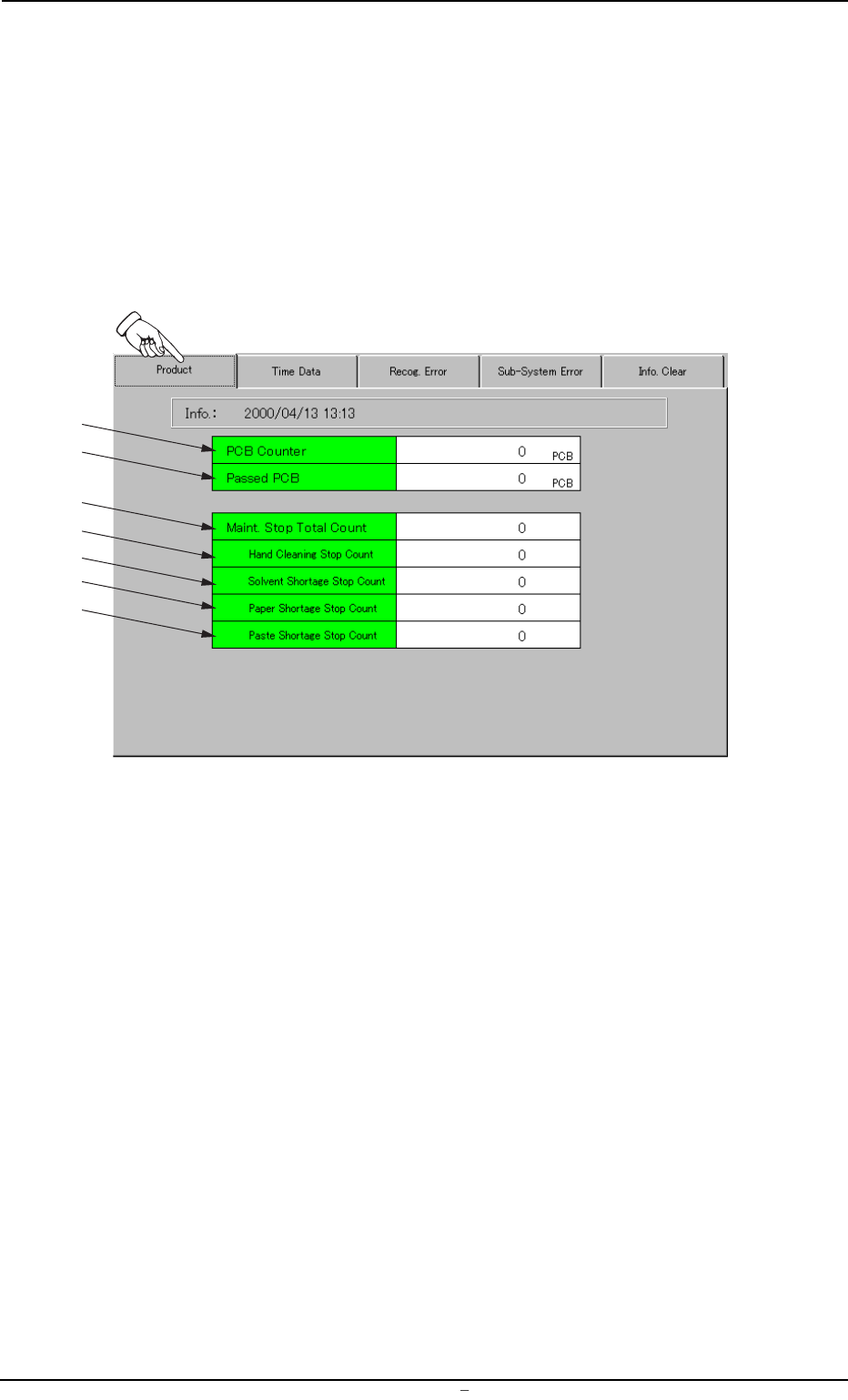
Displayed is the data that represents the actual production rate of the
machine.
• Sheet Layout
When the "Product" tab is pressed in the "MANAGE. DATA 1" window
(submenu), the following tab sheet appears.
Fig. 3C4 "Product" Tab Sheet
• Sheet Composition
*1 PCB Counter
This indicates the number of produced P.C.B.’s in "PRINT" mode
(operation mode).
The system counts the number of times the table was zeroed after
the end of each printing and the result is regarded as the number
of produced P.C.B.’s.
*2 Passed PCB
This indicates the number of P.C.B.’s that have been transferred
without being printed in the "PASS" mode (operation mode).
The system counts the number of times the P.C.B.’s were trans-
ferred from the table to the R conveyor and the result is regarded
as the number of passed P.C.B.’s.
0004-001 Chapter 1 3 6 AFU01EDTP
2.1
"
Product
"
Tab
*1
*2
*3
*4
*5
*6
*7