2OM-1104-001.pdf - 第93页
*4 [PRGM. SELECT] Button When this button is pressed, the model selected in *5 can be de- termined as a current pattern program (the data to be displayed on each tab sheet in the "PRGM. MNG. DA T A" window (sub…
3.1 "Prgm. Chg. & Clear" Tab
This tab sheet enables you to select a current model (current pattern
program) and clear the pattern program management data.
• Sheet Layout
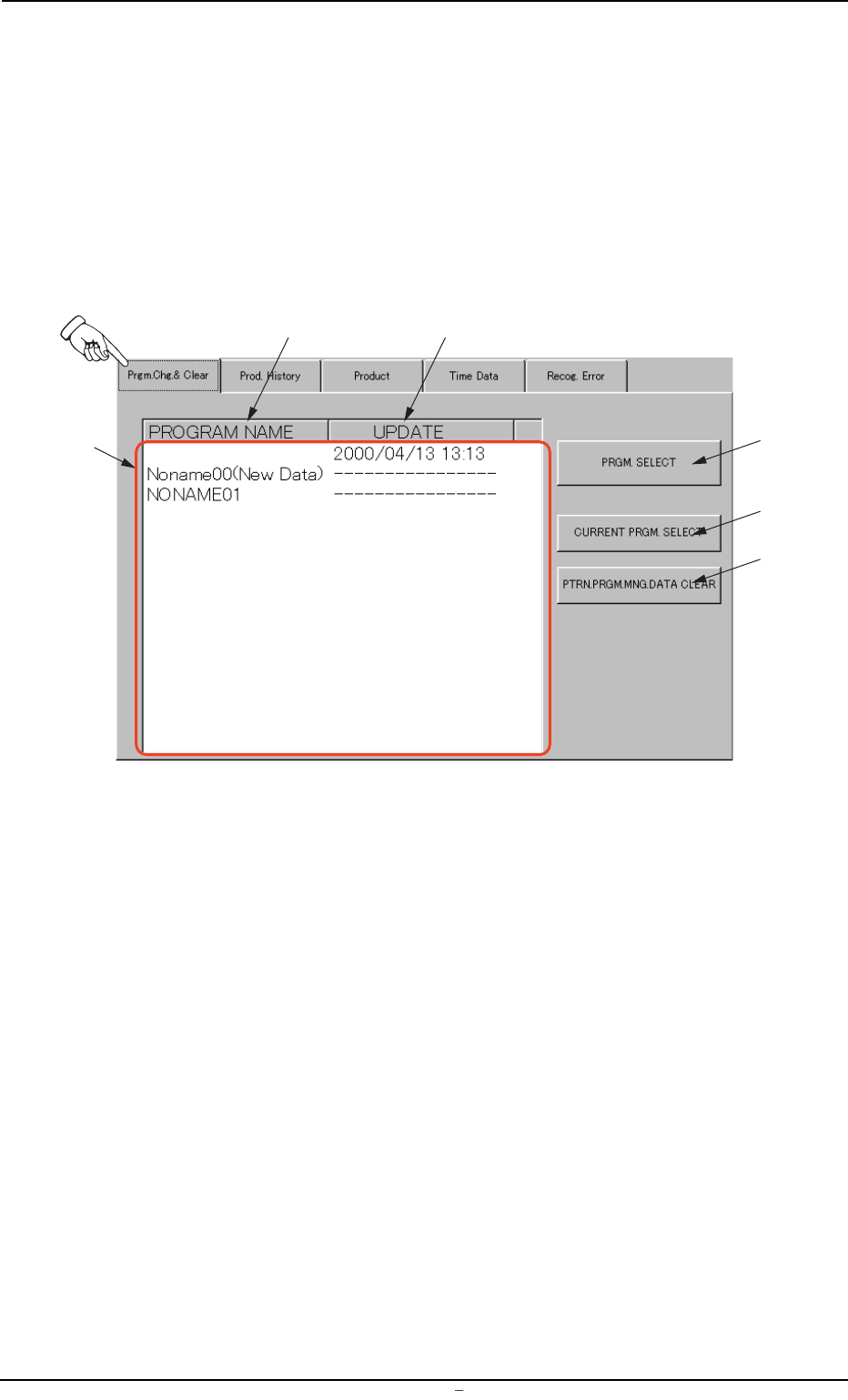
When the "Prgm. Chg. & Clear" tab is pressed in the "PRGM. MNG.
DATA" window (submenu), the following tab sheet appears.
Fig. 3C12 "Prgm. Chg. & Clear" Tab Sheet
• Sheet Composition
*1 List (Display) of Saved Programs
Listed are the names of the saved pattern programs (the regis-
tered models) and the date of the information updating on the
models.
*2 [PROGRAM NAME] Button
The contents in *1 are displayed first in alphabetical order (as-
cending order). Every time this button is pressed, the names in *1
are re-arranged alternately in ascending or descending order.
*3 [UPDATE] Button
The contents in *1 are displayed in ascending order (order of up-
dating). Every time this button is pressed, the date of information
updating on each model is re-arranged alternately in ascending or
descending order.
*1
*2
*3
*4
*5
*6
0004-001 Chapter 1 3 17 AFU01EDTP
3.1
"
Prgm. Chg. & Clear
"
Tab
*4 [PRGM. SELECT] Button
When this button is pressed, the model selected in *5 can be de-
termined as a current pattern program (the data to be displayed on
each tab sheet in the "PRGM. MNG. DATA" window (submenu)).
*5 [CURRENT PRGM. SELECT] Button
This button can be used to select one of the saved models as a
current one.
• Program Change Operation
(1) Use the button (*2 or *3) to re-arrange the program names
listed in *1.
(2) Select one of the models (program names listed in *1) to dis-
play the data.
The background color of the selected name turns navy blue.
(3) Press the [CURRENT PRGM. SELECT] button *5.
(4) Press the [PRGM. SELECT] button *4.
*6 [PTRN. PRGM. MNG. DATA CLEAR] Button
Use this button to select the model (one of the saved pattern pro-
grams) to be cleared.
• Information Clear Operation
(1) Use the button (*2 or *3) to re-arrange the program names
listed in *1.
(2) Select one of the models (program names listed in *1) to dis-
play the data.
The background color of the selected name turns navy blue.
(3) Press the [PTRN. PRGM. MNG. DATA CLEAR] button.
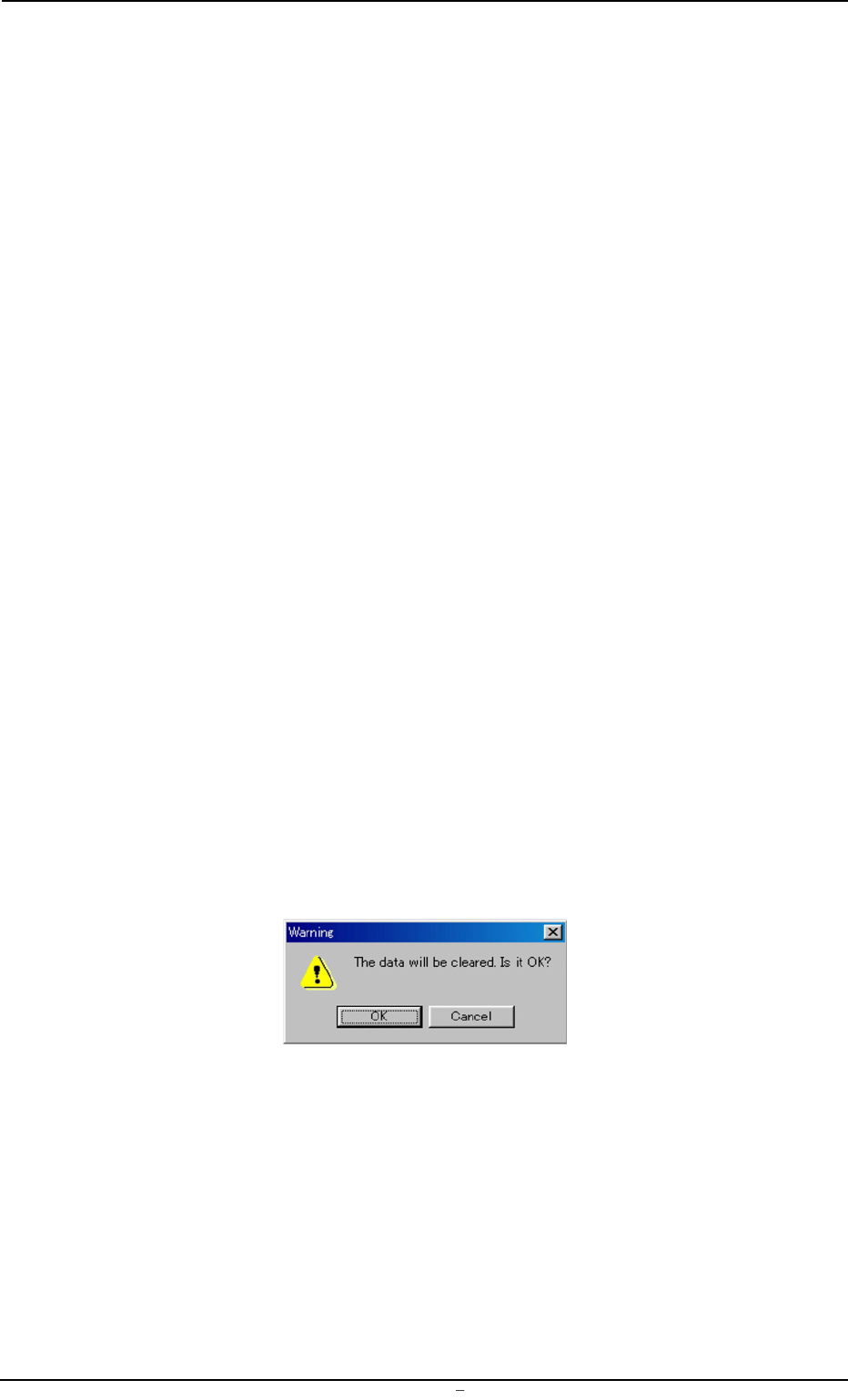
The following "Warning" dialog box opens.
Fig. 3C13
(4) When the [OK] button is pressed, the selected model (pattern
program) is deleted from the list *1.
0009-002 Chapter 1 3 18 AFU01EDTP
3.1
"
Prgm. Chg. & Clear
"
Tab Sheet
3.2 "Prod. History" Tab
Displayed is the history of the current model production.
• Sheet Layout
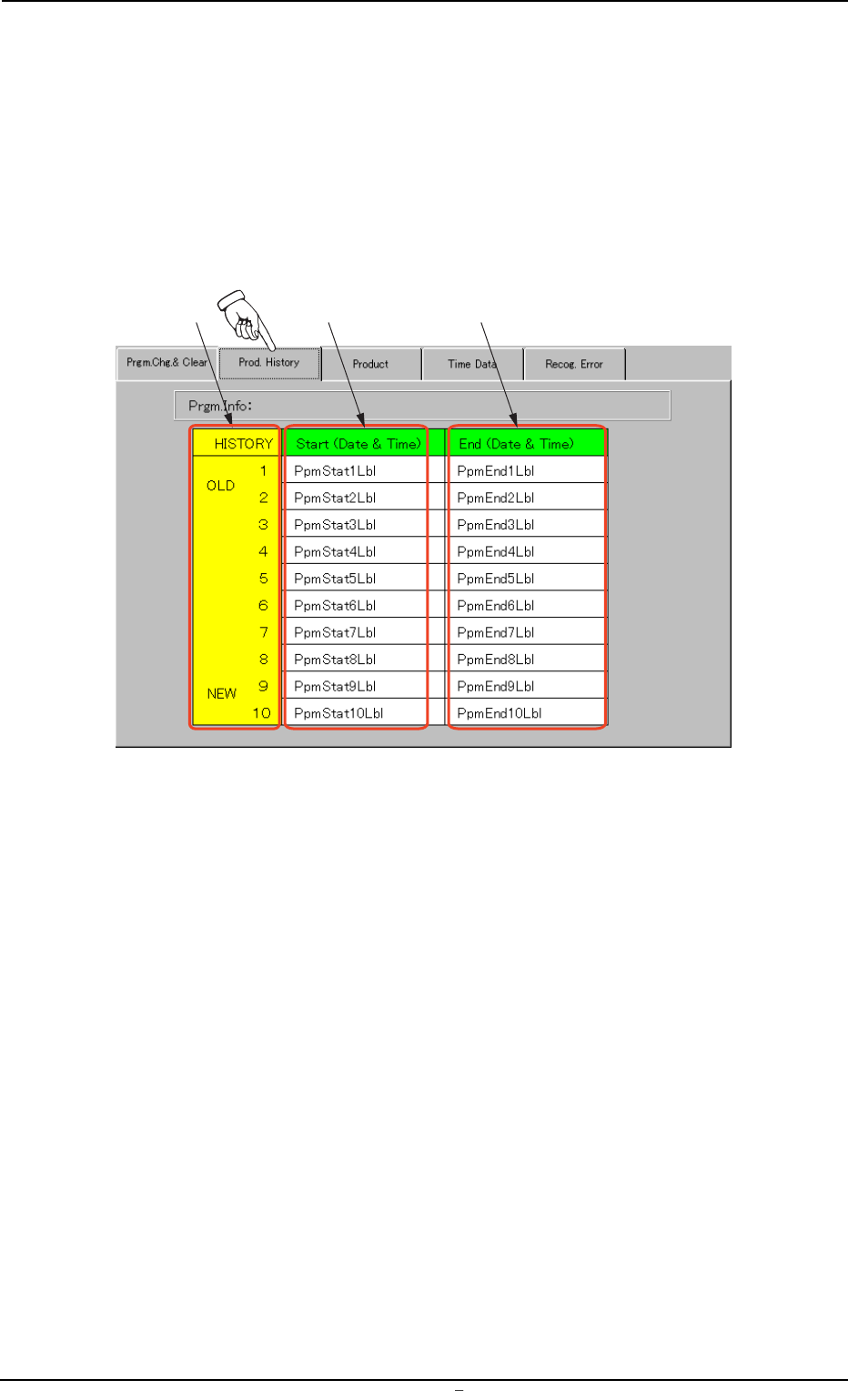
When the "Prod. History" tab is pressed in the "PRGM. MNG. DATA"
window (submenu), the following tab sheet appears.
Fgi. 3C14 "Prod. History" Tab Sheet
• Sheet Composition
*1 HISTORY
Displayed in this column are 10 production history Nos. (the latest
ones) of the current model (the pattern program data to be dis-
played).
The oldest history comes first and the subsequent ones follow.
When more than 10 histories are derived, the older histories are
deleted one by one.
*2 Start (Date & Time)
Displayed in this column are the records of date and time when
machine operations were started, regarding the current pattern pro-
gram (model).
*3 End (Date & Time)
Displayed in this column are the records of date and time when
machine operations were ended, regarding the current pattern pro-
gram (model).
*1
*2
*3
0004-001 Chapter 1 3 19 AFU01EDTP
3.2
"
Prod. History
"
Tab