2OM-1104-001.pdf - 第152页
1.3 "GUIDE" Window • Window Layout When the [GUIDE] button is pressed in the "ERROR" window , the following window opens. Fig. 4A4 • Window Composition *1 LEVEL Displayed are the levels (priority) of …
1.2 "PRGM. CHECK" Window
• Window Layout
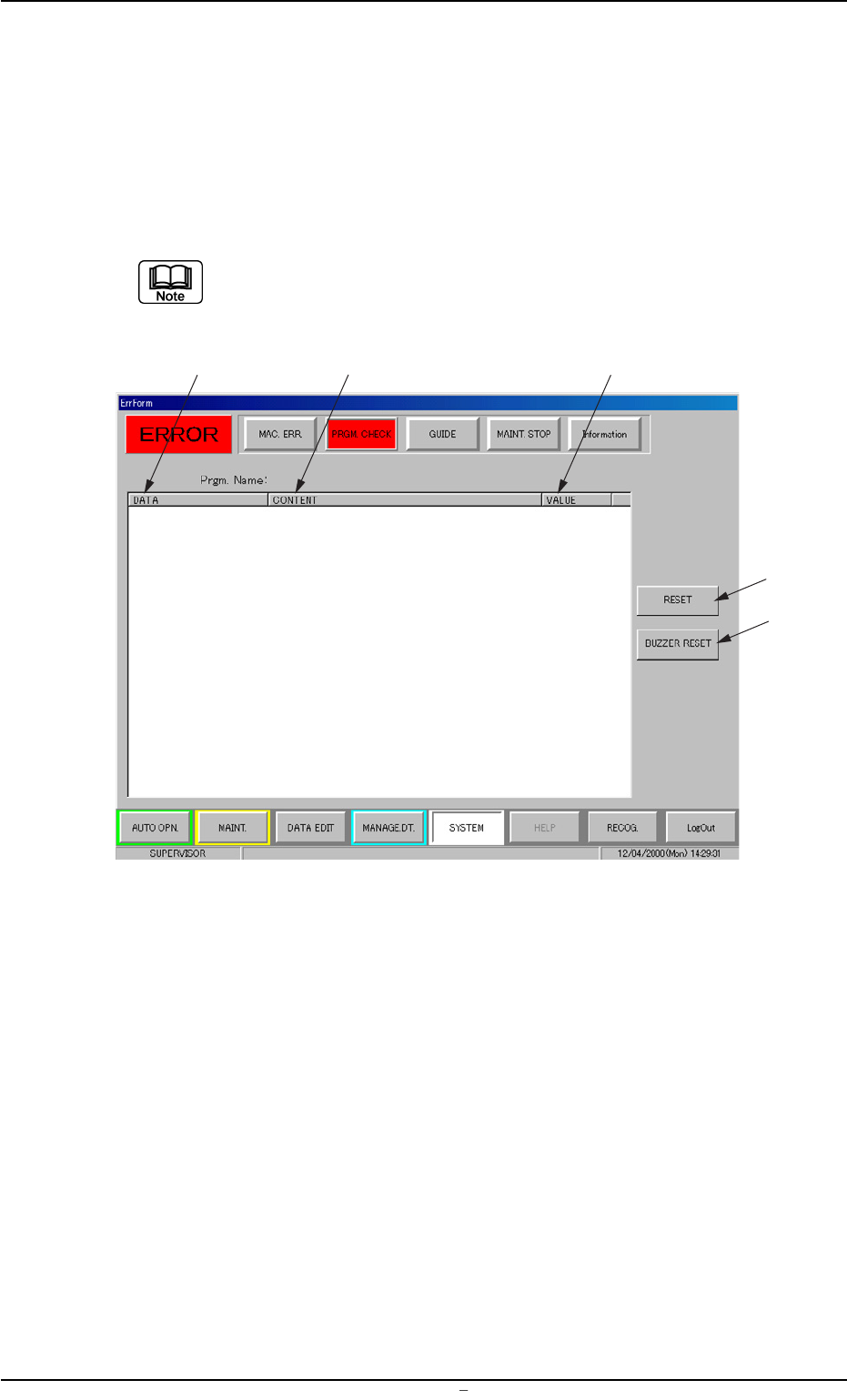
When you select "Pattern Program Data Error" in the field under
"ITEM" in the "MAC. ERR." window and press the [PRGM. CHECK]
button, the following window opens.
When an item other than "Pattern Program Data Error" is se-
lected and the [PRGM. CHECK] button is pressed, nothing ap-
pears in the display field.
Fig. 4A3
• Window Composition
*1 DATA
Displayed is the name of abnormal data.
*2 CONTENT
Displayed are the contents of an error.
*3 VALUE
Displayed is the value of abnormal data.
*4 [RESET] Button
Pressing this button cancels an alarm (sound) and closes the "ER-
ROR" window.
*5 [BUZZER RESET] Button
Pressing this button cancels an alarm (sound) only.
1.2 "PRGM. CHECK" Window
0009-001 Chapter 2 1 6 AFU01ETRP
*1
*4
*2
*3
*5
1.3 "GUIDE" Window
• Window Layout
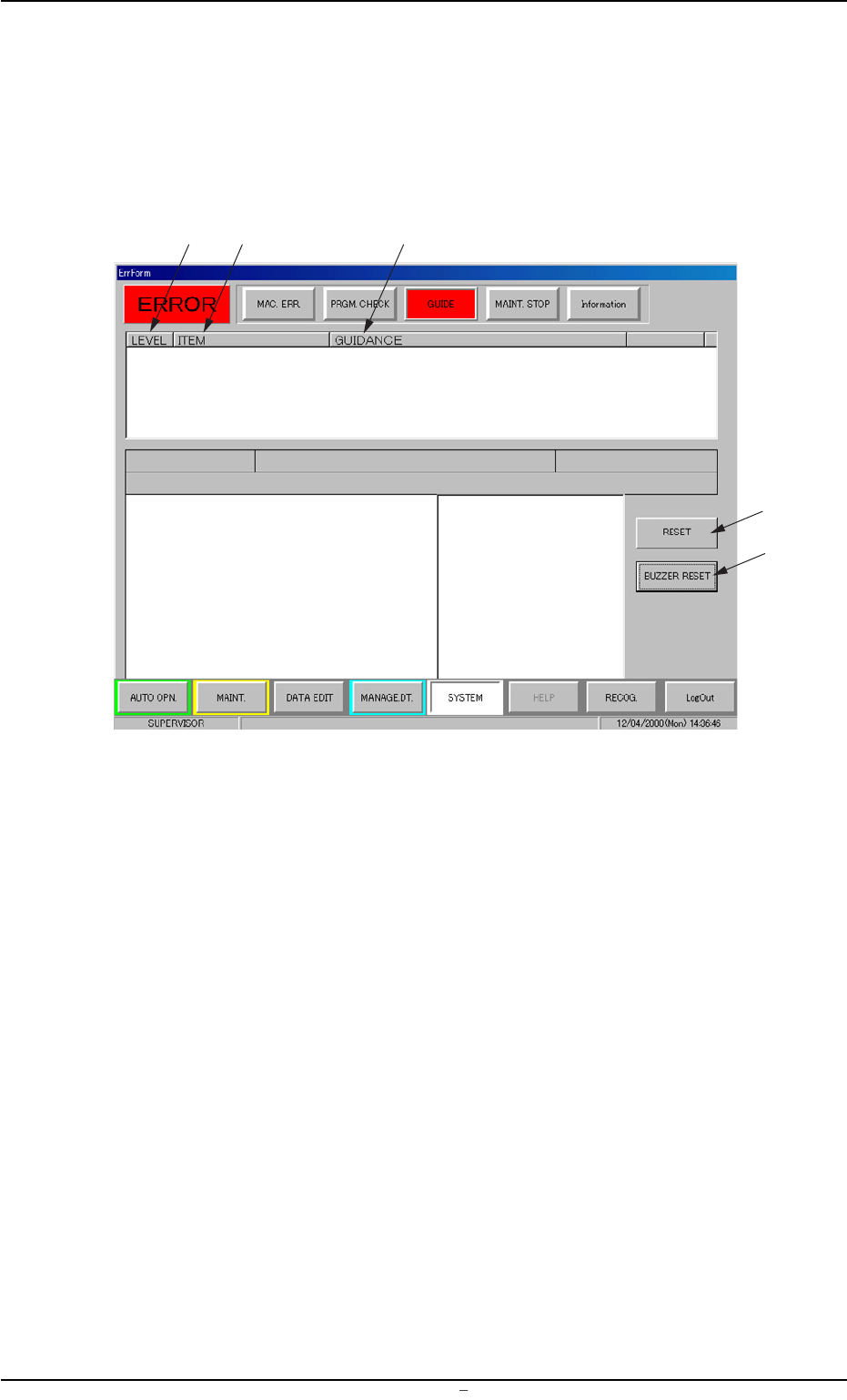
When the [GUIDE] button is pressed in the "ERROR" window, the
following window opens.
Fig. 4A4
• Window Composition
*1 LEVEL
Displayed are the levels (priority) of starting guidance messages.
*2 ITEM
Displayed are the starting guidance items.
*3 GUIDANCE
Displayed are the starting guidance messages.
*4 [RESET] Button
Pressing this button cancels an alarm (sound) and closes the "ER-
ROR" window.
*5 [BUZZER RESET] Button
Pressing this button cancels an alarm (sound) only.
1.3 "GUIDE" Window
0009-001 Chapter 2 1 7 AFU01ETRP
*1
*4
*2
*3
*5
1.4 "MAINT. STOP" Window
• Window Layout
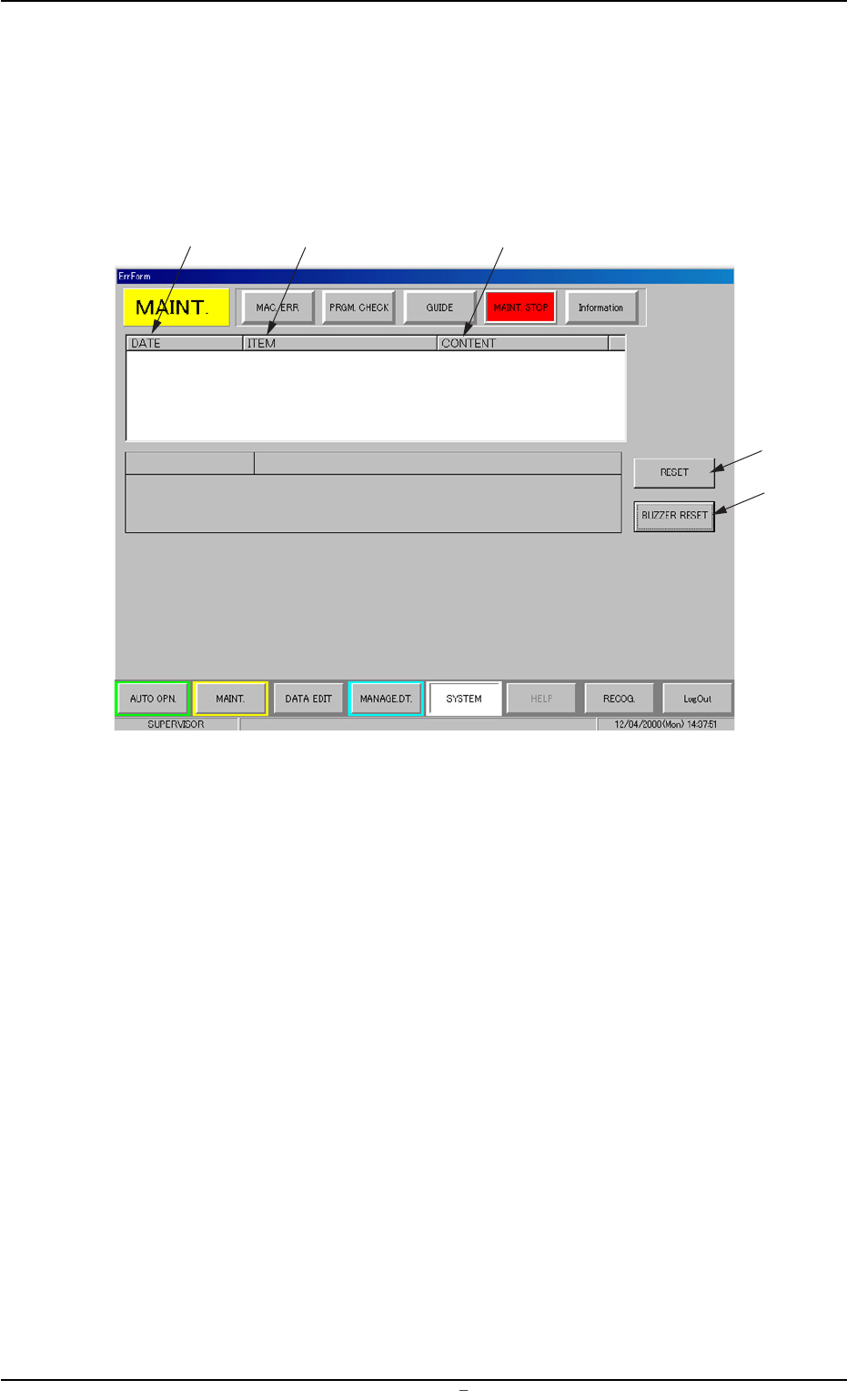
When the [MAINT. STOP] button is pressed in the "ERROR" win-
dow, the following window opens.
Fig. 4A5
• Window Composition
*1 DATE
Displayed are the date and time when the machine has stopped
for maintenance.
*2 ITEM
Displayed are the items related to the maintenance stops.
*3 CONTENT
Displayed are the contents of maintenance stops.
*4 [RESET] Button
Pressing this button cancels an alarm (sound) and closes the "ER-
ROR" window.
*5 [BUZZER RESET] Button
Pressing this button cancels an alarm (sound) only.
1.4 "MAINT. STOP" Window
0009-001 Chapter 2 1 8 AFU01ETRP
*1
*4
*2
*3
*5