2OM-1104-001.pdf - 第242页
Upper Surface of Screen Holder Cleaning Remove dirt on the upper surface and side face with a rag if any . Screen Printing Patterns Cleaning After using the screen, use industrial alcohol (solvent) and the ultrasonic cle…
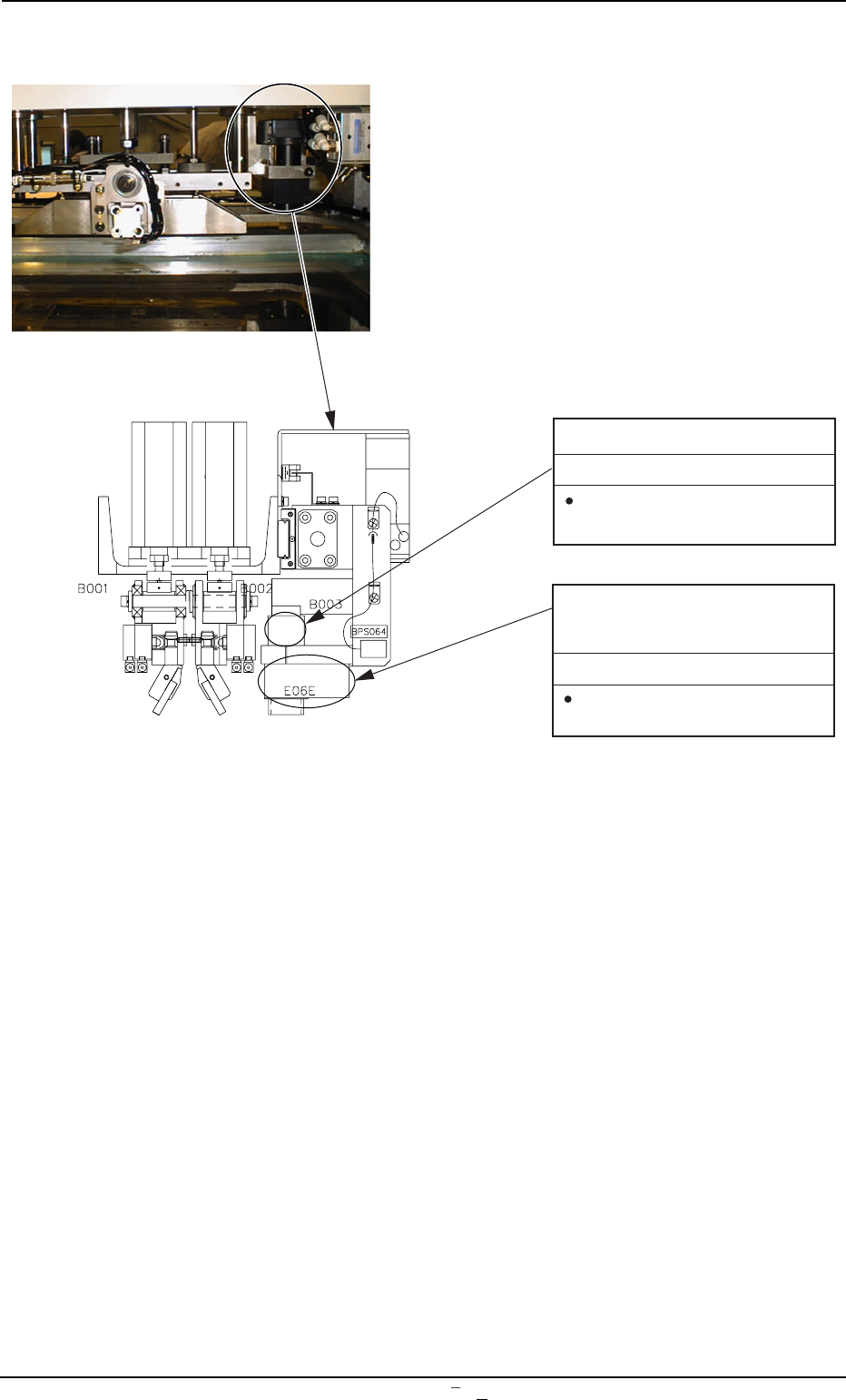
Fig. 5A6-1 Squeegee Head Section
4. Daily Maintenance
0009-001 Chapter 3 1 9-1 AFU01EINP
Camera (Lens)
Cleaning
Remove dirt and dust, etc.,
with a vacuum cleaner.
Glass Surface of Recognition
Lighting
Cleaning
Remove dirt and dust, etc.,
with a vacuum cleaner.
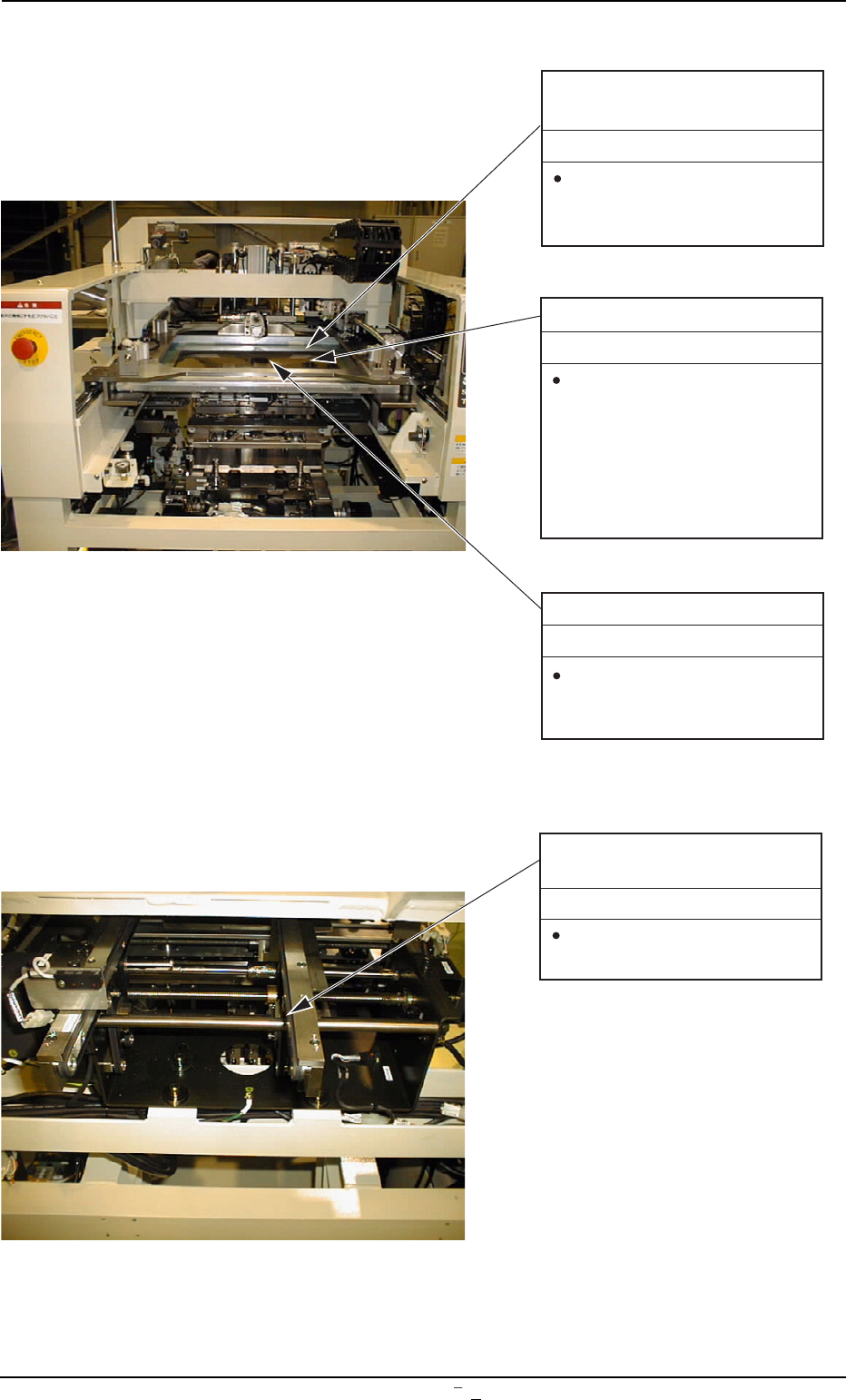
Upper Surface of Screen
Holder
Cleaning
Remove dirt on the upper
surface and side face with
a rag if any.
Screen Printing Patterns
Cleaning
After using the screen, use
industrial alcohol (solvent)
and the ultrasonic cleaner
to clean the screen such
that the mesh (pores) of the
screen (screen patterns) is
not clogged.
Lower Surface of Screen
Cleaning
Clean the screen bottom
with a rag soaked in indus-
trial alcohol (solvent).
0009-002 Chapter 3 1 10 AFU01EINP
Fig. 5A7 Screen Holder Section
Fig. 5A8 L/R Conveyor Section
Upper Surface of P.C.B.
Transfer Belt
Cleaning
Remove solder paste and
dust with a vacuum cleaner.
4. Daily Maintenance
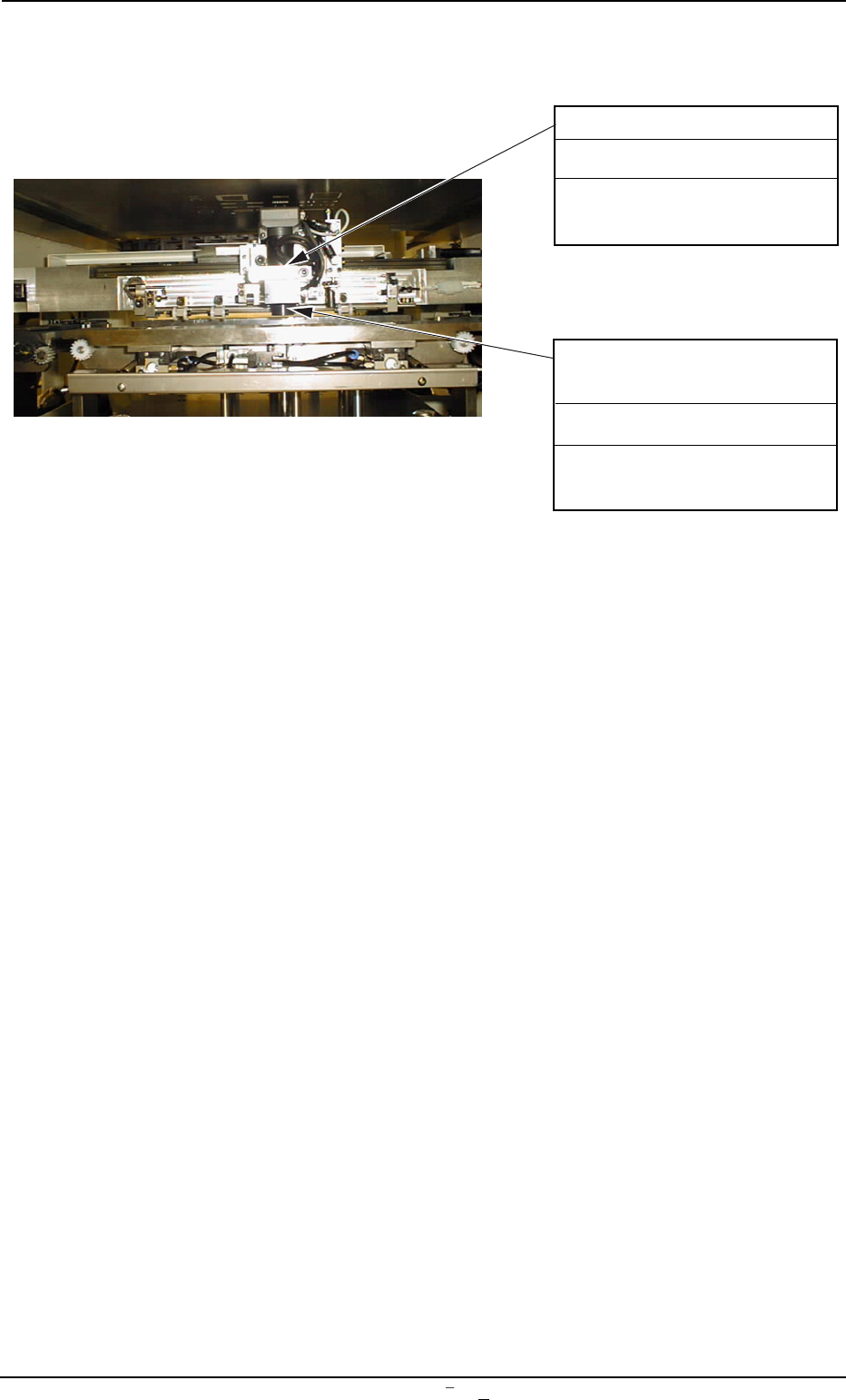
Camera (Lens)
Remove dirt and dust with a
vacuum cleaner.
Cleaning
Glass Surface of P.C.B.
Recognition Lighting
Remove dirt and dust with a
vacuum cleaner.
Cleaning
0009-001 Chapter 3 1 10-1 AFU01EINP
4. Daily Maintenance
Fig. 5A8-1