2OM-1104-001.pdf - 第92页
3.1 "Prgm. Chg. & Clear" T ab This tab sheet enables you to select a current model (current pattern program) and clear the pattern program management data. • Sheet Layout When the "Prgm. Chg. & Cle…
• Window Composition
*1 Tabs
The "PRGM. MNG. DATA" window (submenu) is provided with 5
tab sheets. When each tab is pressed, the corresponding tab sheet
appears.
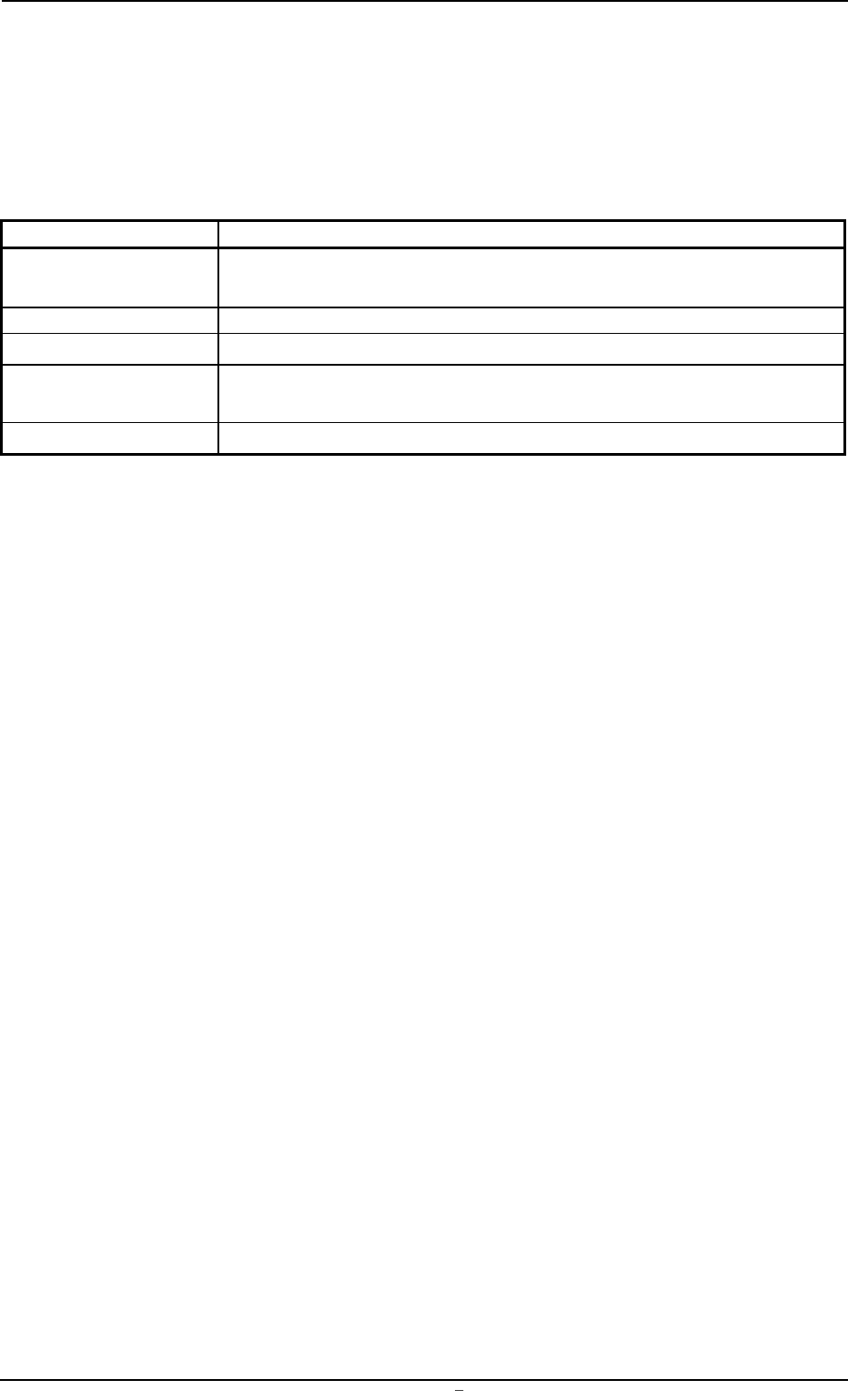
Table 3C2
Tabs Description
Prgm. Chg. & Clear This tab sheet enables you to select a current model (current pattern
program) and clear the pattern program management data.
Prod. History Displayed is the history of the current model production.
Product Displayed is the production data (results) of the current model.
Time Data Displayed is the time data of machine performance on the current
model.
Recog. Error Displayed is the recognition error data of the current model.
0004-001 Chapter 1 3 16 AFU01EDTP
3.
"
PRGM. MNG. DATA
"
Submenu
3.1 "Prgm. Chg. & Clear" Tab
This tab sheet enables you to select a current model (current pattern
program) and clear the pattern program management data.
• Sheet Layout
When the "Prgm. Chg. & Clear" tab is pressed in the "PRGM. MNG.
DATA" window (submenu), the following tab sheet appears.
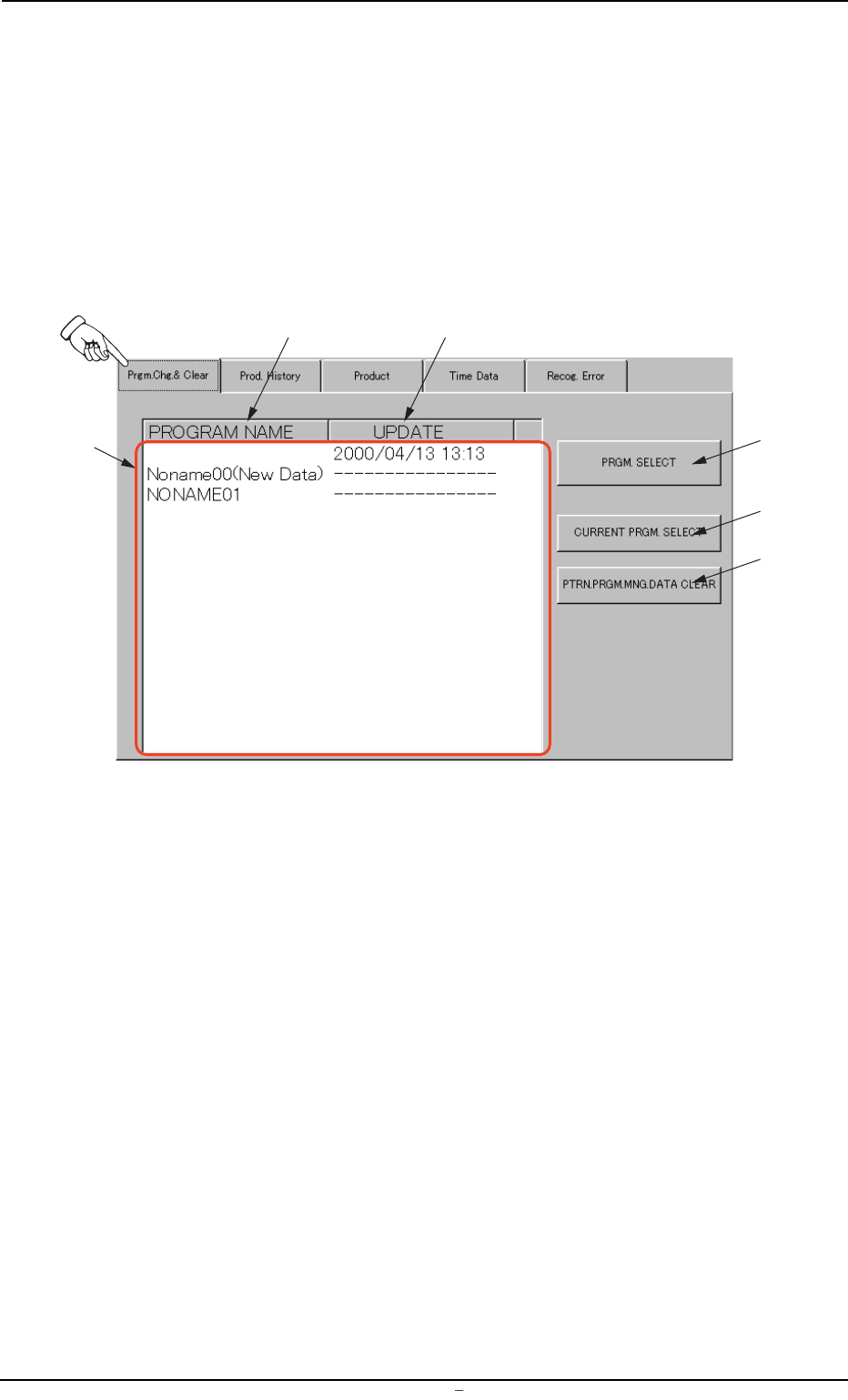
Fig. 3C12 "Prgm. Chg. & Clear" Tab Sheet
• Sheet Composition
*1 List (Display) of Saved Programs
Listed are the names of the saved pattern programs (the regis-
tered models) and the date of the information updating on the
models.
*2 [PROGRAM NAME] Button
The contents in *1 are displayed first in alphabetical order (as-
cending order). Every time this button is pressed, the names in *1
are re-arranged alternately in ascending or descending order.
*3 [UPDATE] Button
The contents in *1 are displayed in ascending order (order of up-
dating). Every time this button is pressed, the date of information
updating on each model is re-arranged alternately in ascending or
descending order.
*1
*2
*3
*4
*5
*6
0004-001 Chapter 1 3 17 AFU01EDTP
3.1
"
Prgm. Chg. & Clear
"
Tab
*4 [PRGM. SELECT] Button
When this button is pressed, the model selected in *5 can be de-
termined as a current pattern program (the data to be displayed on
each tab sheet in the "PRGM. MNG. DATA" window (submenu)).
*5 [CURRENT PRGM. SELECT] Button
This button can be used to select one of the saved models as a
current one.
• Program Change Operation
(1) Use the button (*2 or *3) to re-arrange the program names
listed in *1.
(2) Select one of the models (program names listed in *1) to dis-
play the data.
The background color of the selected name turns navy blue.
(3) Press the [CURRENT PRGM. SELECT] button *5.
(4) Press the [PRGM. SELECT] button *4.
*6 [PTRN. PRGM. MNG. DATA CLEAR] Button
Use this button to select the model (one of the saved pattern pro-
grams) to be cleared.
• Information Clear Operation
(1) Use the button (*2 or *3) to re-arrange the program names
listed in *1.
(2) Select one of the models (program names listed in *1) to dis-
play the data.
The background color of the selected name turns navy blue.
(3) Press the [PTRN. PRGM. MNG. DATA CLEAR] button.
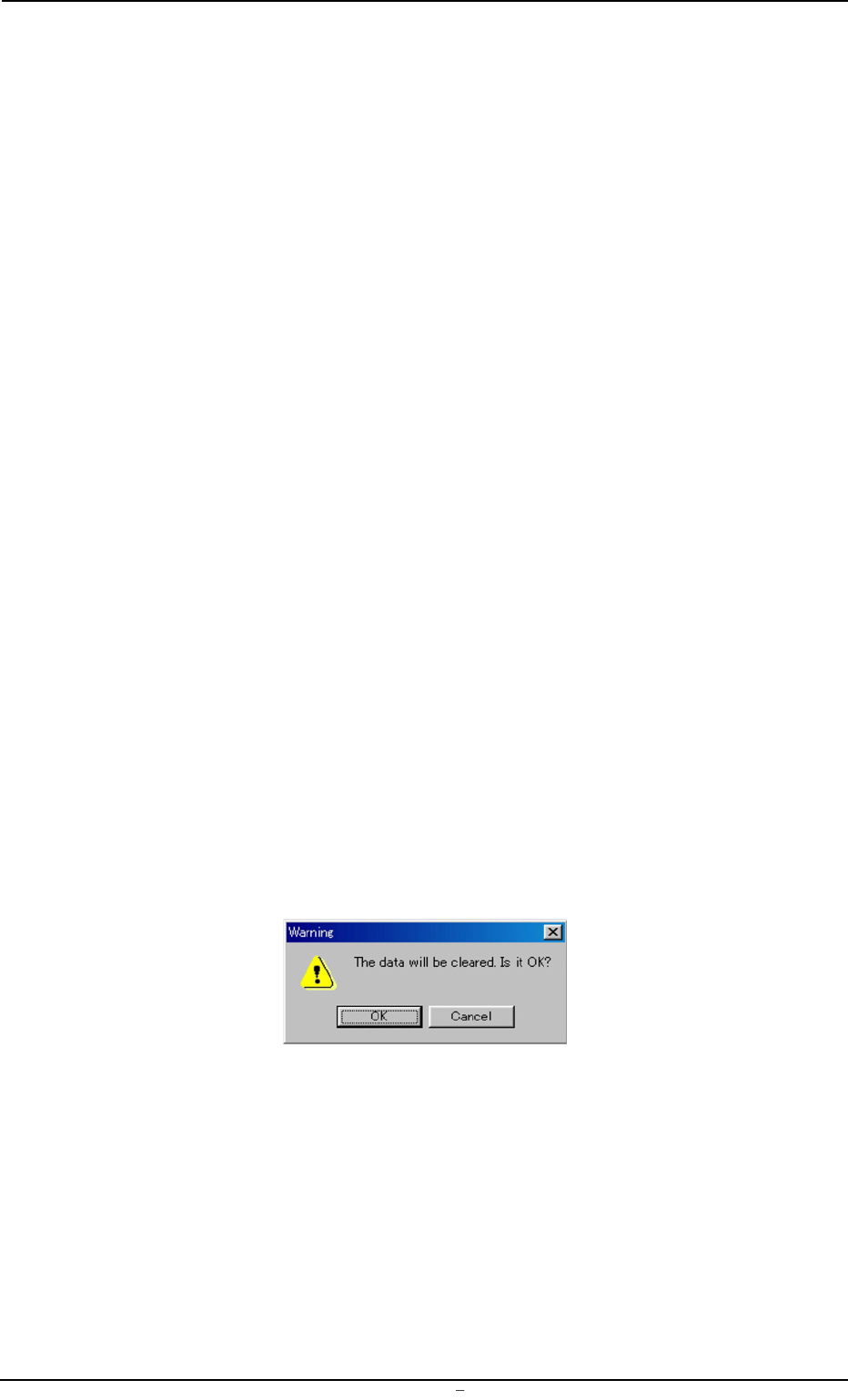
The following "Warning" dialog box opens.
Fig. 3C13
(4) When the [OK] button is pressed, the selected model (pattern
program) is deleted from the list *1.
0009-002 Chapter 1 3 18 AFU01EDTP
3.1
"
Prgm. Chg. & Clear
"
Tab Sheet