2OM-1104-001.pdf - 第78页
1.1.1 Submenus and T ab Sheets The "MANAGE. DA T A" window is provided with the following 3 submenu buttons. MANAGEMENT DA T A Submenus T abs Reference Item Nos. MANAGE. DA T A 1 Product (2.1) T ime Data (2.2) …
1.1 Composition of Menus for Management Data
0106-003 Chapter 1 3 2 AFU01EDTP
*1
*4
*2
*3
1. Scope of Menus for Management Data
1.1 Composition of Menus for Management Data
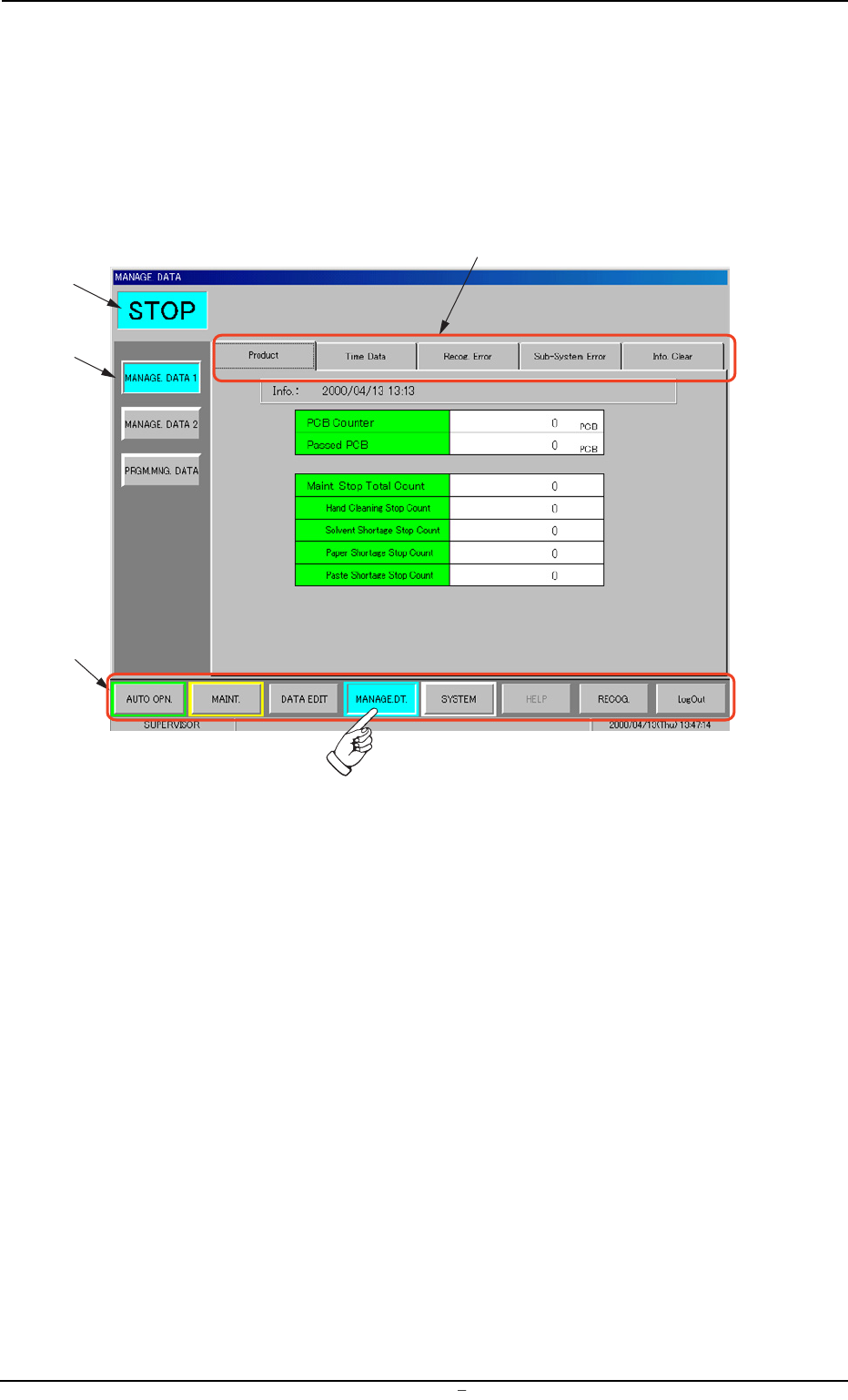
When the [MANAGE. DT.] button on the main menu bar is pressed, the
“MANAGE. DATA” window opens. The window is provided with the
submenu bar related to the management data.
Fig. 3C1 Menus for Management Data
• Window Composition
*1 Main Menu Bar
This bar is provided commonly for all operation windows. The but-
tons on the bar are used to select the main menus.
*2 Submenu Bar
This bar is treated as part of the "MANAGE. DATA" window and
has the buttons to select the submenus.
When a button is selected, the corresponding submenu sheet
opens.
*3 Current Mode
The current mode of the machine is displayed.
*4 Tabs
Each submenu sheet has an extension called "tab".
When a tab is pressed, the corresponding tab sheet appears.
1.1.1 Submenus and Tab Sheets
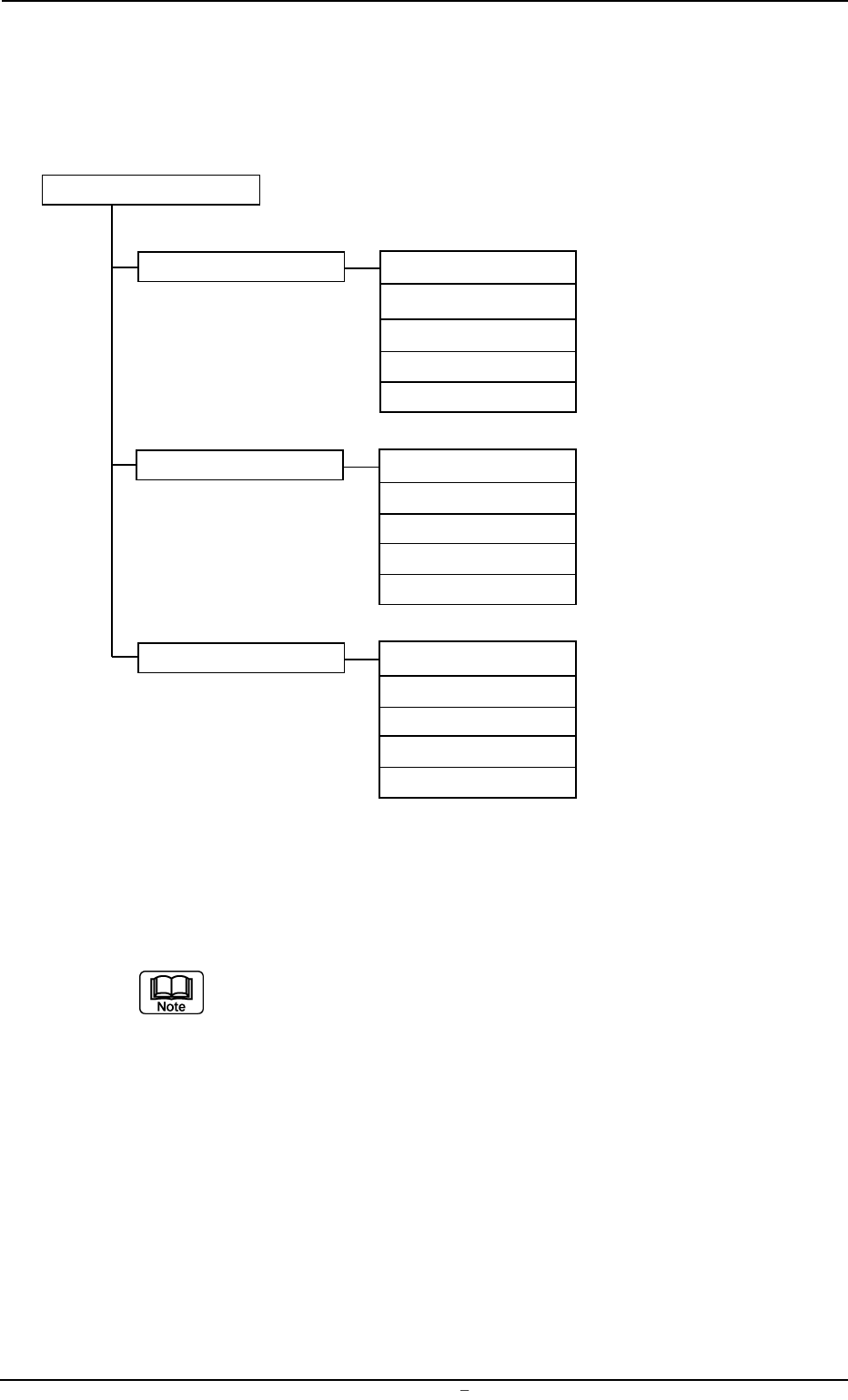
The "MANAGE. DATA" window is provided with the following 3 submenu
buttons.
MANAGEMENT DATA
Submenus Tabs Reference Item Nos.
MANAGE. DATA 1 Product (2.1)
Time Data (2.2)
Recog. Error (2.3)
Sub-System Error (2.4)
Info. Clear (2.5)
MANAGE DATA 2 Product (2.1)
Time Data (2.2)
Recog. Error (2.3)
Sub-System Error (2.4)
Info. Clear (2.5)
PRGM. MNG. DATA Prgm. Chg. & Clear (3.1)
Prod. History (3.2)
Product (3.3)
Time Data (3.4)
Recog. Error (3.5)
Note: The numbers in ( ) represent Nos. of items which can be re-
ferred to for details.
Fig. 3C2
The
"MANAGE. DATA 1" and "MANGE. DATA 2" windows (submenu)
are composed of the same tab sheets.
Each data must be used discriminatingly so as to calculate the manage-
ment data (classified into monthly and daily cumulative data) during dif-
ferent periods of time (time specified separately).
Refer to "2. "MANAGE DATA 1" Window (Submenu)" for the compo-
sition of the tab sheets in the "MANAGE DATA 2" window.
0004-001 Chapter 1 3 3 AFU01EDTP
1.1 Composition of Menus for Management Data
2. "MANAGE. DATA 1" Submenu
The "MANAGE. DATA 1" and "MANGE. DATA 2" windows (submenu)
are composed of the same tab sheets.
Each data must be used discriminatingly so as to calculate the manage-
ment data (classified into monthly and daily cumulative data) during dif-
ferent periods of time (time specified separately).
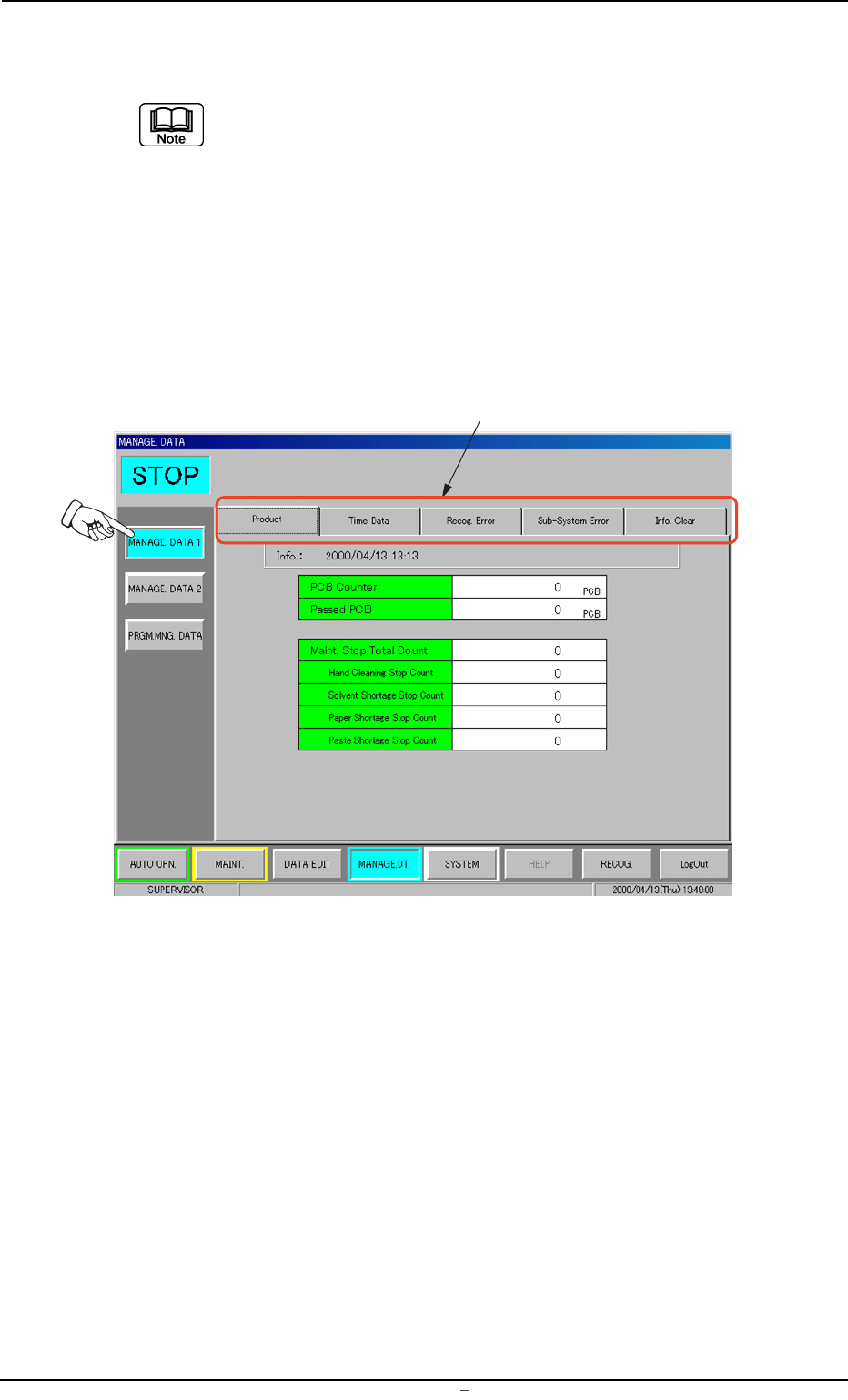
• Window Layout
When the [MANAGE. DATA 1] button is pressed in the "MANAGE.
DATA" submenu bar, the following window appears.
Fig. 3C3 "MANAGE. DATA 1" Window (Submenu)
• Window Composition
*1 Tabs
The "MANAGE. DATA 1" window (submenu) has 5 tab sheets.
When a tab is pressed, the corresponding tab sheet appears.
0004-001 Chapter 1 3 4 AFU01EDTP
2.
"
MANAGE. DATA 1
"
Submenu
*1