2OM-1104-001.pdf - 第131页
4.1 " Machine Offset " Ta b 0106-001 Chapter 1 4 24-1 AFU01EDTP P .C.B. T ransfer Angle [‘’] : Enter the offset (the deviation caused when the table is zeroed) in the di- rection between the table and the con- …
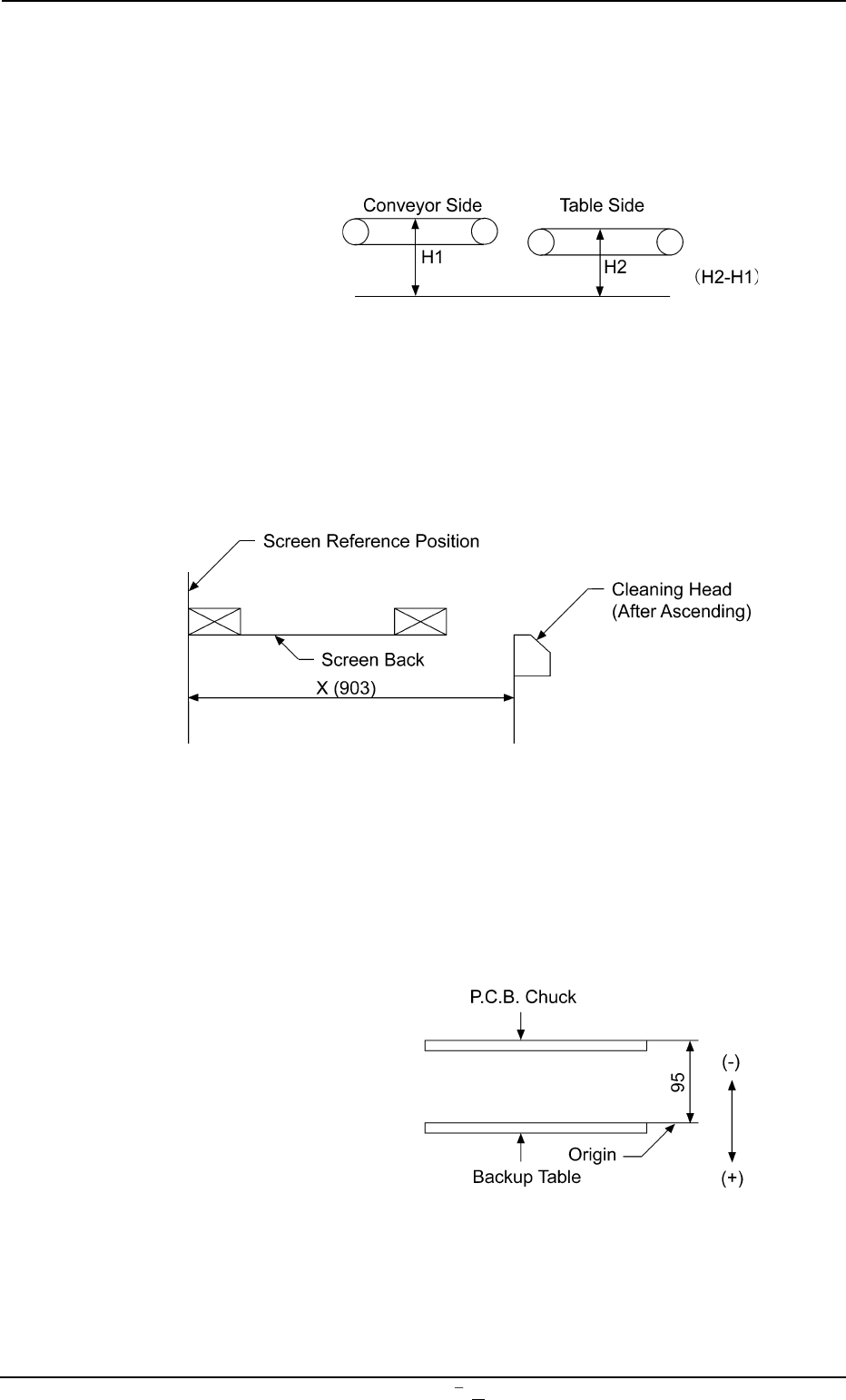
P.C.B. Transfer Height : Enter an offset value in the text
box, based on the specified distance
in the Z direction between the upper
surface of the table chute at its origin
and the lower surface of the P.C.B.
Fig. 3D13-7
Cleaning : Enter an offset value in the text box,
based on the specified distance in the
X direction between the cleaning head
at its cleaning position and the screen
center.
Fig. 3D13-8
P.C.B. Chuck Height : Enter an offset value in the text box,
based on the specified distance in the
Z direction between the P.C.B. backup
table at its origin and the lower surface
of the P.C.B.
Fig. 3D13-9
0106-003 Chapter 1 4 24 AFU01EDTP
4.1
"
Machine Offset
"
Tab
4.1
"
Machine Offset
"
Tab
0106-001 Chapter 1 4 24-1 AFU01EDTP
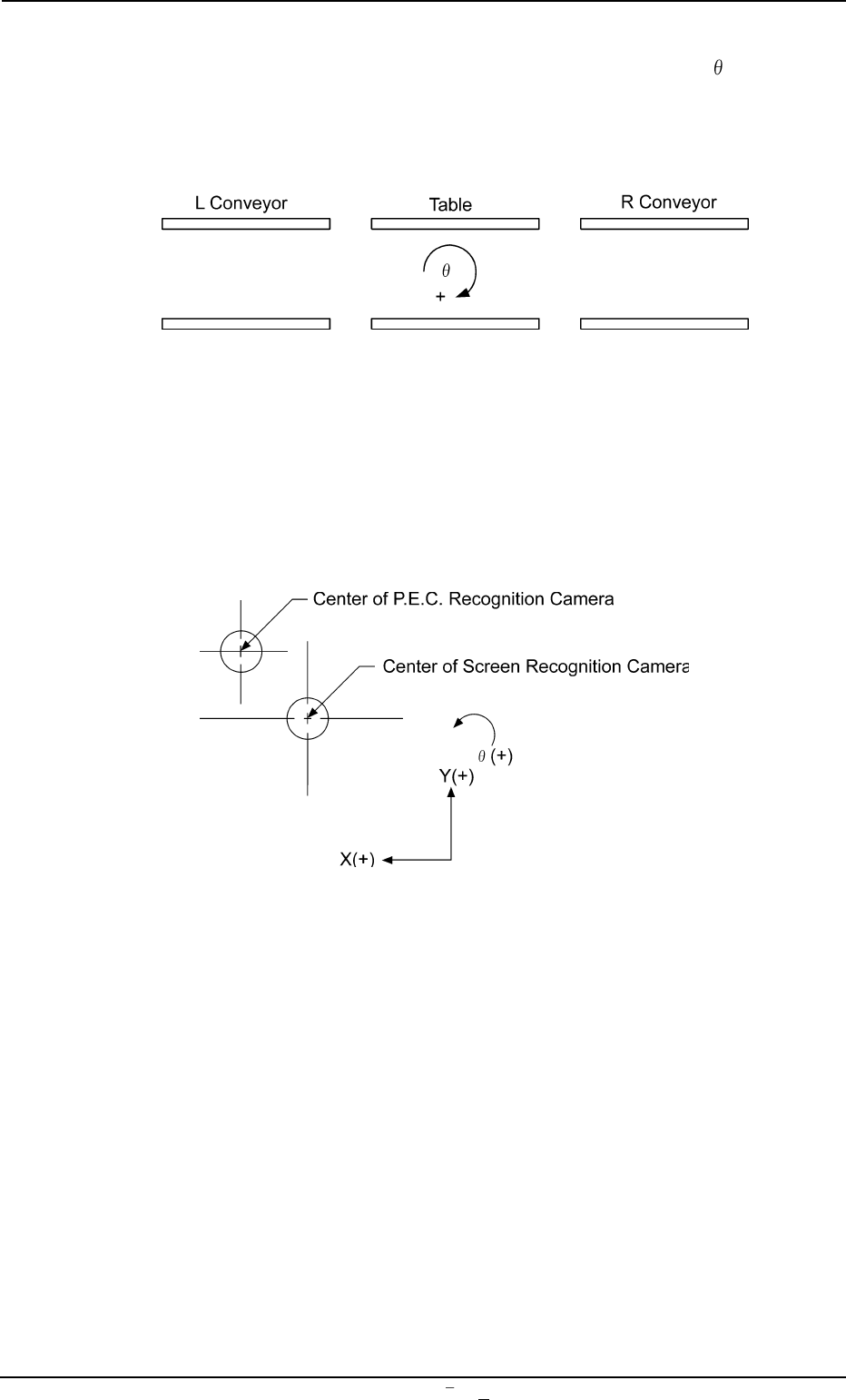
P.C.B. Transfer Angle [‘’] : Enter the offset (the deviation caused
when the table is zeroed) in the
di-
rection between the table and the con-
veyors.
(Unit: ‘’ [second])
Fig. 3D13-10
*4 Two-Camera Offset
Enter offset values in the text boxes based on the specified ones
for each axis, regarding the relative positional deviations between
the P.E.C. and screen recognition cameras.
Fig. 3D13-11
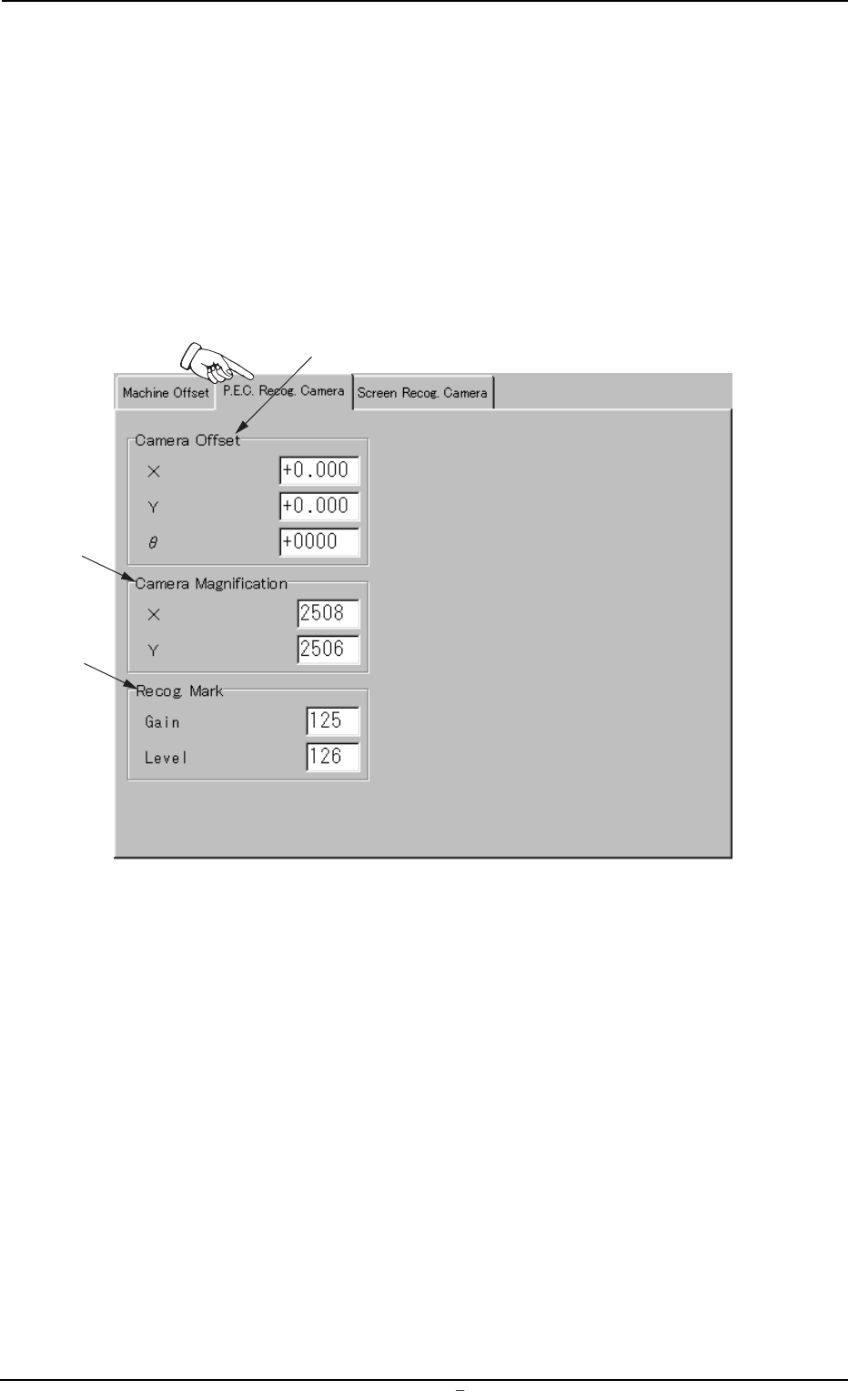
4.2 "P.E.C. Recog. Camera" Tab
This tab sheet enables the operator to set offset values and magnifica-
tions of the P.E.C. recognition camera and gain & level (contrast and
brightness) of the fiducial mark.
• Sheet Layout
When the "P.E.C. Recog. Camera" tab is pressed in the "OFFSET DATA"
window (submenu), the following tab sheet appears.
Fig. 3D14 "P.E.C. Recog. Camera" Tab Sheet
0009-002 Chapter 1 4 25 AFU01EDTP
4.2
"
P.E.C. Recog. Camera
"
Tab
*1
*2
*3