CAN Bus Workshop_Version 03__06-2008_EN.pdf - 第100页
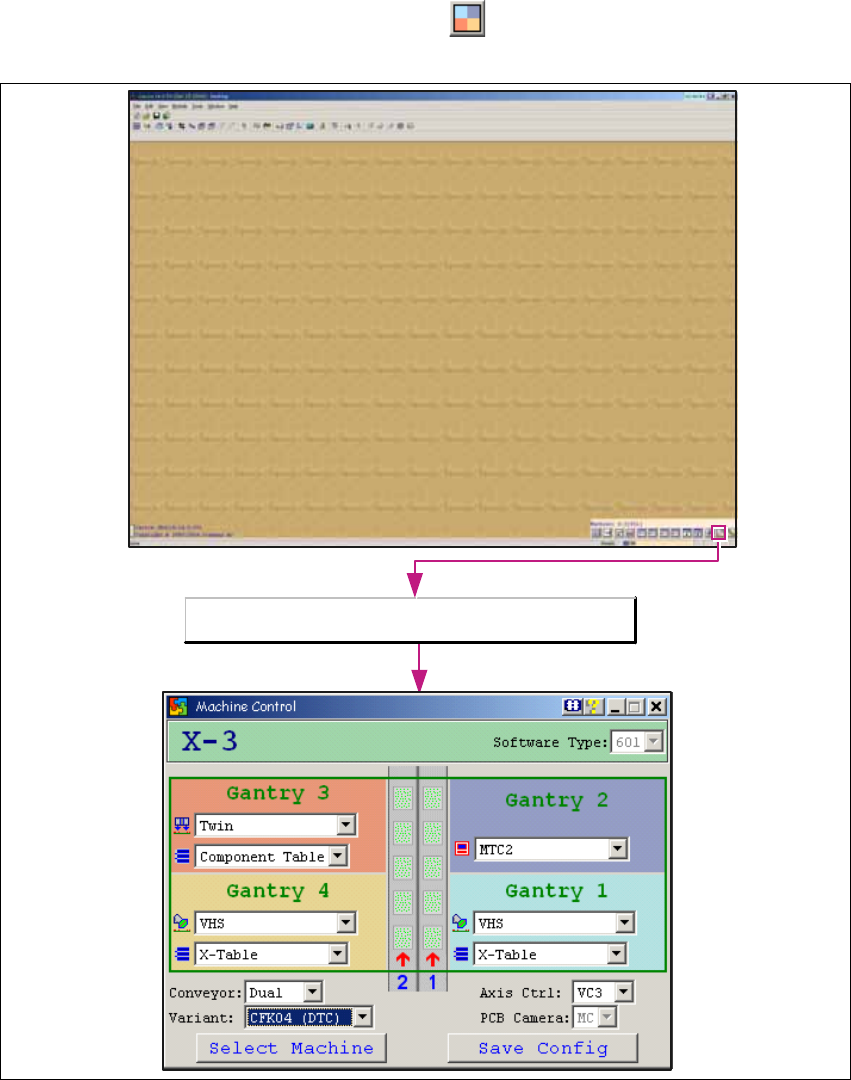
1 Caccia Student Guide CACCIA Manual Issue 04/2007 EN 8 1.1.3 Configuration Element s for X-Series Machines → Open the Machine Control dialog box with the bu tton: 1 Fig. 1 - 4 Machine control dialog box O pen t he Machi…
CACCIA Manual 1 Caccia Student Guide
Issue 04/2007 EN
7
1
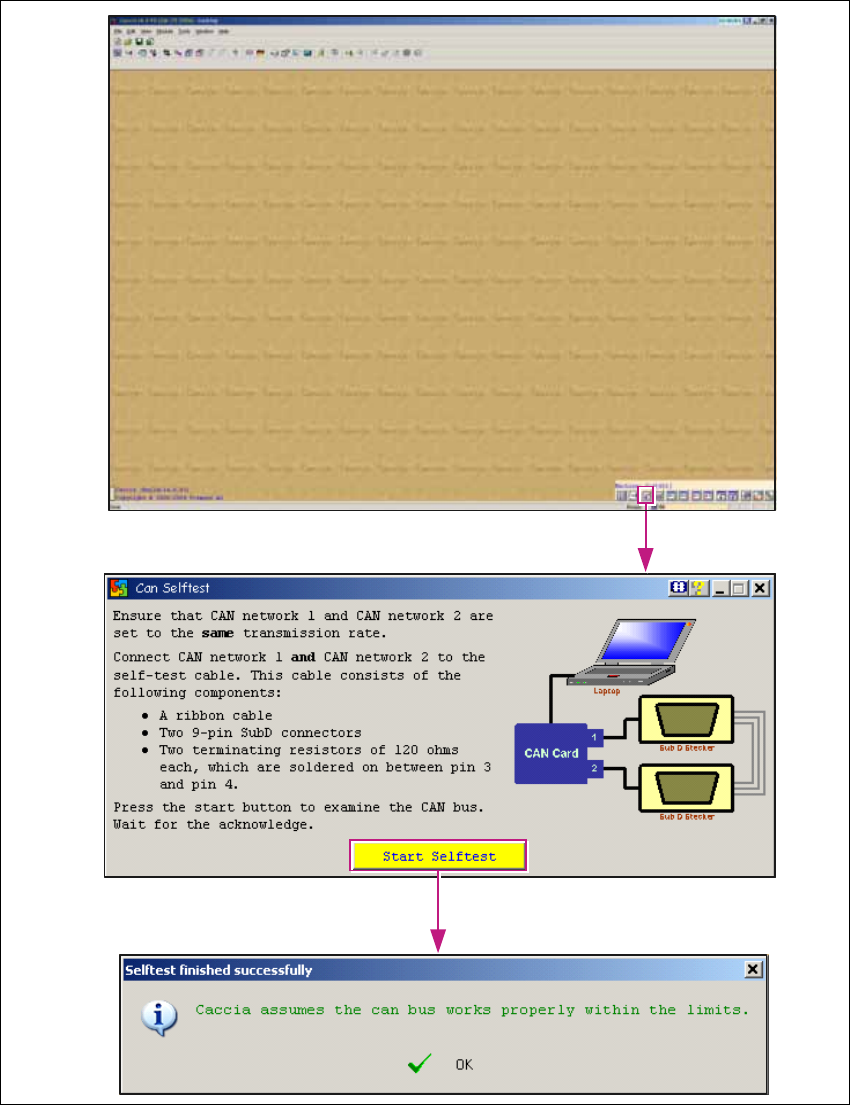
Fig. 1 - 3 CAN selftest
1 Caccia Student Guide CACCIA Manual
Issue 04/2007 EN
8
1.1.3 Configuration Elements for X-Series Machines
→ Open the Machine Control dialog box with the button:
1
Fig. 1 - 4 Machine control dialog box
Open the Machine Control dialog box.
CACCIA Manual 1 Caccia Student Guide
Issue 04/2007 EN
9
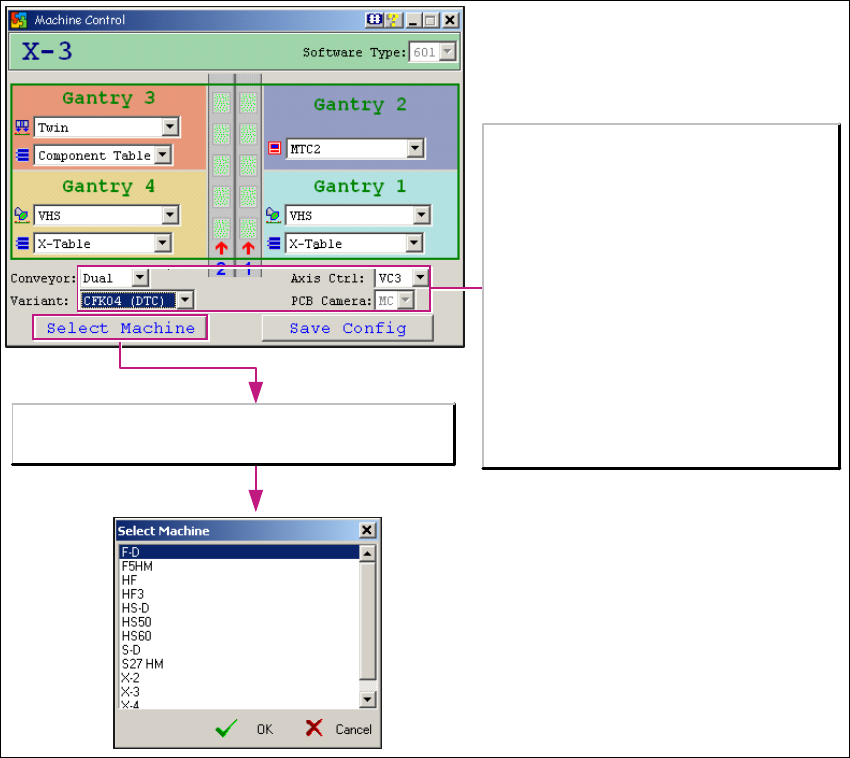
→ The Select Machine button opens the Select Machine dialog box:
1
Fig. 1 - 5 "Select machine" dialog box
You can select the required machine here. 1
1
The Select Machine button opens the Select Machine
dialog box.
Variant (gantries):
HF series:
-CFK02
-CFK04
X series:
-CFK04
-CFK06
Axis Control:
- VC3 with A363
-A364
PCB Camera:
- MC (Multi Color), option
- SSt34 (Camer light) for X and D series
- UP, MC for HF series