CAN Bus Workshop_Version 03__06-2008_EN.pdf - 第134页
1 Caccia Student Guide CACCIA Manual Issue 04/2007 EN 42 1.4.5.6 Dialog Box: Axis DP-x This dialog box allows you to perform re ferenc e runs or an endurance test for an indi vidual DP axis. 1 1 T ab. 1 - 14 Di alog box:…
CACCIA Manual 1 Caccia Student Guide
Issue 04/2007 EN
41
1
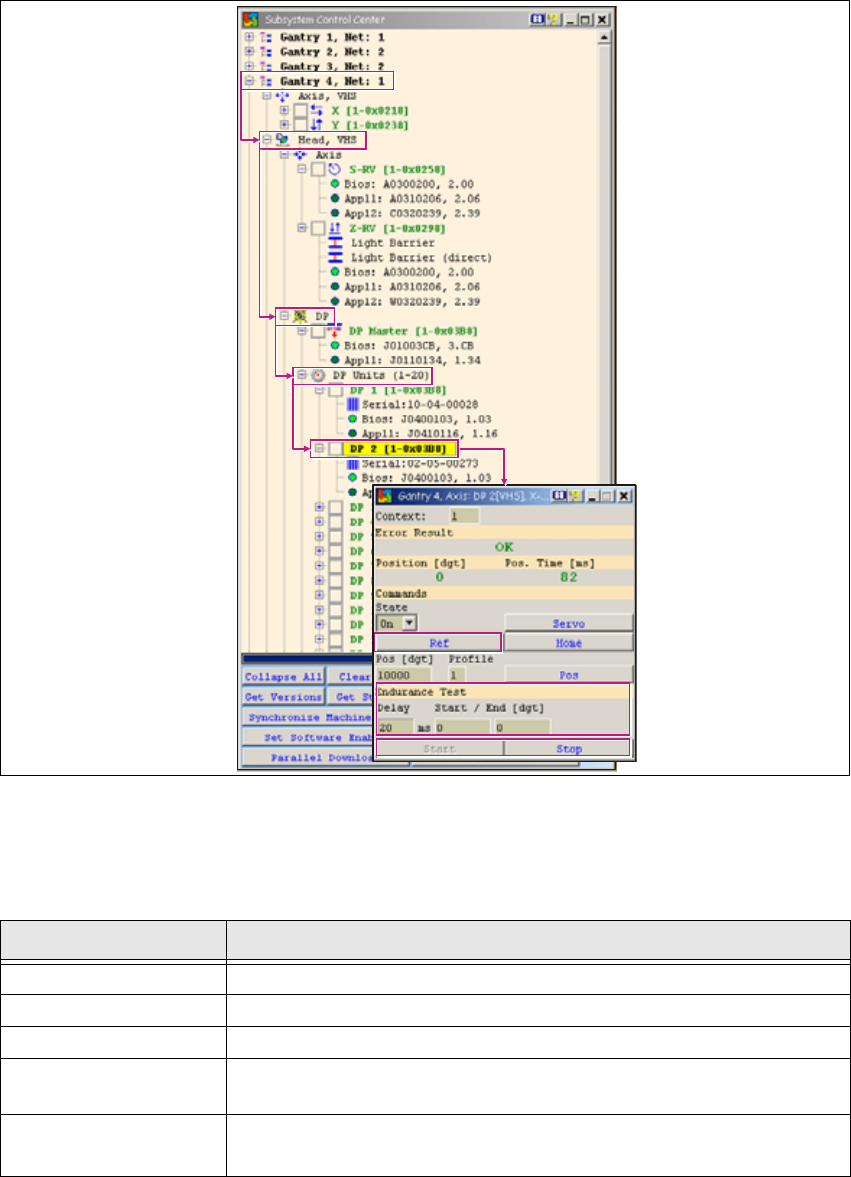
Fig. 1 - 23 Function check for individual DP axes
This function is available when the machine controller (MC) has been started and the CAN soft-
ware (CAN-SW) has been loaded. (SW release and start button are not required.) 1
1
Tab. 1 - 13 Function check for individual DP axes
Button Description / Action
Gantry Opens the relevant gantry. Gantry 4 is opened in the example.
Head VHS Opens the head axes.
DP Opens the DP menu.
DP Units
Allows you to open DP Units with a doubleclick. This gives you access
to each individual DP axis.
DP-x 1 Doubleclick on a DP axis to select it. The example shows DP-2. The
Axis DP-x dialog box will open. 1

1 Caccia Student Guide CACCIA Manual
Issue 04/2007 EN
42
1.4.5.6 Dialog Box: Axis DP-x
This dialog box allows you to perform reference runs or an endurance test for an individual DP
axis. 1
1
Tab. 1 - 14 Dialog box: axis DP-x
Button Description / Action
Ref Starts a reference run for the DP axes.
Endurance Test
Endurance run parameters. Allows you to specify the wait time and
start/stop positions with the Start and Stop buttons. 1
Start/Stop Allows you to define the start and stop positions. 1
CACCIA Manual 1 Caccia Student Guide
Issue 04/2007 EN
43
1.5 Function Check via I/O Modules
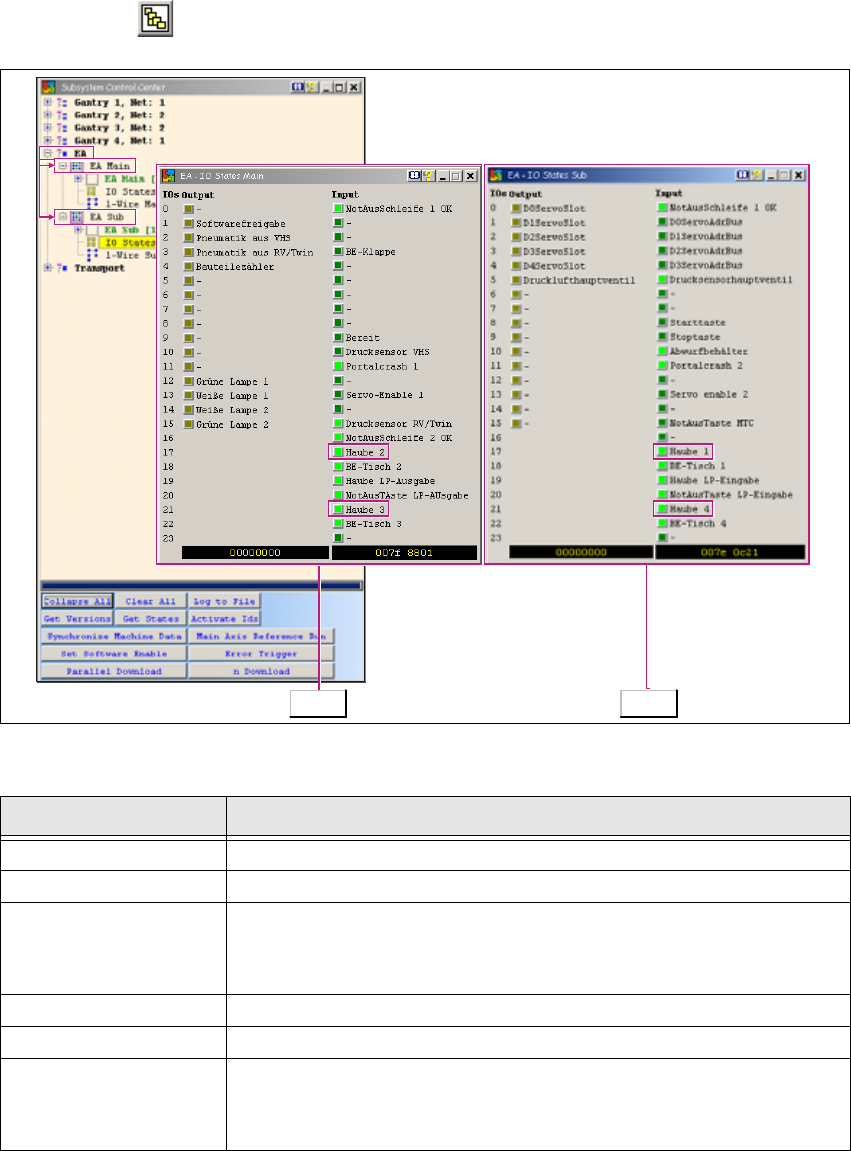
→ Click on the button to open the Subsystem Control Center dialog box:
1
Fig. 1 - 24 Function check via I/O modules
1
Tab. 1 - 15 Function check via I/O modules
Button Description / Action
I/O Opens the input/output functions.
I/O Main Opens the I/O module in the main distributor.
IO States
Opens the I/O view of the main distributor with permanent I/O update.
Haube 2 and Haube 3 show that this is the I/O view of the main dis-
tributor. 1
I/O Opens the input/output functions.
I/O Sub Opens the I/O module in the subdistributor.
IO States
Opens the I/O view of the main distributor with permanent I/O update.
Haube 1 and Haube 4 show that this is the I/O view of the
subdistributor. 1
Main Sub