CAN Bus Workshop_Version 03__06-2008_EN.pdf - 第127页
CACCIA Manual 1 Caccia Student Guide Issue 04/2007 EN 35 1.4.5 Axis Function Check 1.4.5.1 S-Axis Function Check Due to the intermediate circuit volt age, this function will only be available if the SW releas e has been …
1 Caccia Student Guide CACCIA Manual
Issue 04/2007 EN
34
1
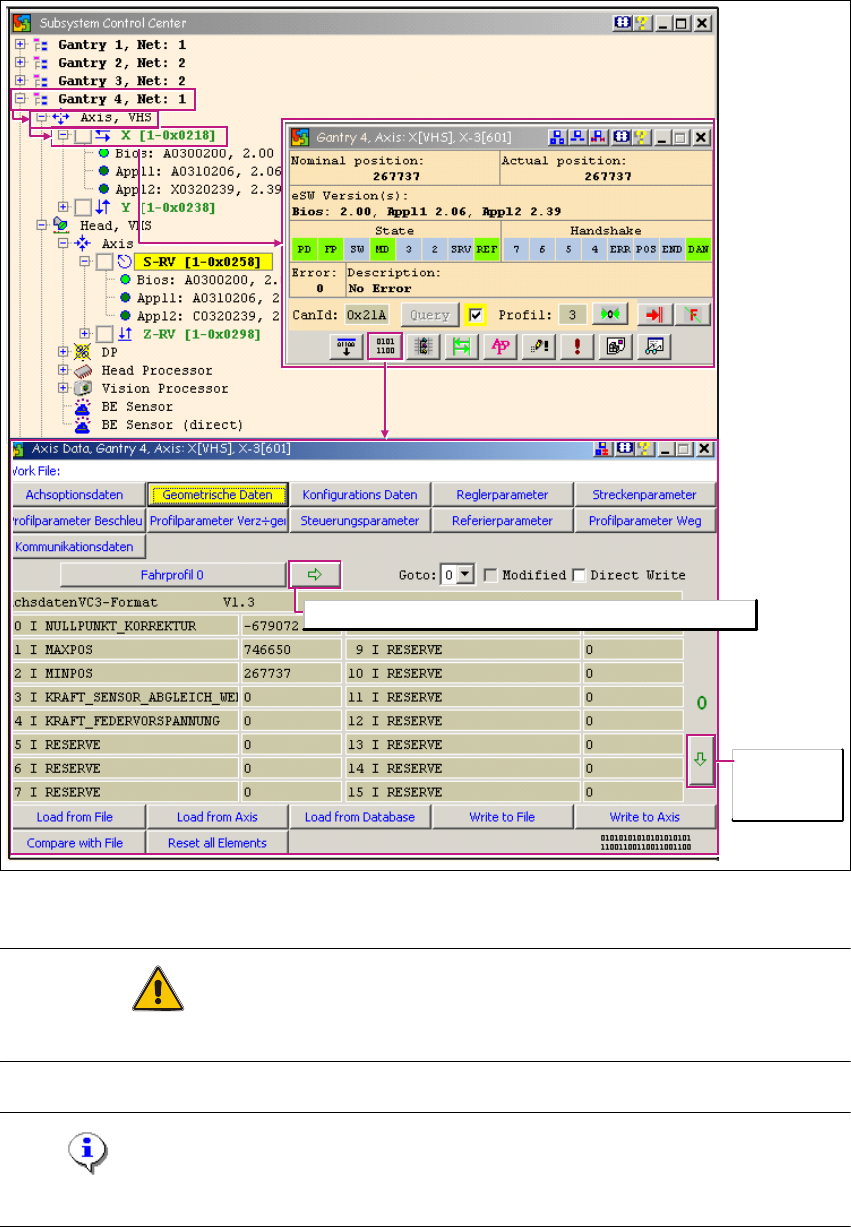
Fig. 1 - 19 Loading axis machine data (read only)
ATTENTION
These are develop functions which could destroy the axis data record if used incorrectly. 1
Note
These labels are always in German. 1
Browse to
further data
sheets
Copy current travel profile to travel profile with index 0

CACCIA Manual 1 Caccia Student Guide
Issue 04/2007 EN
35
1.4.5 Axis Function Check
1.4.5.1 S-Axis Function Check
Due to the intermediate circuit voltage, this function will only be available if the SW release has
been issued and the START button pressed. 1
1
→ Click on the button to open the Subsystem Control Center dialog box:
1
Fig. 1 - 20 S-axis function check
Shows the 0 -18000 digit (18°) segment to segment endurance run of the star axis. 1
Operating mode:
Endurance test for rotary axes
1 Caccia Student Guide CACCIA Manual
Issue 04/2007 EN
36
1
1
Tab. 1 - 9 S-axis function check
1
1.4.5.2 Z-Axis Function Check
This function is available only when the MC has been started and the CAN SW has been loaded.
(SW release and start button are not required.) 1
Note
Move the gantry so that the axis is not obstructed. 1
→ Click on the button to open the Subsystem Control Center dialog box:
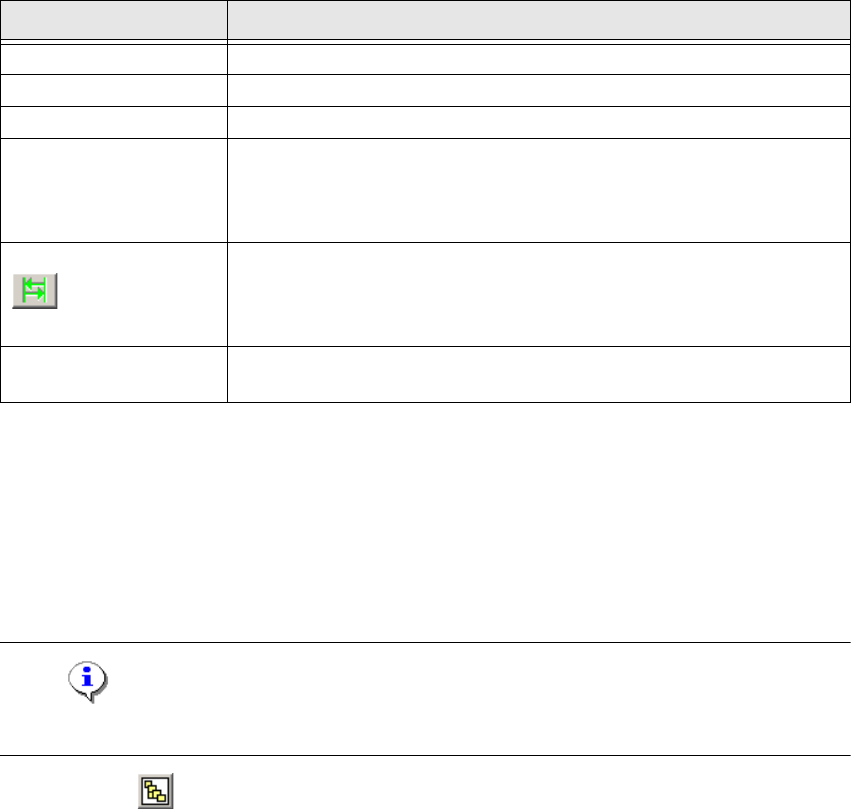
Button Description / Action
Gantry Opens the relevant gantry. Gantry 4 is opened in the example.
Head VHS Opens the head axes.
Axis Opens the axis menu for selection of the axis.
S-RV
Star axis C&P head types.
Opens the Axis dialog box.
The functions available in the Axis dialog box are explained in
Chapter „Moving the X and Y Gantry Axes“ auf Seite 27.
Opens the Axis Endurance dialog box, in which a reference run or
endurance test can be started for the star axis. The functions available
in the Axis Endurance dialog box are explained in Chapter „Moving
the X and Y Gantry Axes“ auf Seite 27.
Chopping
You need to set a tick here for the operating mode „endurance test
for rotary axes“.