CAN Bus Workshop_Version 03__06-2008_EN.pdf - 第160页
1 Caccia Student Guide CACCIA Manual Issue 04/2007 EN 68 1 Fig. 1 - 45 F ile comparison menu Fi rst Sorce Fi l e / S econd Sour ce Fi l e : First S our ce Fil e/ Second Sourc e Fil e : Paths t o t he two f il es whi ch y…
CACCIA Manual 1 Caccia Student Guide
Issue 04/2007 EN
67
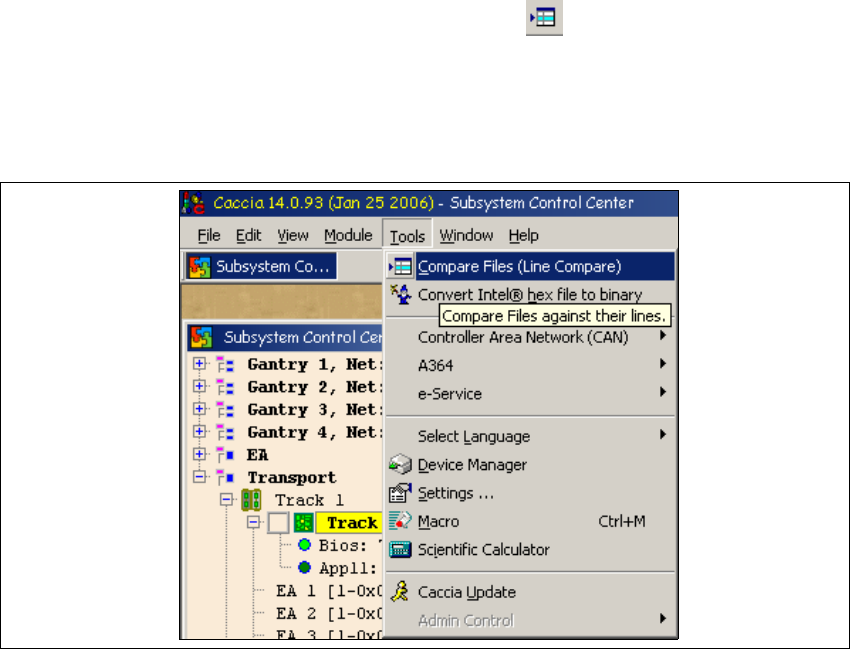
1.9 File Comparison Menu
To open the Special File Compare dialog box, click on the . 1
Alternatively, select Compare Files from the Tools menu. 1
Special File Compare can be used to compare any number of text files e.g. XML files in text for-
mat. 1
1
Fig. 1 - 44 File comparison menu
1
1 Caccia Student Guide CACCIA Manual
Issue 04/2007 EN
68
1
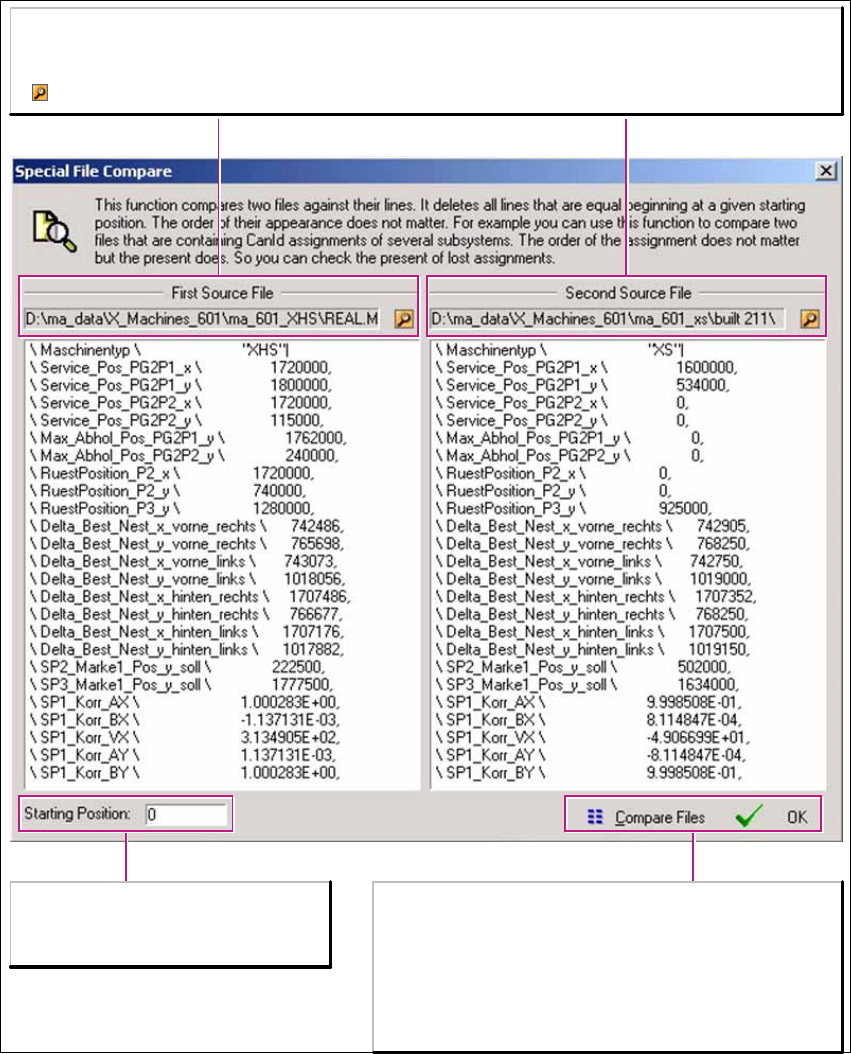
Fig. 1 - 45 File comparison menu
First Sorce File/Second Source File:
First Source File/Second Source File:
Paths to the two files which you want to compare.
Select the file path.
Starting Position:
Enables you to progress through the
line-by-line comparison of the files.
Compare Files:
Compares 25 lines of files from the specified starting
position.
OK oder Return-Taste:
Closes the window. The file paths will be kept until the
file comparison menu is opened again.
CACCIA Manual 1 Caccia Student Guide
Issue 04/2007 EN
69
1.10 Trace Menu
The recording of CAN traces should only be performed in coordination with system developers,
who use this information for data interpretation and error analysis purposes. If errors occur when
the software is started, CAN traces can be recorded for diagnosis reasons. Add these CAN traces
to your bug reports. 1
1
How to record a CAN trace at machine startup:
Note
Follow the instruction below to record a CAN trace. This description is an example and additional
CAN traces can be recorded with the same procedure. Before following these instructions, make
sure that the machine is switched off. 1
Note
Developers can only use CAN traces which have been recorded in HEX format. Make sure that
the Decode field has been disabled. 1
1
→ Open the CanScope dialog box for Net 1 and Net 2:
1
1
The CanScope dialog box can be used to record all CAN Bus commands in a file during the ma-
chine start phase (for R&D error analysis). 1
Opens the Can Scope dialog box for Net 1.
Opens the Can Scope dialog box for Net 2.