CAN Bus Workshop_Version 03__06-2008_EN.pdf - 第55页
1 - 29 S tudent Guide CAN BUS W orkshop Edition 0 6 /2008 2 Comm unication and Control 29 2.2.10 Communication Siplace V ision The com munic ation betw een the compu ters is via L AN ca bles. The stat ion co mput er send…
1 - 28
Student Guide CAN BUS Workshop
2 Communication and Control Edition 06/2008
28
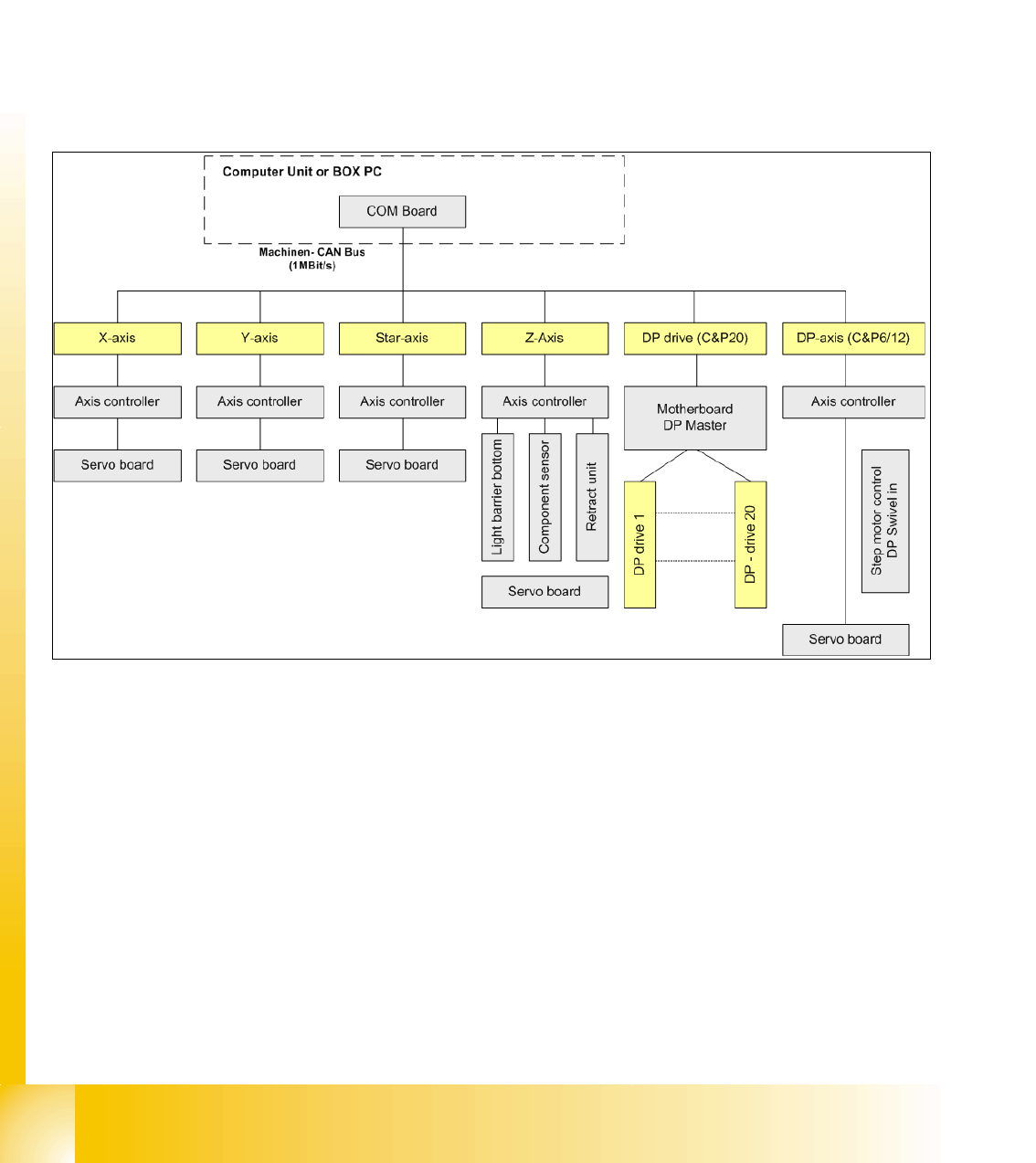
2.2.9 CAN: Bus Communication with Axis Controller
In previous Siplace placement machines, the communication and data flow between axis control-
ler and machine controller was achieved using the SMP bus. From the HF machine generation
on, the SMP bus is no longer used with the axis system.
The communication between the axis controller modules is now achieved using the CAN Bus. All
information, which has to be transfered between these modules, is now on the CAN bus (e.g axis
parameter, target position, end signal, ...) This of course means that the number of single tele-
grams increases significantly compared with the amount of data exchange which has occurred
previously.
Fig. 2.2 - 20 Overview axis controller
1 - 29
Student Guide CAN BUS Workshop
Edition 06/2008 2 Communication and Control
29
2.2.10 Communication Siplace Vision
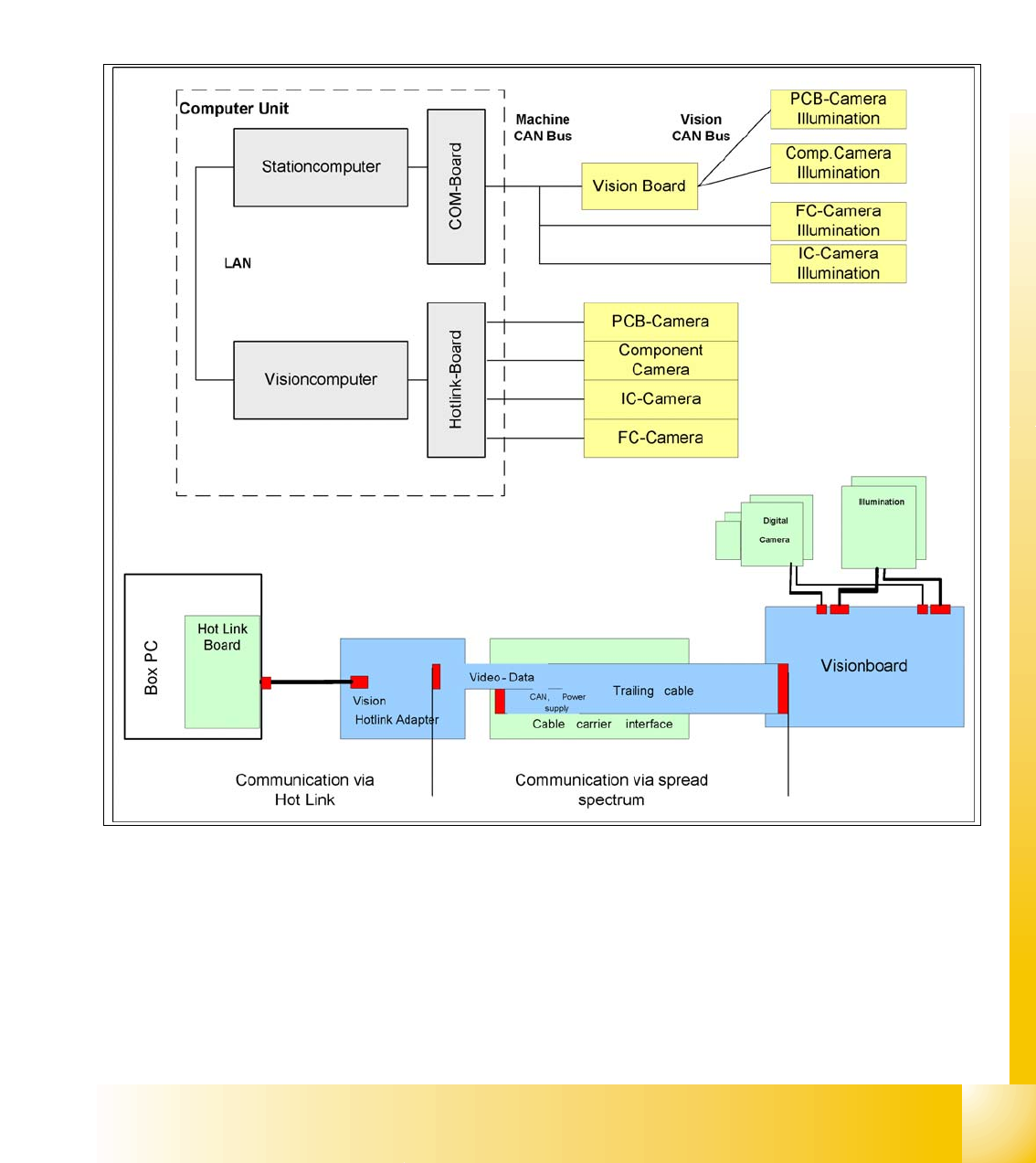
The communication between the computers is via LAN cables. The station computer sends the
commands for image acquisition to the Vision computer and receives the measurement result.
The station computer also sends the illumination values for the respective component shapes.
The images recorded are transferred digitally via the Vision board to the hotlink adapter, using the
spread spectrum and are then sent via the hotlink connection to the Vision computer, for
evaluation. The result is sent to the station computer.
Fig. 2.2 - 21 Overview Siplace Vision
1 - 30
Student Guide CAN BUS Workshop
2 Communication and Control Edition 06/2008
30
2.2.10.1 Communication during a image acquisition
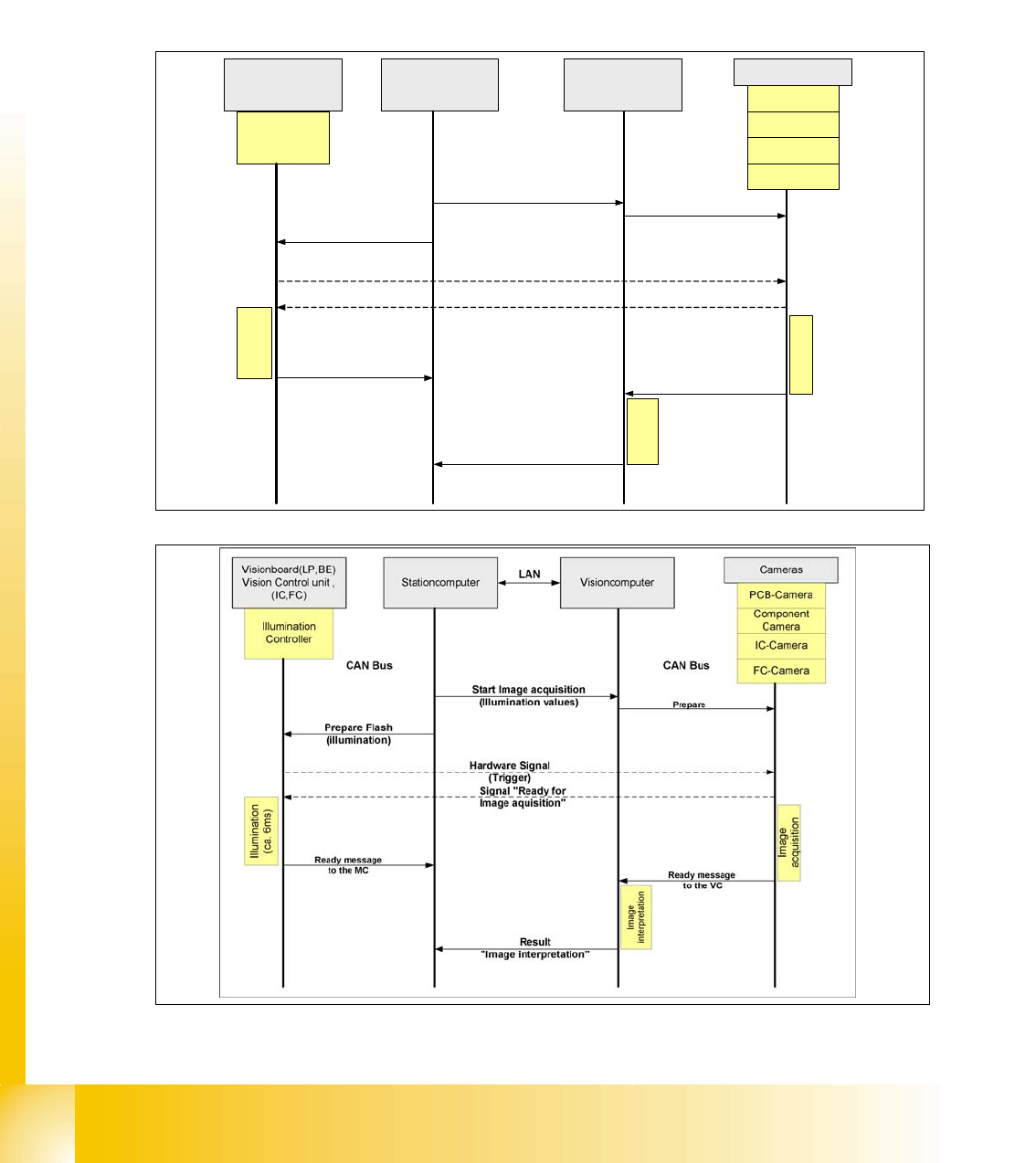
The main communication between the vision system and machinecontroller is the transmission of
illumination values. These values, stored in the GF, are sent via CAN bus to the camera in ques-
tion. As soon as the camera should take the picture, the camera illumination is activated by a trig-
ger. From this moment on the row of LEDs which provide the different illumination levels light
dependant on the illumination value 0-255. This illumination value can have 0 = dark up to 255 =
bright. All illumination levels start lighting at the same moment. The value 0-255 determines the
length of the illumination time.The maximum length of illumination is limited to 6 ms.
Fig. 2.2 - 22 Time sequence from up to down for the Communication Image acquisition with SW60x
Fig. 2.2 - 23 Time sequence from up to down for the Communication Image acquisition with SW70x
Cameras
Illumination
Controller
Machine controller
(MC)
Stationcomputer with
Visionsoftware
Prepare
CAN Bus
Illumination
(ca. 6ms)
PCB-Camera
FC-Camera
IC-Camera
Component
Camera
Start Image acquisition
(Illumination values)
Prepare Flash
(illumination)
Hardware Signal
(Trigger)
Visionboard(LP,BE)
Vision Control unit ,
(IC,FC)
Ready message
to the MC
Signal "Ready for
Image aquisition"
CAN Bus
Image
interpretation
Image
acquisition
Ready message
to the VISION SW
Result
"Image interpretation"