CAN Bus Workshop_Version 03__06-2008_EN.pdf - 第190页
1 Caccia Student Guide CACCIA Manual Issue 04/2007 EN 98 1 Fig. 1 - 69 Dialog Head processor Gripper – Choose the boar d which you want to ch eck and press the Button "Get EEPROM". Fig. 1 - 70 Head interface bo…
CACCIA Manual 1 Caccia Student Guide
Issue 04/2007 EN
97
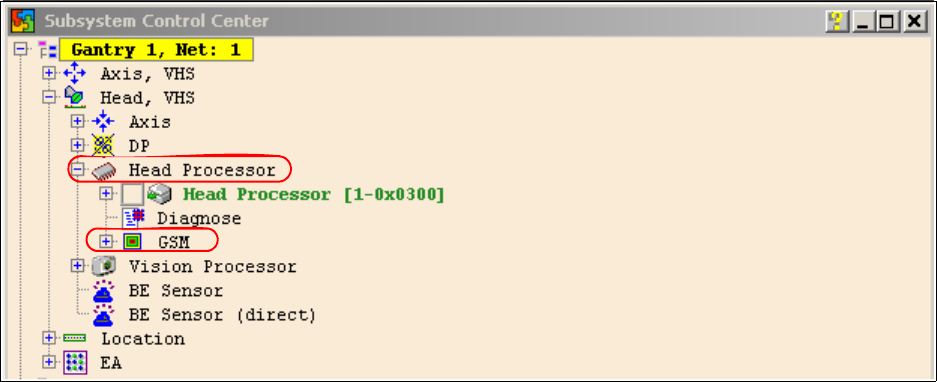
– Click on the "Get Versions" button.
The system will display all available subsystems with their firmware versions and CAN IDs.
– Choose the head processor according the gantry e.g. gantry 1
– Open the GSM - Folder
Fig. 1 - 68 Subsystem control center
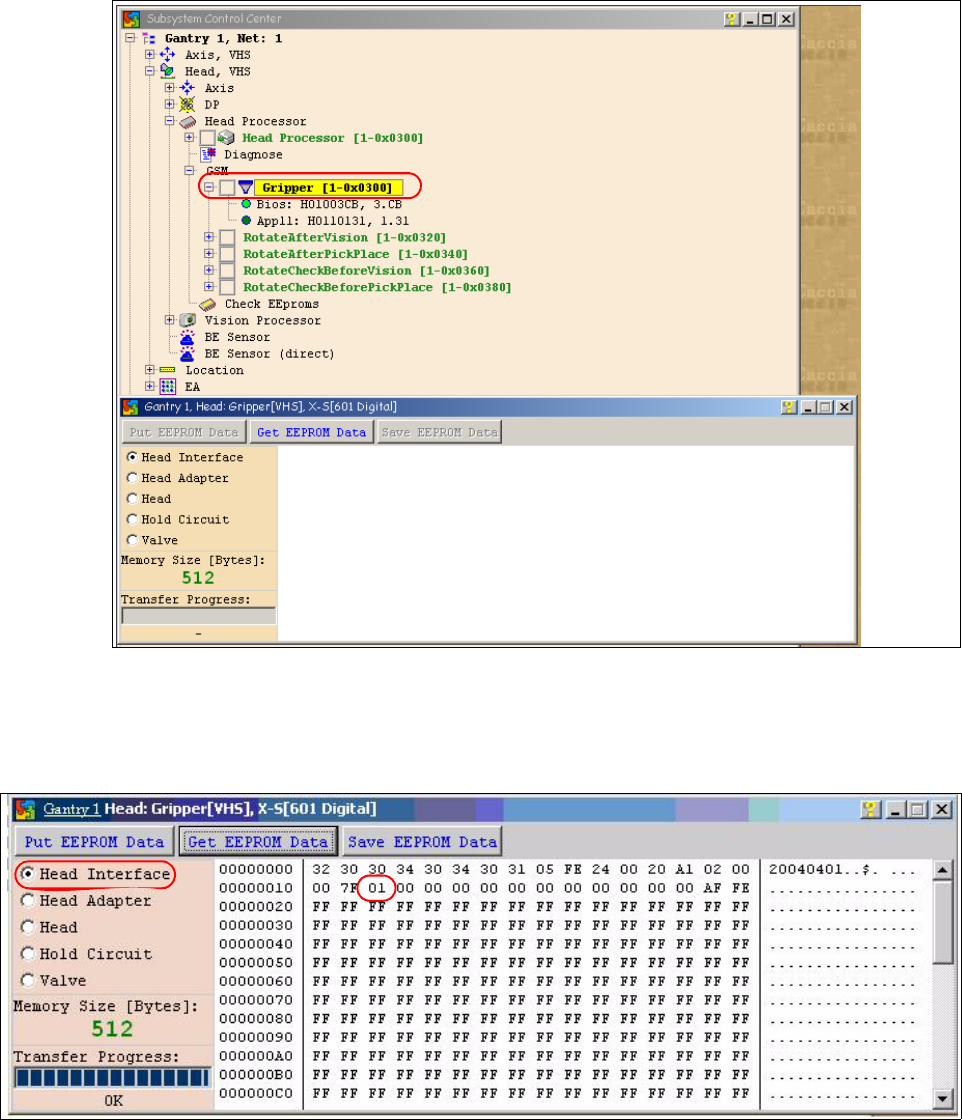
– Doubleclick on Gripper and the following dialog appears.
1 Caccia Student Guide CACCIA Manual
Issue 04/2007 EN
98
1
Fig. 1 - 69 Dialog Head processor Gripper
– Choose the board which you want to check and press the Button "Get EEPROM".
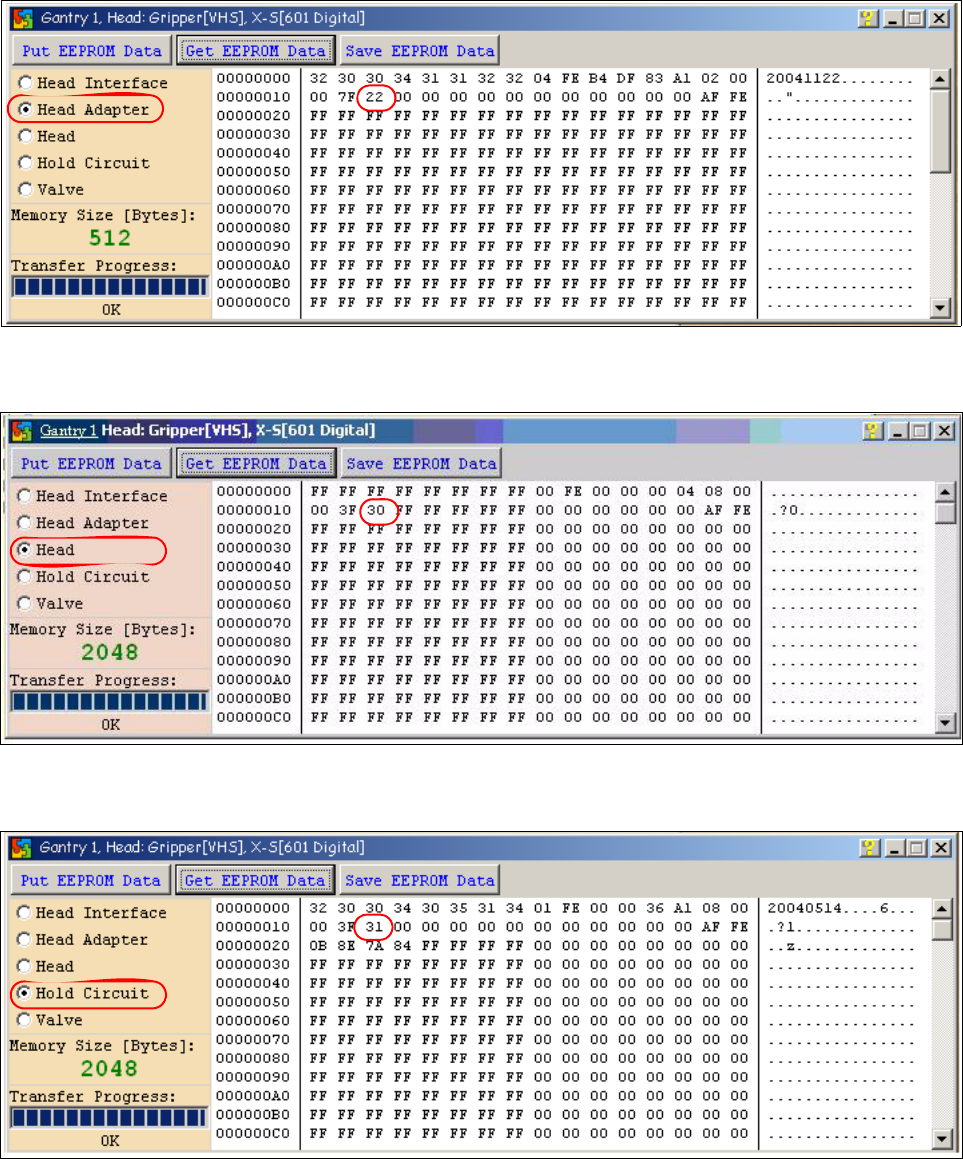
Fig. 1 - 70 Head interface board type recognition ID 01
– The ID appears in the memory space 12 , in the following image 01 for the Head interface
C500.
CACCIA Manual 1 Caccia Student Guide
Issue 04/2007 EN
99
Fig. 1 - 71 Head adapter board type recognition ID 22 for the C&P20 head
Fig. 1 - 72 Head C&P 20 board type ID 30.
Fig. 1 - 73 Vacuumsensor holding circuit C&P20 board type ID 31