CAN Bus Workshop_Version 03__06-2008_EN.pdf - 第154页
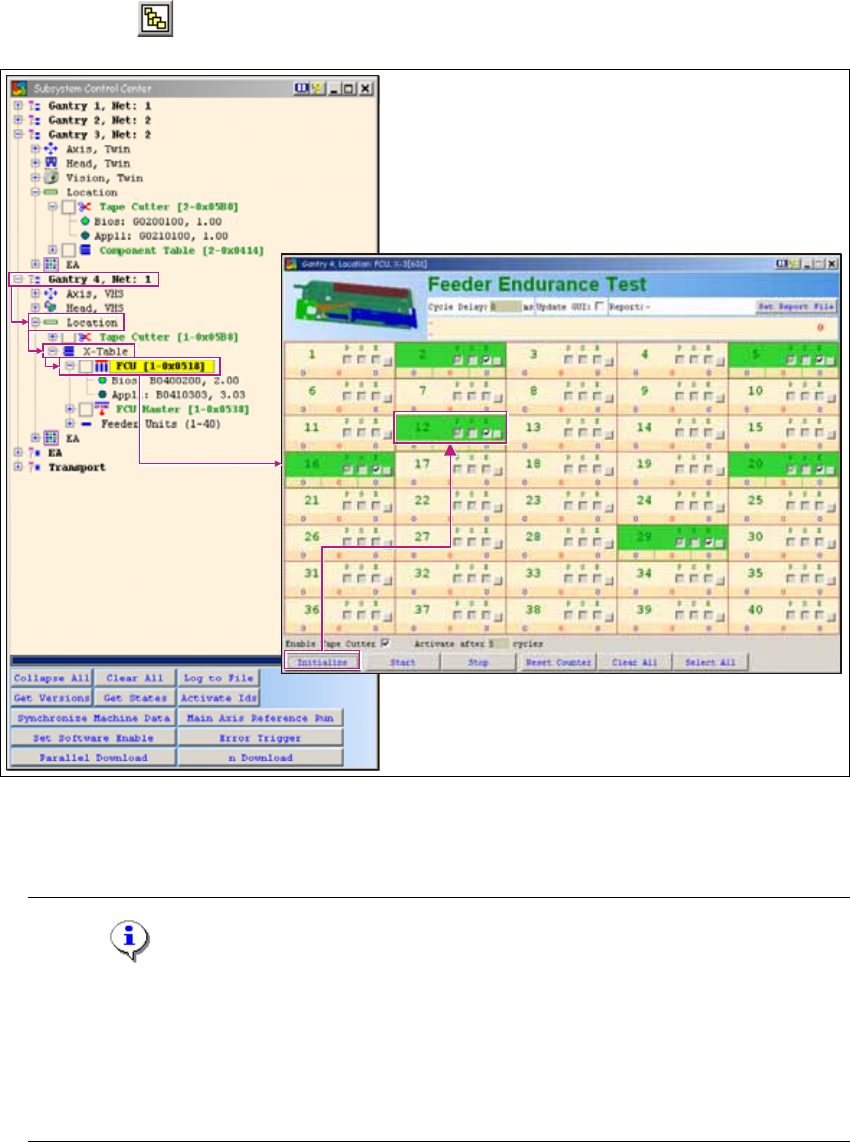
1 Caccia Student Guide CACCIA Manual Issue 04/2007 EN 62 → Click on the Initialize button and all available fe eders will be shown in green. → Click on the Start button to start the endurance te st. → The button next to …
CACCIA Manual 1 Caccia Student Guide
Issue 04/2007 EN
61
1.7 CAN SCOPE for Net 1 / Net 2 on Feeder Menu
1.7.1 X-Series Feeders
→ Click on the button to open the Subsystem Control Center dialog box:
1
Fig. 1 - 38 CAN SCOPE for Net 1 / Net 2 on feeder menu
→ Activate the function Enable Tape Cutter, according to your machine options.
Note
Once you have activated the function Enable Tape Cutter, you need to fulfill the following
requirements for an X-series feeder endurance test:
- SW released must be issued
- Control must be on
- Security circuit must be closed 1
1 Caccia Student Guide CACCIA Manual
Issue 04/2007 EN
62
→ Click on the Initialize button and all available feeders will be shown in green.
→ Click on the Start button to start the endurance test.
→ The button next to each feeder can be used to enable the histogram for splice point detection.
→ The Set Report File button can be used to generate a Trace file during the endurance test.
1.7.2 S Feeder
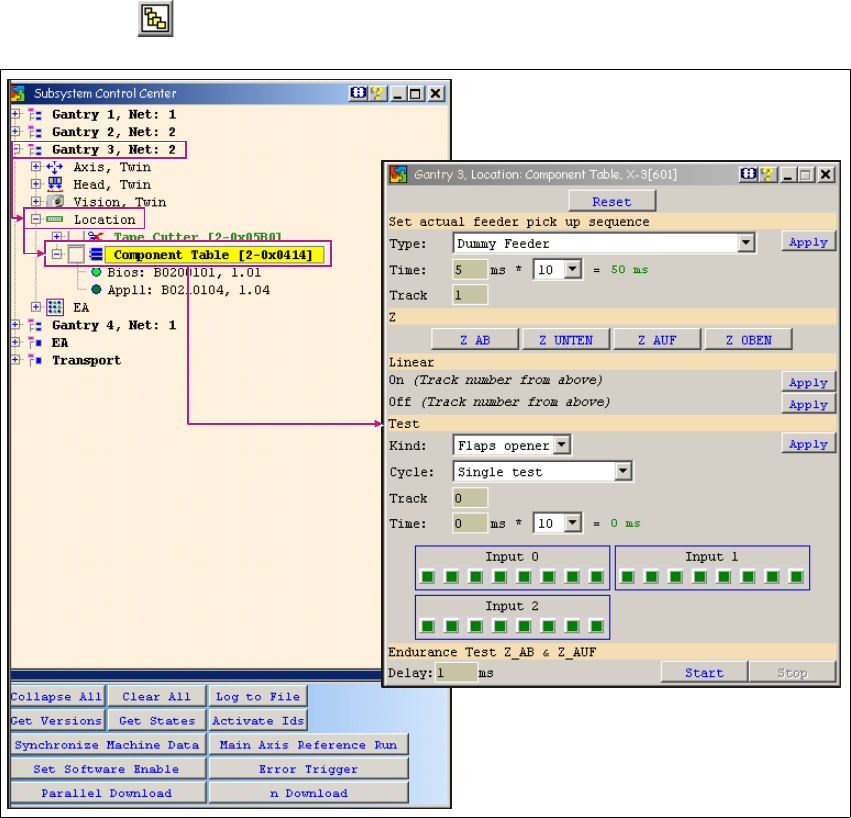
→ Click on the button to open the Subsystem Control Center dialog box:
1
Fig. 1 - 39 CAN SCOPE for Net 1 / Net 2 - S feeder
1
CACCIA Manual 1 Caccia Student Guide
Issue 04/2007 EN
63
1.8 Conveyor System
1.8.1 Conveyor System - Conveyor Data
1
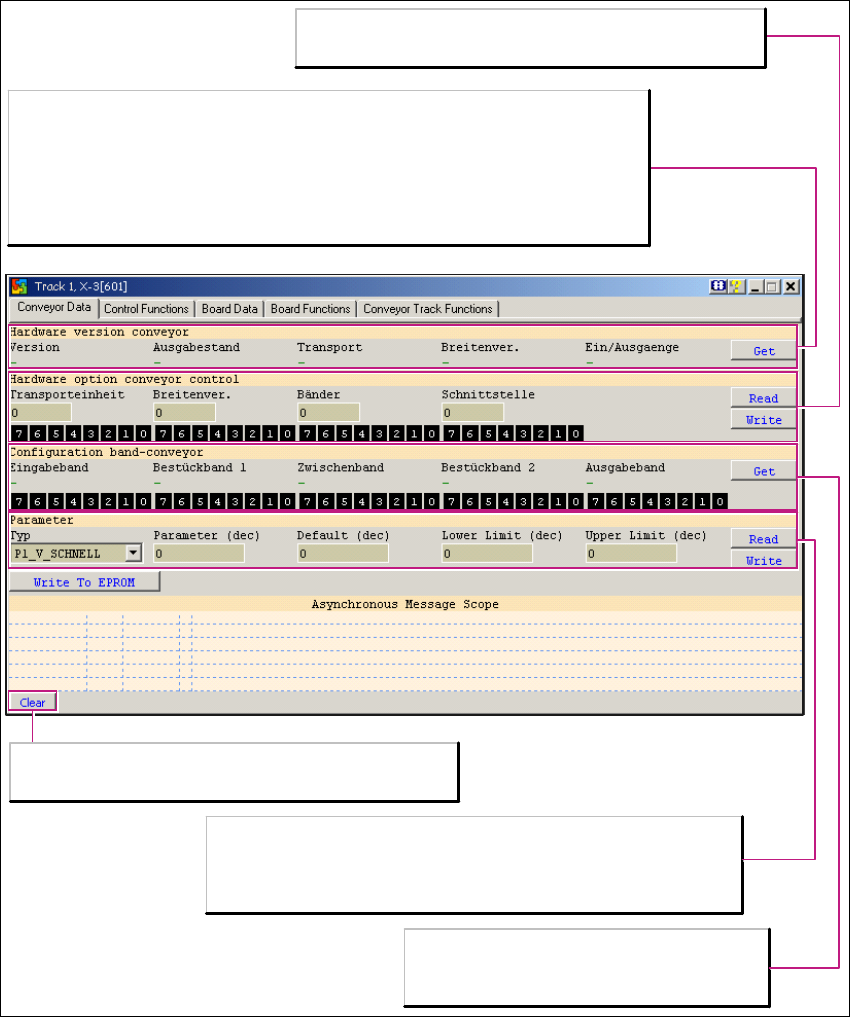
Fig. 1 - 40 Conveyor system - conveyor data
Hardware version conveyor
Get reads out the conveyor hardware version. The following applies:
- The HF conveyor also applies in the X-Series machines.
- The HS50 conveyor is for a five-part conveyor system.
- S 25HM is a width adjustment solution with only one drive motor.
- The I/O assignment on the conveyor is identical with the HF conveyor control.
Parameter
Read: Reads out the set speeds of the parameter "TYP" for the
conveyor control.
Write: Writes the set speeds in the system control .
Hardware option conveyor control
Information about special customer options which are installed.
Configuration band conveyor
01: One conveyor band without clamping
(default)
07: One conveyor band with clamping
Clear
Deletes the message list Asynchronous Message Scope.