CAN Bus Workshop_Version 03__06-2008_EN.pdf - 第216页
1 - 8 Siplace C AN T est Box 1 CAN T est Box Edition 04/200 8 8 1.6 Checking the Power Fail, CAN In it, CAN Reset Sig- nals Note: Althou gh the CA N Init and CAN Reset si gnals ar e not used in s ome ca ses (ma chin e-sp…
1 - 7
Siplace CAN Test Box
Edition 04/2008 1 CAN Test Box
7
1.5 Checking the Terminating Resistors
To avoid reflection in the CAN lines, a 120 Ohm terminating resistor must be placed at each end
of the CAN bus wire, between CAN_H and CAN_L. A correctly closed CAN bus will have a resis-
tance value of 60 Ohm. An additional terminating resistor reduces the overall resistance to 40
Ohm.
If the resistors are not placed at the end points, the CAN lines will experience reflections. The ef-
fect of incorrect terminating resistors can be seen in the appropriate diagram in this chapter.
Step by step: 1
Attention: 1
When connecting the CAN Test Box, make sure the switches for the baud rate and terminating
resistors are set to the correct values (default setting for the terminating resistor is OFF)
(see Fig. 1.4 - 1 number 2).
Note:
Make sure that the machine is switched off before measurement is performed!
Attention: 1
Connection the CAN Test Box: To measure all signals on the CAN Test Box you have to use a
CAN Test cable connect directly on the COM board, connect the machine CAN cable on the
testing cable and then the CAN Test box.
On the Service connector are not all signals!
➠ Connect the CAN Test Box to the service plug (Note: Not all signals on the Service plug) of the
COM assembly.
➠ Measure the CAN bus resistance at the banana sockets between CAN H and CAN L, with the
help of a measuring device.
A correct CAN bus resistance will have a value of 60 Ohm.
If errors occur, check the resistors.
Note:
For the positions of the terminating resistors, refer to Chapter 1.10 CAN Bus Operation Diagrams.

1 - 8
Siplace CAN Test Box
1 CAN Test Box Edition 04/2008
8
1.6 Checking the Power Fail, CAN Init, CAN Reset Sig-
nals
Note: Although the CAN Init and CAN Reset signals are not used in some cases (machine-spe-
cific), they still have a voltage level of 5V. The sporadic drop in voltage or a short circuit to other
signals could lead to logical faults in the CAN bus system (e.g. CAN timeout).
Should problems with the CAN bus occur, always check the signal voltage levels.
Step by step: 1
➠ Connect the CAN Test Box to the service plug (Note: Not all signals on the Service plug) of the
COM assembly.
➠ Switch the machine on.
➠ At the middle pin of the BNC socket, measure the CAN reset and power fail against ground,
for 5V DC voltage.
➠ The voltage level from the CAN init signal can be checked directly at the connector plug.
Note: In some machines, the wires for CAN init,CAN reset and power fail may have been removed
from the CAN bus cable at the COM assembly. In this case, the easiest way to check voltages
levels is at the RS232 bridge, in the main and sub distributors.
1.6.1 Error Localization
Should CAN bus errors occur sporadically, it may be helpful to check the signals during the pro-
duction process.
Trigger the signals and use the CAN Test Box and an oscilloscope to monitor the 5V voltages.
This helps you to determine whether the signals are really stabile and ensures that no sporadic
drops in voltage occur.
You will need to find a temporary solution for checking the CAN init signal (e.g. solder a wire to the
RS 232 connector plug), as this is not available at the CAN Test Box.
1 - 9
Siplace CAN Test Box
Edition 04/2008 1 CAN Test Box
9
1.7 Checking the CAN Bus Voltage Level
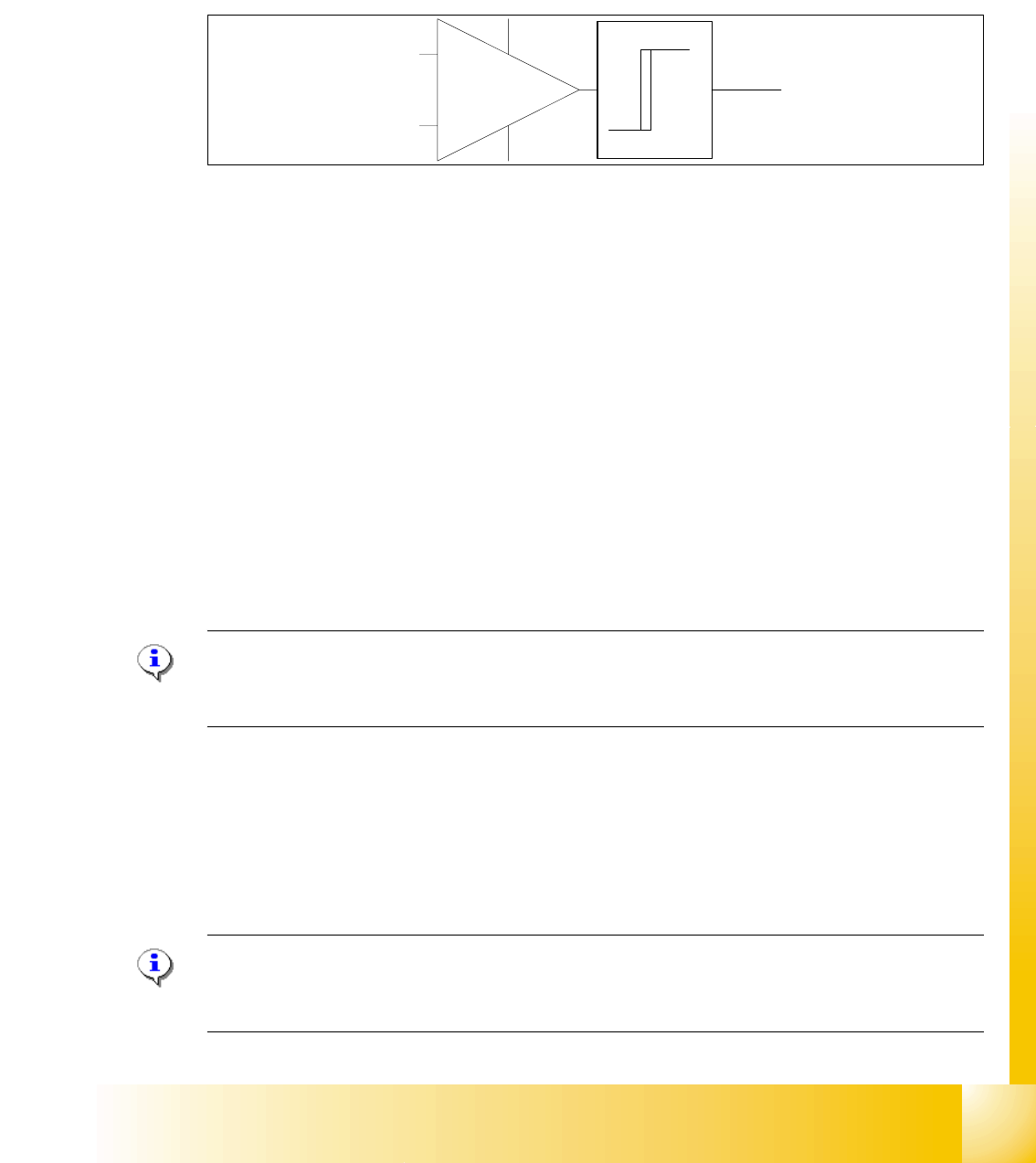
The CAN levels for CAN_H and CAN_ L differentiate between recessive and dominant levels. This
two levels will convert into a TTL level, for the CAN Processor. The RxD Signal has the same
phase such as the CAN_L Signal.
Abb. 1.7 - 1 RxD signal
1.7.1 Checking the Recessive Level
The recessive level (when CAN bus is idle i.e. there is no data transmission) can be measured
statically, with a voltammeter. Make sure no telegrams are sent during the measurement proce-
dure. This means that measurement may only be performed when the machine is not in operation.
Step by step: 1
➠ Connect the CAN Test Box to the service plug (Note: Not all signals on the Service plug) of the
COM assembly.
➠ Switch the machine on and wait until it has booted.
➠ Measure the voltage level at the banana sockets between CAN H and GND or between CAN
L and GND, with the help of a measuring device.
➠ You should receive a voltage value of 2.5 V +/- 0.3 V for CAN_H and CAN_L.
Note: If you discover a short circuit or incorrect voltage level, disconnect the subsystems from
the CAN bus, one after the other. For suitable disconnection points, please refer to the circuit di-
agrams.
1.7.2 Checking the Dominant Level
The dominant CAN H and CAN L levels contain the information and need to reach a certain volt-
age level. These two CAN signals form a TTL CAN (RxD) signal, which can then be interpreted
by the CAN processor.
Note: You need an oscilloscope to measure the dominant level.To minimize the extent to which
the measurement system influences the CAN signals, keep the measurement line as short as pos-
sible.
CAN_L
CAN_H
RxD
TTL Pegel
(Level)