CAN Bus Workshop_Version 03__06-2008_EN.pdf - 第152页
1 Caccia Student Guide CACCIA Manual Issue 04/2007 EN 60 1 Fig. 1 - 37 D ownload successfully completed → In case of a successful download the ad- joined window is shown. Only in case of a download failure the error mess…

CACCIA Manual 1 Caccia Student Guide
Issue 04/2007 EN
59
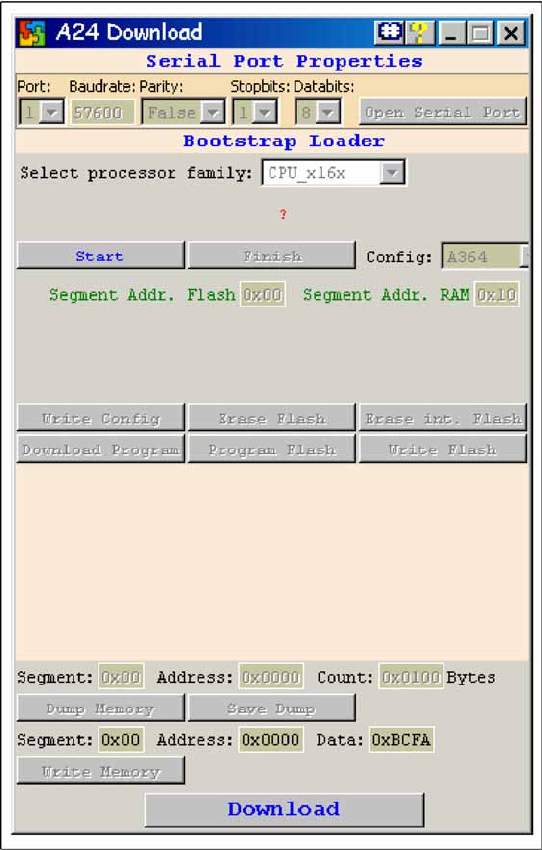
Fig. 1 - 36 Download-sequence
After the activation of the button
Write Con-
fig
the buttons should be active as shown in
the adjoined screenshot.
→ Erase the flash memory by pressing on
the buttons
Erase Flash
(1) (approx.
15 sec.) and
Erase int. Flash
(2) (ap-
prox. 2 sec.).
After this the flash is erased completely
and the BIOS can be downloaded again.
→ Click on the button
Download
Program
(3).
An Explorer dialog opens where the cor-
rect BIOS must be selected and opened.
→ Click on the button
Program Flash
(4)
(approx. 3 sec.).
→ Finally click on the button
Finish
(5).
1 Caccia Student Guide CACCIA Manual
Issue 04/2007 EN
60
1
Fig. 1 - 37 Download successfully completed
→ In case of a successful download the ad-
joined window is shown. Only in case of a
download failure the error message ap-
pears.
→ Switch OFF the bootstrap switch and
press the reset switch The green LED (be-
low left) on the axis card should flash now.
The BIOS download is completed.
The application 1 and 2 can be loaded via
CACCIA or SITEST by standard procedure.
CACCIA Manual 1 Caccia Student Guide
Issue 04/2007 EN
61
1.7 CAN SCOPE for Net 1 / Net 2 on Feeder Menu
1.7.1 X-Series Feeders
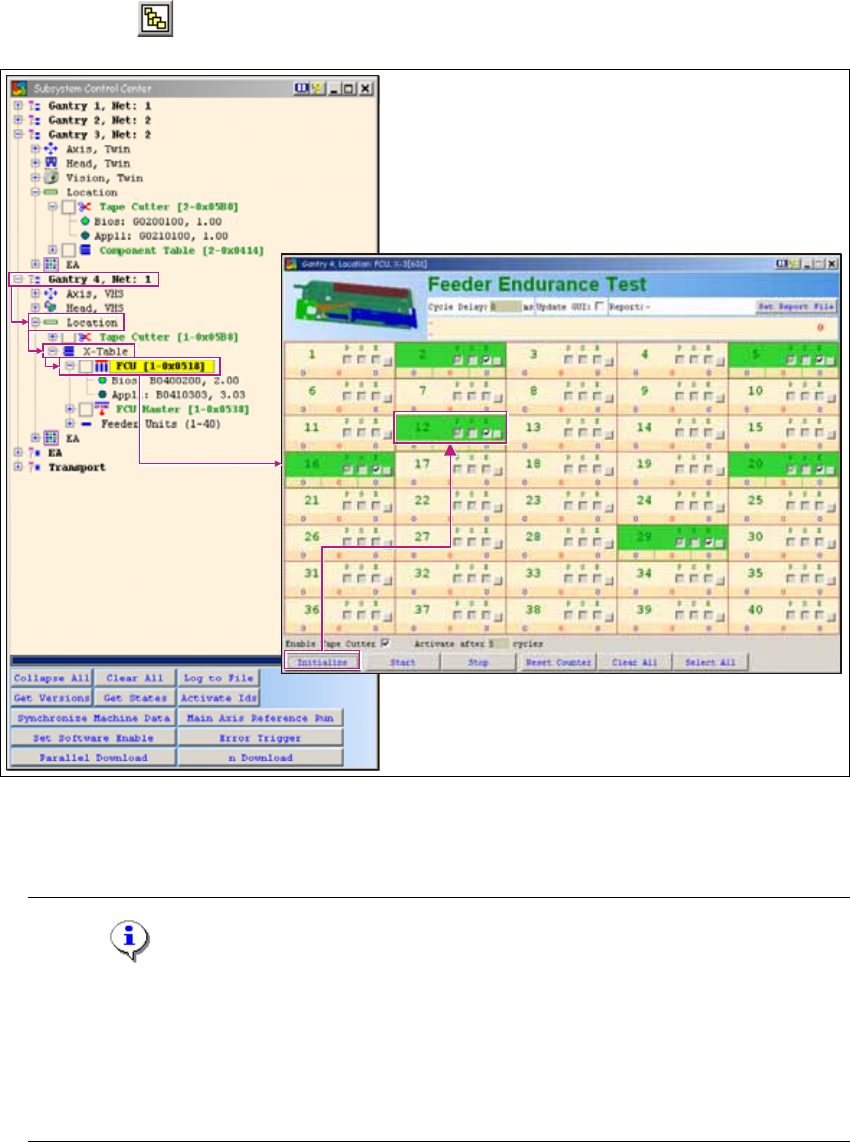
→ Click on the button to open the Subsystem Control Center dialog box:
1
Fig. 1 - 38 CAN SCOPE for Net 1 / Net 2 on feeder menu
→ Activate the function Enable Tape Cutter, according to your machine options.
Note
Once you have activated the function Enable Tape Cutter, you need to fulfill the following
requirements for an X-series feeder endurance test:
- SW released must be issued
- Control must be on
- Security circuit must be closed 1