CAN Bus Workshop_Version 03__06-2008_EN.pdf - 第129页
CACCIA Manual 1 Caccia Student Guide Issue 04/2007 EN 37 1 Fig. 1 - 21 Z- axis function check Shows the 0 -20000 digit (10 mm) downwards/upwar ds endur ance test for C&P20 of th e Z-axis. 1 1 1 Button Description / A…
1 Caccia Student Guide CACCIA Manual
Issue 04/2007 EN
36
1
1
Tab. 1 - 9 S-axis function check
1
1.4.5.2 Z-Axis Function Check
This function is available only when the MC has been started and the CAN SW has been loaded.
(SW release and start button are not required.) 1
Note
Move the gantry so that the axis is not obstructed. 1
→ Click on the button to open the Subsystem Control Center dialog box:
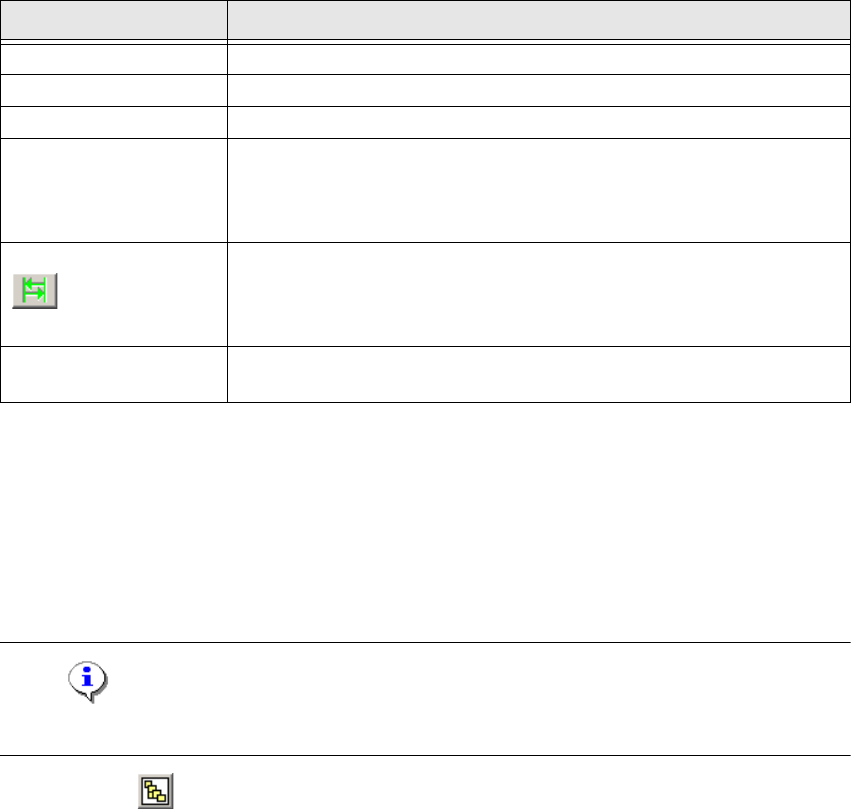
Button Description / Action
Gantry Opens the relevant gantry. Gantry 4 is opened in the example.
Head VHS Opens the head axes.
Axis Opens the axis menu for selection of the axis.
S-RV
Star axis C&P head types.
Opens the Axis dialog box.
The functions available in the Axis dialog box are explained in
Chapter „Moving the X and Y Gantry Axes“ auf Seite 27.
Opens the Axis Endurance dialog box, in which a reference run or
endurance test can be started for the star axis. The functions available
in the Axis Endurance dialog box are explained in Chapter „Moving
the X and Y Gantry Axes“ auf Seite 27.
Chopping
You need to set a tick here for the operating mode „endurance test
for rotary axes“.
CACCIA Manual 1 Caccia Student Guide
Issue 04/2007 EN
37
1
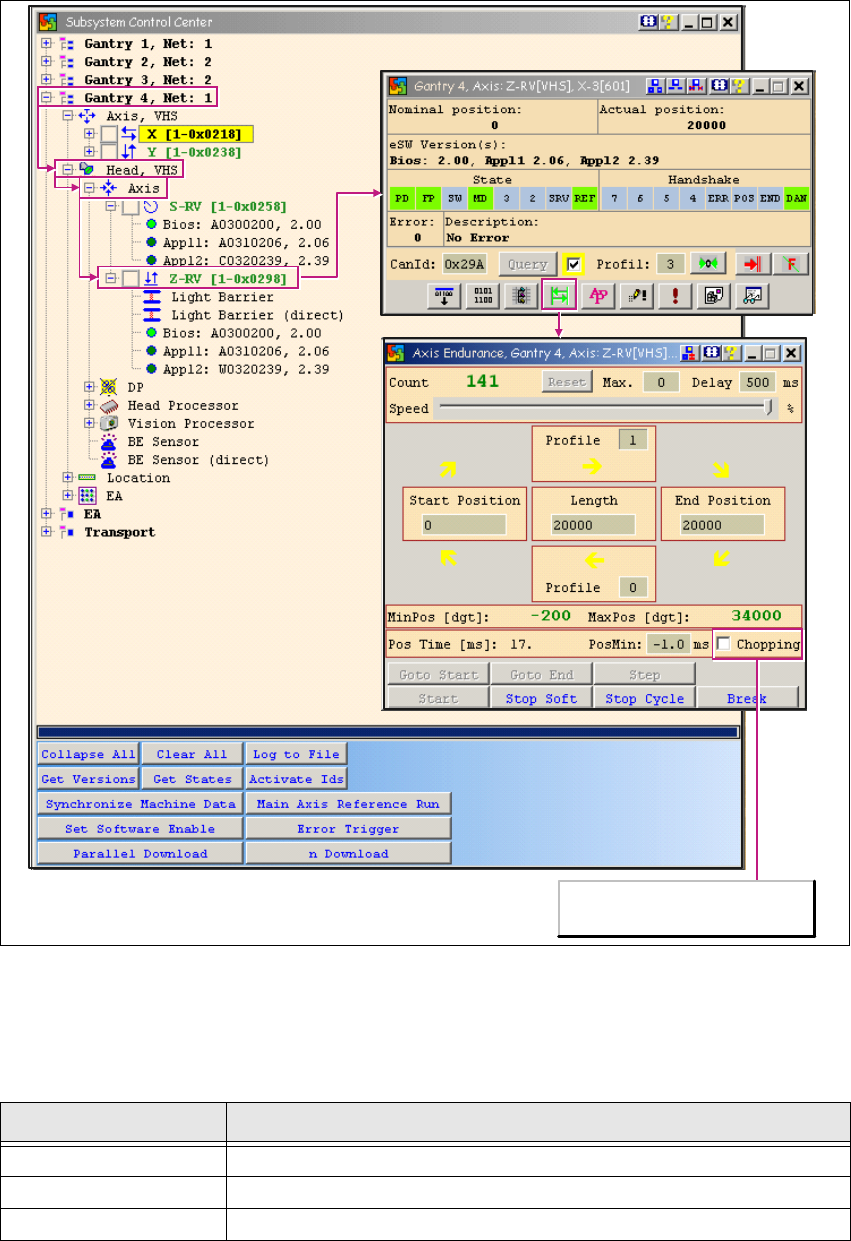
Fig. 1 - 21 Z-axis function check
Shows the 0 -20000 digit (10mm) downwards/upwards endurance test for C&P20 of the Z-axis.1
1
1
Button Description / Action
Gantry Opens the relevant gantry. Gantry 4 is opened in the example.
Head VHS Opens the head axes.
Axis Opens the axis menu for selection of the axis.
Operating mode:
Endurance test for linear axes
1 Caccia Student Guide CACCIA Manual
Issue 04/2007 EN
38
Tab. 1 - 10 Z-axis function check
1
1.4.5.3 Function Check for all DP Axes
Access to the DP Master allows actions to be performed on all 20 DP axes in one sequence. 1
This function is available only when the MC has been started and the CAN SW has been loaded.
(SW release and start button are not required.) 1
→ Click on the button to open the Subsystem Control Center dialog box:
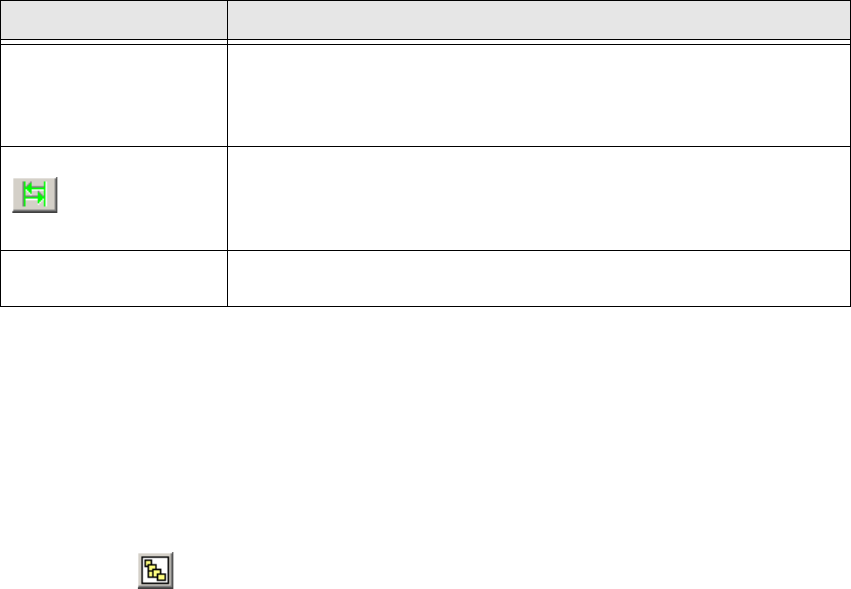
Z RV
Z-axis of the C&P head types.
Opens the Axis dialog box.
The functions available in the Axis dialog box are explained in
Chapter „Moving the X and Y Gantry Axes“ auf Seite 27.
Opens the Axis Endurance dialog box, in which a reference run or
endurance test can be started for the Z-axis. The functions available
in the Axis Endurance dialog box are explained in Chapter „Moving
the X and Y Gantry Axes“ auf Seite 27.
Chopping
Make sure no tick is set here for the operating mode „endurance test
for linear axes“.
Button Description / Action