CAN Bus Workshop_Version 03__06-2008_EN.pdf - 第136页
1 Caccia Student Guide CACCIA Manual Issue 04/2007 EN 44 Note T o a better overview , open both I/O windows at the same time. 1 1 There are 3 ou tput control typ es: 1 – S tate control e.g. lamp 1 lef t/lamp 2 right. – N…
CACCIA Manual 1 Caccia Student Guide
Issue 04/2007 EN
43
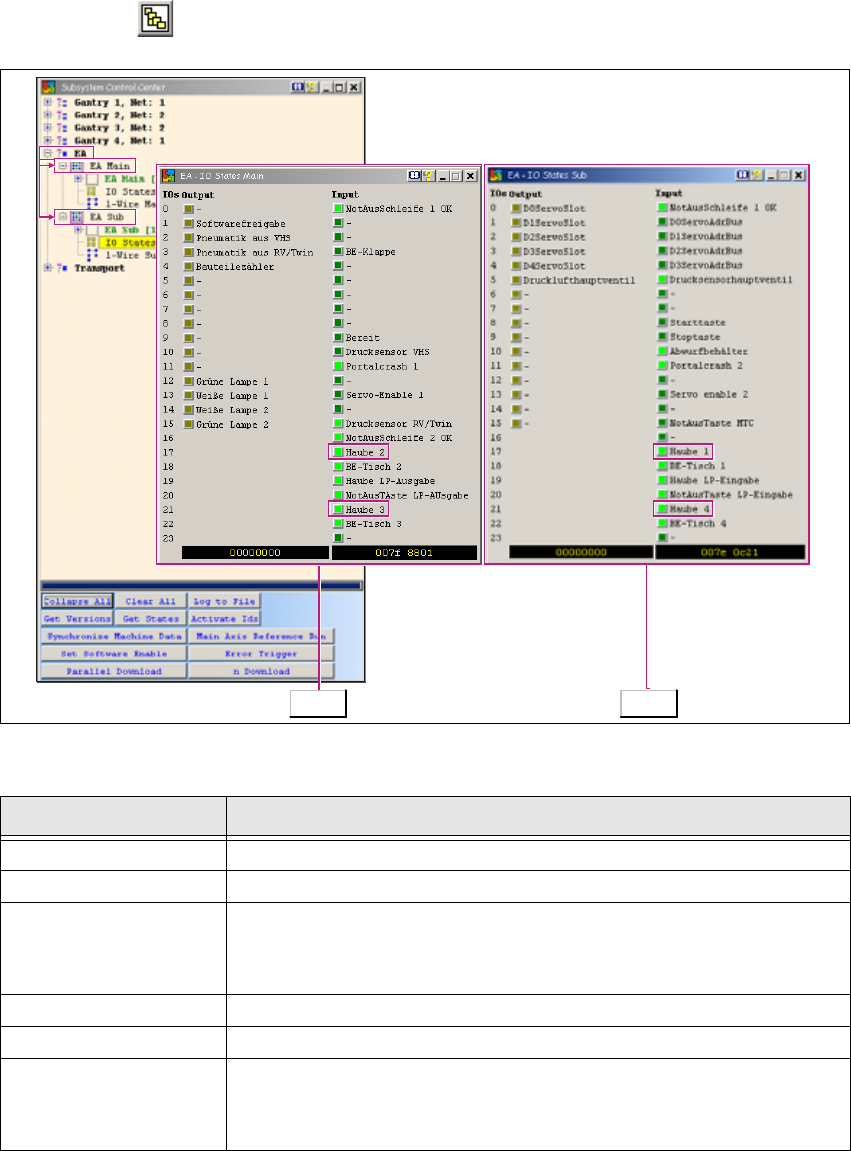
1.5 Function Check via I/O Modules
→ Click on the button to open the Subsystem Control Center dialog box:
1
Fig. 1 - 24 Function check via I/O modules
1
Tab. 1 - 15 Function check via I/O modules
Button Description / Action
I/O Opens the input/output functions.
I/O Main Opens the I/O module in the main distributor.
IO States
Opens the I/O view of the main distributor with permanent I/O update.
Haube 2 and Haube 3 show that this is the I/O view of the main dis-
tributor. 1
I/O Opens the input/output functions.
I/O Sub Opens the I/O module in the subdistributor.
IO States
Opens the I/O view of the main distributor with permanent I/O update.
Haube 1 and Haube 4 show that this is the I/O view of the
subdistributor. 1
Main Sub
1 Caccia Student Guide CACCIA Manual
Issue 04/2007 EN
44
Note
To a better overview, open both I/O windows at the same time. 1
1
There are 3 output control types: 1
– State control e.g. lamp 1 left/lamp 2 right.
– Negative edge controlled e.g. component counter.
– Inverse control e.g. compressed air main valve -valve switches off when enabled (bright yel-
low).
1
The I/O outputs are assigned according to the individual machine type. 1
Note
Key difference in HF versions:
There is a „HF original machine stand“ and a „A-00X machine stand (rectangular layout)“. 1
CACCIA Manual 1 Caccia Student Guide
Issue 04/2007 EN
45
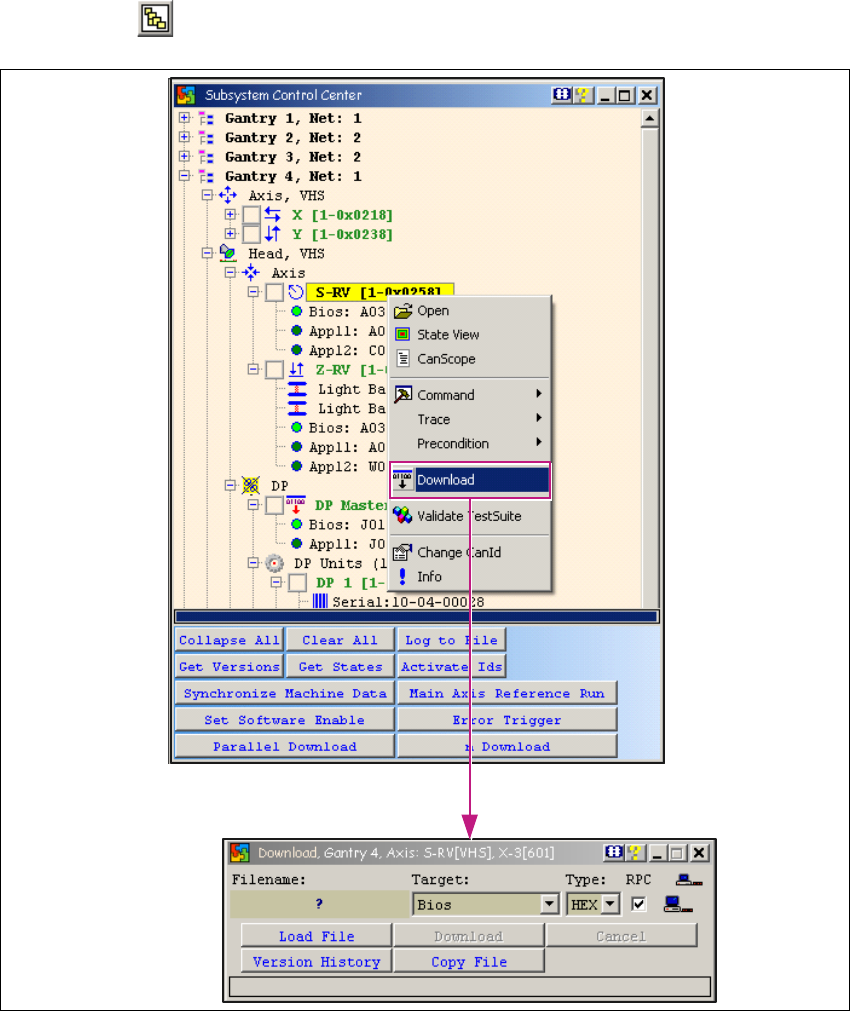
1.6 Firmware Download
→ Click on the button to open the Subsystem Control Center dialog box:
1
Fig. 1 - 25 Firmware download
→ To perform a firmware download, right-click with the mouse on the required subsystem.
→ A context menu will appear. Select the menu item Download.
→ The Download dialog box will open. An individual download can be performed here for the se-
lected subsystem (CAN ID).