CAN Bus Workshop_Version 03__06-2008_EN.pdf - 第191页
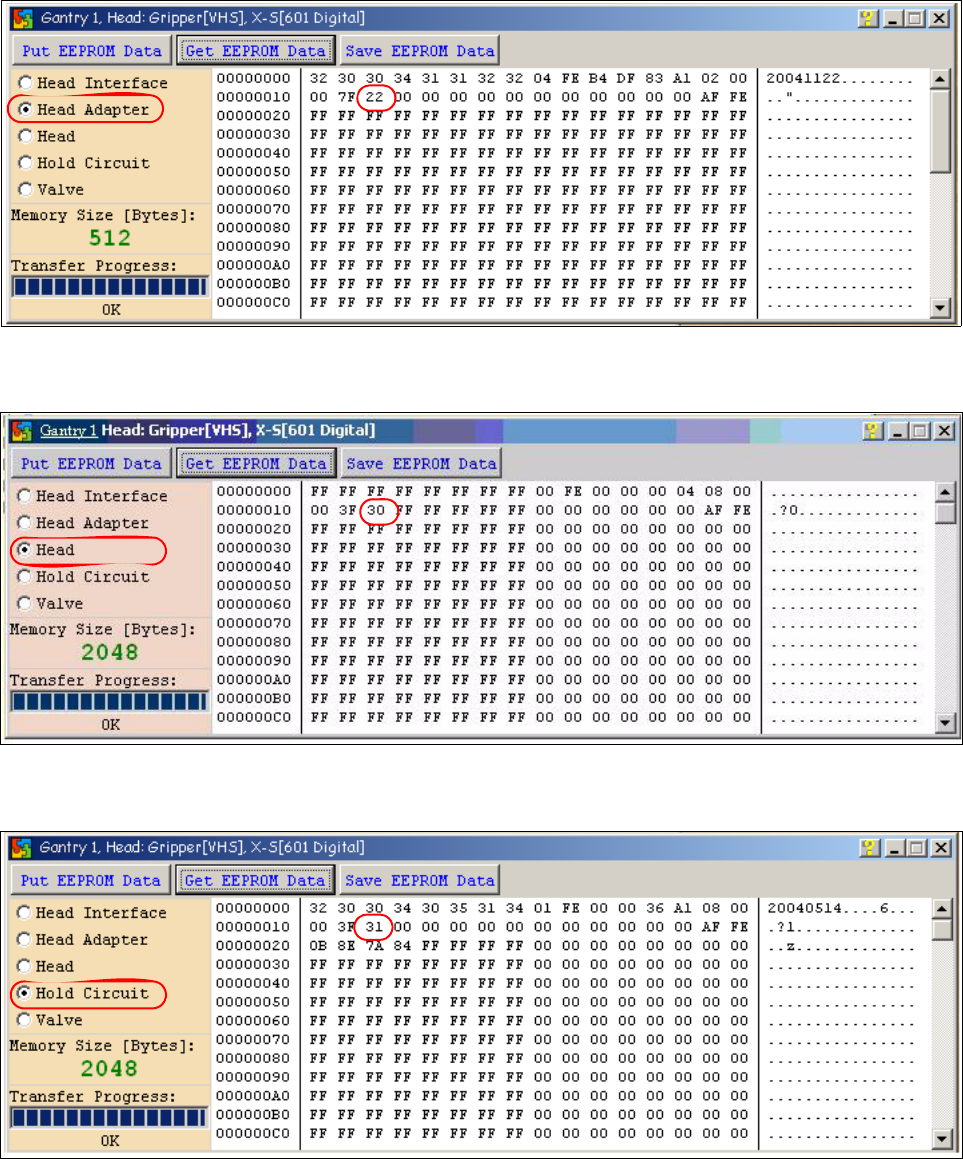
CACCIA Manual 1 Caccia Student Guide Issue 04/2007 EN 99 Fig. 1 - 71 Head ada pter board type recognition ID 22 for the C&P20 head Fig. 1 - 72 Head C &P 20 board type ID 30. Fig. 1 - 73 Vacuumsensor holdi ng circ…
1 Caccia Student Guide CACCIA Manual
Issue 04/2007 EN
98
1
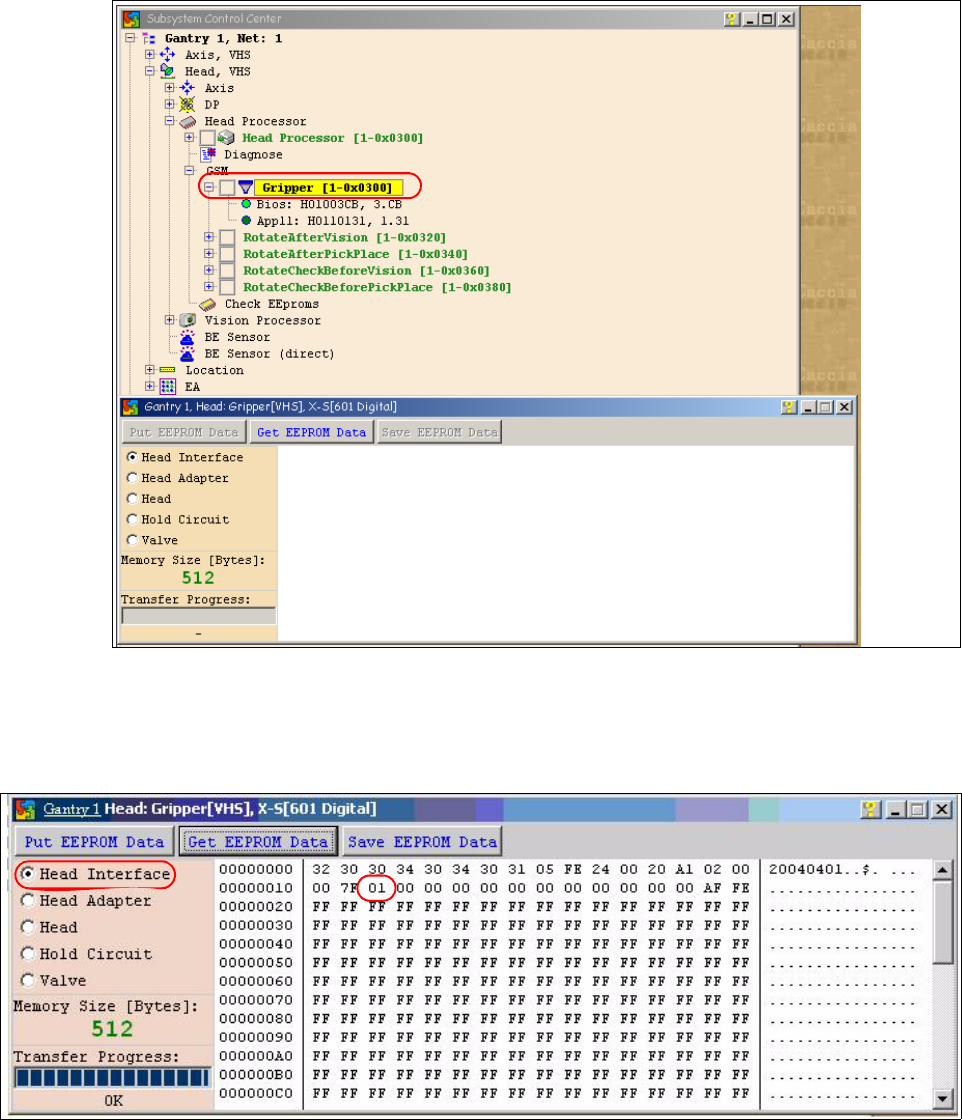
Fig. 1 - 69 Dialog Head processor Gripper
– Choose the board which you want to check and press the Button "Get EEPROM".
Fig. 1 - 70 Head interface board type recognition ID 01
– The ID appears in the memory space 12 , in the following image 01 for the Head interface
C500.
CACCIA Manual 1 Caccia Student Guide
Issue 04/2007 EN
99
Fig. 1 - 71 Head adapter board type recognition ID 22 for the C&P20 head
Fig. 1 - 72 Head C&P 20 board type ID 30.
Fig. 1 - 73 Vacuumsensor holding circuit C&P20 board type ID 31
1 Caccia Student Guide CACCIA Manual
Issue 04/2007 EN
100
Attention: The vacuum generator digital (C&P20) and thevacuum generator analog (Twin head)
don‘t have a board type ID. In the memory space on the EEPROM stays 00.
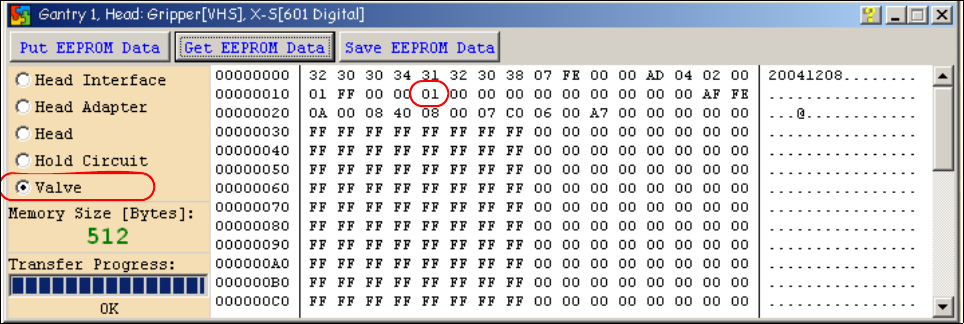
Important: Both vacuum generators will be recognized via a device number.
The device number is saved in the memory space 14 on the EEPROM.
Device number ID 01 vacuum generator digital
Device number ID 02 vacuum generator analog
Fig. 1 - 74 Device number vacuum generator digital C&P20