CAN Bus Workshop_Version 03__06-2008_EN.pdf - 第192页
1 Caccia Student Guide CACCIA Manual Issue 04/2007 EN 100 Attention: The vacuum generator digital (C&P20) and thevacuum generator an alog (T win head) don‘t have a board type ID. In the memory space on the EEPROM st …
CACCIA Manual 1 Caccia Student Guide
Issue 04/2007 EN
99
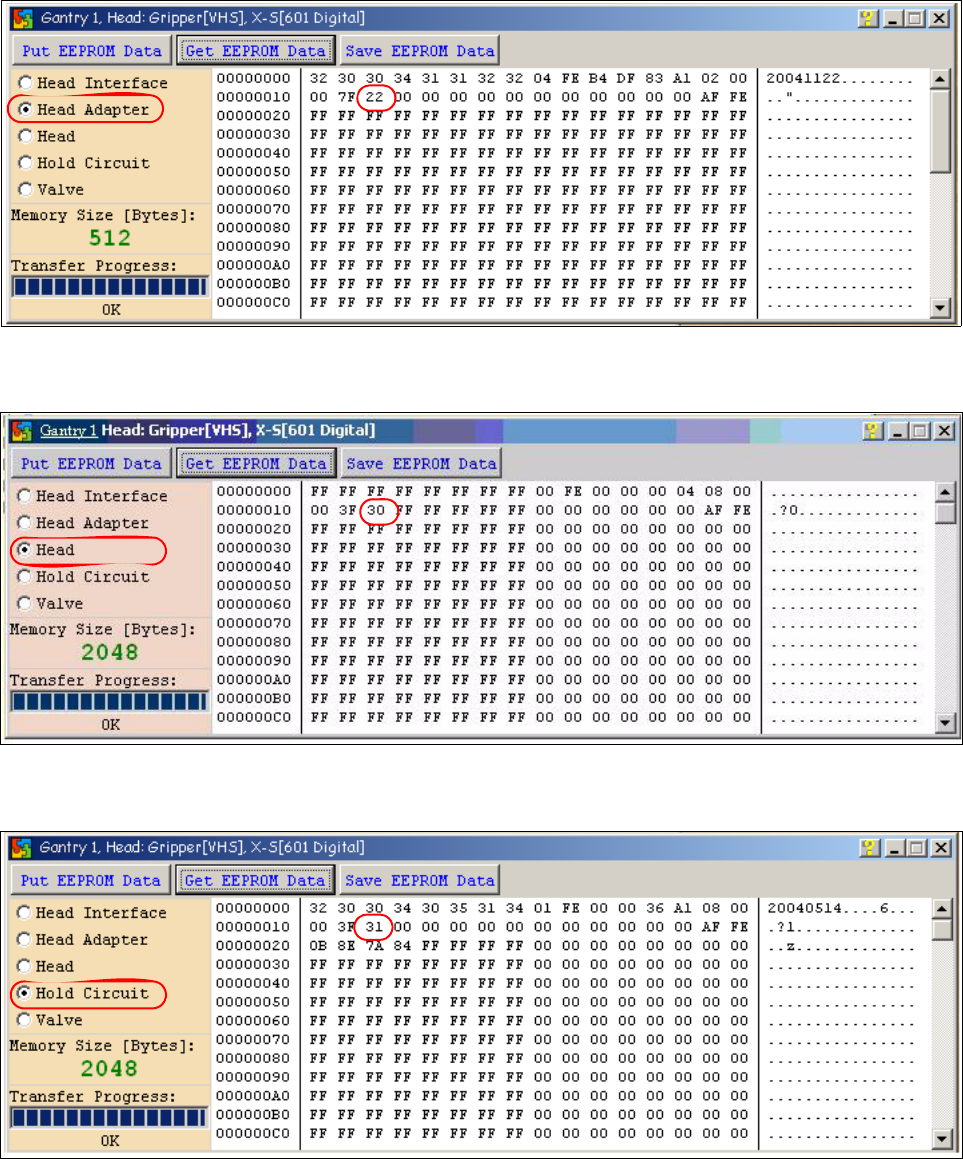
Fig. 1 - 71 Head adapter board type recognition ID 22 for the C&P20 head
Fig. 1 - 72 Head C&P 20 board type ID 30.
Fig. 1 - 73 Vacuumsensor holding circuit C&P20 board type ID 31
1 Caccia Student Guide CACCIA Manual
Issue 04/2007 EN
100
Attention: The vacuum generator digital (C&P20) and thevacuum generator analog (Twin head)
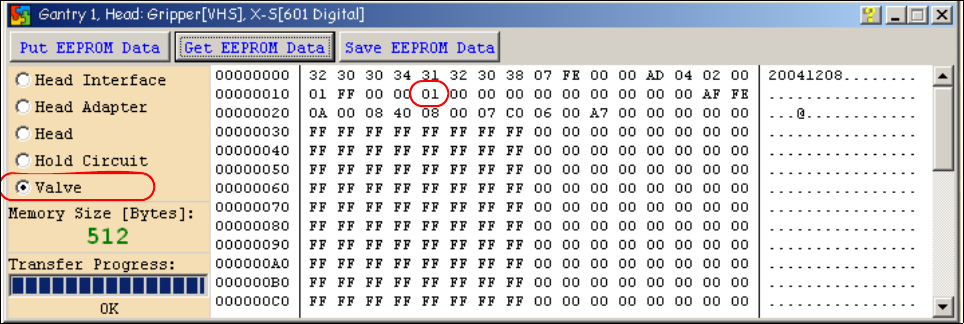
don‘t have a board type ID. In the memory space on the EEPROM stays 00.
Important: Both vacuum generators will be recognized via a device number.
The device number is saved in the memory space 14 on the EEPROM.
Device number ID 01 vacuum generator digital
Device number ID 02 vacuum generator analog
Fig. 1 - 74 Device number vacuum generator digital C&P20
CACCIA Manual 1 Caccia Student Guide
Issue 04/2007 EN
101
1.12.2.2 Read and write the Board type ID with CAN commands
– Switch off the machine.
– Connect the service laptop to the machine CAN bus at PA1 and/or PA2.
Make sure that the cable is connected to channel 1 for PA1 and that, at least the transmitter is
connected to channel 2 of the Kvaser card.
– Switch on the machine
– Start the "CACCIA" software and check the machine configuration with Caccia.
– Doubleclick to open the subsystem control center.
Fig. 1 - 75 Icons: properties, machine configuration, subsystem control center
– Click on the "Get Versions" button.
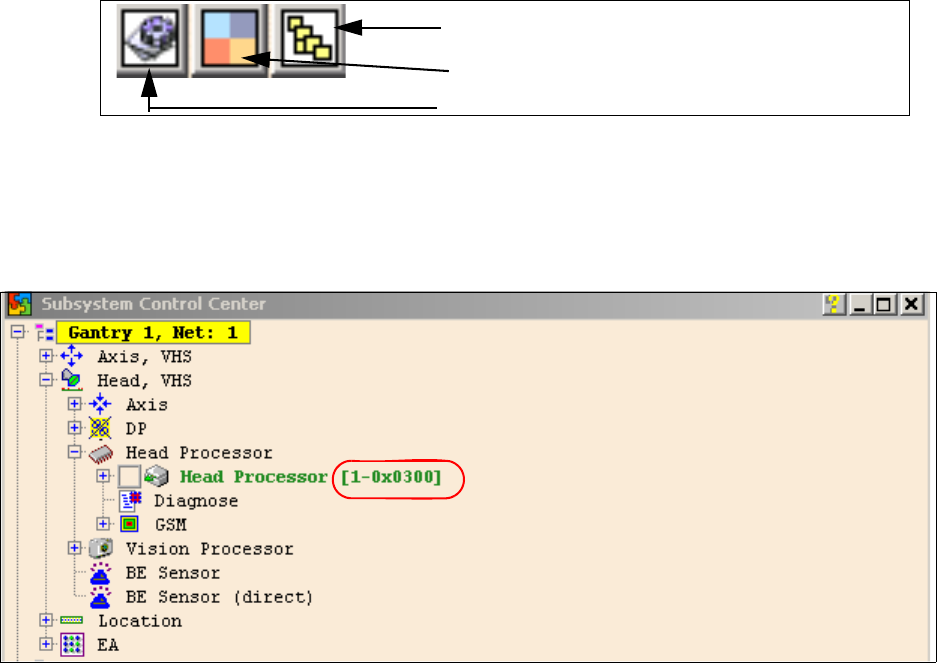
The system will display all available subsystems with their firmware versions and CAN IDs.
Fig. 1 - 76
– Look for the right CAN ID in the Subsystem Control Center depending on the error and use this
CAN ID to work in the network windows.
– This means, for check the Head interface, Head adapter and Intermediate distributor use the
CAN ID 300 for Gantry 1 or 308 for Gantry 2 and so on.
Subsystem control center
Machine configuration window
Properties (settings, restart Kvaser card)