CAN Bus Workshop_Version 03__06-2008_EN.pdf - 第159页
CACCIA Manual 1 Caccia Student Guide Issue 04/2007 EN 67 1.9 File Comp arison Menu T o open the Special File Compare dialog bo x, click on the . 1 Alternatively , select Compare File s from the T ools menu. 1 Special Fil…

1 Caccia Student Guide CACCIA Manual
Issue 04/2007 EN
66
1.8.4 Conveyor System - Board Functions
1
Fig. 1 - 43 Conveyor system - board functions
1
EF clamp (lift table up/down):
Processes PCB clamping for conveyor in selected placement
area (this example shown PA1).
Query: Requests lifting table position.
Open: Lowers the table.
Close: Raises the table.
Toggle: Switches back and forth, between the two positions.
EF Test Stop (Stopper/Laser barrier):
Status
Status of LASER stopper.
Test
Enables/disables the LASER stopper
for the selected placement area.
CACCIA Manual 1 Caccia Student Guide
Issue 04/2007 EN
67
1.9 File Comparison Menu
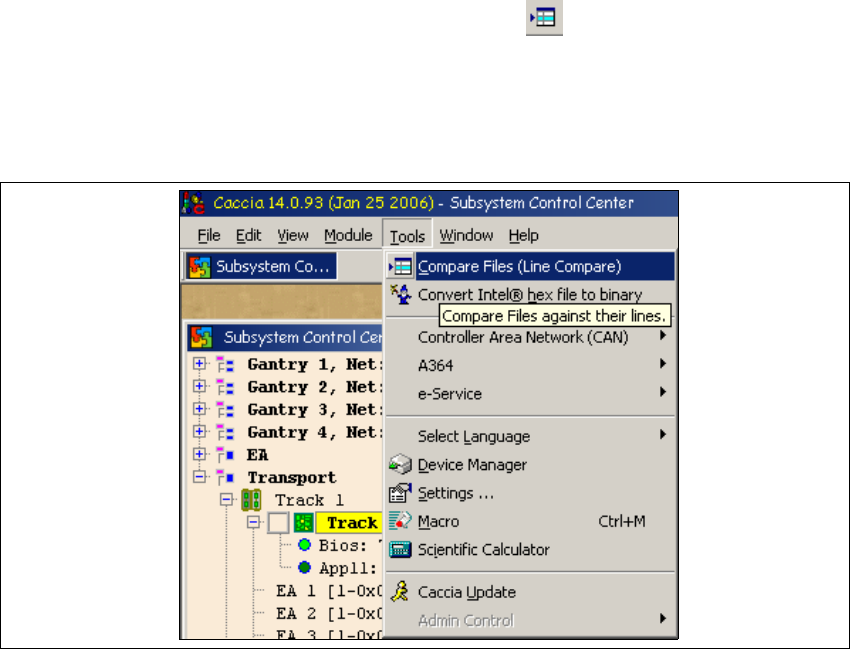
To open the Special File Compare dialog box, click on the . 1
Alternatively, select Compare Files from the Tools menu. 1
Special File Compare can be used to compare any number of text files e.g. XML files in text for-
mat. 1
1
Fig. 1 - 44 File comparison menu
1
1 Caccia Student Guide CACCIA Manual
Issue 04/2007 EN
68
1
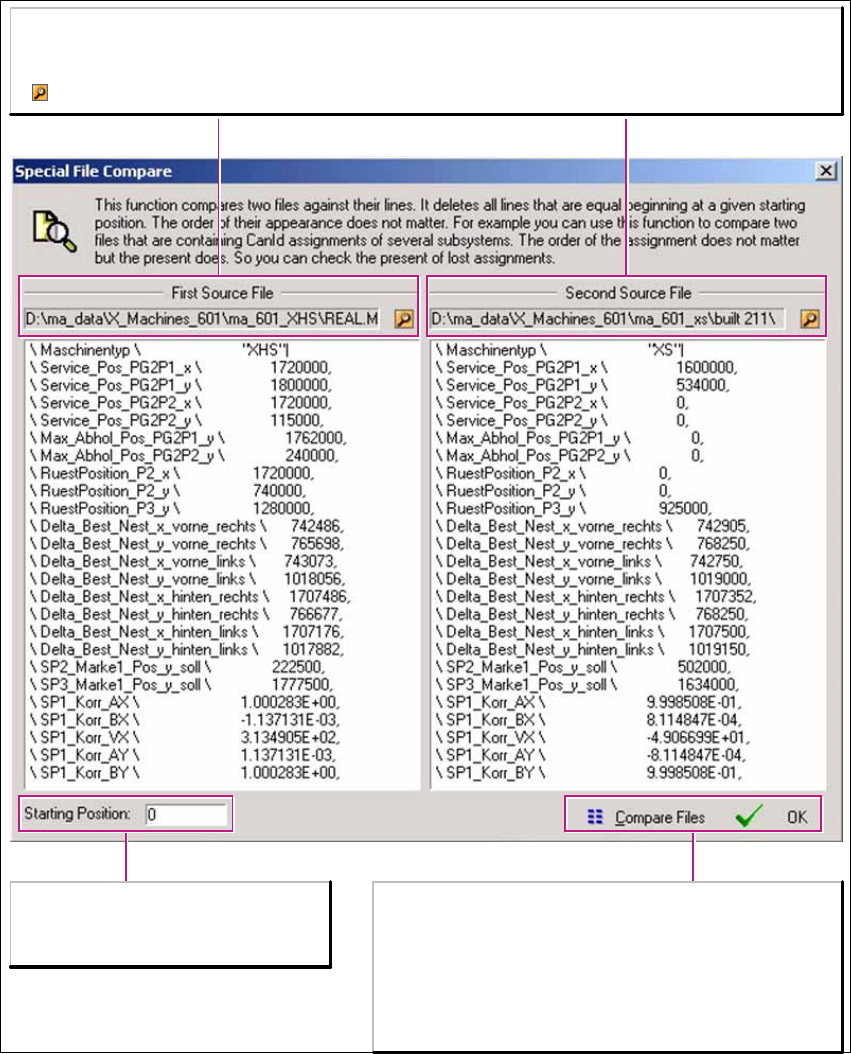
Fig. 1 - 45 File comparison menu
First Sorce File/Second Source File:
First Source File/Second Source File:
Paths to the two files which you want to compare.
Select the file path.
Starting Position:
Enables you to progress through the
line-by-line comparison of the files.
Compare Files:
Compares 25 lines of files from the specified starting
position.
OK oder Return-Taste:
Closes the window. The file paths will be kept until the
file comparison menu is opened again.