00191413-01.pdf - 第124页
4 Data Management User Manu al Line Computer UNIX 4.3 User Interface of t he Data Manager Software Version 501.xx 01/99 Issue 4 - 14 4.3.4 Main Window of a Data Partner Fig. 4.3.2 Main Window of a Data P artner (example …

User Manual Line Computer UNIX 4 Data Management
Software Version 501.xx 01/99 Issue 4.3 User Interface of the Data Manager
4 - 13
4.3.3.1 FILE menu
- Opening
A selected
data partner from those displayed in the display area can be opened.
● Click on data partner.
● Select menu option FILE --> Open ...
The main window of the selected data partner is opened (see example "master data" in Fig. 4.3.2).
- Closing the main window and all file windows that may be open
● Click on FILE --> Quit.
The main window of the data manager and all
file windows that were opened via the Data Mana-
ger are closed. The Data Manager is deactivated.
Upon restarting the Data Manager, the main window and all previously open windows of the data
partners are restored.
4.3.3.2 OPTIONS menu
- Saving default values
This serves to save to a configuration file all open main and file windows (incl. paths, positions and
display mode) so that all thus stored windows are automatically redisplayed on the screen when the
Data Manager is started up again (even if in the meantime the line computer session was temporarily
terminated and subsequently re-started).
● Click on OPTIONS --> Save default values.
- Confirm actions / Execute selection immediately (software switch)
Here the setting defining whether an action has to be confirmed first or is executed immediately can
be changed.
● Click on OPTIONS --> Confirm actions or Execute selection immediately.
4 Data Management User Manual Line Computer UNIX
4.3 User Interface of the Data Manager Software Version 501.xx 01/99 Issue
4 - 14
4.3.4 Main Window of a Data Partner
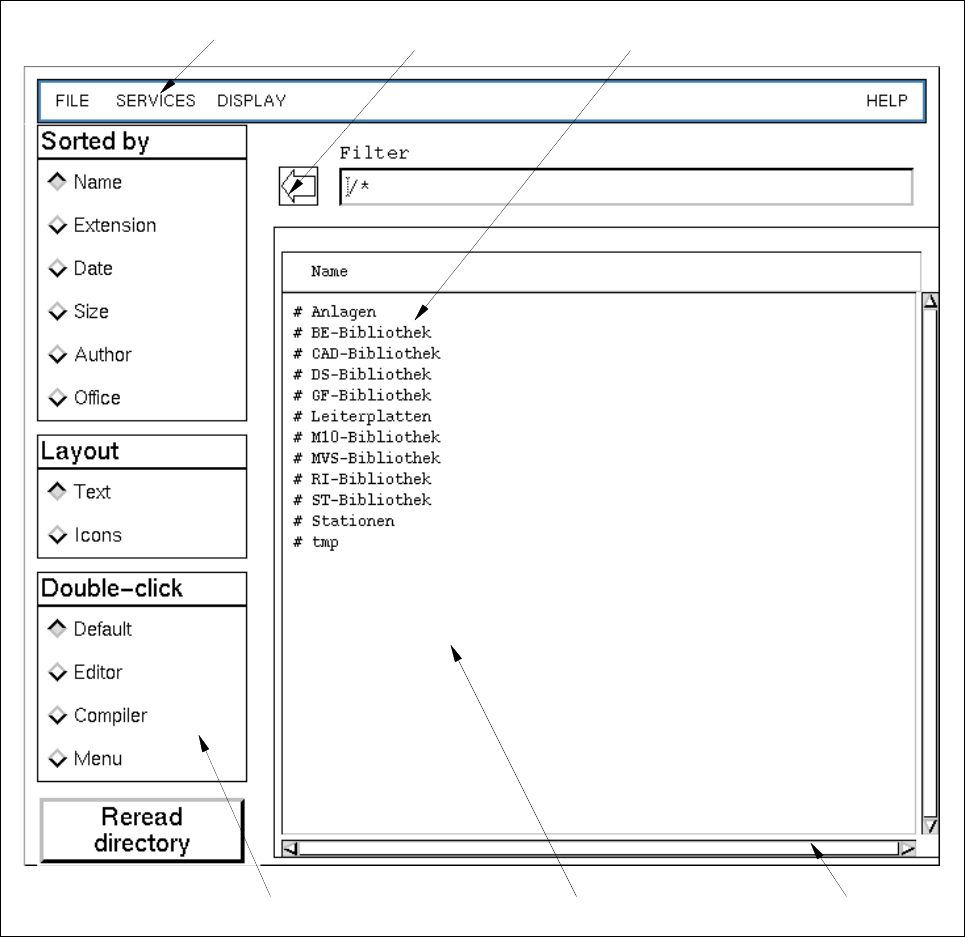
Fig. 4.3.2 Main Window of a Data Partner (example "Master Data")
The main window (see Fig. 4.3.2) is subdivided into the following areas:
- Menu bar
- Display area
- Command area
- Arrow button
menu bar arrow button directory/file
scroll bardisplay areacommand area
User Manual Line Computer UNIX 4 Data Management
Software Version 501.xx 01/99 Issue 4.3 User Interface of the Data Manager
4 - 15
Menu Bar
The menu bar contains the menus "FILE", "SERVICES", "DISPLAY" and "HELP".
The menus are described in the section 4.3.4.1 to section 4.3.4.3.
NOTE
Since the functions and operation of the "HELP" menu are identical to those in other application programs
of the line computer, they are described comprehensively in chapt. 2 of this manual.
Display Area
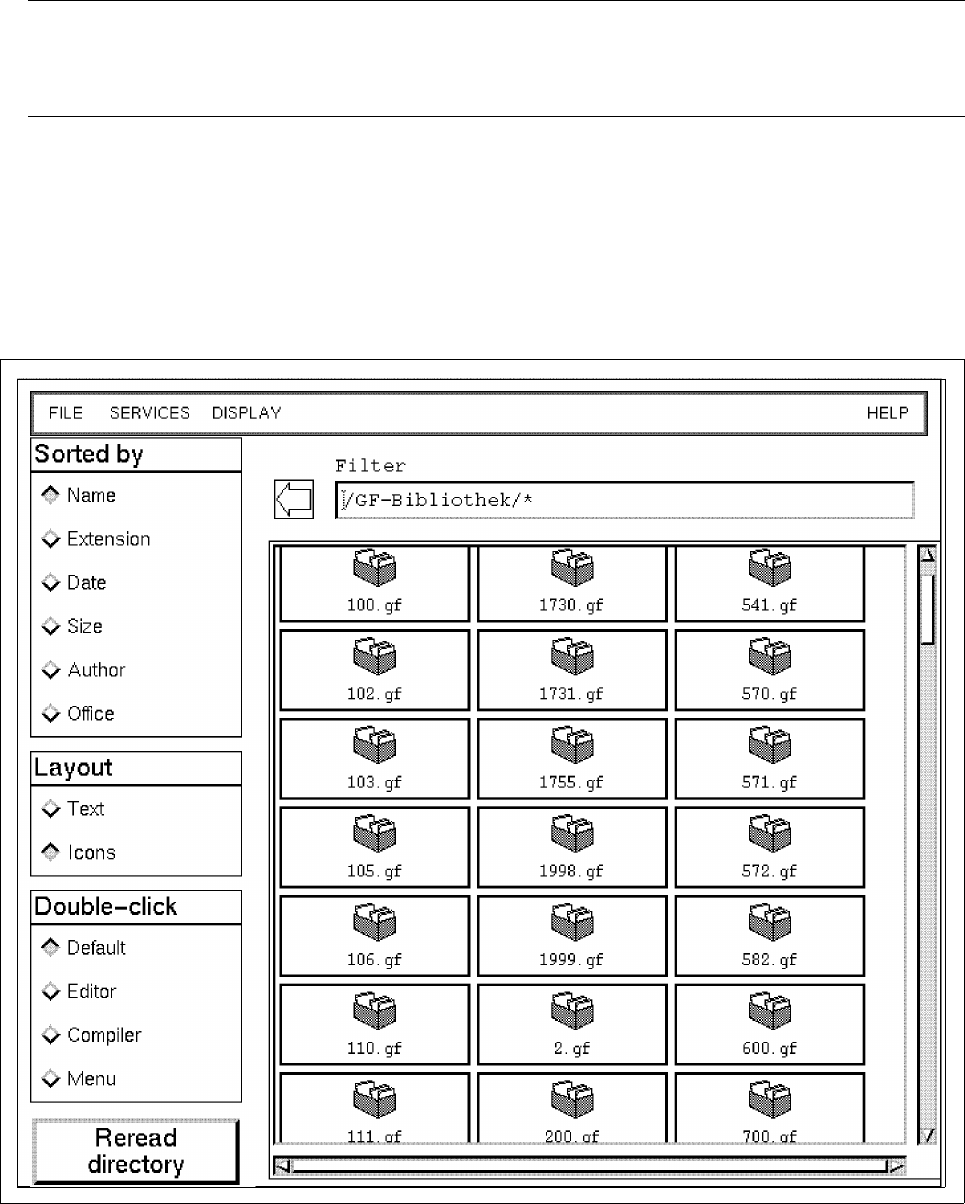
In the display area the directories and files of a data partner are represented that can be edited in the Data
Manager. The directories can be opened either by double-clicking (if Double click --> Default has been set)
or via the menu. When a directory is opened, the display area is newly set up containing the contents of the
directory (see example below).
The display area contains scroll bars by means of which the section of the display area viewed can be moved.