00191413-01.pdf - 第559页
User Manual Line Computer UNIX 17.3 Description of Components and P CBs Software Version 501.xx 01/99 Issue 17.3.2 PCB 2: Focus on Packa g e Form Description 17 - 2 7 To define the pin mode l for package form 1502, proce…
17.3 Description of Components and PCBs User Manual Line Computer UNIX
17.3.2 PCB 2: Focus on Packa
g
e Form Description Software Version 501.xx 01/99 Issue
17 - 26
FILE
Save
FILE
Save
FILE
Quit
Package form description for package form 1502
continued from pa
g
e 17-24
continued on pa
g
e 17-28
Allocating a package
form to a feeder
Defining pin model
Entering handling
data
Saving package form
to feeder allocation
Saving package form
data
User Manual Line Computer UNIX 17.3 Description of Components and PCBs
Software Version 501.xx 01/99 Issue 17.3.2 PCB 2: Focus on Packa
g
e Form Description
17 - 27
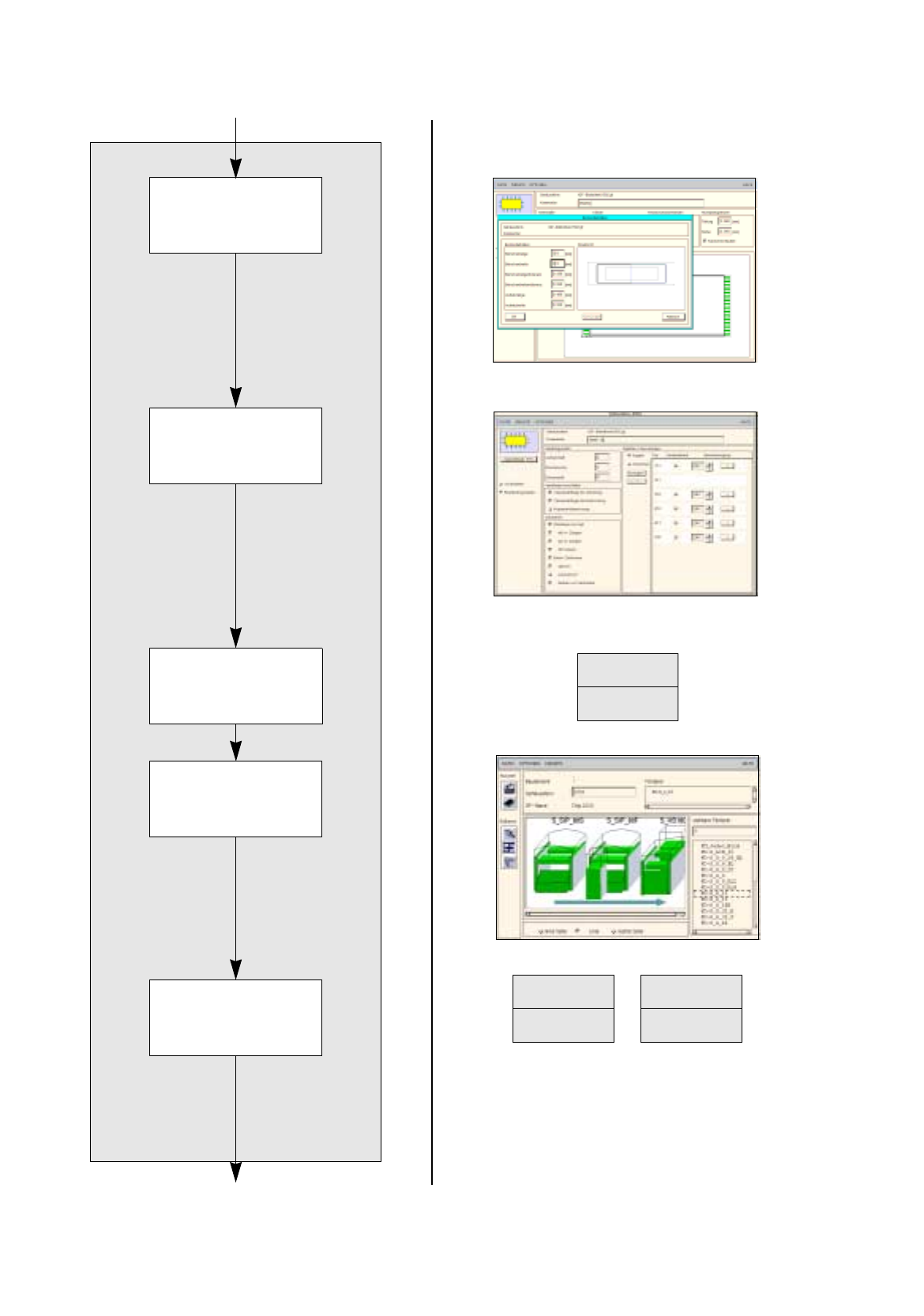
To define the pin model for package form 1502, proceed as follows:
38. Select one of the two pin
g
roups b
y
clickin
g
on it.
39. Click on the
Pin/Ball
button.
The Pin model data window is opened.
40. Enter the pin model data,
confirm b
y
pressin
g
the Enter ke
y
, here:see chart:
The automaticall
y
calculated values of the other editin
g
fields can be adopted.
Ever
y
time the Enter ke
y
is pressed, the displa
y
of the pin model is updated.
41. Click on the
OK
button.
The Pin model data window is closed. The packa
g
e form with pins is displa
y
ed.
To enter the handling data for package form 1502, proceed as follows:
42. Activate the
Handling data
button.
The screen for enterin
g
the handlin
g
data is displa
y
ed.
43. Activate the
Nozzle
button in the command area.
44. Click on the
Create
button.
The Nozzle t
y
pe selection window containin
g
a list of the nozzle t
y
pes is loaded.
45. Click on a nozzle, here:
416
.
The selection window closes, the nozzle is transferred to the view area.
46. Activate the
Sensor type
button.
47. Click on the
Create
button.
The Sensor t
y
pe selection window containin
g
a list of the sensor t
y
pes is opened.
48. Click on a sensor t
y
pe, here:
7
.
The selection window closes, the sensor t
y
pe is transferred to the view area.
49. In the ’Handlin
g
values’ editin
g
area, enter the applicable value in the
Placement force
field, here:
2
.
50. In the ’Centerin
g
’ selection box, activate the applicable buttons, here:
External centering
.
51. In this example, the preselected settin
g
s for the handlin
g
values, the handlin
g
instructions and the ’Acce-
leration’ special handlin
g
option can be accepted as the
y
are. No chan
g
es are re
q
uired.
52. Click on the
Save
option on the
FILE
menu.
The data are now saved.
To allocate a feeder to package form 1502:
53. Click on the
Starting Feeder Editor
option on the
SERVICES
menu.
The Feeder Editor is opened.
54. Activate the
Allocate
icon .
55. Activate a button for the line or a feeder part, here:
Line
.
The entire line is hi
g
hli
g
hted in li
g
ht-
g
reen.
56. Click on the appropriate feeder on the list of placeable feeders, here:
FD~S_G_32_III
.
The feeder is transferred to the Feeder selection field.
57. In the Feeder Editor click on the
Save
option on the
FILE
menu.
The data are now saved.
58. Click on the
Quit
option on the
FILE
menu.
The Feeder Editor is closed.
59. In the Packa
g
e Form Editor click on the
Quit
option on the
FILE
menu.
The Packa
g
e Form Editor is closed.
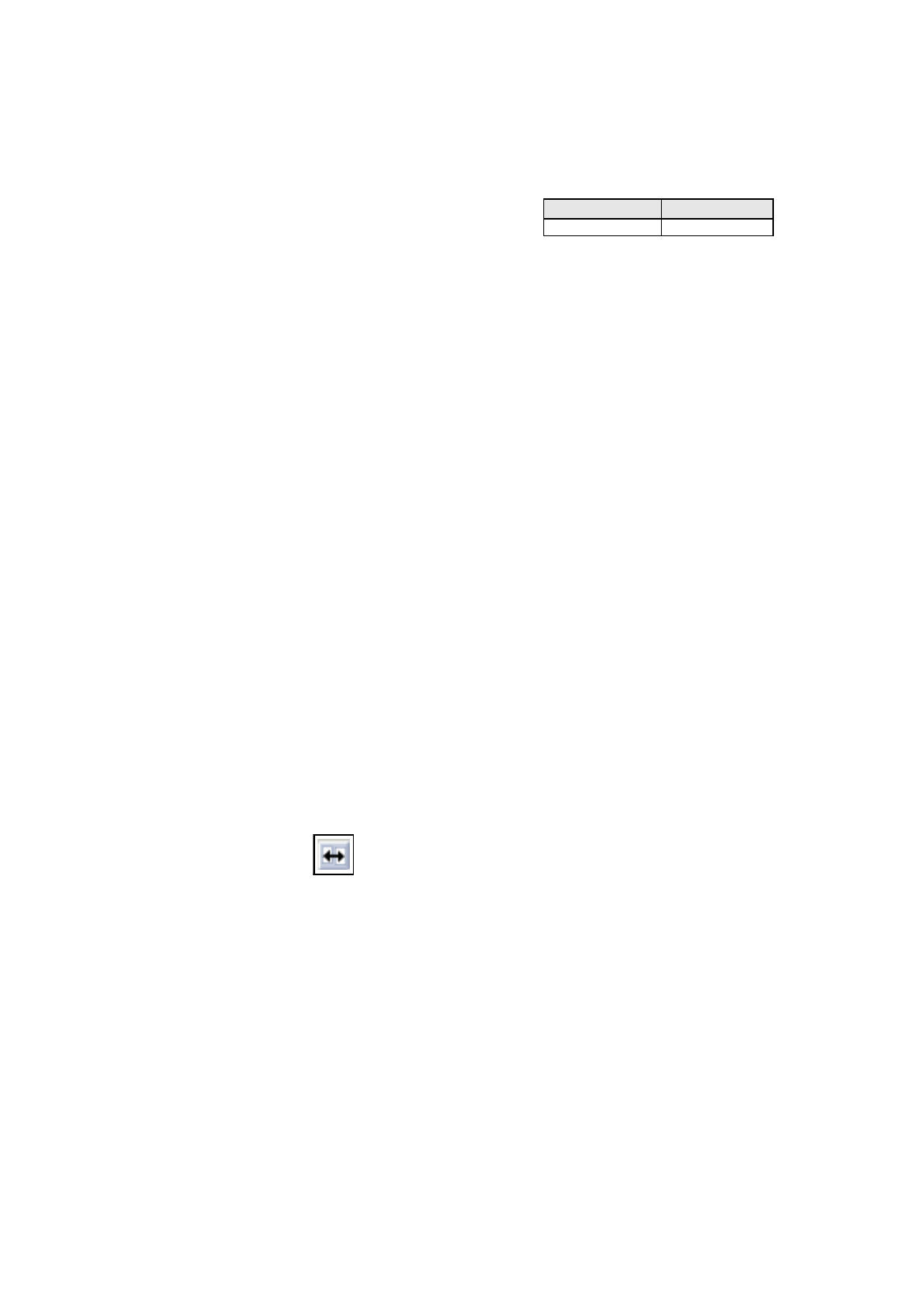
Pin length L
1
Pin width b
0.8 0.2
17.3 Description of Components and PCBs User Manual Line Computer UNIX
17.3.2 PCB 2: Focus on Packa
g
e Form Description Software Version 501.xx 01/99 Issue
17 - 28
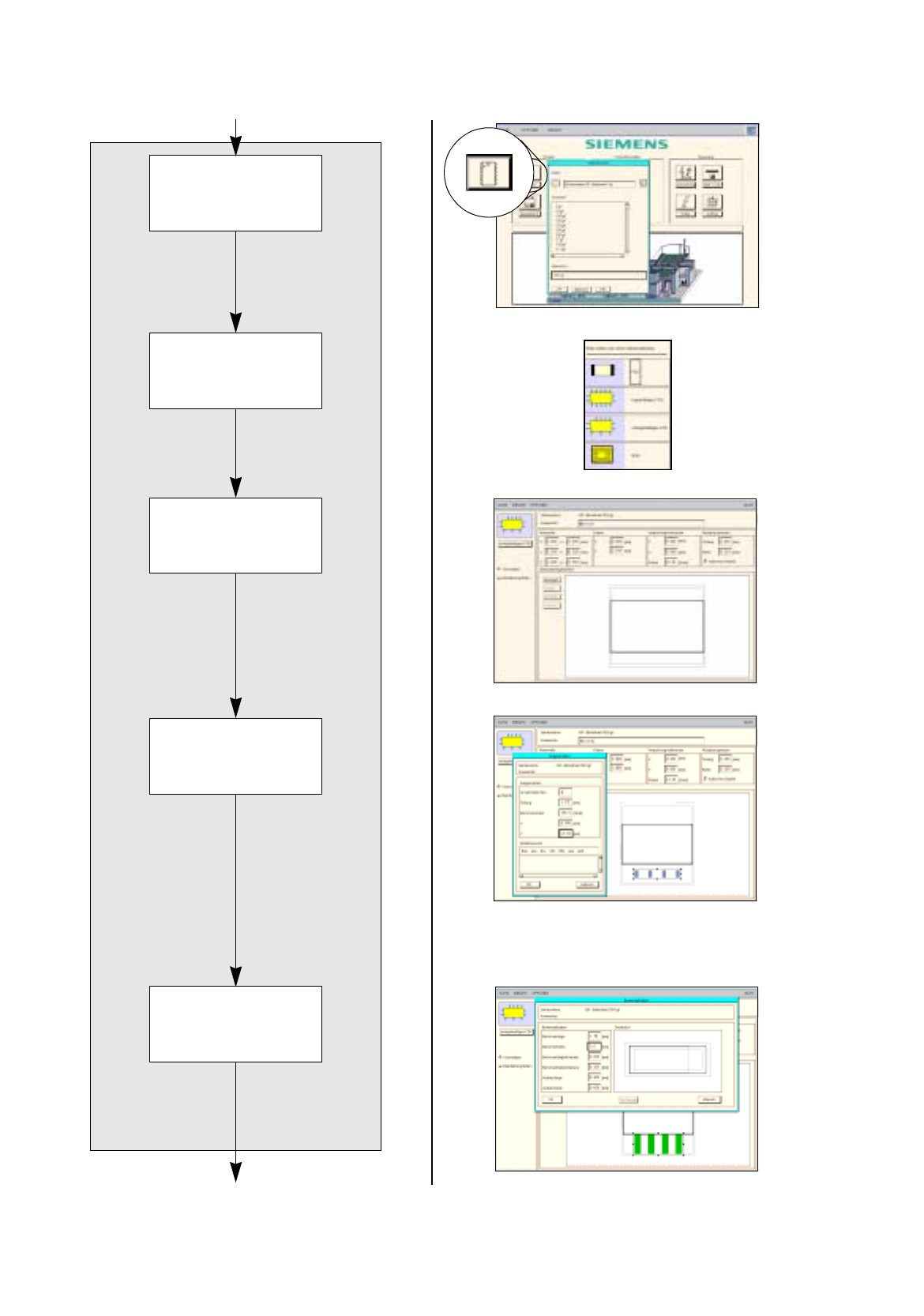
Package form description for package form 1503
continued from pa
g
e 17-26
continued on pa
g
e 17-30
Defining pin model
Entering dimensions
Defining package
form type for package
form 1503
Creating pin group
Opening Package
Form Editor for
package form 1503