00191413-01.pdf - 第187页
User Manual Line Computer UNIX 6 Product / Package Form Software Version 501.xx 01/99 Issue 6.1 Package Form Editor 6 - 9 6.1. 2.2 Area for general settings The appear ance (lay out) of th e main window is set by ac tiva…

6 Product / Package Form User Manual Line Computer UNIX
6.1 Package Form Editor Software Version 501.xx 01/99 Issue
6 - 8
View area
(see section 6.1.2.6)
If the
Vision data
screen has been selected, the current package form is displayed graphically in the view area
of the main window. After each change of the package form data the graphical image is automatically updated.
To change model or group data the respective graphic must be selected (see Fig. 6.1.1).
In the view area of the
Handling data
screen, all nozzles or sensor system types created are displayed
depending on which button has been activated in the command area (see Fig. 6.1.4 and Fig. 6.1.5).
In addition, with the aid of the buttons (see Fig. 6.1.9) contained in the view area, it is possible to define the
special handling option "Acceleration" for nozzles created (see section 6.1.2.9). (see Fig. 6.1.4).
6.1.2.1 SERVICES Menu
The SERVICES menu contains only one option with the following function:
-
Starting the Feeder Editor
for the definition of the feeders which are to be used for feeding the
current component (package form).
●
Select menu item
SERVICES
-->
Starting Feeder Editor.
The Feeder Editor is opened (see chapt. 9).
User Manual Line Computer UNIX 6 Product / Package Form
Software Version 501.xx 01/99 Issue 6.1 Package Form Editor
6 - 9
6.1.2.2 Area for general settings
The appearance (layout) of the main window is set by activating the "Vision data" or "Handling data"
button. The <Name of package form type> button is used for a subsequent change of the package form type.
Setting possibilities for the display in the main window
-
Vision data
This button is automatically activated by default when the Package Form
Editor is opened.
With this setting it is possible to edit the package form data that are
required for optical centering using the Vision System.
NOTE If the current package form is a standard package form
(numbers ranging from 1 ... 1499), the word "write-protected" is displayed
below the "Vision data" button. This means that none of the vision data
can be changed.
-
Handling data
With this setting all specifications for the processing of the particular
component type are defined.
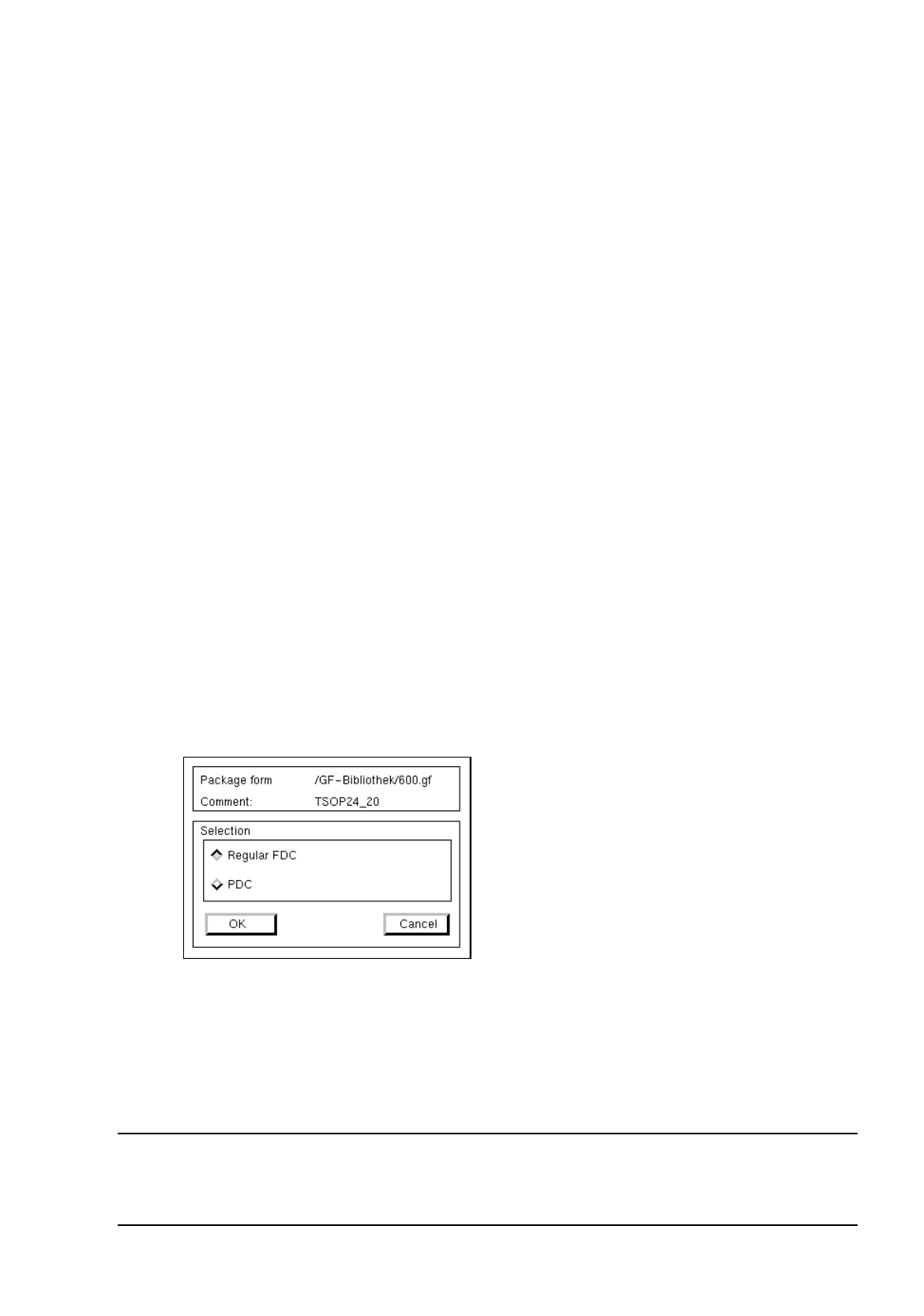
Changing the package form type
Once defined, FDCs and PDCs can still be changed into PDCs or FDCs, respectively. This is not possible
with BGA and standard package forms.
●
Click on (e.g.) <
irregular FDC
>.
The dialog box for the selection of the new package form type is opened.
Depending upon whether the current package form is a PDC, a regular or irregular FDC, the following selection
possibilities for the new type are available:
-
A PDC can be converted into a regular or irregular FDC.
-
A regular FDC can be converted into an irregular FDC or a PDC.
-
An irregular FDC can be converted into a regular FDC or a PDC.
NOTE
If the package form type is to be changed from an FDC to a PDC, a warning message is displayed
informing you that all model and group data will be deleted.

6 Product / Package Form User Manual Line Computer UNIX
6.1 Package Form Editor Software Version 501.xx 01/99 Issue
6 - 10
6.1.2.3 Selection Field "Features" (PDC) - "Vision data" Screen
-
Cubic component
The characteristic of the current package form can be set by means of the "Cubic component" button.
By default, this button is automatically activated when the Package Form Editor is opened. This set-
ting means that the current package form is of cubic design (featuring a plane top) permitting the
vision system to expect clearly outlined borders.
The setting "Cubic component" must be deactivated by clicking on the button whenever a cylindrical
package form is present.
If the component is to be picked up off-center (in relation to the package form’s center) for subsequent
placement, the setting "Cubic component" must be deactivated as well.
NOTE
If the current package form is a standard package form, the setting under Properties cannot be chan-
ged since the button is inactive.
In the case of FDCs and BGAs the "Cubic component" button is contained in the "Acceptance limits"
editing area.