00191413-01.pdf - 第384页
12 Production Tools / Station and Line Confi guration User Manual Line Computer UNIX 12.1 Configuration Edit or Software Version 501.xx 01/99 Issue 12 - 22
User Manual Line Computer UNIX 12 Production Tools / Station and Line Configuration
Software Version 501.xx 01/99 Issue 12.1 Configuration Editor
12 - 21
- Delete
If this icon is active, a nozzle can be deleted from a location in the Nozzle Changer.
● Click on icon in the command area.
● Click on the nozzle at the particular location.
The nozzle is deleted from the location without any verification query being displayed.
- (Create/set up a second nozzle changer)
(unique to machine type HS-50)
To set up a second nozzle changer for a revolver head:
● Activate icon in the lower part of the command area.
The second nozzle changer is now set up.
Five additional compartments are now available in the "Locations" selection field. The nozzles are
allocated to these compartments in the same way as for the first nozzle changer.
NOTE
If the icon is clicked on once more (deactivated), the second nozzle changer is no longer
set up.
12 Production Tools / Station and Line Configuration User Manual Line Computer UNIX
12.1 Configuration Editor Software Version 501.xx 01/99 Issue
12 - 22
User Manual Line Computer UNIX 12 Production Tools / Station and Line Configuration
Software Version 501.xx 01/99 Issue 12.2 Line Editor
12 - 23
12.2 Line Editor
Following the installation of the line computer software or after changes have been made to the configuration
of the line(s)/subline(s), the line configuration must be newly established or corrected, respectively. The Line
Editor is used for this purpose.
With its help, the configurations and work steps described below can be performed:
- Configuration of new lines
- Adding new stations to an existing line
- Entering or changing the parameters of the individual stations
- Removal of stations from a line
- Configuration of new sublines
- Removal of sublines from a line
- Removal of stations from a subline
- Selection of the production line
NOTE
Prior to establishing the line configuration, the stations must be configured with the aid of the Configuration
Editor (see section 12.1.1).
12.2.1 Configuration of a Line
A line can consist of one or several sublines. When carrying out the configuration of the line, it is important that
the sequence be observed in which the stations are actually positioned within the line.
If the configuration of the overall line is changed, all subline configurations must be revised (see section 12.2.2).
No automatic adaptation takes place.
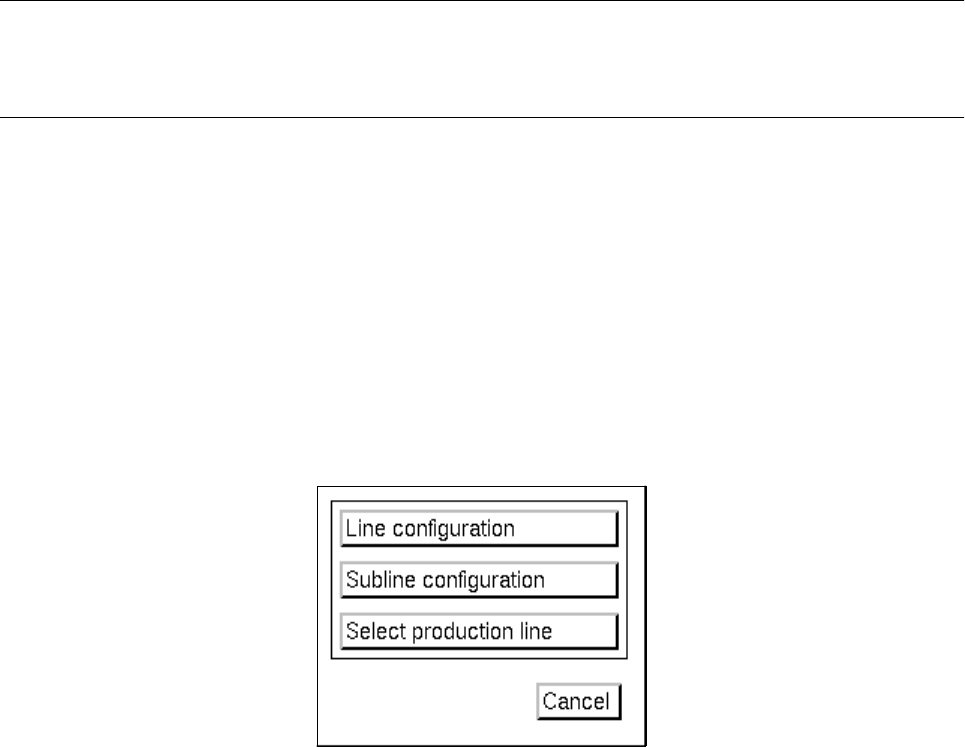
● On the desktop menu bar click on SERVICES --> Line configuration.
The "Line Configuration" selection window opens.
● Click on the Line configuration button.
The FSB containing the "Master data: Anlagen" directory opens.