00191413-01.pdf - 第358页
11 Production Tools / Optimization User Manual Line Computer UNIX 11.4 Optimization Dial og Software Version 501.xx 01/99 Issue 11 - 38 - Create This icon allows a new lot file to be created. ● Click on The windo w „Opti…
User Manual Line Computer UNIX 11 Production Tools / Optimization
Software Version 501.xx 01/99 Issue 11.4 Optimization Dialog
11 - 37
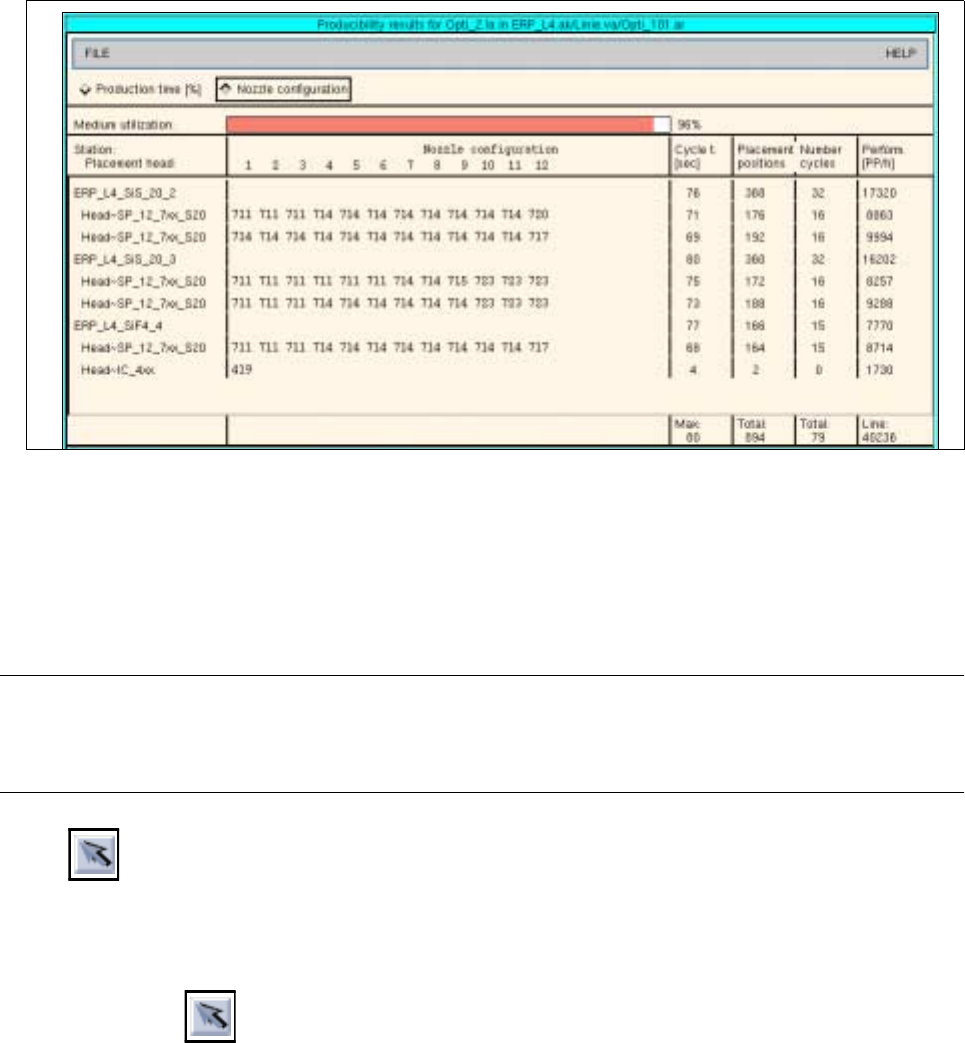
Fig. 11.4.5 „Producibility results for xx.la“ window for a job
11.4.5 Command Area „Edit“
In the command area, the icons are displayed by means of which lot files can be selected, created, edited and
displayed.
NOTE
Upon opening the Optimization Dialog, the "Select" icon is initially active. The latter remains active until
another icon is clicked on.
- Select
This icon allows the jobs and basic optimization data of a lot file to be displayed. Moreover, the
options of the SERVICES menu can be invoked for the selected lot file.
● Click on
● Click on a lot file in the "Lot file“ display area.
In the „Jobs“ display area the jobs are listed that are contained in the lot file that was clicked on.
In the „Basic optimization data“ field the associated basic optimization data are displayed.
● From the SERVICES menu click on an option for the selected lot file.
The appropriate windows are opened.

11 Production Tools / Optimization User Manual Line Computer UNIX
11.4 Optimization Dialog Software Version 501.xx 01/99 Issue
11 - 38
- Create
This icon allows a new lot file to be created.
● Click on
The window „Optimization dialog: create“ is opened.
● Enter the name (xx.lose) of the new lot file.
● Click on the OK button.
Job Control is opened.
● Create lot file (see chapt. 14).
- Change
This icon allows an existing lot file to be edited.
● Click on
● Click on the lot file you wish to edit.
Job Control is opened.
● Edit the lot file (see chapt. 14).
- Read in directory
This icon allows the directory of the lot files to be displayed. Moreover, by clicking on this icon a newly
created lot file can be read into the "Lot file" selection field.
● Click on
All lot files are being newly read in. The new lot file is displayed in the "Lot file" selection field.

User Manual Line Computer UNIX 11 Production Tools / Optimization
Software Version 501.xx 01/99 Issue 11.4 Optimization Dialog
11 - 39
For the automatic generation of runtime-optimized set-ups, the following steps must be performed:
● Start the Optimization dialog (see section 11.4.1).
● Create the lot file (see section 11.4.5).
● Edit the lot file (see chapt. 14).
● Create basic optimization data (see chapt. 14).
● Enter any required restrictions into the Restriction Editor (see chapt. 10).
● Change standard parameters, if required, or set job parameters (see section 11.4.3.1 and
section 11.4.3.3).
● Start the optimization process (see section 11.4.4).
● Start the producibility check (see section 11.4.3.8).
● Displaying optimization results and results of the producibility check (see section 11.4.4).
● Display and printout of the setup (see section 11.4.3.9).
● Setup of stations.
● Merging jobs and job list (see chapt. 14, section 14.2).
● Scheduling of jobs (see chapt. 14, section 14.2).