00191413-01.pdf - 第409页
User Manual Line Computer UNIX 13 Production Tools / Set-Up Software Version 501.xx 01/99 Issue 13.1 Set-Up Editor (Feeder Part and WPC Editors) 13 - 11 Fig. 13.1.6 Main Window of the WPC Editor for the Virtual Level Str…
13 Production Tools / Set-Up User Manual Line Computer UNIX
13.1 Set-Up Editor (Feeder Part and WPC Editors) Software Version 501.xx 01/99 Issue
13 - 10
13.1.2.3 Starting the WPC Editor for the Virtual Level of the HS180
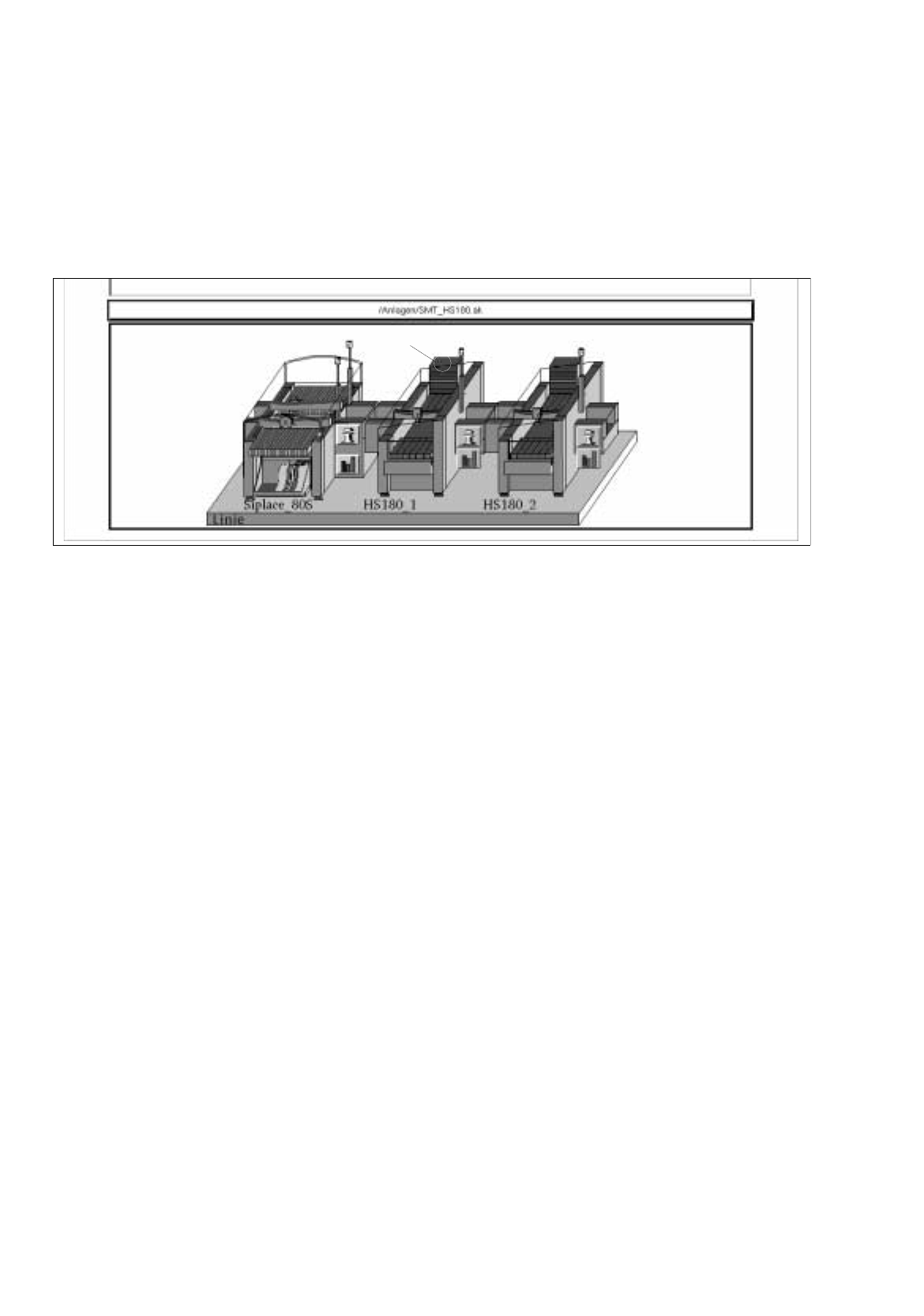
The Virtual Level of an HS180 is located above the left feeder part. Waffle-pack trays can be placed onto a
waffle-pack tray carrier at this level.
The WPC Editor for Virtual Levels is opened from the desktop (see Fig. 13.1.5).
Fig. 13.1.5 Starting the WPC Editor for the Virtual Level
●
Click on the Virtual Level.
The FSB containing the file selection "Set-up selection" is opened.
●
Select a set-up from the list or enter a name (xx.ar), click on OK.
The WPC Editor is opened.
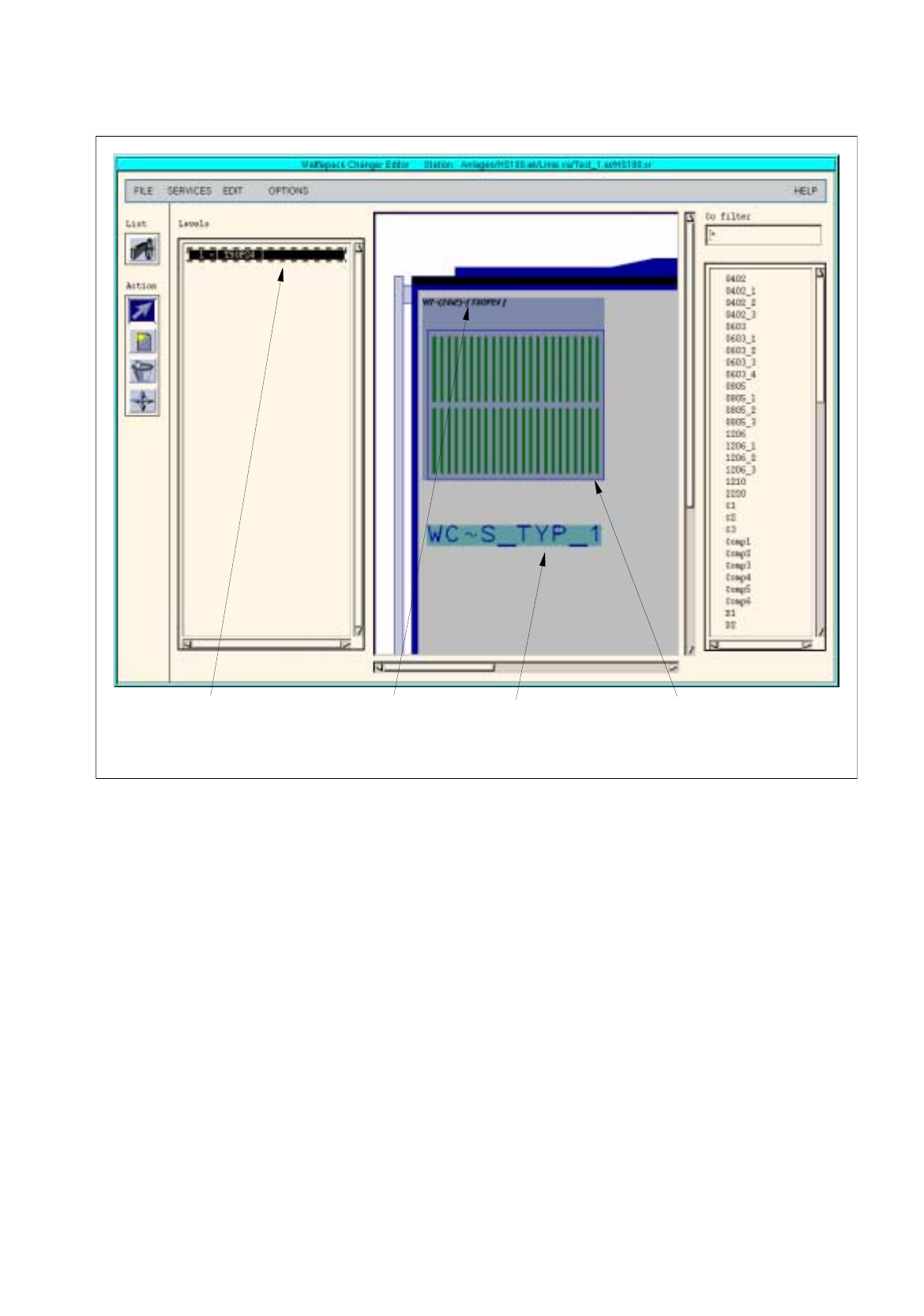
The WPC Editor for the Virtual Level disposes of one level only. For this level only type 1 waffle-pack trays can
be defined (see Fig. 13.1.6).
virtual level
User Manual Line Computer UNIX 13 Production Tools / Set-Up
Software Version 501.xx 01/99 Issue 13.1 Set-Up Editor (Feeder Part and WPC Editors)
13 - 11
Fig. 13.1.6 Main Window of the WPC Editor for the Virtual Level
Structure and operation of the WPC Editor for the Virtual Level and and that of the Waffle-Pack Changer are
identical and are described in detail in section 13.1.2.2.
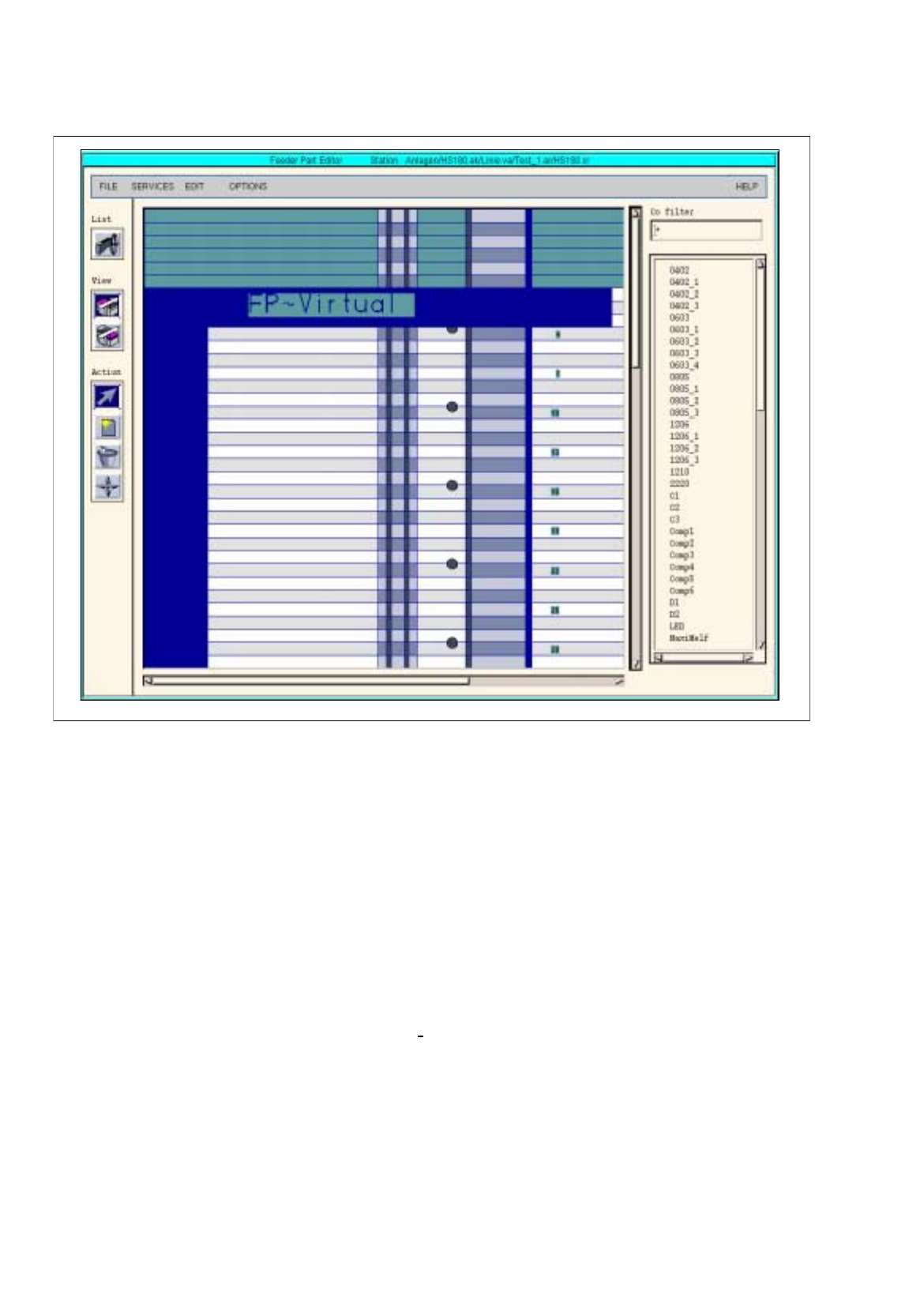
If a Virtual Level exists, the same is displayed upon opening the Feeder Part Editor. The waffle-pack trays
defined thereon are, however, not displayed (see Fig. 13.1.7).
However, no waffle-pack trays can be allocated. Allocations can only be made in the WPC Editor.
waffle-pack tra
y
waffle-pack tra
y
displa
y
area "Levels"
(
one level onl
y)
carrier
Entr
y
of spacin
g
(
here: 24x2
)
and
component
(
here: TSOP24
)
13 Production Tools / Set-Up User Manual Line Computer UNIX
13.1 Set-Up Editor (Feeder Part and WPC Editors) Software Version 501.xx 01/99 Issue
13 - 12
Fig. 13.1.7 Virtual Level in the Feeder Part Editor
13.1.3 SERVICES Menu
The SERVICES menu on the menu bar of both editors contains the following options:
-
Feeder list (see section 13.1.3.1 )
-
Options list (see section 13.1.3.2)
-
Packaging box (see section 13.1.3.3)
-
Nozzle Changer (see section 13.1.3.6)
-
RV head nozzle config. (see section 13.1.3.7)