00191413-01.pdf - 第565页
User Manual Line Computer UNIX 17.3 Description of Components and P CBs Software Version 501.xx 01/99 Issue 17.3.2 PCB 2: Focus on Packa g e Form Description 17 - 3 3 94. In the ’ Cent eri n g ’ sele ction box , act ivat…
17.3 Description of Components and PCBs User Manual Line Computer UNIX
17.3.2 PCB 2: Focus on Packa
g
e Form Description Software Version 501.xx 01/99 Issue
17 - 32
FILE
Save
FILE
Save
FILE
Quit
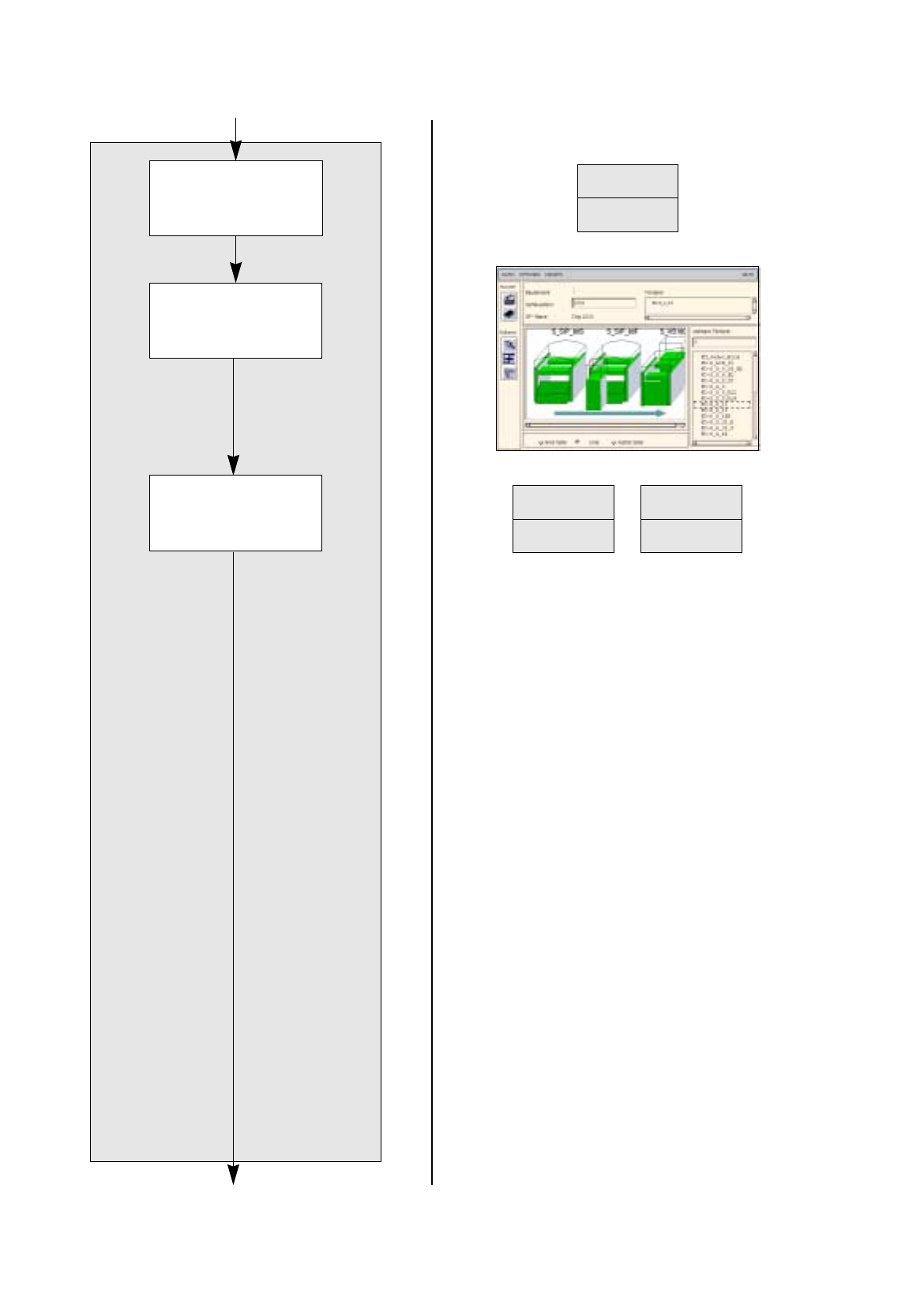
Allocating a package
form to a feeder
continued from pa
g
e 17-30
Saving package form
to feeder allocation
Package form description for pack. form 1503
continued on pa
g
e 17-34
Saving package form
data

User Manual Line Computer UNIX 17.3 Description of Components and PCBs
Software Version 501.xx 01/99 Issue 17.3.2 PCB 2: Focus on Packa
g
e Form Description
17 - 33
94. In the ’Centerin
g
’ selection box, activate the applicable buttons, here:
Centering in head
.
95. In this example, the preselected settin
g
s for the handlin
g
values, the handlin
g
instructions and the ’Acce-
leration’ special handlin
g
option can be accepted as the
y
are. No chan
g
es are re
q
uired.
96. Click on the
Save
option on the
FILE
menu.
The data are saved.
To allocate a feeder to package form 1503, proceed as follows:
97. On the
SERVICES
menu click on the
Starting Feeder Editor
option.
The Feeder Editor is opened.
98. Activate the
Allocate
icon .
99. Click on the
Line
button.
The entire line is hi
g
hli
g
hted in li
g
ht-
g
reen.
100.Click on the appropriate feeder on the list of placeable feeders, here:
FD~S_G_12
.
The feeder is transferred to the Feeder selection field.
101.In the Feeder Editor click on the
Save
option on the
FILE
menu.
The data are now saved.
102.Click on the
Quit
option on the
FILE
menu.
The Feeder Editor is closed.
103.In the Packa
g
e Form Editor click on the
Quit
option on the
FILE
menu.
The Packa
g
e Form Editor is closed.
17.3 Description of Components and PCBs User Manual Line Computer UNIX
17.3.2 PCB 2: Focus on Packa
g
e Form Description Software Version 501.xx 01/99 Issue
17 - 34
The adhesive pattern description is dispensed with.
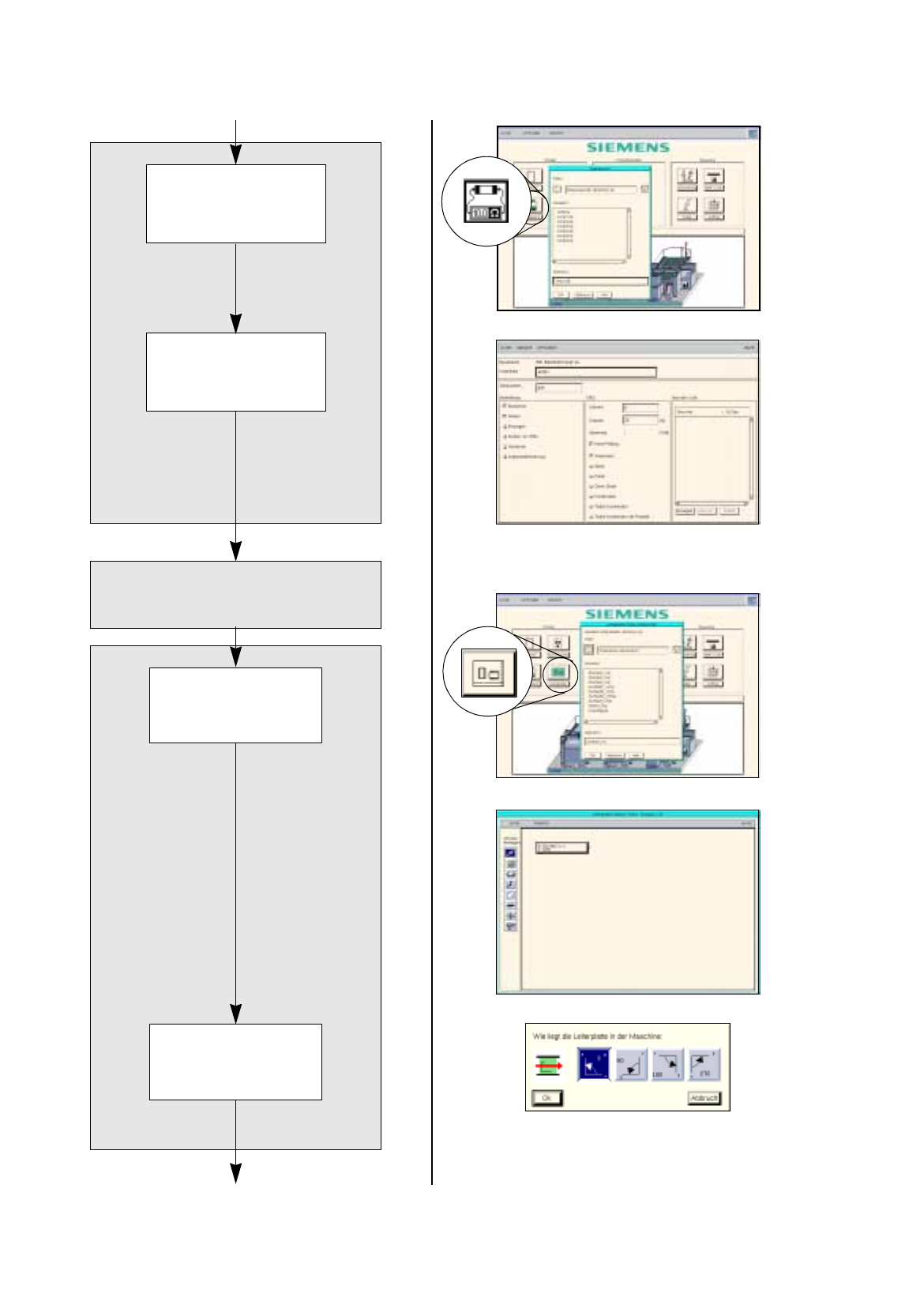
Opening the
Component Editor for
a component
Entering component
data
Component Editor
Adh. pattern description
Starting the PCB
Editor for a PCB
Entering the position
of the PCB in the
machine
PCB description
continued on pa
g
e 17-36
continued from pa
g
e 17-32