00191413-01.pdf - 第178页
User Manual Line Computer UNIX Software Version 501.xx 01/99 Issue 6 - II

User Manual Line Computer UNIX
Software Version 501.xx 01/99 Issue
6 - I
Contents
Page
Product / Package Form
6.1 Package Form Editor . . . . . . . . . . . . . . . . . . . . . . . . . . . . . . . . . . . . . . . . . . . . . . . . . . . . . . 6 - 1
6.1.1 Starting the Package Form Editor . . . . . . . . . . . . . . . . . . . . . . . . . . . . . . . . . . . . . . . . . . . . . 6 - 1
6.1.2 Main Window of Package Form Editor. . . . . . . . . . . . . . . . . . . . . . . . . . . . . . . . . . . . . . . . . .6 - 3
6.1.2.1 SERVICES Menu . . . . . . . . . . . . . . . . . . . . . . . . . . . . . . . . . . . . . . . . . . . . . . . . . . . . . . . . . .6 - 8
6.1.2.2 Area for general settings . . . . . . . . . . . . . . . . . . . . . . . . . . . . . . . . . . . . . . . . . . . . . . . . . . . . 6 - 9
6.1.2.3 Selection Field "Features" (PDC) - "Vision data" Screen . . . . . . . . . . . . . . . . . . . . . . . . . . . 6 - 10
6.1.2.4 Package Form Editor Command Area - "Vision data" Screen . . . . . . . . . . . . . . . . . . . . . . . 6 - 11
6.1.2.5 Package Form Editor Editing Fields - "Vision data" Screen . . . . . . . . . . . . . . . . . . . . . . . . . 6 - 12
6.1.2.6 View area - "Vision data" Screen . . . . . . . . . . . . . . . . . . . . . . . . . . . . . . . . . . . . . . . . . . . . .6 - 16
6.1.2.7 Package Form Editor Command Area - "Handling data" Screen . . . . . . . . . . . . . . . . . . . . . 6 - 18
6.1.2.8 View Area - "Handling Data" Screen . . . . . . . . . . . . . . . . . . . . . . . . . . . . . . . . . . . . . . . . . . 6 - 23
6.1.2.9 Settings for the "Acceleration" Special Handling . . . . . . . . . . . . . . . . . . . . . . . . . . . . . . . . . 6 - 24
6.1.2.10 Package Form Editor Selection Fields - "Handling data" Screen. . . . . . . . . . . . . . . . . . . . . 6 - 29
6.1.2.11 Package Form Editor Editing Fields - "Handling data" Screen. . . . . . . . . . . . . . . . . . . . . . . 6 - 31
6.1.3 Package Form Definition . . . . . . . . . . . . . . . . . . . . . . . . . . . . . . . . . . . . . . . . . . . . . . . . . . . 6 - 33
6.1.3.1 Definition of the Component’s Coordinate System. . . . . . . . . . . . . . . . . . . . . . . . . . . . . . . . 6 - 33
6.1.3.2 Description of a Package Form of the Type "FDC" . . . . . . . . . . . . . . . . . . . . . . . . . . . . . . . 6 - 36
6.1.3.3 Description of a Package Form of the "BGA" Type . . . . . . . . . . . . . . . . . . . . . . . . . . . . . . . 6 - 45
User Manual Line Computer UNIX
Software Version 501.xx 01/99 Issue
6 - II
User Manual Line Computer UNIX 6 Product / Package Form
Software Version 501.xx 01/99 Issue 6.1 Package Form Editor
6 - 1
6 Product / Package Form
6.1 Package Form Editor
The Package Form Editor enables the user to completely describe the components in terms of their geometry
characteristics.
In the Package Form Editor it is possible to edit a package form previously defined for a specific component
type, or to create a new package form for a component type. Each package form is identified by its GF-number
(name) (e.g. no. "960" for package type "QFP100").
6.1.1 Starting the Package Form Editor
-
In the "programming mode" the Package Form Editor is activated by clicking on the Package icon on
the desktop or via the Data Manager (see chapt. 4).
-
If the LC program was installed for the "control mode", the Package Form Editor can be started via the
"PRODUCT" menu on the desktop, or via the Data Manager.
●
Click on the Package icon on the desktop (or the "Package Form Editor" option on the
"PRODUCT" menu).
●
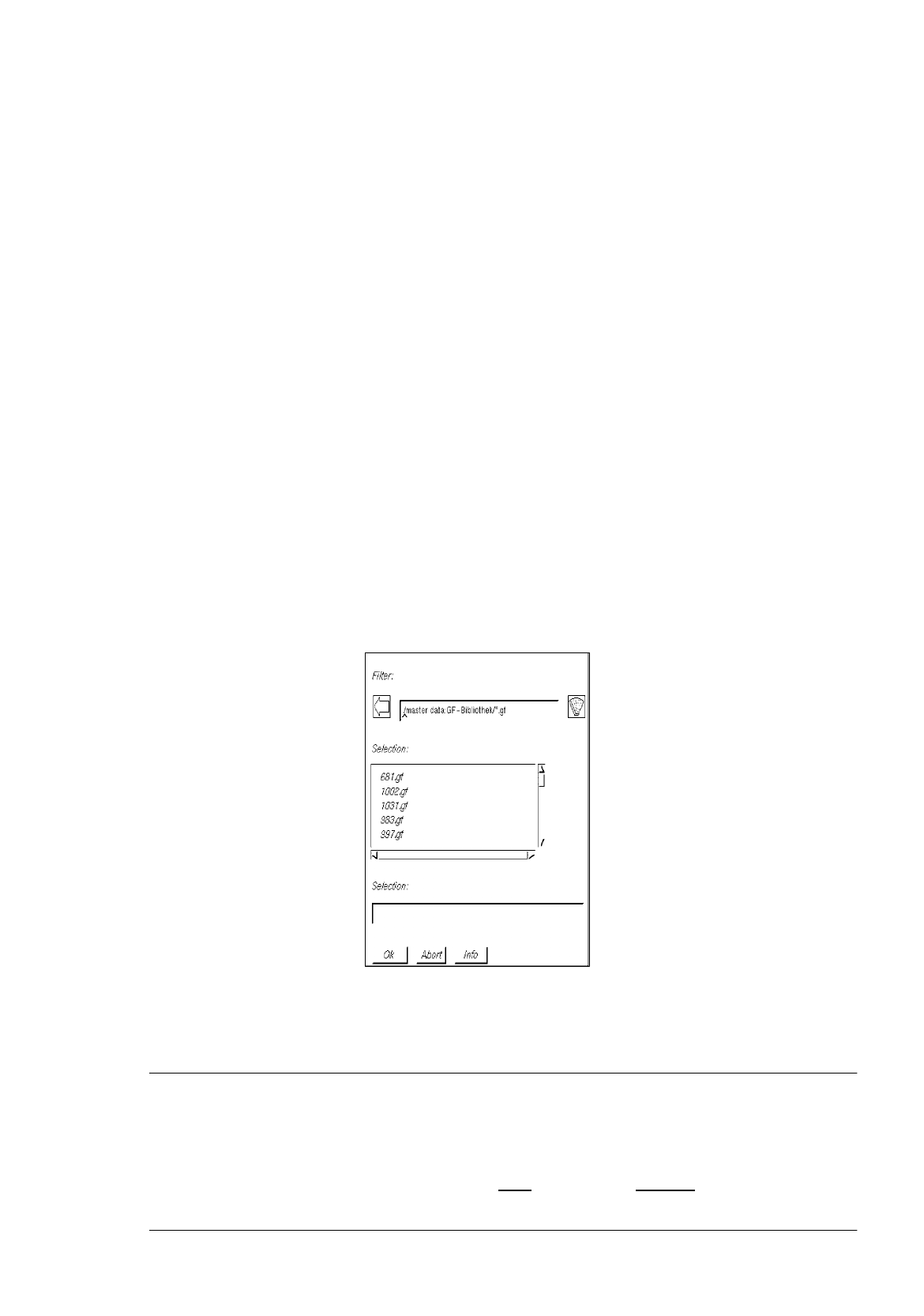
Select number "xxx.gf" of the desired package form by double-clicking or enter new number on
the keyboard and confirm with OK.
The main window containing the Package Form Editor (see Fig. 6.1.1) is opened.
NOTE
Numbers ranging from 1 to 32767 can be assigned to package forms. The numbers from 1 to 1499
are reserved for package forms already defined or still to be defined by SIEMENS PL EA V.
The range from 1500 to 32767 can be used for the assignment of new package form numbers. Any
name assigned to a package form may comprise max.
20 characters, including the suffix ".gf". Some
characters must not used for the assignment of names, for details see chapt. 2, section 2.3).