00191413-01.pdf - 第147页
User Manual Line Computer UNIX 4 Data Management Software Version 501.xx 01/99 Issue 4.5 F ile Display User Interface 4 - 37 4.5.2. 1 FI LE me nu - Opening This opt ion can b e used to select a new fil e whose c ontents …
4 Data Management User Manual Line Computer UNIX
4.5 File Display User Interface Software Version 501.xx 01/99 Issue
4 - 36
4.5.2 Main Window of File Display
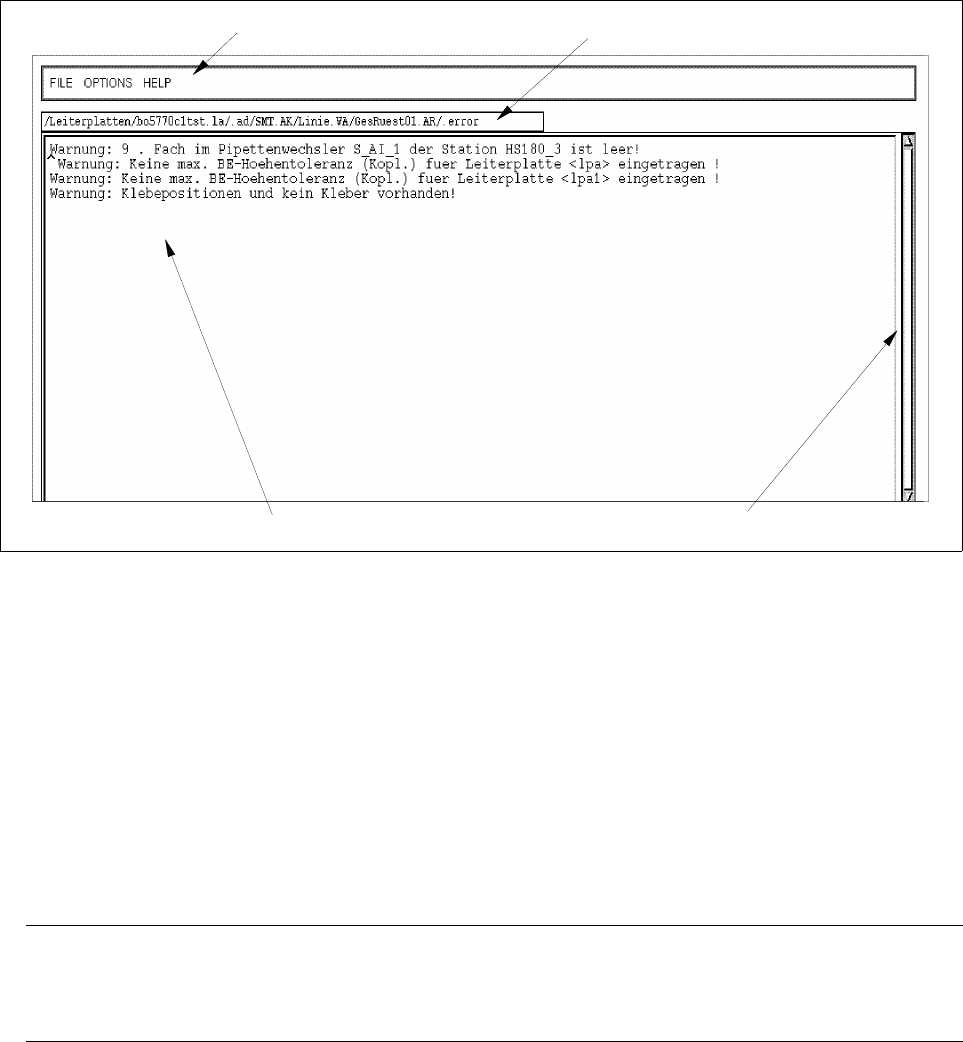
In the following, the areas of the main window and their functions are explained.
Fig. 4.5.1 Main Window "File Display - Error File"
The main window is subdivided as follows:
- Menu bar
- Status bar
- Display area
Menu bar
The menu bar contains the menus "FILE", OPTIONS", and "HELP". The first menu option of the "FILE" menu
is explained in section 4.5.2.1. The "OPTIONS" menu is described in section 4.5.2.2.
NOTE
Since the functions and operation of the "FILE" and "HELP" menus are similar to those in other application
programs of the line computer, they are described comprehensively in chapt. 2 of this manual.
Status bar
The status bar displays the complete path in which the opened file is stored.
Display area
In this area the contents of the currently open file is presented. If the file contains more information than can fit
in the display area, the contents can be scrolled by means of the vertical scroll bar.
menu bar
display area
scroll bar
status bar
User Manual Line Computer UNIX 4 Data Management
Software Version 501.xx 01/99 Issue 4.5 File Display User Interface
4 - 37
4.5.2.1 FILE menu
- Opening
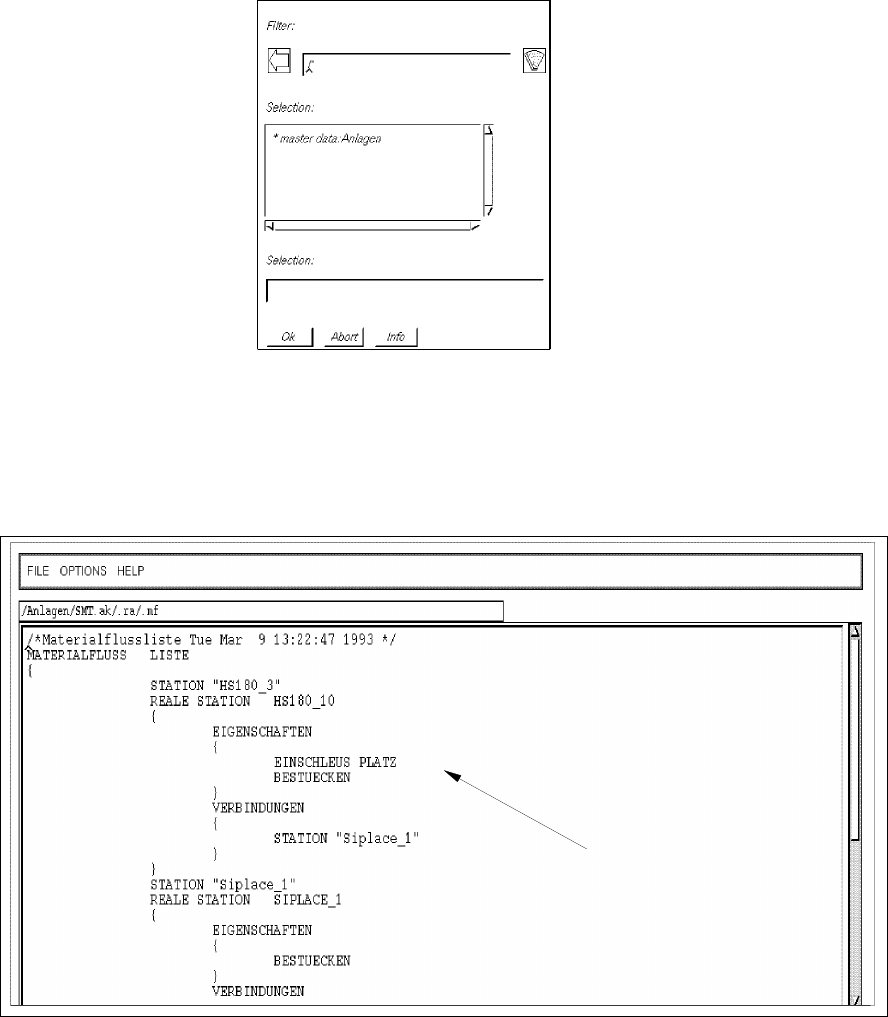
This option can be used to select a new file whose contents are to be displayed in the display area.
● Select FILE --> Open...
Depending on the data type selected under Options (see page 4 - 38) an FSB containing the
applicable filter is opened. The following example is valid for the setting "Line configuration lists".
● Successively select the entries master data: Anlagen, SMT.ak, .ra and .mf displayed in the FSB, by
double-clicking (or else by clicking once and confirming the selection with OK in each case).
The FSB is closed and the line configuration list of the line is displayed in the main window of the
File Display.
Fig. 4.5.2 Main Window "File Display - Line Configuration List"
line configuration list
4 Data Management User Manual Line Computer UNIX
4.5 File Display User Interface Software Version 501.xx 01/99 Issue
4 - 38
4.5.2.2 OPTIONS menu
- Data Type
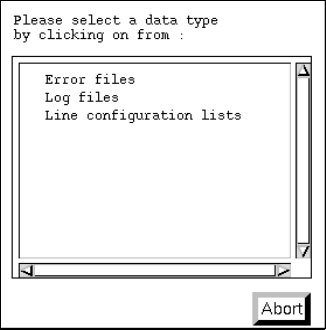
This menu option enables a filter to be selected from a number of predefined filters which will then
appear in the FSB as the default setting upon selecting "FILE --> Open...".
● Select OPTIONS --> Data type.
The dialog box containing the listing of the predefined filters is opened.
● Click on desired data type, e.g. Error files (or Abort if the dialog box is to be closed without
selecting a filter).
The dialog box is closed.
- Printer Selectionl
This menu items enables an installed printer to be selected.
● Select OPTIONS --> Printer selection.
The window for the printer selection is opened.
● Select desired printer type and confirm the selection with OK.
- Saving State
This menu item enables the data type and printer selected under Options to be saved so that these
presettings will be available immediately when the File Display is restarted.
● Click on OPTIONS --> Save state.
The currently set options for the data type and the printer selection are saved as default
settings.