FlexTRAK OH Material Handler Manual.pdf - 第100页
FlexTRAK-OH Material Handli ng System IOM Manual Material Handler Operation 4-12 © 2023 Nordson C orporation 4.9.5 Load / Unl oad Magazine ID (MI D) Reader Select LOAD MID READER or UNLO AD MID READ ER from the C ontrol …
FlexTRAK-OH Material Handling System IOM Manual Material Handler Operation
© 2023 Nordson Corporation 4-11
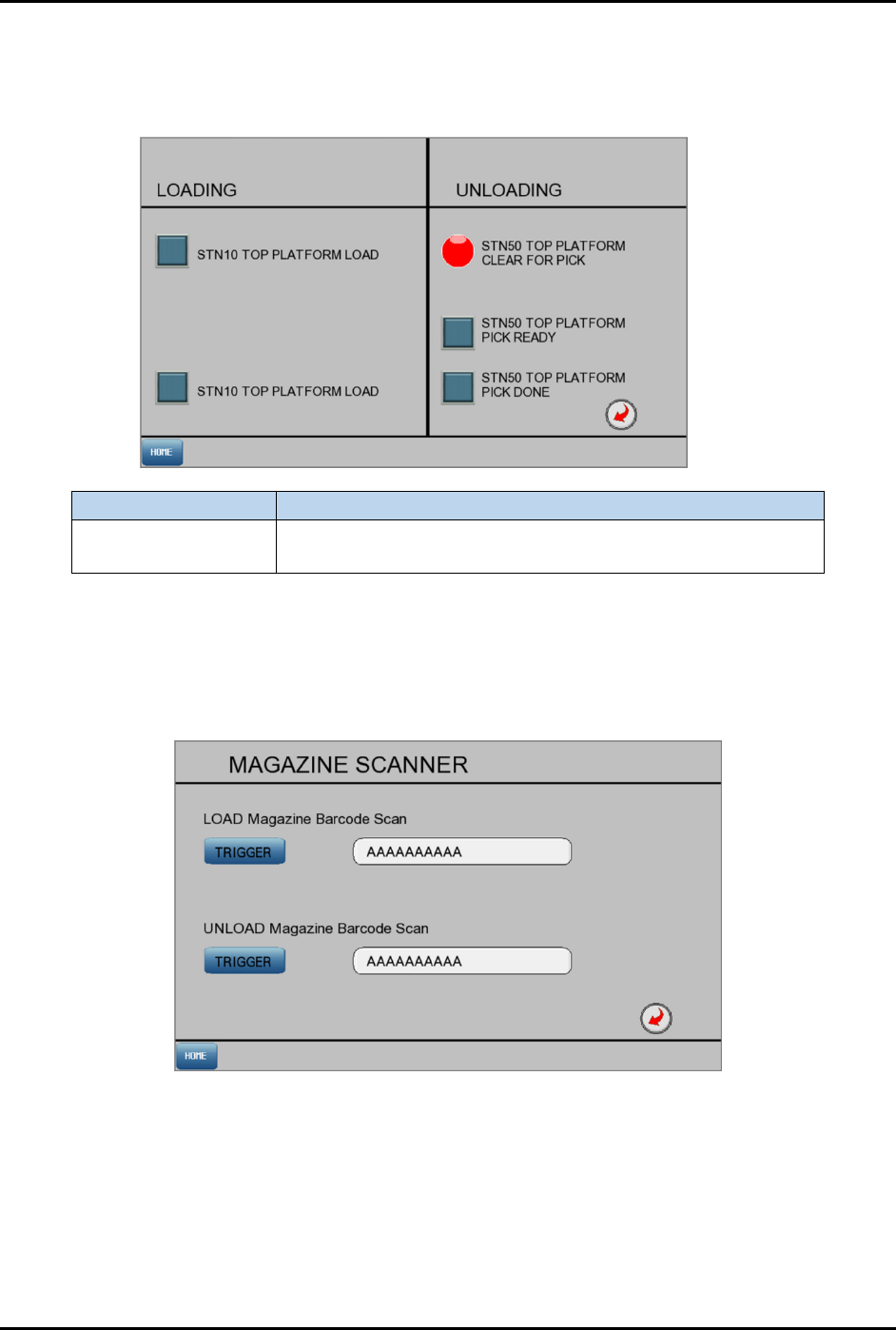
4.9.3 OHT (Overhead Transfer) Load/Unload Signal
Select LOAD/UNLOAD SIGNAL from the Control screen (Figure 4-9) to open the Loading/Unloading
screen (Figure 4-12).
Label
Description
Loading/Unloading
Signal
Dark blue/red: OFF mode. Statement beside switch is false.
Light blue/green: ON mode. Statement beside switch is true.
Figure 4-12 Load/Unload Signal Screen
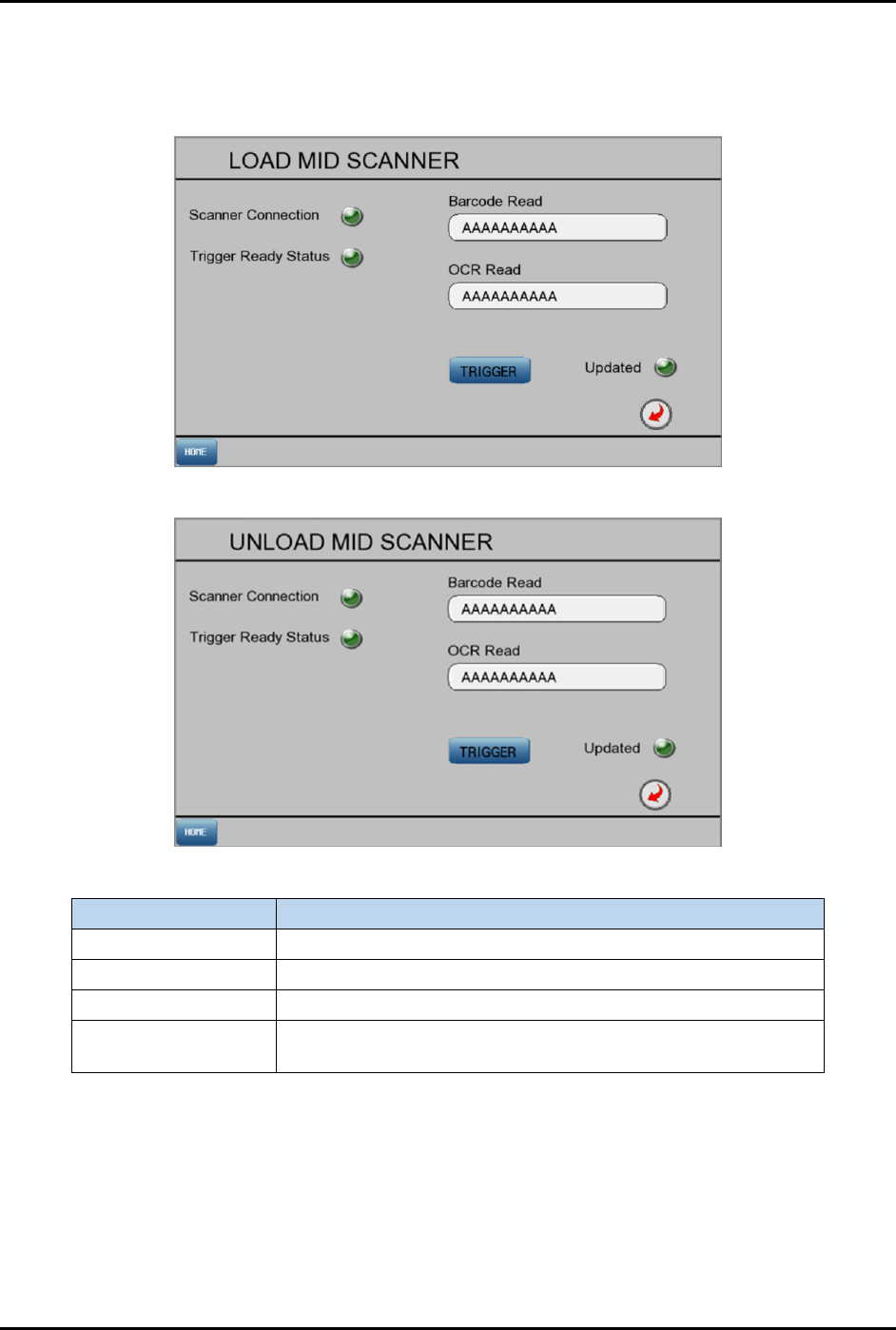
4.9.4 Magazine Reader
Select MAGAZINE READER from the Control screen (Figure 4-9) to open the Magazine Scanner screen
(Figure 4-13) Press the
TRIGGER button to read the barcode data from load and unload magazine.
Figure 4-13 Magazine Reader Screen
FlexTRAK-OH Material Handling System IOM Manual Material Handler Operation
4-12 © 2023 Nordson Corporation
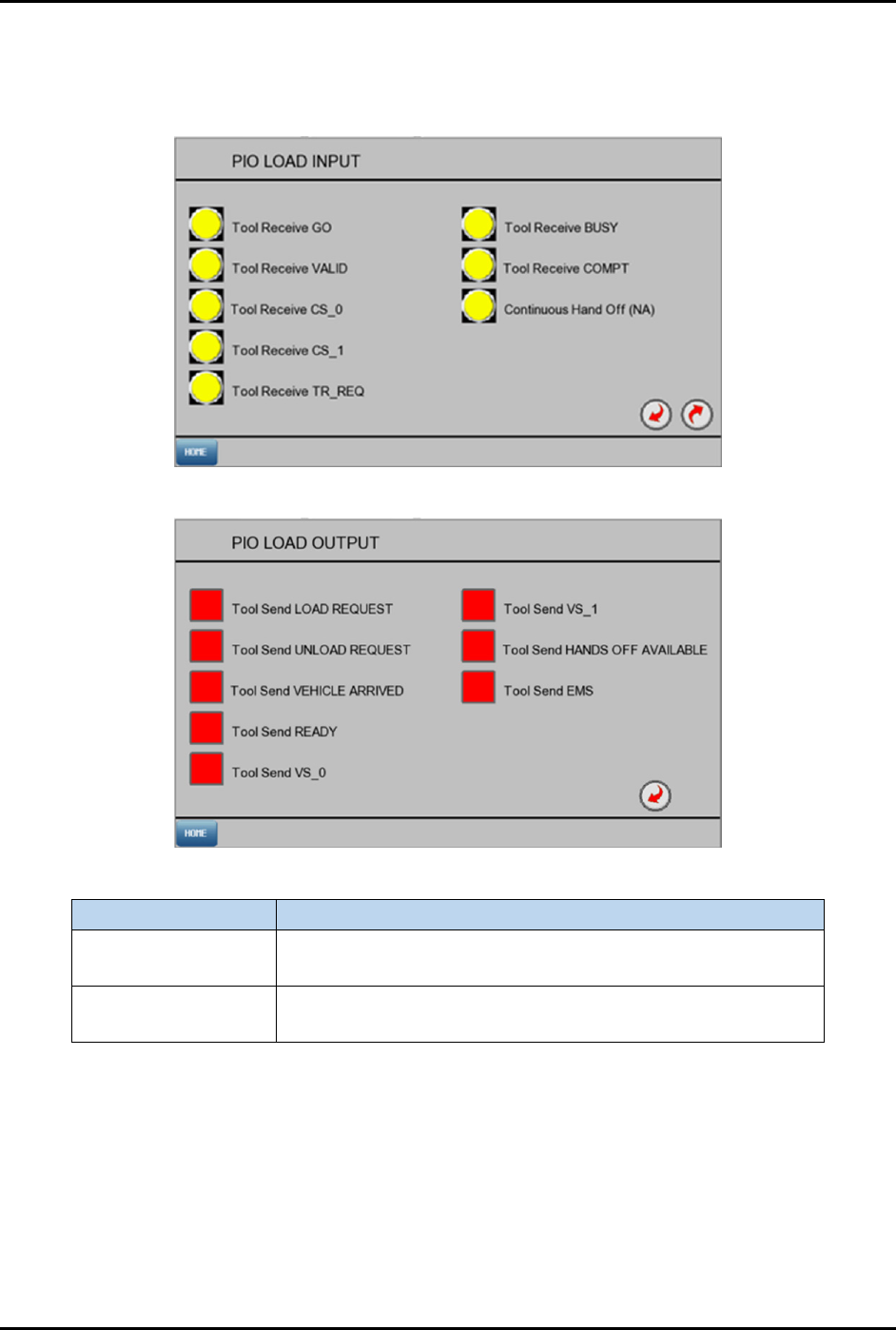
4.9.5 Load/Unload Magazine ID (MID) Reader
Select LOAD MID READER or UNLOAD MID READER from the Control screen (Figure 4-9) to open the
Load/Unload MID Scanner screens (Figure 4-14).
Load MID Scanner
Unload Load MID Scanner
Label Description
Scanner connection
Indicates network status of scanner with PLC.
Trigger ready status
Indicates scanner readiness status to capture code data.
Trigger
Once pressed, barcode reader will read the code data.
Updated
Indicates the presence code shown in the form is the updated
data.
Figure 4-14 Loader and Unloader Scanner Screens
FlexTRAK-OH Material Handling System IOM Manual Material Handler Operation
© 2023 Nordson Corporation 4-13
4.9.6 PIO Load Input/Output
Select LOAD PIO IO from the Control screen (Figure 4-9) to open the PIO Load Input and PIO Load
Output screens (Figure 4-15).
PIO Load Input
PIO Load Output
Label
Description
PIO Load Input
Yellow: PLC not receiving signal from PIO Load.
Green: PLC received signal from PIO Load.
PIO Load Output
Red: PLC is not sending signal to PIO Load.
Green: PLC is sending signal to PIO Load.
Figure 4-15 PIO Load Input/Output Screens