FlexTRAK OH Material Handler Manual.pdf - 第109页
FlexTRAK-OH Material Handli ng System IOM Manual Material Handler Operation © 2023 Nordson C orporation 4-21 4.12.1 Station 10 The red highlighted a rea in Figure 4- 25 shows the loca tion of Station 10 (loa ding module)…
FlexTRAK-OH Material Handling System IOM Manual Material Handler Operation
4-20 © 2023 Nordson Corporation
4.12 Motor Interface and Control Switch Settings
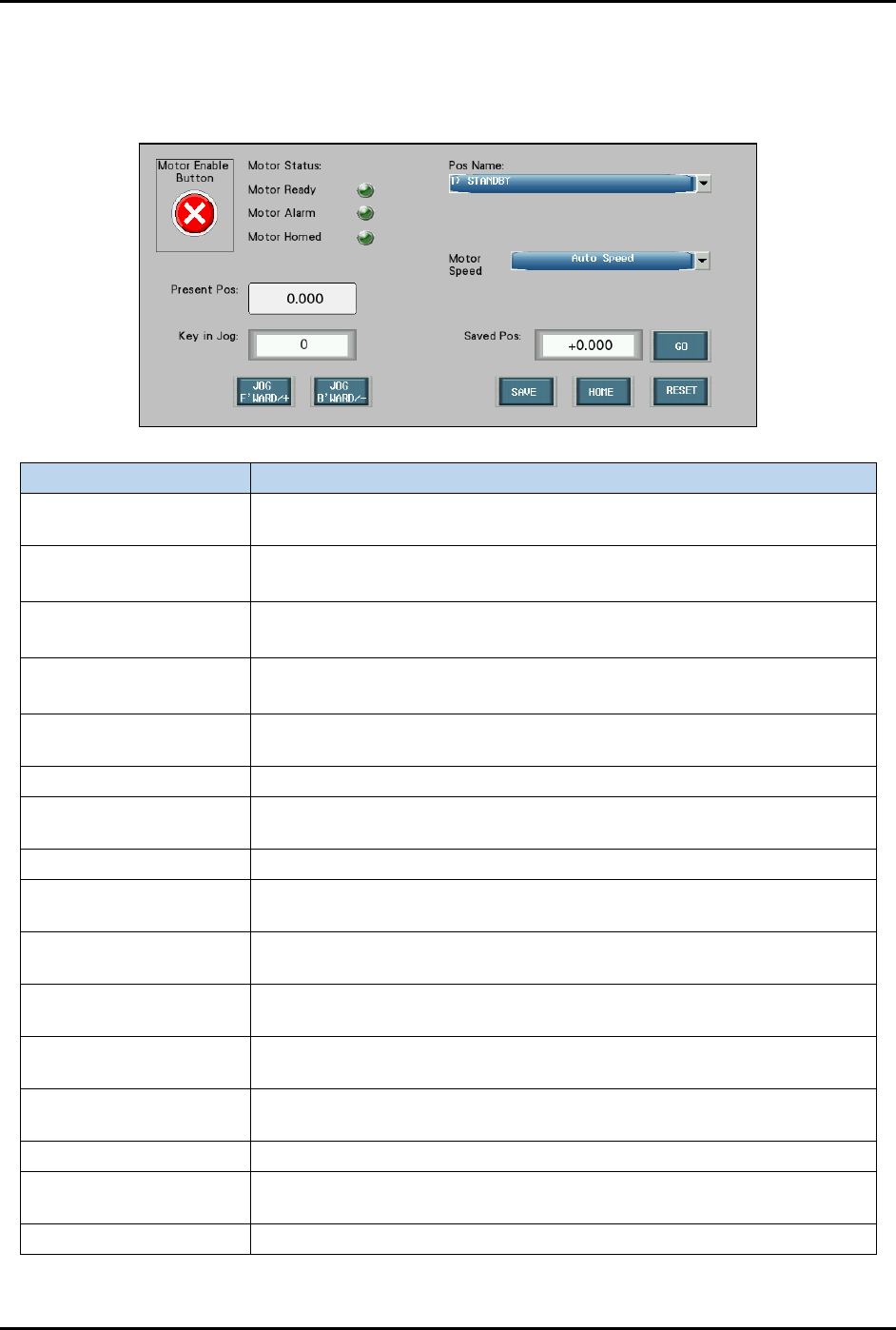
Figure 4-24 shows an overview of motor interface and control switch setting screen. This screen is similar
for all stations 10 to 60.
Label Description
Motor Enable Button
Enables (green tick) or disables (red cross) motor actuation task on the
station axis.
Motor Ready
Light green: Motor is ready to be actuated.
Dark green: Motor is not ready to be actuated.
Motor Alarm
Light green: Motor is faulty.
Dark green: Motor is in good condition.
Motor Homed
Light green: Axis flag is at the limit sensor (home position).
Dark green: Axis flag is away from the limit sensor (home position).
Pos Name
Indicates the current motor position name. The drop-down menu will
display the list of available motor axis positions to choose from.
Motor Speed Shows the list of motor actuation speed mode.
Present Pos
Indicates current axis flag position versus the limit sensor (home
position).
Key in Jog The input value for the axis jogging step measurement (in mm).
Saved Pos
Overwrite the previous saved position and replace with the current axis
position name. Then press GO button to start.
Jog Forward/+
Actuates the axis motor to position the axis platform to the machine
front (Y-axis) and left (X-axis) sides.
Jog Backward/-
Actuates the axis motor to position the axis platform to the machine rear
(Y-axis) and right (X-axis) sides.
Jog Upward/+
Actuates the axis motor to position the axis platform to the machine top
side (Z-axis).
Jog Downward/-
Actuates the axis motor to position the axis platform to the machine
bottom side (Z-axis).
Save Save all the motor parameters setup for current selected station.
Home
Actuates the axis motor to position the axis platform to the home
position.
Reset Clears all the motor alarms.
Figure 4-24 Motor Interface and Control Switch Settings
FlexTRAK-OH Material Handling System IOM Manual Material Handler Operation
© 2023 Nordson Corporation 4-21
4.12.1 Station 10
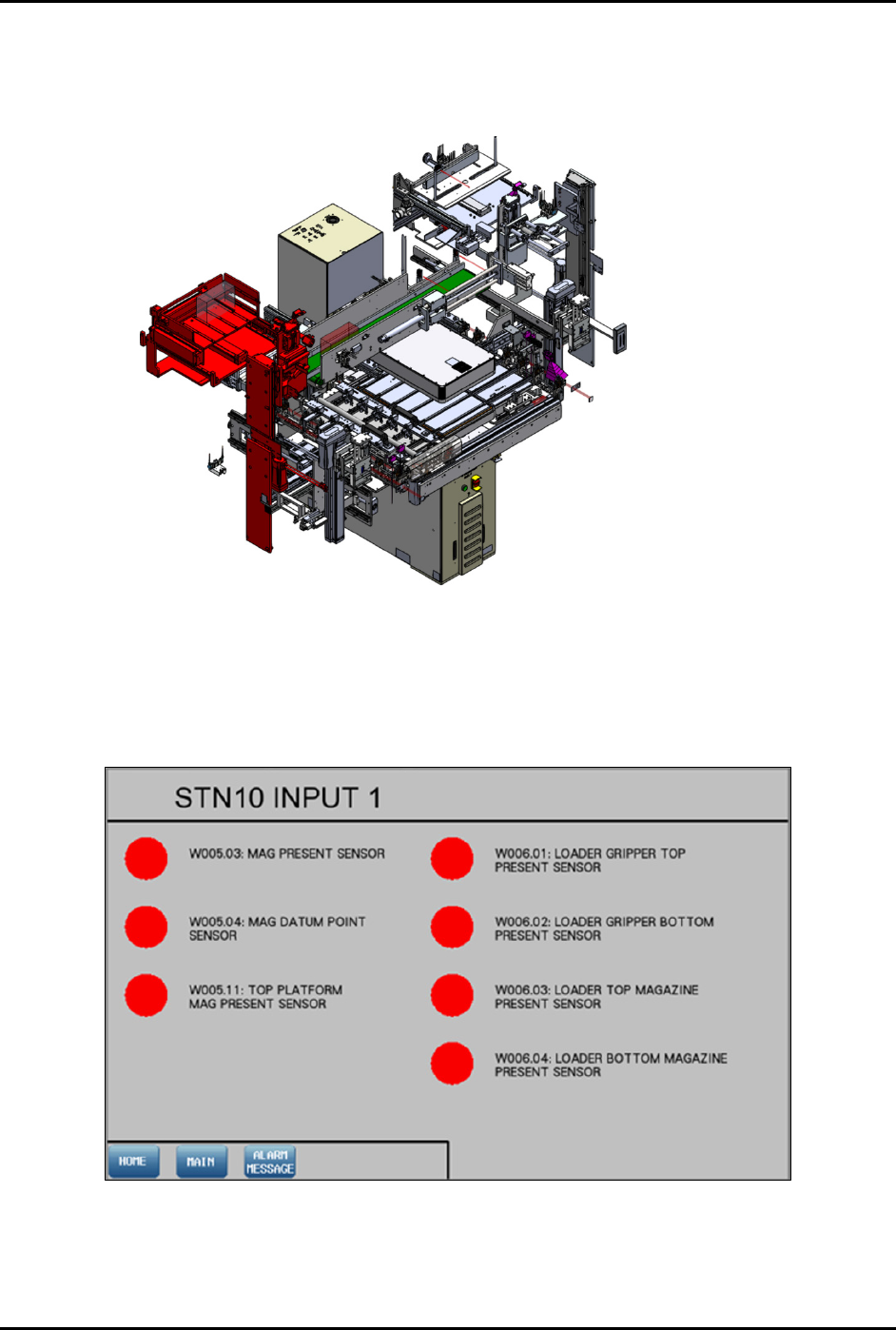
The red highlighted area in Figure 4-25 shows the location of Station 10 (loading module) in the
FlexTRAK-OH.
Figure 4-25 Station 10 (Loading Module) Location
4.12.1.1 Input Screen
Main Screen – Refer to 4.11 Station Main Menu Layout for interface descriptions.
Input and Output Mode – Refer to 4.10 General I/O Screen for interface descriptions.
Figure 4-26 Station 10 – Input 1
FlexTRAK-OH Material Handling System IOM Manual Material Handler Operation
4-22 © 2023 Nordson Corporation
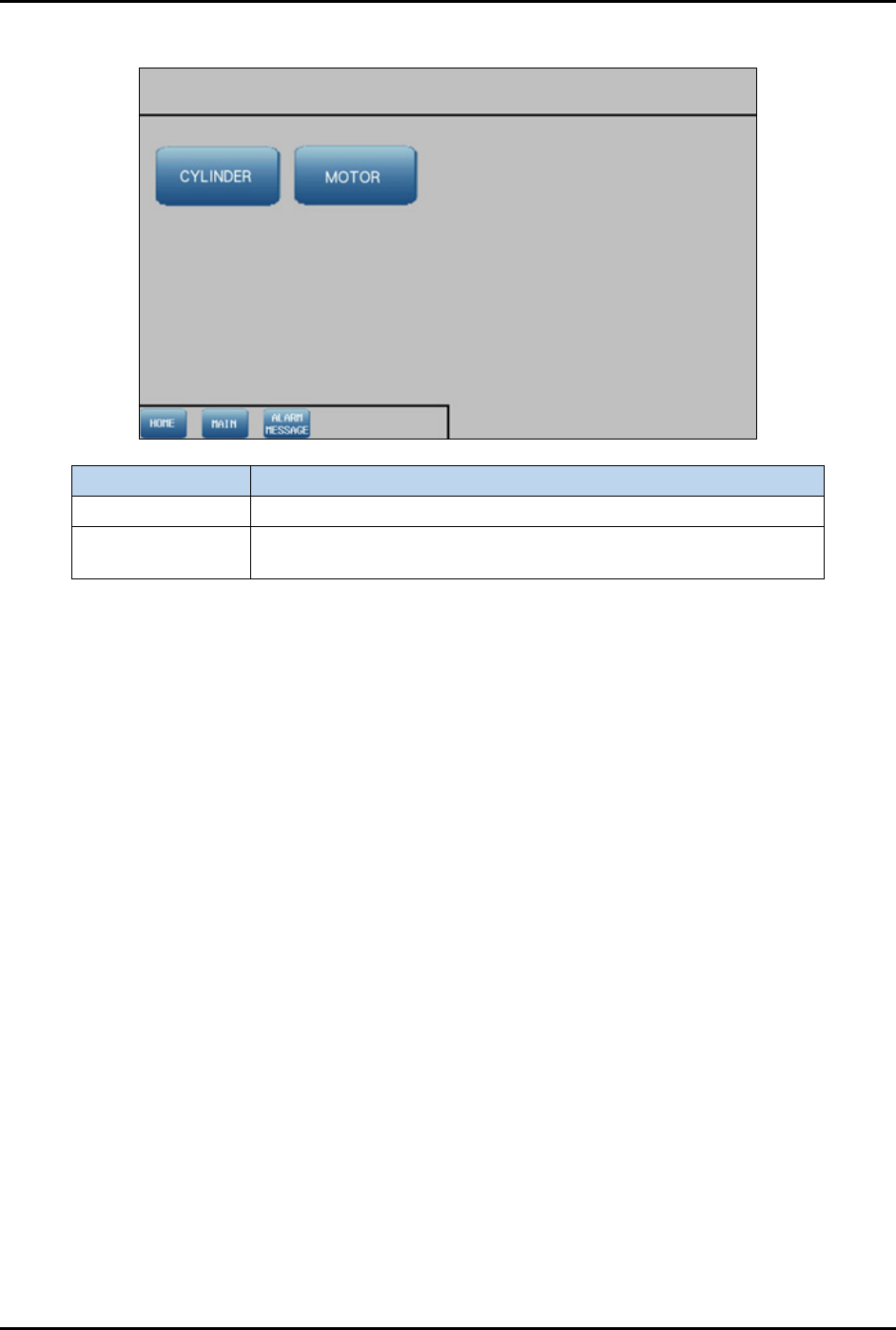
4.12.1.2 Device Control Screen
Label
Description
Cylinder Shows the control list of electro-pneumatic cylinders.
Motor
Shows the configuration list of motor driver parameters and the
axis platform position.
Figure 4-27 Device Control Screen