FlexTRAK OH Material Handler Manual.pdf - 第157页
FlexTRAK-OH Material Handli ng System IOM Manual Material Handler Operation © 2023 Nordson C orporation 4-69 4.17 Conversion Kit RFID Setup 1. P ress the CO NTROL button on the Home S creen ( Figure 4- 113 ). Figure 4- 1…
FlexTRAK-OH Material Handling System IOM Manual Material Handler Operation
4-68 © 2023 Nordson Corporation
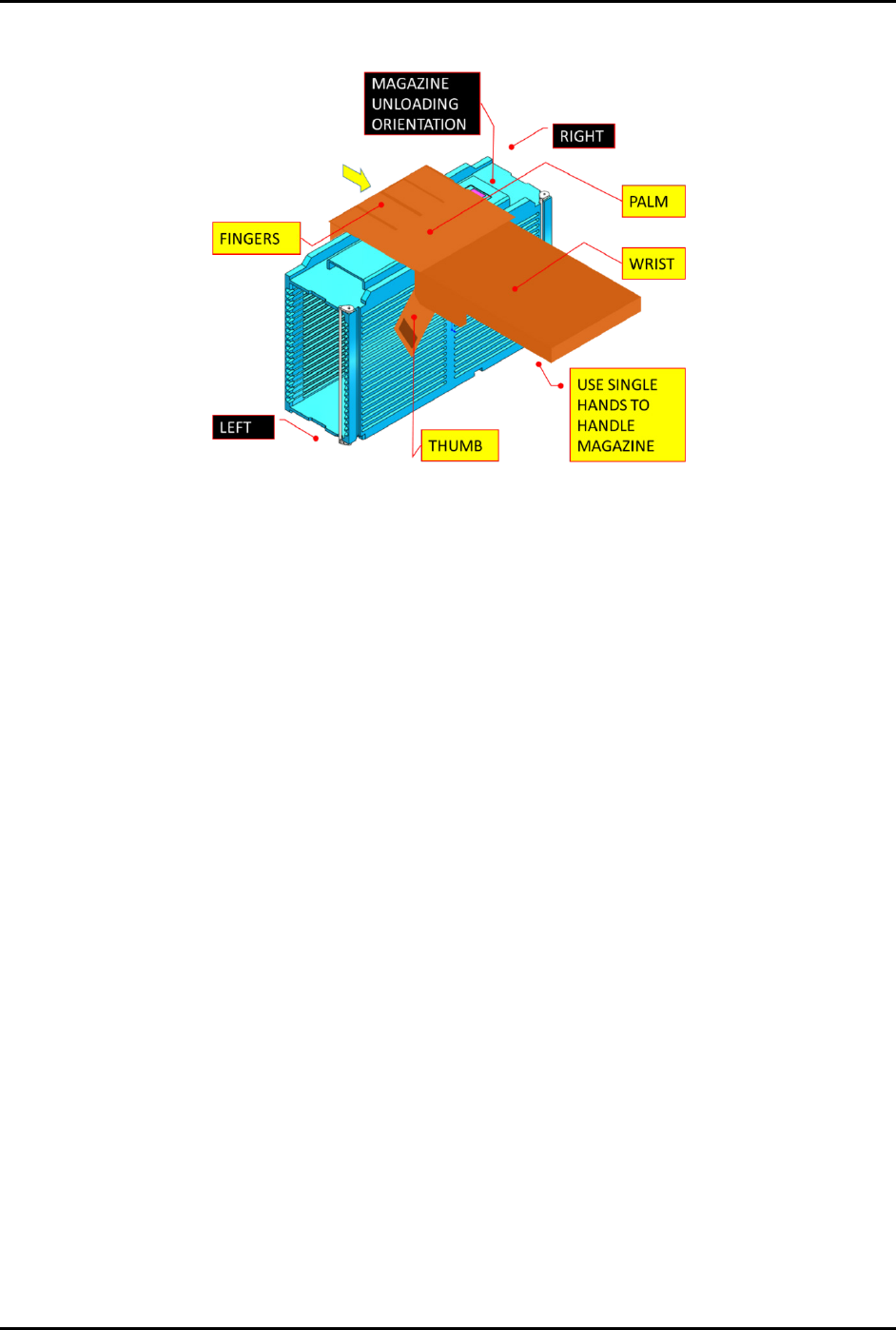
4. Lift up the magazine and pull the magazine out from the guiding bar (Figure 4-112).
Figure 4-112 Unloading the Magazine
5. Carefully unload the magazine from the machine.
6. Place the magazine at the designated location and close the access cover.
7. Repeat Step 1 through Step 6 to unload another magazine.
FlexTRAK-OH Material Handling System IOM Manual Material Handler Operation
© 2023 Nordson Corporation 4-69
4.17 Conversion Kit RFID Setup
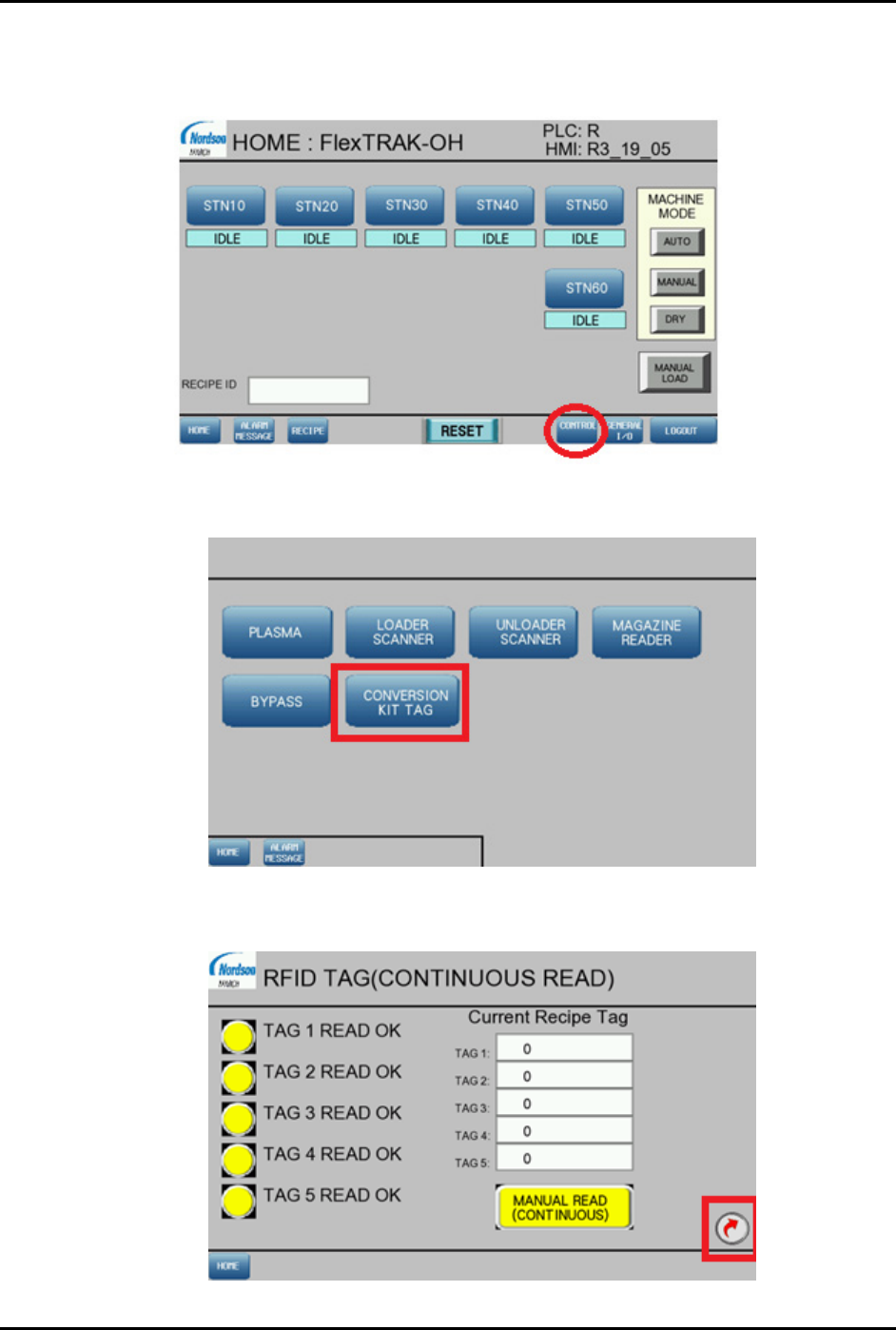
1. Press the CONTROL button on the Home Screen (Figure 4-113).
Figure 4-113 Home Screen – Control Button
2. Press CONVERSION KIT TAG (Figure 4-114).
Figure 4-114 Control Screen – Conversion Kit Tag
3. Press the next page icon on bottom right corner (Figure 4-115).
Figure 4-115 RFID Tab – Screen 1
FlexTRAK-OH Material Handling System IOM Manual Material Handler Operation
4-70 © 2023 Nordson Corporation
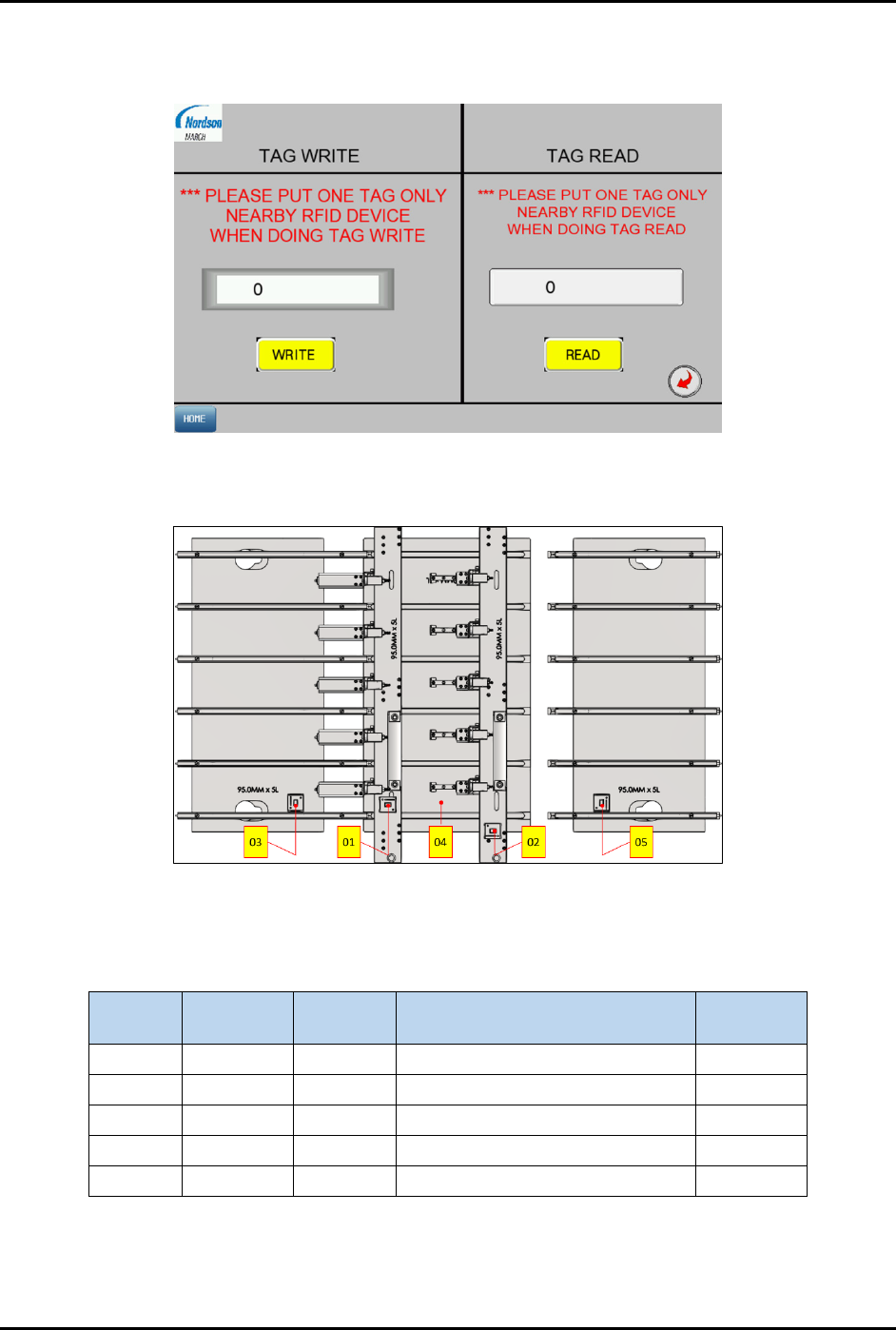
4. Enter the dedicated RFID tag parts ID into the screen (Figure 4-116).
The following steps explain how to determine the tag ID.
Figure 4-116 RFID Tab – Screen 2
a. Identify the RFID location in the strip lane kit module (Figure 4-117).
Figure 4-117 Identify the RFID Location
b. The RFID Tag ID labeling convention is shown in Table 4-6.
Table 4-6 RFID Labeling Convention
Tag No.
Strip Size
(mm)
Lane
Quantity
Strip Lane Kit Module Tag ID
TAG 1 74.00 6 01 – Loader Claw 7400601
TAG 2
74.00
6
02 – Unloader Claw
7400602
TAG 3 74.00 6 03 – Loader Input Buffer Plate 7400603
TAG 4 74.00 6 04 – Plasma Buffer Plate 7400604
TAG 5 74.00 6 05 – Unloader Input Buffer Plate 7400605