FlexTRAK OH Material Handler Manual.pdf - 第102页
FlexTRAK-OH Material Handli ng System IOM Manual Material Handler Operation 4-14 © 2023 Nordson C orporation 4.9.7 PIO Unlo ad Input/Out put Select UNLOAD PIO IO fr om the Control screen ( Figure 4-9 ) to op en the PIO U…
FlexTRAK-OH Material Handling System IOM Manual Material Handler Operation
© 2023 Nordson Corporation 4-13
4.9.6 PIO Load Input/Output
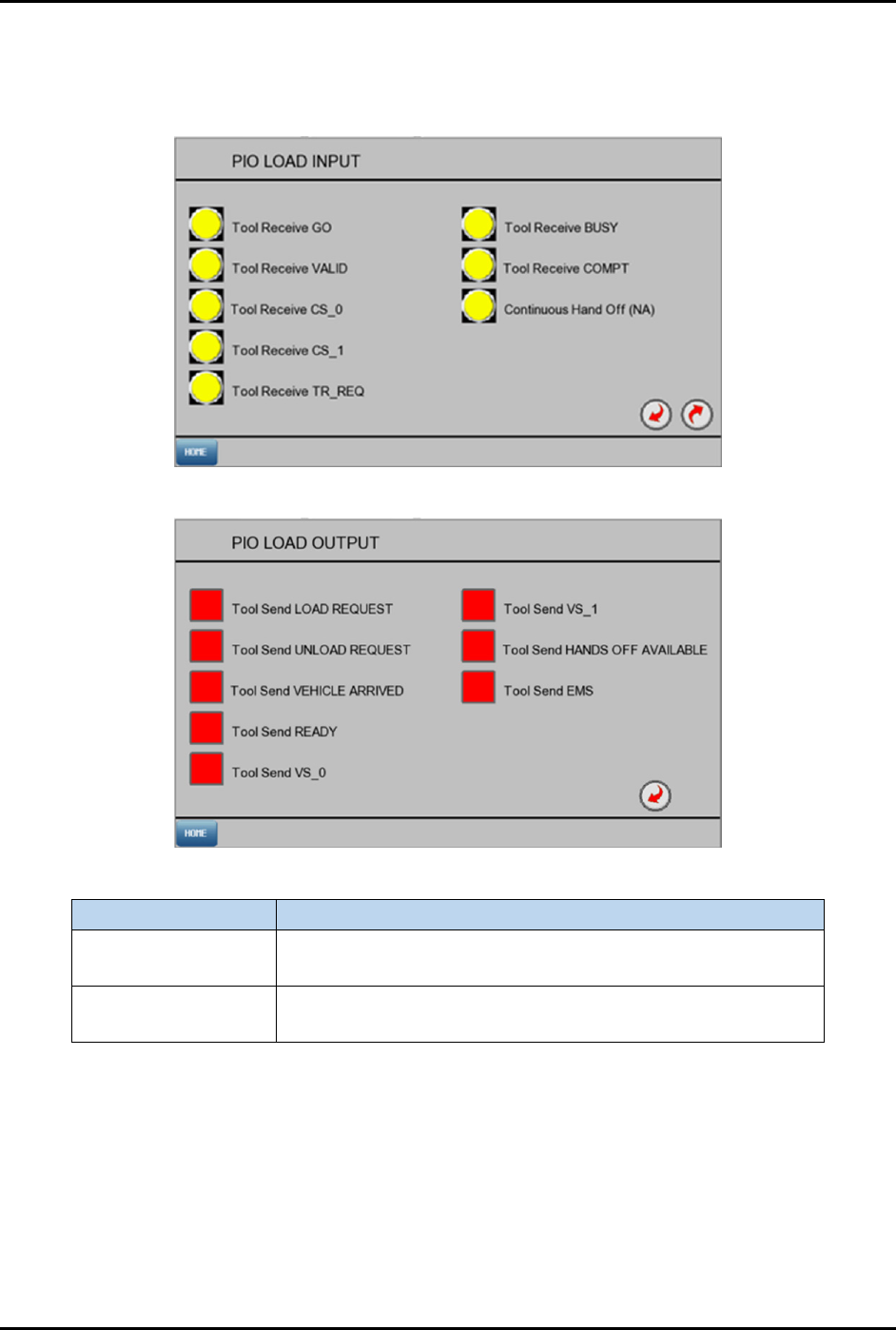
Select LOAD PIO IO from the Control screen (Figure 4-9) to open the PIO Load Input and PIO Load
Output screens (Figure 4-15).
PIO Load Input
PIO Load Output
Label
Description
PIO Load Input
Yellow: PLC not receiving signal from PIO Load.
Green: PLC received signal from PIO Load.
PIO Load Output
Red: PLC is not sending signal to PIO Load.
Green: PLC is sending signal to PIO Load.
Figure 4-15 PIO Load Input/Output Screens
FlexTRAK-OH Material Handling System IOM Manual Material Handler Operation
4-14 © 2023 Nordson Corporation
4.9.7 PIO Unload Input/Output
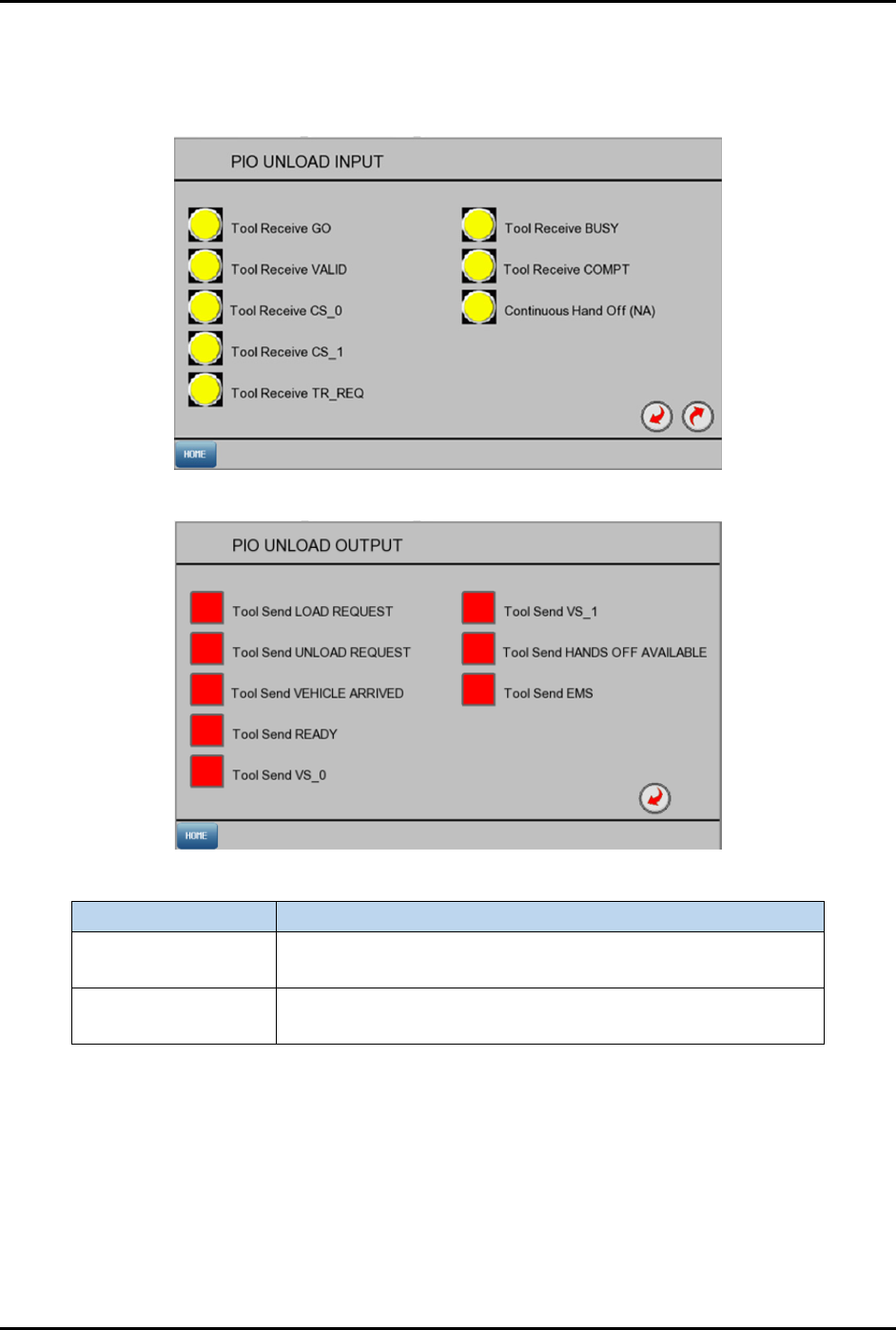
Select UNLOAD PIO IO from the Control screen (Figure 4-9) to open the PIO Unload Input and PIO
Unload Output screens (Figure 4-16).
PIO Unload Input
PIO Unload Output
Label
Description
PIO Unload Input
Yellow: PLC not receiving signal from PIO Unload.
Green: PLC received signal from PIO Unload.
PIO Unload Output
Red: PLC is not sending signal to PIO Unload.
Green: PLC is sending signal to PIO Unload.
Figure 4-16 PIO Unload Input/Output Screens
FlexTRAK-OH Material Handling System IOM Manual Material Handler Operation
© 2023 Nordson Corporation 4-15
4.9.8 Conversion Kit RFID Tag
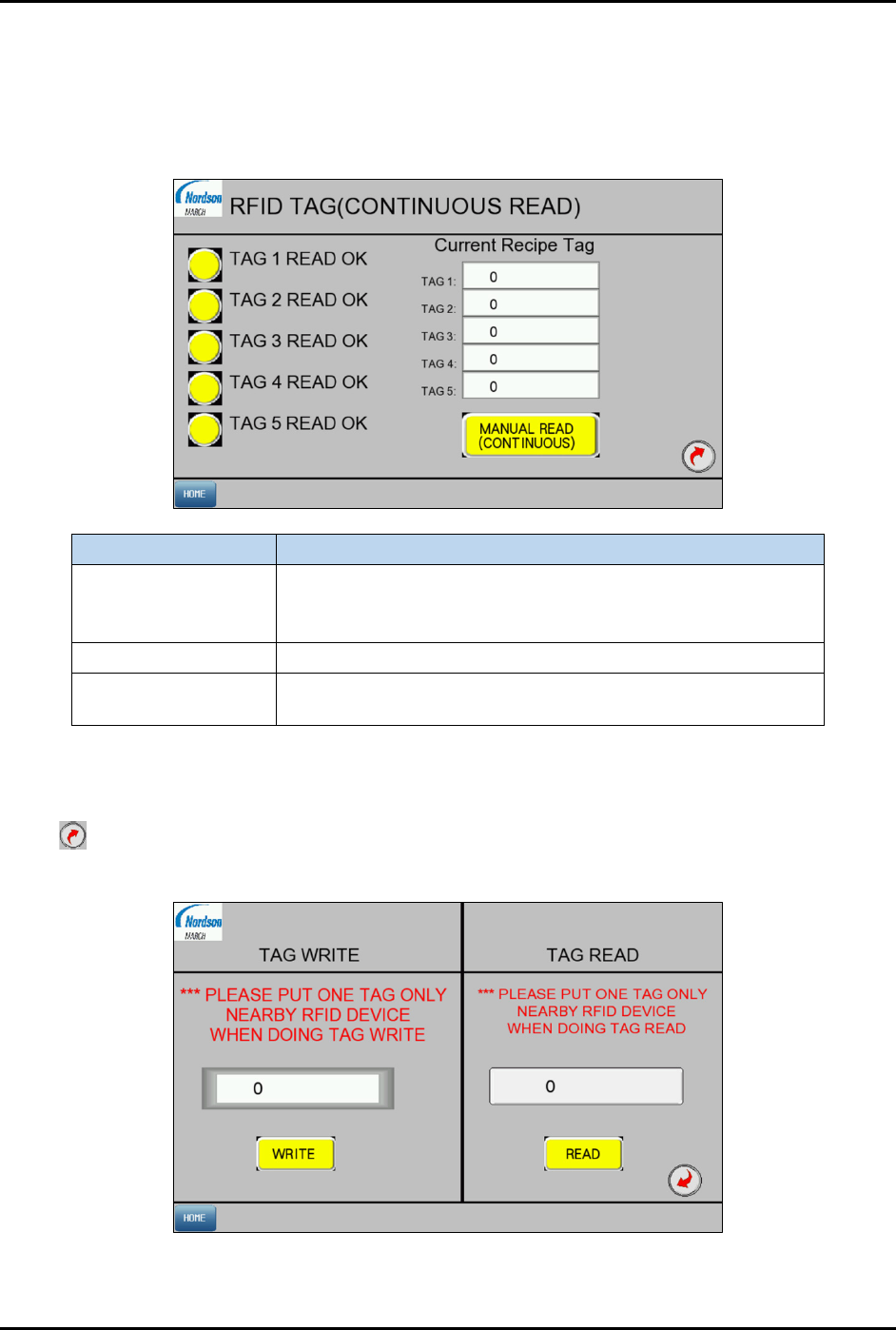
Select CONVERSION KIT TAG from the Control screen (Figure 4-9) to open the RFID Tag screen
(Figure 4-17).
4.9.8.1 RFID Tag Screen 1
Label
Description
Tag # READ OK
Yellow: TAG # does not match the saved Recipe Tag ID.
Green: TAG # is verified by the reader to match the saved
Recipe Tag ID.
Tag 1 to Tag 5 Shows the list of RFID tag ID that are used in current recipe.
Manual Read
(continuous)
Toggle manual RFID reading for all 5 tags.
Figure 4-17 Conversion Kit Tag Screen 1
4.9.8.2 RFID Tag Screen 2
Select on Screen 1 to access Screen 2. Press WRITE to save the tag ID to the selected recipe for initial
new recipe or conversion kit setup. Press
READ to read the tag ID from RFID tag.
Figure 4-18 Conversion Kit RFID Tag Screen 2