FlexTRAK OH Material Handler Manual.pdf - 第55页
FlexTRAK-OH Material Handli ng System IOM Manual Installation © 2023 Nordson C orporation 3-5 Figure 3-5 Magazine G ripper Scaling Plat e c. The magazine li fter height scalin g plate must be co nfigured acco rding to th…

FlexTRAK-OH Material Handling System IOM Manual Installation
3-4 © 2023 Nordson Corporation
3.5.2 Compressed Air and Vacuum Tube
1. Identify the connection points for compressed air and vacuum air (Figure 3-3).
2. Lockout the pneumatic energy at the shut-off valve and the plant pneumatic air distribution
panel (if applicable). See 2.19.2 Pneumatic Energy Lockout for details.
3. Plug in the applicable air tube to the specific connection point. Air tube fitting sizes are
listed as below:
• Vacuum air: 12 mm
• Compressed air: 10 mm
4. Safely route the tubes to the vacuum air and compressed air outlets. Ensure the tubes are not
tangled while routing the tubes.
5. Connect all tubes to the intended vacuum air and compressed air outlets.
3.6 Initial Setup Procedure/Pre-Teaching
The following initial set up procedure must be performed before running the production strips.
To perform the initial setup procedure:
1. Ensure the facilities energy output is within the range of machine operation specifications
(voltage and current) rating. The machine operating air pressure is 5.5 bar. The compressed
air pressure gauge and HMI input screen will self-power on.
2. Ensure light tower status light is solid yellow. See 2.16 Light Tower Status Lights.
3. Ensure the correct production recipe is selected.
4. Ensure the correct magazine dimensions are selected. See 1.7 Magazine Dimensions.
5. Ensure the following setup is correct:
a. Specification of strip lane conversion kit (Figure 3-4) must be equivalent to the
production recipe lane quantity (e.g., 5L or 6L) and magazine width. See
3.7.1 Conversion Kit Replacement for details.
Figure 3-4 Strip Lane Conversion Kit
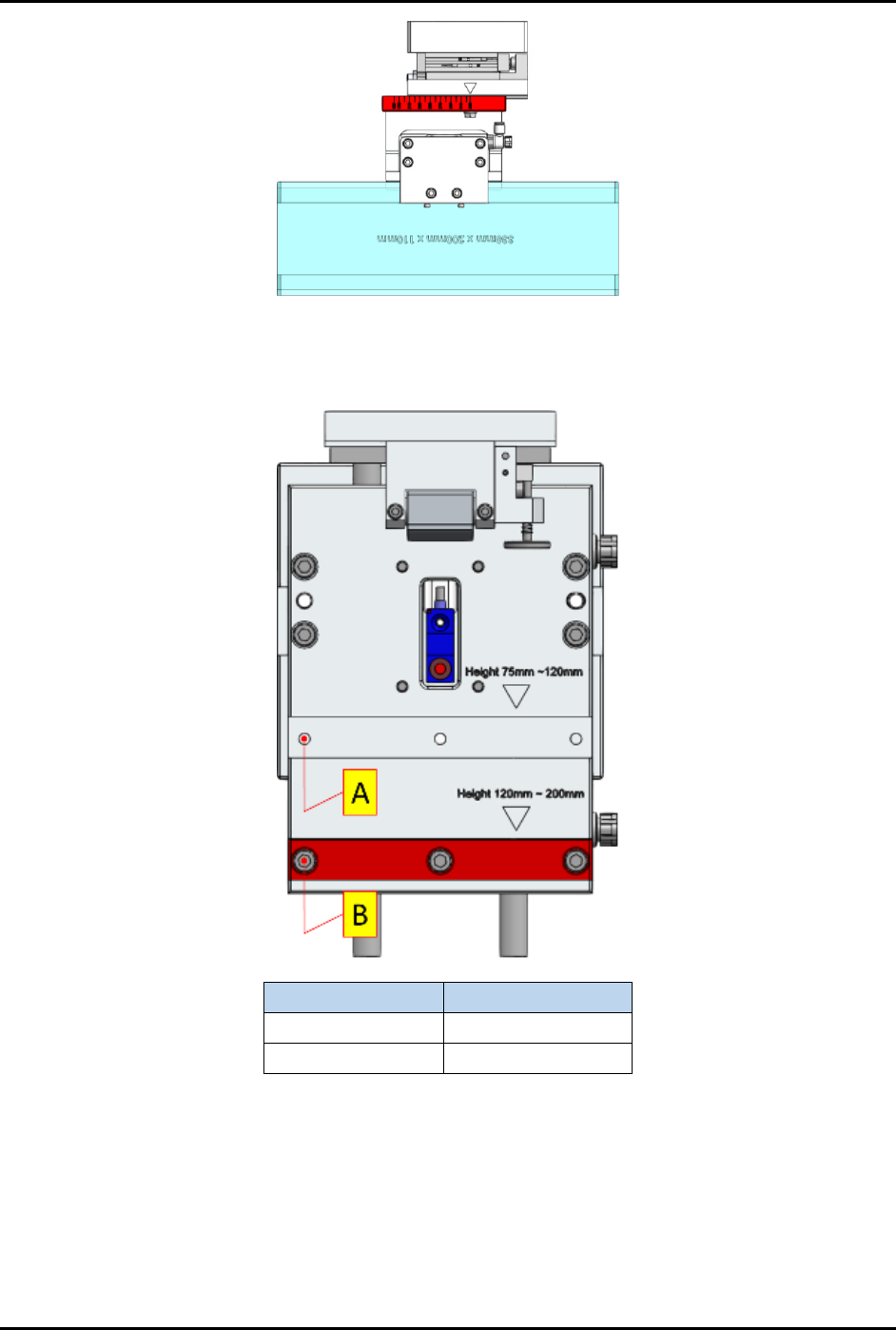
b. The configuration value of magazine gripper scaling plate (Figure 3-5) must correspond
with the magazine length. See 3.7.2 Magazine Scale Plate Adjustment for details.
FlexTRAK-OH Material Handling System IOM Manual Installation
© 2023 Nordson Corporation 3-5
Figure 3-5 Magazine Gripper Scaling Plate
c. The magazine lifter height scaling plate must be configured according to the magazine
height range classification shown in Figure 3-6.
Magazine Height
Use
75 – 120 mm
(A) Top slot
121 – 200 mm
(B) Bottom slot
Figure 3-6 Magazine Lifter Height Scaling Plate
6. Ensure machine is in manual mode. This can be checked from the Home screen of mobile
control pendant (Figure 2-8).
7. Ensure the user access account is logged out.
FlexTRAK-OH Material Handling System IOM Manual Installation
3-6 © 2023 Nordson Corporation
3.7 Setup Procedures
Tools and Materials Needed
• Strip claw set for claw 1 and claw 2
• Strip lane set for strip loading, plasma chamber, and strip unloading
NOTE Each kit part is labeled with the dedicated Kit ID (Kit ID: width x lane quantity). Ensure
the Kit ID assembly groups are correct before proceeding to production or maintenance
mode.
CAUTION! Ensure the machine is in idle mode by verifying that the light tower status light is
solid yellow (Figure 2-12). Ensure all previously handled workpieces (magazine
and strip) are removed from the machine platform.
3.7.1 Conversion Kit Replacement
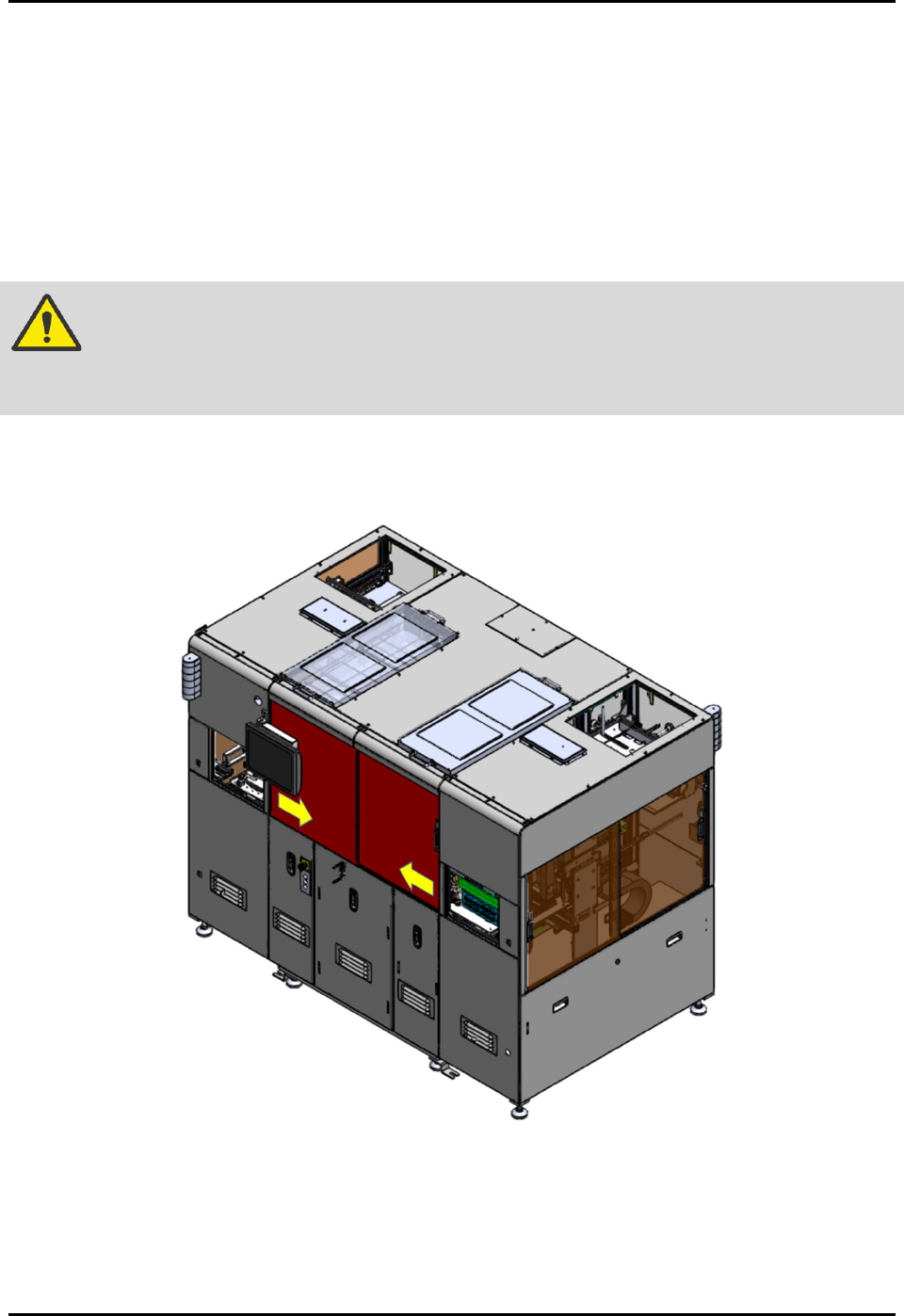
1. Open the front sliding doors to access the machine interior components (Figure 3-7).
Figure 3-7 Open Front Sliding Doors